
With the holiday season underway and the year winding to a close, the release train takes a moment to reflect — its engine quiet as it looks out at a glittering world filled with Ignition users. 2025 has been a big year for Ignition releases, with 8.3 coming out, and the release train is in awe of all the innovative and downright magical things you all do with the features it delivers.
Okay, reflection time’s over — let’s dive into the updates for this year’s final release!
Ignition 8.3.2 includes a way to manage quarantined modules, a new Manage JAR Files form, and more.
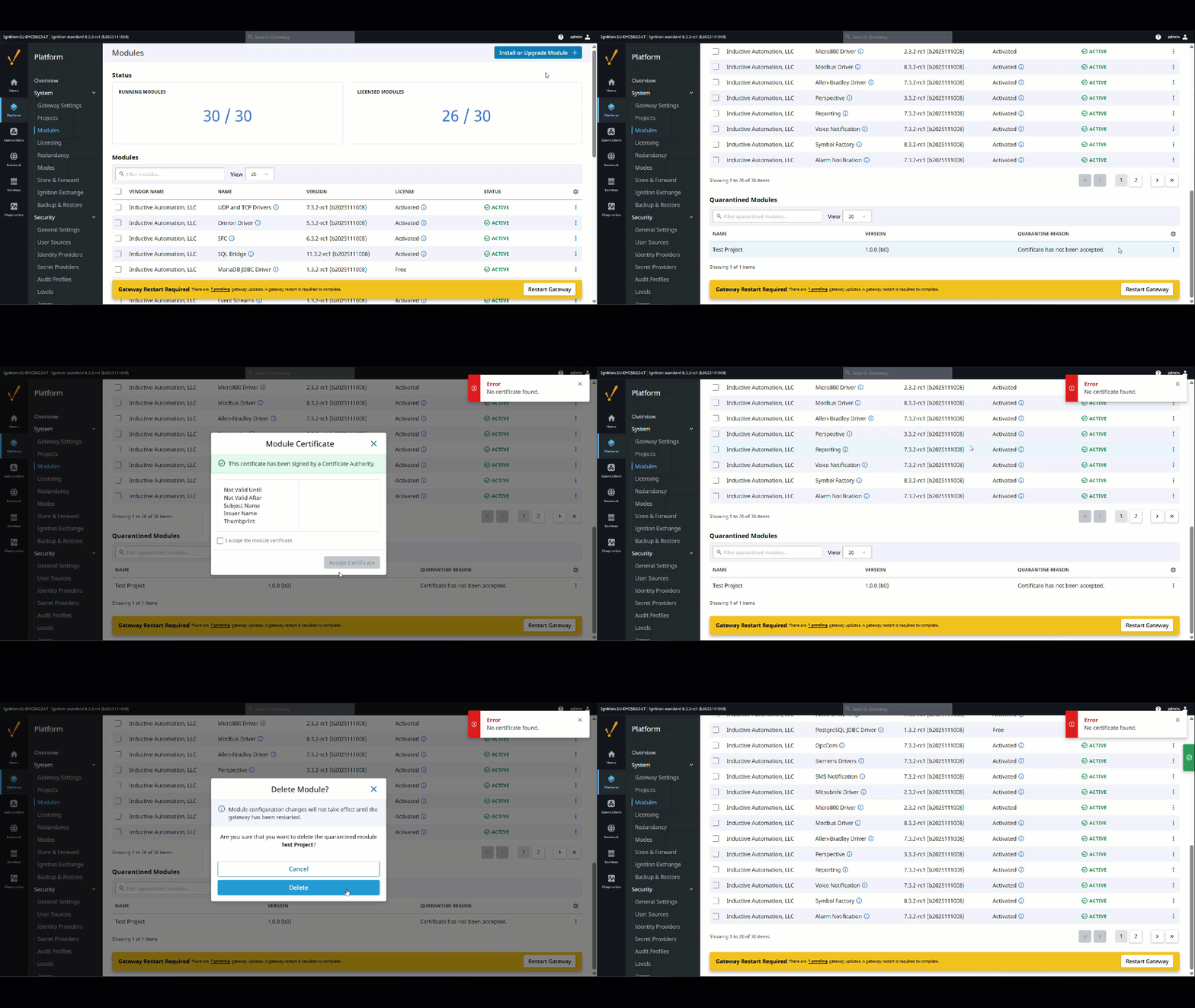
Quarantined Modules Management
8.3.2 enables you to manage quarantined modules, with the ability to review and accept licenses and certificates, as well as delete modules.
These options come via a new menu on the Gateway Modules page. The new capabilities are especially handy for module authors, since when you’re testing out your own module you’re often not creating a valid certificate. But the functionality is also useful for any module in general, such as a module coming in from a third party. If you’ve got a module in quarantine, it’s now easy to review its certificate, then accept the certificate or delete the module.
This feature solves the issue of modules being stuck in quarantine, providing a convenient way to manage quarantined modules right from the UI instead of being forced to use the API.
Form to Manage JAR Files
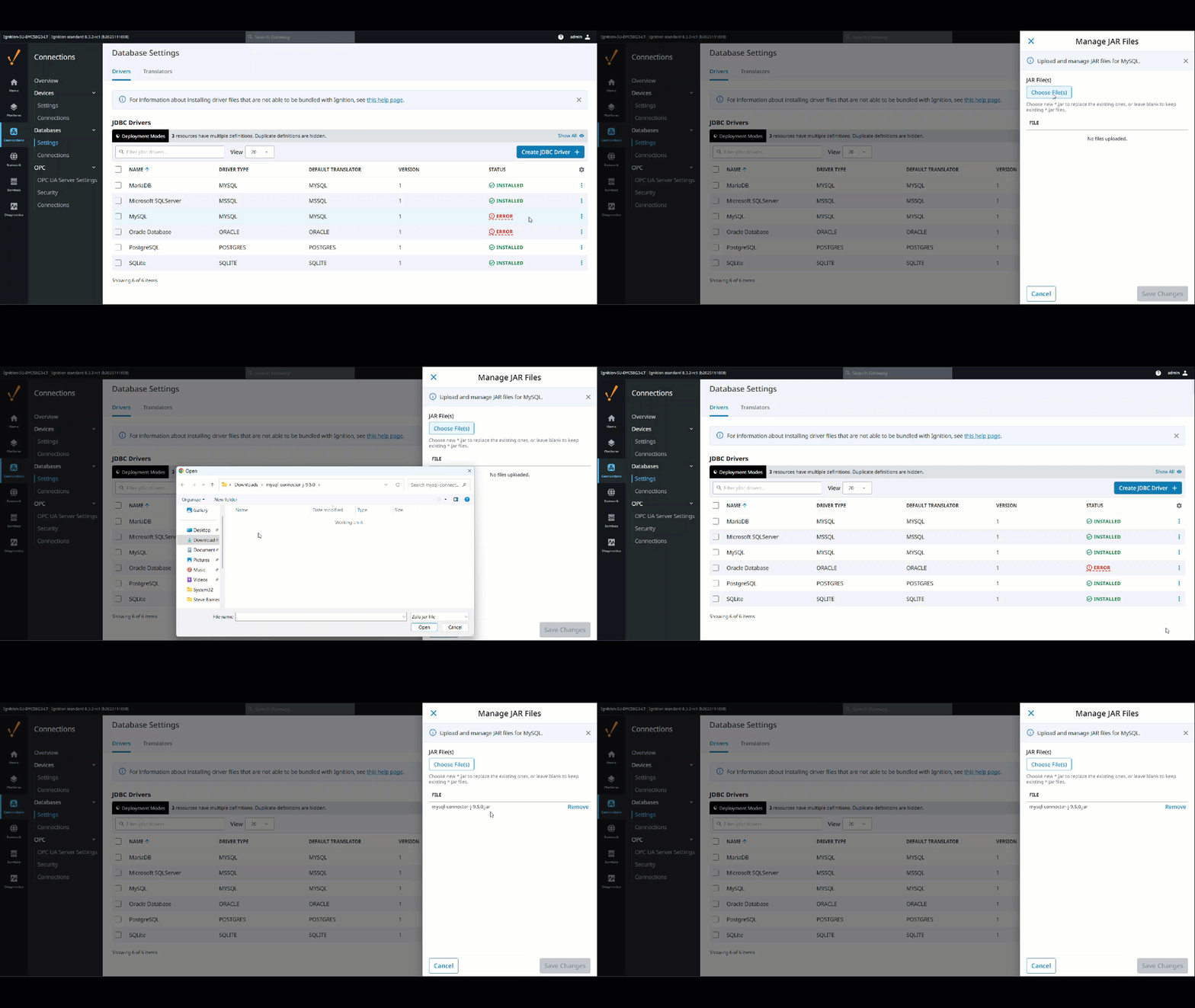
We’ve also added a new Manage JAR Files form for JDBC Driver configuration in 8.3.2!
With the new form, you get a better user interface for adding .jar files to your system via a File Upload component. It also provides a list of existing files for the resource in question, which makes it easy to see what has already been uploaded and remove files if need be.
The new feature is particularly useful for those of you who want to have more control over what types of files you use for your database drivers. Overall, this adds more flexibility to how you install .jar files and how you manage multiple .jar files that you may be loading into your system.
Honorable Mentions
There are several more features in 8.3.2 that deserve some attention:
Gateway Network
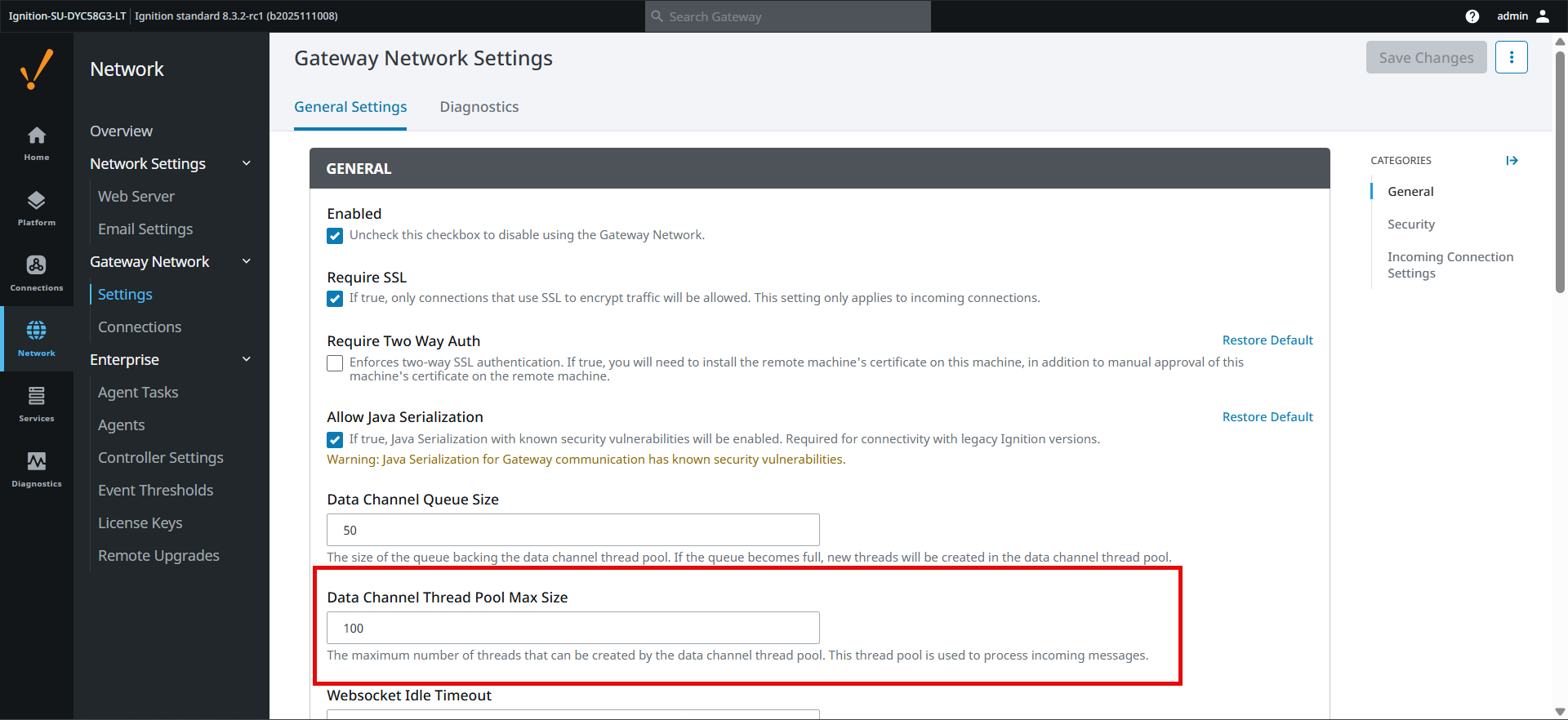
The Gateway Network now uses its own thread pool to process incoming messages. This eliminates the issue of the Gateway UI becoming unresponsive when handling a large volume of Gateway Network requests.
Please note: If you use a large hub-and-spoke Gateway Network system, you may need to tweak the new Data Channel Thread Pool Max Size on the hub gateway's General Gateway Network Settings page, especially if you have increased the "gateway.maxThreads" setting in gateway.xml in the past.
Reporting
Vector Print Mode can now produce vector graphics for Report components when sent to physical printers — a useful option if you need high-quality reports in hard-copy form.
User Sources
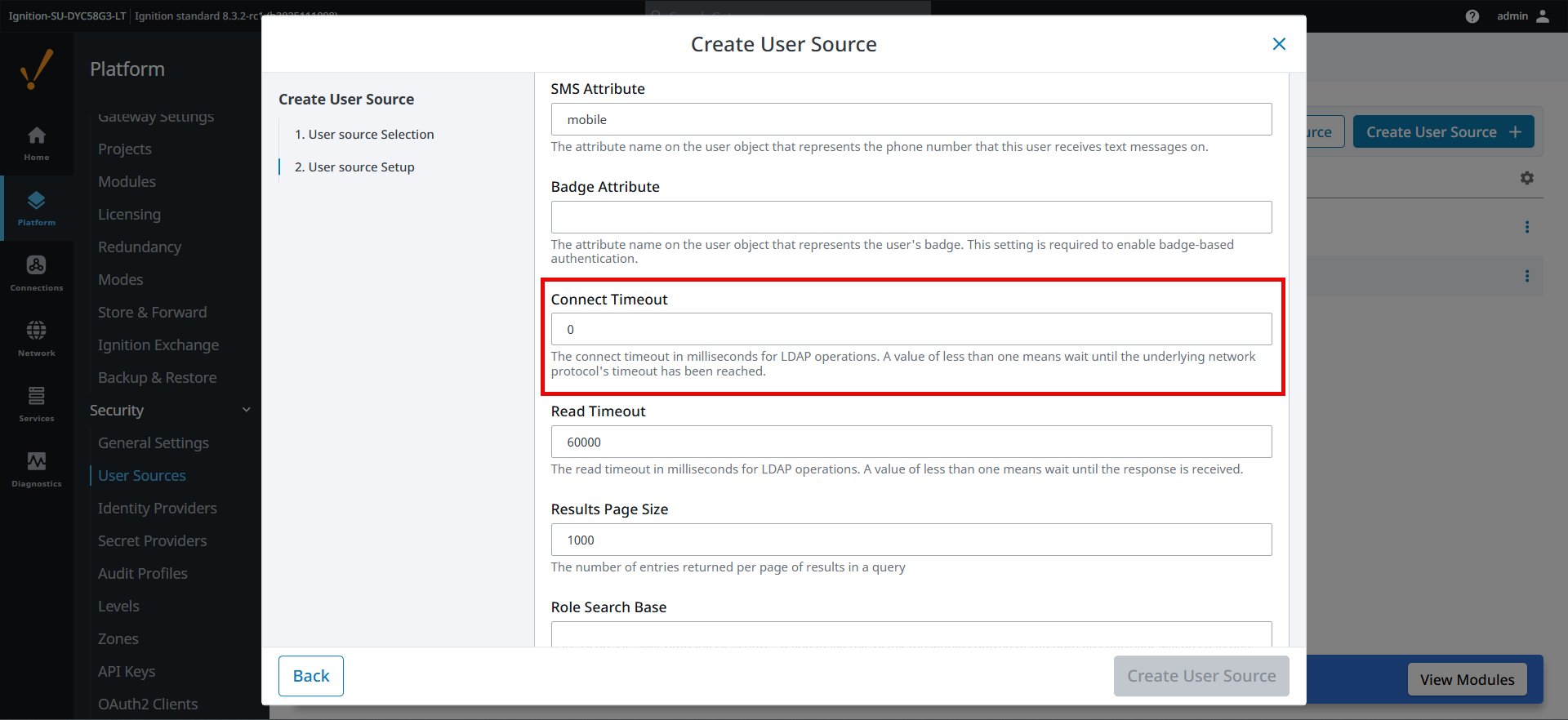
A new Connect Timeout setting is available for all Active Directory user source types. This lets you specify a particular duration to force a connection attempt to eventually time out. The new setting is particularly useful if you have lethargic LDAP servers or, say, intermittent network issues that cause connectivity issues when creating connections to the LDAP server.
Vision
8.3.2 now has an XML encoding option for Vision Client tags alongside the existing binary format, which boosts compatibility with version control software.
Web UI
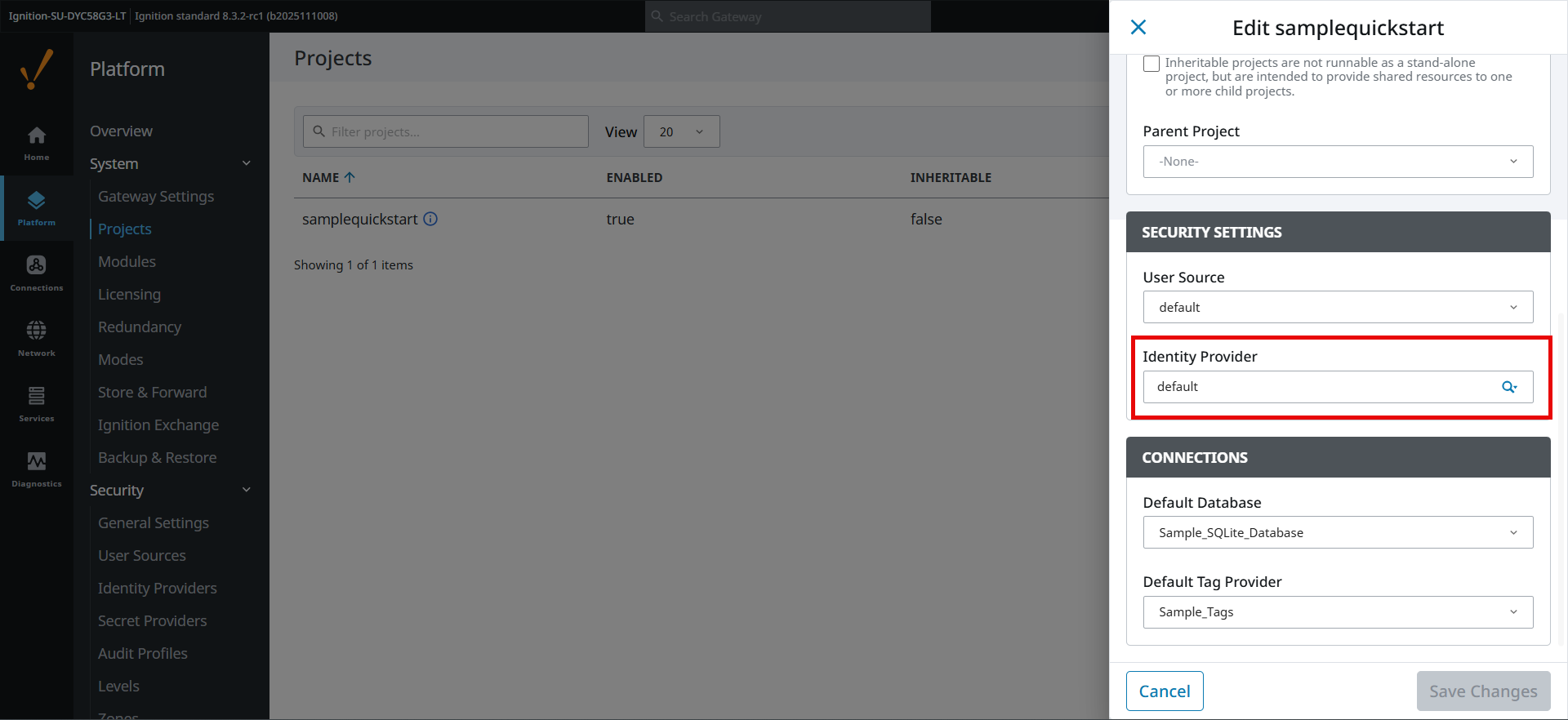
We’ve added an Identity Provider field to the Gateway’s Projects edit form and API PUT requests. This enables you to configure an IdP when editing from the web interface (rather than having to go into the designer, though you can still do it from there!).
Until Next Year!
Find out more about the updates in 8.3.2 in the release notes and the Ignition user manual. And don’t forget to stop by the ideas portal to let us know what’s on your Ignition features wish list!
The Ignition 8.3.3 release train is already prepping for the new year, with more improvements coming your way in early January.