ICC
Explore past sessions from the annual Ignition® Community Conference.
Browse ICC content by year:
Filter
Sort
icc
|
2024
IA Session
Integrating Ignition with Exciting Peripherals
Ignition is based on open standards, is deployable anywhere, provides data to anyone, and can integrate with virtually any system or device. This allows you to leverage best-in-class technology with seamless integration to Ignition. Perspective and the native iOS and Android application is a perfect example of this. Ignition enables people to extend their applications to a phone or tablet by leveraging the camera, GPS, NFC, Bluetooth LE, and other mobile tools. In this session, you’ll get some exciting use cases and live demos featuring one exciting OT peripheral and one very cool guest appearance you won’t want to miss!
45 min video
Watch the video
icc
|
2024
Build-a-Thon
Build-A-Thon
Behold, another Build-a-Thon is upon us, complete with all the intrigue, feats of daring design, unexpected surprises, and singing that usually accompany such a monumental event. This year, teams from two top integration companies will battle to see who can design the best Ignition project. Don't miss all the excitement of witnessing the crowning of a new Build-a-Thon champion live at this educational, one-of-a-kind competitive SCADA event!
100 min video
Watch the video
icc
|
2024
Keynote
Technical Keynote: What's New in Ignition 8.3
Traditionally, we've always held the Technical Keynote or Development Panel on Day Three of the conference, but this year, we've got something big to discuss, so we've moved it up to Day One of our conference content schedule. It's no secret that we've been working on the newest version of Ignition for several years now, and now we're finally able to dive deep into what's coming in Ignition 8.3 and how its powerful new features can lead users to their next big breakthrough idea!
69 min video
Watch the video
icc
|
2024
Keynote
Main Keynote: Exploring the Impact of the Ignition Community
The global community of Ignition users includes large multinational enterprises, government and professional organizations, small companies, and individuals. While each uses the software differently, they all use Ignition to harness the power of automation to accomplish their own mission of making something better. In this keynote, we'll explore how Inductive Automation is supporting the efforts of the Ignition Community and the incredible impact their work has on the future and improving people's lives on a regional and local level.
56 min video
Watch the video
icc
|
2024
Community Session
Kanoa Exhibitor Demo: Kanoa: MES for the Masses
Kanoa MES is a modern Smart Manufacturing solution designed in and for Ignition. Learn about the Kanoa MES Modules, Kanoa MES Database, and Kanoa APP Ignition project you'll use to get started with Kanoa MES. Check out a live demo of Kanoa Ops and Kanoa Quality to see how you can configure your MES in days and get insights into your manufacturing data with ease.
33 min video
Watch the video
icc
|
2024
Community Session
Demystifying The Unified Namespace with Ignition
Unified Namespaces (UNS) have the power to streamline OT data by breaking through communication barriers between devices and applications. By leveraging the Ignition platform and MQTT, UNS can open the door to transformative potential for operational and enterprise applications. But what even is a UNS? Join Cirrus Link as they leverage Ignition and MQTT to implement UNS and their transformative potential for applications, and share details about the core functionalities of UNS. By the end of the session you'll be equipped with the knowledge to harness the power of unified data and unlock new possibilities for your industrial operations.
48 min video
Watch the video
icc
|
2024
Community Session
Phoenix Contact Exhibitor Demo: Enabling the Digital Transformation
Learn more about our networking and automation portfolio as a complement to Ignition. We will showcase our PLCnext technology with Modular I/O, Ethernet switches, and new MQTT / MODBUS protocol converter products. We will introduce you to new upcoming technologies based on Single Pair Ethernet and APL.
29 min video
Watch the video
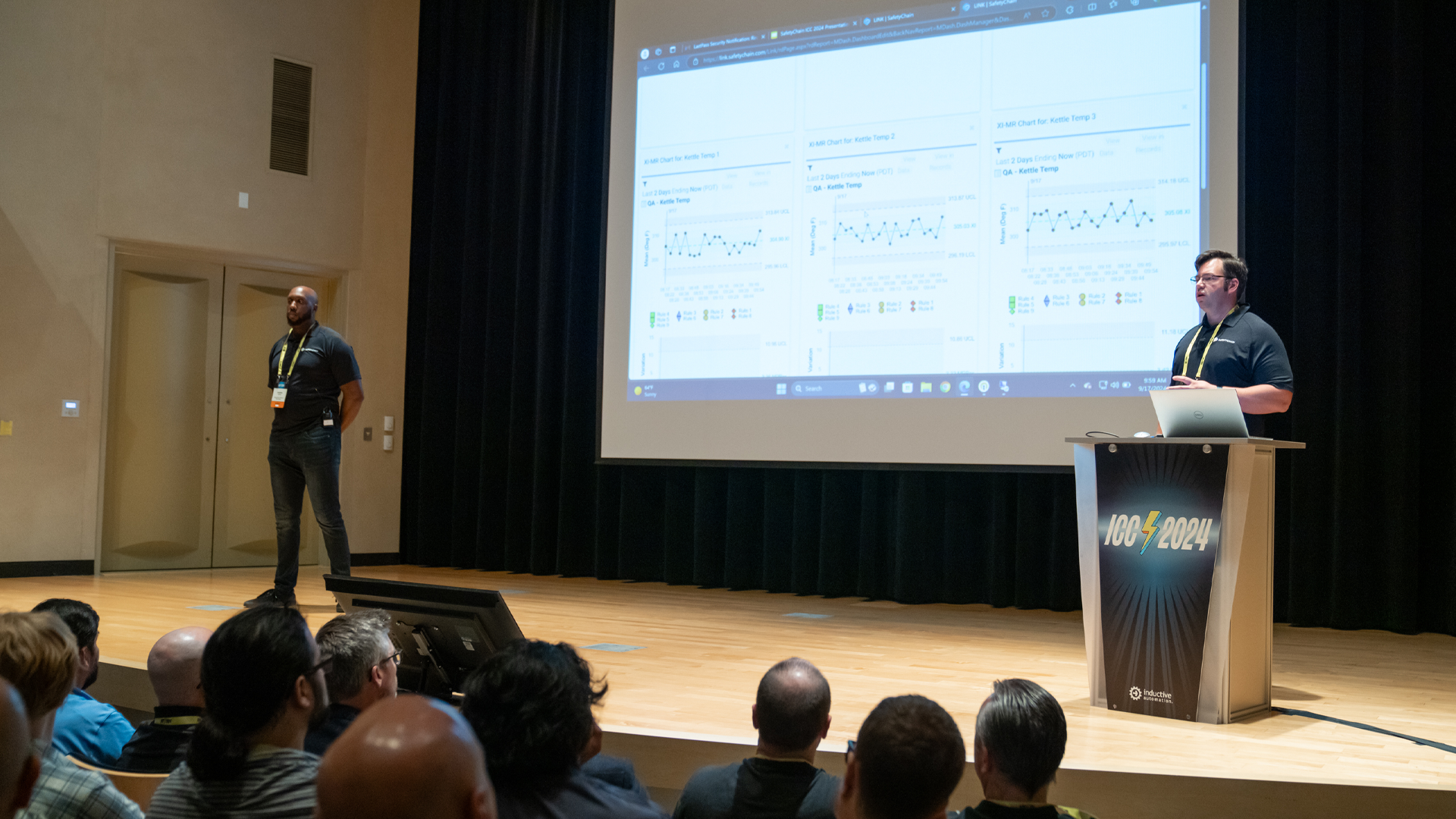
Learn how process manufacturers are leveraging the power of SafetyChain & Ignition to drive meaningful value in their production environments. We’ll cover how manufacturers benefit from seamlessly connected systems and the broader impact that has on various segments of their operations. You’ll hear about a case study where thousands of data points derived from a complex manufacturing process were leveraged to drastically improve quality and production metrics. Finally, we will showcase how easy it is for manufacturers to connect SafetyChain and Ignition with a live demo.
Transcript:
00:01
Geoff Nelson: Glad you're here. Appreciate your time here to talk to us. We are here to talk to you about SafetyChain and our Ignition Module to help capture real-time data for a digital plant management system. My name is Geoff Nelson, I am the VP of Technical Solutions for SafetyChain Software. This is Jonathan.
00:21
Jonathan: Hello, everyone. Welcome. Thank you for joining us today. I've been with SafetyChain a little over three years working as a Solution Engineer. But I primarily come from the food and beverage manufacturing industry. I spent over a decade working in a plant and SafetyChain is a plant management platform. So, I'm really excited to talk to you guys about the value that SafetyChain can bring and how we can leverage the Ignition Module.
00:49
Geoff Nelson: So, let's get into it. So, we will talk about SafetyChain, we'll give you some of our key applications where we kinda hit the plant management, plant floor, talk about digital transformation which I'm sure you're all pretty familiar with, give you a customer success story and then go into a demo. So, we'll try to get through these kinda quick so we can show you a demo and leave time for questions at the end. So, we are a digital plant management platform. We're a SaaS solution hosted in Microsoft Azure, we have native applications for Android, iOS and Windows and we help kinda pull everything together, the glue for the digital plant management platform. We are an alliance partner here with Inductive Automation and we will show you our module that we have.
01:35
Jonathan: All right. So, yeah, as Geoff's kinda said, we bring everything together. I like to think of us as kinda like a one-stop shop when it comes to plant management. And as you can see, everything here listed, these are some of the key use cases and applications that a lot of our customers use as and leverage in manufacturing. I'm not gonna go through the whole list, but we touch your whole process from shipping and receiving all the way to getting your product out the door. And primarily, we've come up in the food and beverage space, but we have had other applications outside of that. Now, as it relates to the Ignition Module, that specifically focuses on how we're capturing data for our customers.
02:13
Jonathan: So, with the Ignition Module, we can capture any data that's already mapped to their Ignition Gateway in SafetyChain. And SafetyChain is already a pre-built solution for you to extrapolate your data. You can aggregate that, graph it, trend it as you need. We could take for an example, temperature logs here listed right here. Instead of having a maintenance tech or operator go in and take hourly required check and write that down and put it away in a folder or binder, SafetyChain helps you digitize that process and take it a step further by automating it. So, with the module, we could set off a trigger where we're capturing that specific data tag on a specific routine or basis, or if there's a condition that needs to be met, we can trigger it as well. We have multiple ways of triggering that data collection point.
03:11
Geoff Nelson: So, like Jonathan said, these are the key areas of impact, what we do, it's pretty customizable. And so, you can build really your own process out within SafetyChain. And then he's highlighted here these blue ones as real-time, maybe ones that resonate more through Ignition. But then you can bring this data in and it can live next to all of these other impact areas as well.
03:36
Jonathan: So, again, I talked about my time in the plant. This slide kind of really illustrates the process around capturing data and using that data to further your continuous improvement efforts. SafetyChain is basically gonna help you do that and then the module's gonna help you also automate that. So, in SafetyChain, primarily you could collect data via a workstation or tablet. So, we're device-agnostic. You can use a Windows workstation, you can use an Android or iOS tablet. Typically, it's operators entering checks or maintenance guys entering their work orders, things of that nature. But you can also trend and track that data and find your opportunities for improvement, find your opportunities to save time and waste and then you gather insights and you act on that data. And as you're acting on that data, as I said, you're pushing your continuous improvement and you're pushing the bottom line so that ultimately you're growing as a company. That's what we try to help our customers and try to generate those success stories from helping them leverage that data.
04:41
Geoff Nelson: So, whether you're coming from paper and we're helping you create a digital process or you already have data being collected and you're just going to multi-site networked cloud solution, we help you come to ask questions that you didn't even realize you had because you're doing that CI, that continuous improvement, on your processes and on your data. So, I'm gonna tell you a little story about Egglife. So, I don't know who here is familiar with Egglife. They make the tortilla alternative out of egg so you can have tortillas that are made from egg. They took the Ignition Modules. They already were using SafetyChain, they had gone from a paper process to a digital process on their tablets. So, they're using tablets to gather information, they're gathering downtime, dwell time, temperatures, all sorts of information within SafetyChain and already performing analytics. Then, they moved to the Ignition Module because all of that data was available within Ignition but they still needed to collect the data for auditability, for compliance and for audits that come in. Now, they took about 12 manual processes. They had people going up to the machines or going up to the HMIs and collecting this data in a tablet.
05:55
Geoff Nelson: They moved it over to the Ignition Module and all this data's still being captured but in an automated way. So, they took 12 processes and automated them. So, that's people, that's time now that people aren't having to go walk up with a tablet and it's all within SafetyChain and they can still perform their analytics. It's all in the cloud and it's all stored long-term. So, an opportunity there for them to save time, save money. And then now, they can use those operators really to do something else more valuable than looking at a screen and collecting data. All right, now we're gonna jump into the demo. So, bear with me just for a second here. Okay. So, I am bringing up the module first and then we'll jump into SafetyChain. So, this is just an Ignition Gateway here which I'm sure you guys are all familiar with. We have a module that can be installed and it puts this SafetyChain piece here at the bottom. It's really easy, I mean, a few clicks to install a module and then you get your connections, your Form Collectors, your OEE Collectors and your Tag Collectors.
07:01
Geoff Nelson: This allows you to really grab any data that Ignition has access to and then put it into SafetyChain in different ways. So, I'm showing a Form Collector here and it'll make more sense when we start showing SafetyChain in a moment because we'll show you our Demo 1 tenant. I'm just gonna go into the kettle temps here and just show it to you real quick. And I am using this connection here at this site and connecting to a VM, so might be a little bit slow here. When this comes up, it gives you a user interface that allows for configuration to create an integration between Ignition and SafetyChain. So, Ignition has view into what SafetyChain data exists. So, we call these Forms. So, a person might be entering, writing on a piece of paper what their kettle temps are and then so we digitize that into a digital form within SafetyChain and then Ignition gets access to that. So, a user could come in here and access all of the forms that exist within SafetyChain, pull it into Ignition, set up a trigger, so when do I wanna send this data to SafetyChain? Do I want to do it time-based, every five minutes, every one minute? Do I wanna do it tag-based? So, if a temperature exceeds a certain value, does the dwell time exceed a certain value?
08:20
Geoff Nelson: Send this information to SafetyChain, there're different ways to do it. Do I wanna do it manually so you can actually script this execution? You can put it into a button and perspective revision into a screen, and then you map each of the fields. So, I can have my Kettle Temp 1, 2 and 3. I have which line is it coming off of. Average is a calculated value within SafetyChain, so I don't have to send it. The temps, the tags, the fields within SafetyChain have different sources. So, you can choose a tag, a static value, an expression. You can choose a data source which allows you to go to any data source that Ignition has access to. So, if you have a SqlConnection or something, you can then pump that data directly here through configuration. So, it allows you to really take, like we said, any of the data that Ignition has access to, package it and send it to SafetyChain. I'll show you one more. So, what this does is it pulls the SafetyChain context into Ignition. So, Ignition knows how to talk SafetyChain language. The other option that we have are tag and OEE Collectors which really just says, "Hey, give SafetyChain the tag," and then it will deal with it.
09:34
Geoff Nelson: So, here, it's not talking SafetyChain language, we're just sending, okay, this tag goes to SafetyChain and it is your in count or it is your out count so that SafetyChain can then track your downtime, it can track your throughput, your productivity. All we need to know is the tag, just send us the tag and we'll do the rest. So, in this context, all the business logic is in SafetyChain. In the Form Collector, the business logic is basically in Ignition but it allows you to really do the integration in whichever way is needed.
10:02
Jonathan: Yeah. And then we can visualize that. Once we have that data and we've set up all the configuration on the back end on the SafetyChain side, you can then see that visualization and reporting of your OEE and we're going to demonstrate that a little later as well.
10:15
Geoff Nelson: So, that's what we'll jump to now. So, that was the Ignition Module. So now, what does that look like in SafetyChain? So, this is what we call our reporting or our grid screen. It's just one click from the homepage to get here. And now, we can quickly start to see and visualize the data. So, all the data that comes in, whether it's from Ignition, from a user on their tablet or on their phone, on the PC app or even a web-based browser interface, they can put their data within SafetyChain and it all here lives together. So, if you wanna perform analytics, deep dive into the data, you can have your automated data right next to your manually collected data and start to make decisions. Once you come in and start to look at your data, so it looks like I am here looking really at our kettle temps. You can also start to then perform actions. So, you can create tasks to assign to users. So, for follow-up, you can trigger notifications. So, if this is out of compliance, you can also do verifications. So, you can create your own sign-offs and verifications within the system.
11:23
Geoff Nelson: So, if you're doing data verification, pre-shipment review, that all is done within SafetyChain. So, you can have your processes built out and start to see the digital plant management part of it. So, I'll just show here the verify and I don't know, Jonathan, this is your site more than mine. Is this data verifiable?
11:44
Jonathan: Yeah, for sure.
11:45
Geoff Nelson: Well, you see here, so we had Sign-off, Record Review, FS Coordinator and Pre-shipment Review. So, those are verifications that have been built into the system, it's just all configurable and this data then can be verified and it's all tracked historically, so who did what when is not alterable. So, a person would come in here, so I would be here with my user, I would go verify these. So, I'd select the ones that I wanna verify, I'd sign them and I would put my note and then all that's tracked historically and so all these... So, those records have been verified for that verification that I picked. Do you want to jump in here a little more...
12:26
Jonathan: Sure, yeah. While I'm doing that, as I said, I worked prior to SafetyChain in food and beverage space. How many people here have been a part of an audit before? Raise your hand if you've been a part of an audit. Was that fun as far as like getting prepared and...
12:49
Geoff Nelson: No.
12:49
Jonathan: No? Yes?
12:51
Geoff Nelson: Audits and fun.
12:52
Jonathan: I like to do audits on the weekends maybe. Yeah. So, one of SafetyChain's big claim to fame would be having our customers become 24/7 audit-ready. And I'm gonna show you our Programs feature as soon as I remember where the link is. Here we are. And yeah, I've been a part of a few audits myself prior to going through digital transformation. So, we're talking filing cabinets, we're talking binders, we're talking going through old emails and work orders, it can be a headache and it's usually across a few days. So, when I came to SafetyChain, I learned about our Programs feature. It really resonated with me coming from industry and I'm like, "I wish I had this back when I was on the other side of the desk." So, what SafetyChain can do, as Geoff said, is we do a lot of customization of our forms so that you can capture those and you have record and documentation of that for future purposes. You can link those back to your food safety or internal program and be able to be audit-ready at any notice. So, if you have multiple clauses, we'll look at our HACCP one right here.
14:18
Jonathan: I like to think of these as kinda like those binders but in digital form. You can see all of your forms that have been linked to that specific program so that if the auditor was to come in and say, "Hey, I need to see records from this date to this date for this specific clause," it's right there at a few clicks of your fingertips. So, you can see all the records, you can see all of your documentation, so that means any SOPs or work orders and instructions that you have already listed specific to those clauses and that program, you can put that in there and it's customizable. So, we're not just doing food safety, we're not just doing SQF or HACCP in this case, but we can do an internal program that's specific to your specific company guidelines. So, if you have an EHS program or safety program, if you have maybe a GMP audit that you do internally, you can set that all up and have that traceability in there as well.
15:14
Geoff Nelson: You could do, like he said, internal binders or maybe customer or auditor ones. So, if you build one specific to what an auditor might look for, you can do it that way. And instead of having a piece of paper or a single physical drawer or location, these digital binders or programs, you can have multiple assignments. So, that form that we looked at like the kettle temps or any of those ones that we build out can belong to multiple programs and it's just at that form level so then any of the data that comes in will go to all these. So, if you filter for... If it's in Master Sanitation and it's in Food Standard 9, the data will all exist there without further mapping. So, there's nothing you have to do after the initial configuration.
15:54
Jonathan: Right. So, as far as all of the prep work, you do most of the lift up front when you're doing your configuration, setting up your forms, storing your documents and then from there, as you're collecting your data, as you're going through your typical everyday work processes, it's automatically going to its right place as related to your program. So, these are just a couple examples in our demo environment. As you can see, you got your docs, your forms and then your records for a given time. You can go out longer. So, this is the date and time filter at the top. So, if you wanted to go back three months, you could do that and you'd have even more records there. Yeah. So, here we go with the same HACCP one that we were looking at. It's got 492 records and so if an auditor was to come here, walk in today and say, "I need to see your HACCP records," I can pull that up pretty easily. Should I go into OEE now?
17:00
Geoff Nelson: Yeah, let's do it.
17:00
Jonathan: All right. So, another one that's near and dear to my heart would be around line efficiency and OEE tracking. I spent some time as a production manager, so knowing how the lines are running on a given day, basis, knowing where your opportunity is to reduce downtime is a very big deal especially in the manufacturing space. And that's where our OEE module comes into play. So, with the Ignition Module, as Geoff said, we have the OEE collector and we can map those tags back to our OEE solution so that we can generate this right here. This is one of our main screens here, this is live monitoring. So, in real time, we're capturing those tags and the counts from the machines coming from the line and we could tell whether the line is up or down, we could tell how fast it's running and we could tell if we've made our plan for today or where we're at in regards to what we were scheduled to produce. So, very impactful.
18:02
Jonathan: We have different screens, we could look at a more abbreviated version as well where you don't see the graph and you just can see at a high level. It's green, that means it's running. If it's red, it's down. You can see what your current rate is, obviously, what your total downtime is right there and what your current OEE is for that specific run.
18:21
Geoff Nelson: And here, we're looking at a single line but this is made for a multi-line, even multi-site so you can look across locations, built for scalability to look. Yep, here we go. So, he's showing two lines now. And so in the slim view, you might look at multiple... There's different views even to make them even smaller. But you might put it up on a screen down at the plant floor, pull it up in your office, put it up on your phone at a different site to get you visibility into how you're performing. Are you currently down? Why were you down? Why are you not meeting your goals?
18:54
Jonathan: Right. Yeah, this is a lot more lines here now. So, yeah, this view kinda... I'd say like the supervisor, manager/operator view, so you can see specifically what's going on on your production floor from an OEE standpoint. And then from a reporting standpoint, we have some out-of-the-box reporting as well where you can focus in on how you're doing as a plant but also if you were looking at an enterprise view, how you're doing across all of your plants. As Geoff said, we're very scalable. So, if you had multiple plants, you could see how specific SKU was running across your different plants if they shared SKUs. This is the enterprise view right here. I need to go out in more time to skip data.
19:56
Jonathan: Here we are. So, you could see how each location is behaving, you could see how your shifts are trending, if you have one shift that's doing a little better than others, graveyard shift might be taking breaks when they're not supposed to, get your OEE by line and then also by SKU down here. And then another good one is our top five reasons like Pareto. So, figuring out where your biggest opportunities are from a downtime at the source and reason level. And then, we also have some customizable reporting as well in our report builder. So, even if you don't see exactly what you want here, odds are you can use the raw data to build that in SafetyChain as well. So, we have customers that wanna see something specific or specific tables, they're able to build that with the raw data that's being collected via the tags. All right, we are about 20 minutes in. Do you think we should take questions now or is there something else you wanted to show?
21:08
Geoff Nelson: Let's show... Can you show SPC real quick?
21:11
Jonathan: Oh, yeah... I'll let you do it.
21:13
Geoff Nelson: You know the data though, right?
21:15
Jonathan: You talking about the Ignition?
21:17
Geoff Nelson: Yeah.
21:18
Jonathan: Okay. Let me...
21:20
Geoff Nelson: So, like he's saying, this is all out-of-the-box functionality and we do have report builders so you can make customized reports and dashboards. Most of our system, almost everything also can be done through API too, so you can pull your data out into other systems. The Ignition Module allows those screens that we were just showing to be set up really within minutes with a couple of tags per line to get your in count, your out count or even just your in count will drive a lot of those screens. What he's pulling up now is an SPC dashboard just to show a little bit more analytics to the data that we pull in. Was there not one on the main screen?
22:03
Jonathan: I'm not seeing the ones that I built, but I'll probably use one of these other ones.
22:07
Geoff Nelson: This is our demo site like Jonathan said. So, we use... A lot of people use this site for a lot of different reasons and it may look a little different from time to time depending on maybe who we're demoing to. So, he's searching a little bit. I typically don't go in here, Jonathan does a little bit more than I do.
22:23
Jonathan: With my login, though.
22:25
Geoff Nelson: Oh, right, yeah. This is my login.
22:28
Jonathan: Let me change the secure profile.
22:30
Geoff Nelson: I don't know why my browser's doing that, that's weird. So, as you can tell, this is a part we didn't rehearse, guys. But you saw that chart before. We have a lot of out-of-the-box charts for your data to start populating. Is there one here? Hold on a second, this mouse works. Does this one work?
23:01
Jonathan: I haven't seen that one...
23:05
Geoff Nelson: Well, this is what I get for doing this. But you can build SPC charts that will show up on a dashboard. You can also have ones that will show up on the tablets. So, when a user's entering their data, as soon as they hit submit on the form, it'll pop up the SPC chart to show you how data has been doing across the line or the shift or the day and it could be paired with the Ignition data too. So, if you wanted them to be paired, they could be paired. And then what we're trying to show here too is kinda the plant management piece. We showed you verifications on your data, we show all the data that exists, the forms you can create. Those are all customizable. We also have ones that are kind of what you see over and over again like our OEE and production ones. Those are pretty basic. I mean, they're kind of a template or standard that we do over and over again. We showed you programs so you can collect your data and be audit-ready. We showed you the OEE and productivity screens and... Oh, here we go.
24:09
Jonathan: This is what I was looking for. Okay.
24:10
Geoff Nelson: This is what he was looking for and some SPC charts so the data can come in, you can be looking at your control limits. So, we have compliance, whether a value is in or out of compliance, so pass or fail and then we also have SPC control limits which are different. Are you in control for your process? We have alarming and alerting for different rule violations. So, you can see here the different rules you might violate. This data looks pretty good, so it's not really violating anything. A little bit crazy stuff. But a lot of out-of-the-box SPC charts, some reports and then you can build your own, customize like Jonathan said. So, with that, I think we will turn over for any questions. Yeah, back there.
24:51
Audience Member 1: First question, how does the licensing work on the module?
25:00
Geoff Nelson: Good question. Adam, do you wanna answer that? No. The module itself in the showcase is free. So, the module itself is free. And then in SafetyChain, we build into the licensing. We license by location, not by user. So, a specific location can have as many users. And then whatever you're purchasing is kinda how we do the cost. So, integrations typically has a cost to it. I think right now we're doing a deal on the IoT piece. Is that right, Adam?
25:27
Adam: Yep. Correct.
25:28
Geoff Nelson: So, if you... Till the end of the year, for now, I think it's a year free on the IoT piece. So, you would just be paying for SafetyChain on a per-location basis.
25:38
Geoff Nelson: Right now, our Ignition Module is sending data from Ignition to SafetyChain. We are frequently enhancing it, but we do not do bidirectional in the module. However, we do have APIs that can do just about anything. So, if you wanted to customize some work, you could pull any data down, record data, you could do tasks, really just anything. Not native embedding of a specific chart but this is all web-based. So, if you could embed a web page or like a browser framed, you could do that. But otherwise, the charts won't embed themselves. No. Was there a question over here? Yeah.
26:15
Geoff Nelson: So, your question was, basically can another system trigger events within SafetyChain? Is that right? The answer is yes, it can. And there are two ways really to do that. One, like I said, we have APIs that can do just about anything and you could call our either Task or Record API to create actions in SafetyChain. So, you could assign a task to a person to go do some work based on whatever other system was doing. The second one is, through Ignition, you could create a record in SafetyChain and that record could be tied to what we call a dynamic flow that says, "Hey, go do another thing." So, based on whatever you send us, we configure in SafetyChain somebody else to do whatever the work is. So, depending on whatever your use case is. So, yeah, you could definitely do that.
26:57
Geoff Nelson: Are the forms dynamic? Absolutely. Yeah, they're dynamic, customizable. So, you create your own from scratch. You can have fields that are hidden and dependent on values of previous fields. So, it's very customizable and dynamic. Yeah. Are the forms developed by a developer? No. So, it is a user interface where a power user would go in and create their form. Really the requirement there would be on change management, so deciding who has the power to go create forms. Because once you release it, that's it, everybody gets it. So, if you cause a problem or something that users didn't expect, then you'll hear about it. But yeah, it's a user interface for you to drag and drop fields and configure them. Yeah.
27:36
Geoff Nelson: Is there an enterprise piece? Yeah. So, that goes with how you wanna do your roles and permissions. So, you can choose a certain level of user that has access to edit and create forms and then nobody else has access. So, at an enterprise level, you could say, yeah, this is a group that we've created, maybe you pick a person per site or a region or however you wanna manage it and then... Yes, then they would be able to edit. And then you could even have a different set that can release them which means now that people can go use them.
28:02
Geoff Nelson: Good question. So, in the downtime, reasons are configurable. So, you would configure them in SafetyChain, so which options you have available to you and then users can come into that screen that we showed and just select the reason for it. So, you can do a category, you can do a source then you can do a reason.
28:17
Jonathan: Right. And there's a free text portion as well if you need to add more information and detail.
28:22
Audience Member 2: You said you were getting that... Does your tag fill that out?
28:26
Geoff Nelson: You can in our downtime tracking with our automated downtime tracking, you can do that. Yeah. And I think we're just about out of time here. Was there one more back there? Yeah.
28:35
Audience Member 3: Does it have access to if a user enroll info from like Azure Active Directory or Ignition?
28:44
Geoff Nelson: We do have SSO available. It's SAML 2 or OpenID Connect is what we support. So, yeah, Azure, Okta. I mean, just about any of them. Yeah. Last one here. Last one.
28:55
Audience Member 4: So, you said you have these apps, mobile app as well. So, if we are performing audits and on the shop floor, there's no internet connectivity, do we have like saving in offline...
29:04
Geoff Nelson: We do have offline mode and then when connection's restored, it will push back up. Yeah. So, on those native apps, it's offline mode. So, when you go down, it'll store it. Okay. I think that's all the time we have here. Thanks, everybody.
29:14
Jonathan: Thank you, everyone.
Wistia ID
ukx21s573v
Hero
Thumbnail
Video Duration
1758
Featured in Sort
Off
Subtype
ICC Year
2024.00
icc
|
2024
Community Session
Eurotech Exhibitor Demo: Discover the Benefits of Running Ignition on Cybersecure and Certified Devices
Eurotech will showcase the benefits of running Ignition on an ISA62443-4-2 certified device. This demonstration will highlight how Eurotech's advanced device management capabilities can simplify the process for OT systems integrators to securely manage applications remotely. Attendees will gain insights into how the integration of Eurotech's ReliaCOR 40-13 Industrial PC with Ignition software provides a robust and cybersecure foundation for industrial applications. This collaboration not only meets stringent cybersecurity standards but also enhances the efficiency and scalability.
32 min video
Watch the video
icc
|
2024
Community Session
Snowflake Exhibitor Demo: Unlocking Smart Manufacturing with IT/OT Convergence on the Snowflake AI Data Cloud
Modern manufacturing generates vast amounts of data from diverse sources, creating challenges in data integration and utilization. Traditionally, data silos have hindered the scalability of analytics across manufacturing and supply chains. The Snowflake AI Data Cloud breaks down these barriers by seamlessly converging IT and OT data, accelerating smart manufacturing initiatives. Join us to explore how Snowflake empowers manufacturers to harness the full potential of their data, driving innovation and operational excellence in the era of AI and Industry 4.0.
27 min video
Watch the video
4IR Solutions will demonstrate how their platforms can deliver OT, As-a-Service in the cloud or on premises making it easier, faster and cheaper to build and manage your Ignition infrastructure.
Transcript:
00:01
James Burnand: And we'll get some late streamers in here, from what I understand, so all of them will be pointed out and embarrassed as they come and sit down late. I'd like to be the first to welcome you to ICC 2024. I didn't realize I was gonna get that honor when we signed up for this time slot, but it just worked out that way, so I hope you guys had safe travels in. Looking forward to walking you through a little bit about what 4IR does and sharing with you some of what we think is some pretty cool stuff. So to get started, why do we exist?
00:29
James Burnand: While OT systems can be a little bit of a challenge to manage, so when you don't manage your OT systems, the risks that you face are unexpected downtime, security issues and risks to your data fidelity. These are problems that are fairly common across our industry, things that we run into on a fairly regular basis, and something that unfortunately is somewhat ignored in some cases inside of the manufacturing and industrial marketplaces. So to understand maybe a little bit about how does that happen? I'd first like to do a little classification exercise and all your lights turned yellow, which is kinda cool.
01:05
James Burnand: So first of all, how many, show of hands... How many folks in here are end users? Okay, we got about maybe a half. And integrators? We got a lot of integrators. Cool. And everybody else? There we go. Perfect. So what I've done is taken the opportunity to classify what we see is the different types of end users. Hopefully this doesn't offend anyone, rings may be true, but what we do is we're gonna lay out who we think are the folks that are out there that we run into.
01:33
James Burnand: So the first kind of end user we run into are what we call Yodas. Yoda is an exceedingly rare species. There are very few of Yoda species in the universe, and they are masters in their trade. They are considered so totally in control and capable of everything that is necessary for them. Jedi Master. We find these folks to be exceedingly rare, but they do exist and users that have totally figured out how to manage and operate and handle all of the different pulls and pushes of OT as well as all of the rest of the responsibilities that they have.
02:06
James Burnand: The next type of end user we run into, and this is very, very common, is what we call super heroes. So these end users wear a cape, they often have many responsibilities of which managing OT and doing things like updates and patching and security is just one of many, many things that they have as their responsibilities. We find that these folks have a strong desire to be better at managing their OT environments, but often face the issue that it's an important but not urgent issue until it becomes an urgent issue. I'd say these are the most common folks that we run across.
02:41
James Burnand: And the final type of end user we have are what we call Bon Jovis. These folks live on a prayer, and they don't realize the risk that they run until they unfortunately have something that happens. We tend to meet these Bon Jovis after they've had a security incident or they've lost a computer, or they've lost an application for a long period of time and dealt with a significant downtime or cost issue, that's when we usually meet the Bon Jovis.
03:08
James Burnand: So what we have done is we have created a solution that hopefully appeals to all of the folks, although I will say that the Yodas are far less likely to be interested. We offer OT as a service. So we call that FactoryStack and PharmaStack. We'll talk a little bit about what the difference is in a second, but what that means is that we offer as a service, a delivered platform that provides you all of the best practices from Inductive Automation, security hardening guide from database management, as well as the best practices from the IT provider, so folks like AWS and Azure, and we put that and we manage that in a very straightforward way, so that you can focus on applications, you can focus on process, you can focus on the things that matter towards the end goal of improving manufacturing, and someone else is taking care of your OT systems for you.
04:03
James Burnand: So I did mention PharmaStack briefly. PharmaStack is essentially an extension of FactoryStack, and really what it does is it adds in some additional capabilities around data retention, around data integrity, and around 21 CFR Part 11 compliance, so that for companies that are in the pharmaceutical space, they can use PharmaStack to be able to make things like change control and operation of their and validation of their systems faster and easier. Fundamentally, they do the same thing. I'm going to talk about them interchangeably, so if I say FactoryStack and you're thinking PharmaStack, don't worry, they do fundamentally the same things under the hood with again, the additions to PharmaStack being specific for that industry.
04:47
James Burnand: So what are we actually trying to do? We're trying to make it simple to deploy OT infrastructure. We're trying to make it easier, faster, cheaper, and more secure for you to be able to have these architectures and these capabilities deployed both in the Cloud and on-premise for you to be able to take advantage of those. And that sounds very wide and that sounds very kind of vaporous, so if you think about it from a... What is our mission is we're trying to simplify and give you access to these transformative technologies without you necessarily needing to learn them, so you can focus on what's most important for you, which is solving problems for end users or solving problems as end users.
05:27
James Burnand: So how does that work in the ecosystem? Is really an interesting thing. So what we've done is we've laid out a little bit about what is the Ignition ecosystem, so you start off with Ignition itself, there is the Ignition standard, Ignition Edge, and Ignition Cloud addition platforms. They're all somewhat similar in that they share a lot of commonality between them, if you've used them, if you've noticed that, and that they provide a basis for a lot of other things to happen.
05:42
James Burnand: On top of that, there's the modules, so we're showing the partner modules here from Cirrus Link and Sepasoft, who are strategic and solution partners for Inductive Automation, similar to us as solutions partners. These extend the capability of Ignition, so you can do things like communication to MQTT and to the Cloud, and MES capabilities and Sepasoft got some, neat stuff this week.
06:19
James Burnand: That extends the capability beyond, but it still doesn't solve any problems for end users. That's where the integration community comes in. The applications are truly the thing that solves the problems for the end user. This is where you build out a back system or a EBR system or whatever may be the end application that ends up providing that value to the end customer. And if the stack was this simple, it would be very easy to do. It's never the simple. What ends up happening is at least you need a database, you probably need time series data, you probably need source control authentication, MQTT brokers, external applications. All of these complexities are things that are part of these systems that are deployed, whether they're directly a part of it or whether they're integrated into it, they're important pieces, and our goal is to deliver that as a service.
07:10
James Burnand: A different view on what that looks like is this next diagram, and I apologize about the glare moving around on there. What you'll see is we have a couple of things shown on here where... Down at the bottom, we're showing a couple of different deployment locations, so on the left, this is essentially if we offer this as a SaaS, so that's where we deploy it inside of our Tenant, and it becomes a service that you just use.
07:42
James Burnand: The next is inside of your Tenant, so this is for bigger enterprise customers, typically where they already have a big, strong relationship with an AWS or an Azure or some big Cloud company, and they have a basis where they would like to control their data inside of their environment, we are capable of deploying and operating those workloads inside of that space for them really as a platform as a service or PaaS.
07:58
James Burnand: And the final option is on premise. And we'll talk about a couple of options that we offer there, but the ability to have the advantages of operating something in Cloud while it happens to live on-prem, so you can still have that low latency localized capability, but somebody else is taking care of it for you. In the middle, this is really what 4IR does. So managing, supporting, monitoring, providing all of the capabilities for disaster recovery, updates, and ensuring that there's 24x7 support in place for all of these systems is a key component of us ensuring that this is an available and operational system for you at all times.
08:42
James Burnand: And this layer of glue in the middle is really what we are best at. When it comes to the applications, that's your choice. If you want one Ignition Gateway or 12 Ignition Gateways are 200 Ignition Gateways. If you want an Azure SQL database or you want a Postgres database, for us, we're able to flex and provide what makes sense for your use case. So we work a lot with system integrators and end users to help them decide what goes in that application space, but fundamentally, it's up to you as to what it is you need to solve your problems.
09:15
James Burnand: The way that works is we essentially sell by instances. So there's an Edge version of Ignition and an Edge version of FactoryStack and a Cloud version of FactoryStack. They come with the core services that you can see on the top of those boxes, and on the right, you can pick from our application catalog is to what you want available inside of those different locations. And then from then on, it's operated to manage as a service.
09:43
James Burnand: So I think it's important to talk about how are people actually using this. So the very first use case that we'll talk about is, Hey, I've got a couple of plants, or I've got a plant and my executives really wanna see a report or a visualization or some information from that, and it's hard for them to look at on their cell phone, or it's hard for them to be able to get access to that information. So in this scenario, which is a fairly common use case is you have existing Ignition gateways and you simply publish data from those gateways up to an instance in the Cloud of choice, again, whether it's our Cloud or your Cloud, and you build applications up there that take advantage of security principles like multi-factor authentication and DNS attack protection, and the use of a modern suite of security tools so that you can provide a secure way for those end users to be able to access that information that used to be trapped inside of the facility.
10:42
James Burnand: The next use case is around enterprise application, so this is often... And we have a talk on this tomorrow. This is really where there's a single application where I want to go and provide this capability to a fleet of facilities or a fleet of assets. And OEE is a great example of that where, hey, I really wanna have a consistent OEE deployment across my X number of facilities or my fleet of facilities that I have, that can be a really challenging thing to do when you have different IT folks in different buildings and when you have different infrastructure in different buildings, and what we find is for certain types of applications, it makes a lot of sense to use an edge-to-cloud architecture where your edge is provided as a data pump, it's buffering information, it's doing all of the connectivity to those local applications, and you're actually hosting the applications themselves using the Cloud.
11:32
James Burnand: That doesn't mean it all has to be hosted in one gateway. Some of our customers will actually dedicate a gateway per site, so there's a one-to-one relationship between a Cloud application as well as an Edge data pump. We see that as being a very common use case, because what it allows for you to do is to deploy very quickly without having to stand up a bunch of complex infrastructure in the buildings and to be able to take advantage of consistency in the application itself, so using things like the EAM module or DevOps capabilities with Git to be able to manage and operate those projects that are located up in that Cloud position.
12:15
James Burnand: The next piece is an OEM Edge, so where we see this most often is machine builders or folks that are delivering a piece of equipment to a lot of locations, so they would put on a small IoT Edge instance inside of that machine and use it for capturing statistics, creating reports, creating a user portal. So if you're using Ignition Cloud edition, one of the things you're capable of doing is having multiple tenants connect to that instance in the Cloud, so you can imagine if you're a machine builder and you deliver a 100 of this piece of equipment into these locations, the ability to then have some sort of dialed home statistics gathering allows for you to do things like, number one is monitor the equipment, but also find common failure modes and use things like AI to generate insights and inference on how those systems are performing and most importantly is you can actually create upgrade packages for those pieces of equipment based on what you've seen on improvements that you've done on other pieces of equipment. So this allows for you to use that kind of spread out architecture, that Ignition enables to be able to provide an additional service, which is often a paid-for service to your users or to your customers.
13:33
James Burnand: The last one, which is, I'll say newer in this space, is a hybrid. So, is anyone familiar with hybrid? That term make any sense to anyone? Alright, no hands are going up. So what Hybrid is, is it's a little bit of Cloud in your building. So rather than using an Edge device that is essentially there to operate maybe some Docker containers or maybe there to just provide some function, maybe a database or an Ignition gateway, Hybrid Cloud is literally taking a piece of cloud and deploying it inside of your building, so you don't operate it by logging into the server. It looks like a server. So Stack HCI is offered by a bunch of the common vendors, you would know, so Dell is a good example. It looks like a Dell 750 chassis server, but you can't log into it.
14:26
James Burnand: What it is, is it's a thin operating system that connects up to the Cloud, and then you operate and deploy all of the workloads that are on that server sitting in your building through the Azure portal. The nice part about that is you get access to certain services that are available inside of Azure. So the nice part is now I all of a sudden I have access to hyperscale databases and VDI and Kubernetes clusters that lets me put not just FactoryStack, but a variety of different services that live locally can tolerate the internet going out and still operating, but I get the benefit of being able to manage them as if they were deployed in the Cloud because they're being deployed using that same common methodology.
15:11
James Burnand: I see this being a really important step in the next several years for manufacturing, moving from a completely on-prem sort of a set-up to somewhere where there's an on-prem and in cloud hybrid. Yes, the word means that, I guess. Where we see this is traditional SCADA, alarming applications, commonly places, things like regulated environments that want something physically on-prem or they have to have data residency that doesn't leave a building or a geography. These are common use cases for this. And again, we see this as being a very interesting, but also a very useful set of tools that not a lot of folks in the manufacturing space are using as of yet today.
15:54
James Burnand: Interestingly enough, there are several different ones out there. We believe that in this case, Stack HCI is the one we're advertising, 'cause we think that's kind of the furthest ahead. Amazon has their Snow series. If you take a look at that, or their outpost series, there's Anthos from Google and then stack, Azure Stack as it's called for Microsoft. There are others as well. Those are kind of the leading folks in this space, and it is a growing space.
16:26
James Burnand: Oops, so where do people start? So I talked about a couple of use cases, I talked about different ways of thinking about or looking at different types of applications, but most often this is where people start. They set up an Ignition system, a database, a Git repository, everything with integrated Entra ID, multi-factor authentication, everything monitored and secured and they look for a place or an application to use for it. Most often, it's typically focused around statistics or information gathering or unified namespace, integration with AI systems. These are all different use cases that kind of use the same architecture.
17:09
James Burnand: The nice part about this is you can start with a single gateway and a single database, and you can grow this to whatever meets the needs of your use case and your customer, so there are limits, but they're very, very high, and I haven't seen anyone getting or close to them yet, where you can start with a single gateway and you can run hundreds inside of the same infrastructure without making any real fundamental changes to the way it's built.
17:40
James Burnand: So part of what I think is important to understand is what does 4IR do in all this is that we are operating, managing it, and making it simple for people to use, so your interface as an integrator or an end user is the Ignition Gateway in the Ignition Designer. You don't really need to know or understand all of the inner workings behind this. What you need to know is that someone that understands OT is taking care of it for you, and that we are ensuring a simple interface for you to be able to use that takes care of some of the complexities that you may run into.
18:15
James Burnand: A good example. So one of the complexities that a lot of folks run into when they're putting stuff in the Cloud is SSL certificates. So anyone had that problem where their system goes down because of an SSL certificate?
18:29
Audience Member 1: Microsoft Azure.
18:35
Audience Member 1: Special server crashing and yeah, not a problem at all.
18:39
James Burnand: So in our case, we have automated a lot of what you see on the screen, so we use a tool called Pulumi that allows for us to automate the deployment, management, and updating of all of the infrastructure. That also includes certificates. So we don't just deploy a certificate, set it to 2029, and hope no one forgets about it in a few years. We rotate our certificates every thirty days, and there are some changes coming from the browser providers that probably is gonna become necessity in the next few months, maybe a year. But that automation allows for one of those potential downtime reasons to just sort of go away. It becomes something that you no longer need to have as a part of your mind or part of your maintenance plans, because now it's taken care of as a part of the platform that's deployed.
19:28
James Burnand: Maybe leave certificates. So we do have a presentation tomorrow that I'll talk about in a second where we will... We'll go through a little bit more detail what that is, but we do talk quite a bit about security certificates and scale as a part of that. So it's important to know how do you price stuff, and there's a real interesting part of this discussion around how you look at what the pricing is for when you're doing a deployment. So very similarly to if you're gonna go buy a server, right?
20:02
James Burnand: So if you're setting up an Ignition system in a plant, you're probably going to Dell, maybe buying a VMware 321 stack or OpenStack or Nutanix, whatever the case may be. But you're buying something and you're buying it with the intention of having enough capacity in that thing for the next six, seven years, depending on what your lease or your refresh cycle is on your hardware. It's a little different in the Cloud. So when you're in the Cloud, what you're doing is you're trying to figure out, what do I need today, and making sure that when I've created this, I have a flexible architecture. So as I consume more, I have the ability to expand my capability. So what becomes important as a part of this is understanding that the Cloud and on-prem have different ways of handling reliability. So by default, our systems take advantage of multiple availability zones.
20:51
James Burnand: So we have things like mirrored storage across three completely separate physical buildings that provide not just if some hard drives fail, but if a literal building blows up, the system won't actually have any, or it'll have minimal downtime to move some of the workloads across automatically. So the level of availability and reliability that we offer out of the box is actually higher than what most people are capable of doing inside of the four walls of their building. And we can still go up from there. The challenge is cost. So, you know, a lot of folks are like, it needs to be this, it needs to be that without actually going through and understanding what level of downtime can I tolerate as my business? Can I tolerate... And my cohort, Randy says, can you tolerate somewhere between a 100 milliseconds and a 100 days?
21:39
James Burnand: And the reality is that, you know, depending on what your lead time is for different hardware components or what the criticality of your application is, how much data you can tolerate to lose, those are the decisions that help you choose what level of availability that you need to have as a part of your deployed application. That is a direct correlation to what it costs from those hosting services from the Cloud. So we try to guide people through what it is they need, based on what their application is, what their user use case is, and try to create something that makes sense for those users, taking advantage of the technologies that you have available by using different cloud services and capabilities.
22:19
James Burnand: The other things that drive cost is how complex is the application? So how many gateways? What type of databases do I need? Do I need a VPN or no VPN? How long do I need to retain backups for? These are all, again, considerations that have a direct correlation to what I get charged from an Azure or from an AWS.
22:43
James Burnand: Important to highlight. So we do have a few partnerships in the industry. A lot of logos I think that are here this week. We work very closely with these partners on trying to create cohesive offerings as well as working with Microsoft and Amazon to ensure that our solution is qualified and follows all the best practices that they publish. We do work with a lot of systems integrators as well. I'm not gonna put logos up here, but I think it's very much a collaborative engagement with integrators because we don't build applications. That is not part of our business model. We are here to provide enablement and infrastructure and make sure that it's easy for system integrators to deploy these kind of systems or end users to deploy these kind of systems. But we do not build applications.
23:29
James Burnand: We do offer consulting. So if you are trying to figure out how am I going to do this? How does IT and OT talk together? How do I meet these security requirements? Or you get one of those big long checklists that says, do you have this? Do you have that? What's your policy for this? That's what we do. So if you're trying to go through that and figure out a way to create an offering for a customer that meets those obligations, we probably have an answer for that because that's our business.
24:04
James Burnand: So we talked a little bit about the ICC session. Tomorrow, it's just after lunch in stage 2. I encourage you all to attend. So I will be back up here. I'll have my cohort Randy to talk a little bit about Enterprise Ignition specifically. So we're gonna cover details around what makes an Enterprise unique, as well as we're gonna do a live demonstration of FactoryStack. That demonstration is gonna have a number of Ignition gateways running. We're gonna add a whole bunch, we're gonna upgrade a bunch, and we're gonna downgrade a bunch and kill a bunch. So a really neat demonstration of the technology in action and we're looking forward to sharing that with you guys. That's all I have for the presentation. Any questions?
24:54
James Burnand: So there are some that are deploying hybrid because of that concern and they need to have it in the building. But there are others, and it's not typically like consumer packaged goods or pharmaceuticals. It's like oil and gas is a better example where they have distributed fleets of assets and they're actually doing monitoring and SCADA control of those distributed assets using a central platform, which for them, isn't really that different as to what it would look like if they had a bunch of leased lines going to a building that has a dedicated server. So for them, this is a cost savings and risk reduction piece. So now rather than having no one updating their servers and being a little bit of a Bon Jovi, now they have someone caring for and monitoring their systems 24/7 and providing updates and providing kind of that surety of availability. The biggest downtime reason is often the internet connection, not either side of it.
25:58
James Burnand: Yeah. Yeah. It's all pipeline in that particular case I'm talking about. But yeah, like there isn't, you know, for direct control of process and equipment, we don't recommend using the Cloud. And to be honest, there is not a great set of reasons to take that risk on unless you need to. I personally think that in my professional career, we're going to see a time where the reliability of networks between factories and public clouds are at the point where people will start to do that. We're already seeing... We have a couple of like real big enterprise customers that are forcing all of their onsite SQL servers to be moved to a managed service in Azure by default. So you have to provide basically a set of reasons why they're not going to be moved. So they don't actually care what the application is, they're just trying to get rid of that cost of having to operate and maintain those SQL servers.
26:57
James Burnand: And their reasoning behind it is that they've invested in redundant WAN connections and a level of latency and availability between their buildings and their public cloud instance that is as good as it could possibly be, so they feel comfortable with that risk level. I think we're gonna get there in the industrial space, but not for a while. That's why I think hybrid cloud is so important because hybrid cloud allows for you to bridge that timeline and you can run Stack HCI offline for weeks and it still is local, it's still running virtual machines and clusters in the building, allows for your SCADA system to operate as if it was there. What you lose is visibility and the ability to pump back ups up to the Cloud.
27:41
Audience Member 2: All the software, all that's managed in the Cloud. What about hardware upgrades to the on-prem?
27:47
James Burnand: So that's actually managed from the Cloud as well. So the way that works is there's a Stack HCI OS, and again, I'm just talking about that particular instance that's a like a really cut down version of Windows server and it's upgraded kind of like a firmware on a PLC. And those upgrades are become available in Azure and you push those upgrades down to the system. So it's... they're more like unit upgrades than like doing Patch Tuesday. So it's more akin to like a firmware based device than it is like an operating system.
28:19
Audience Member 2: So no real concerns about hardware obfuscating the software?
28:25
James Burnand: So not really. The nice part about it is just like if you're running a VMware setup, you're obfuscating the hardware from the workloads that are running on top of it. So, you know, for you to migrate that cluster, migrate those virtual machines to another piece of hardware, even if it's dissimilar is not an issue. The level of availability of those systems is variable depending on how much hardware you buy. So you can do as little as one Stack HCI server, which gives you like a RAID 5 array and two power supplies and single server level of reliability. You can do two of them running as a pair and you can do 10 of them running as a cluster.
29:06
James Burnand: Yeah. So the question was, how difficult is it to get estimated price and Azure was the question, but it's similar for AWS and how accurate is that? So the cloud companies actually do a really good job of laying out what their service costs are, and they also have some fairly built-in discounting models. So one of the things you can do is you can reserve for a certain amount of time, and then you get a percentage off of that service cost. So for example, if I have a database and I reserve it for a year, I get thirty percent off that price. And that's basically a fixed quantity based on what the calculators say. So we can go in and what we do to try to simplify it for the end users is we'll kind of create a set of boundaries and say, okay, for this subscription you get a terabyte of storage, you get this much ingress, this much egress and these services, and we'll handle some of the risk of that minutia.
30:03
James Burnand: When it's in a customer's tenant or when you're trying to estimate, you know, is this a hundred bucks a month or 10,000 a month, the calculators are really easy to use provided you know the services that you're going to consume, in an approximation. The data's not the most expensive part, it's the services that cost more. So like for example, if you're gonna put in the storage for storing backups, that's rounding error compared to what it costs to put in like a SQL server database service.
30:32
James Burnand: Yeah. So the question was how does Ignition licensing work? We can only buy, 4IR can only buy Cloud edition, because we purchase Cloud edition through the marketplace, just like anyone else would purchase Cloud edition. Any other Ignition purchases are perpetual licenses. We need the eight digit key so we can be able to reup them whenever we need to. Or if we kill a gateway and bring one back up, we have to be able to reactivate it. But those are purchased either by the system integrator or by the end user directly. So we don't... Part of this, so the licensing that we'll provide is for the managed services that we purchase or anything that we purchase through Azure for things like, if I need an MQTT broker, if I need a flow license or an Ignition license that's typically purchased by the integrator as a part of that project that's being deployed. And then we will... Our requirement is that support is maintained on it, so upgrade protection is available so we can upgrade things. But that's kind of the all we're really looking for.
31:39
James Burnand: Okay. I think... I'm starting to feel like we might be out of time. So I wanted to say thank you all for your time today and I hope you guys enjoy ICC. Have a great one.
Wistia ID
e4w4is3wuq
Hero
Thumbnail
Video Duration
1911
Featured in Sort
Off
Subtype
ICC Year
2024.00
icc
|
2024
Community Session
Sepasoft Exhibitor Demo: Sepasoft’s Workflow Solution: Building Bobbles With Batch
Sepasoft’s workflow solution can map out and execute the production process for almost anything – including made-to-order bobbleheads! Our demo will showcase how simple it is to manage production workflows, collect real-time data, and utilize document management with 3D models and form entry. We’ll also highlight how to authenticate and verify every action during production for compliance and accountability using Electronic Batch Records (EBR) and electronic signatures. Join us to see the latest Batch Procedure technology in action.
31 min video
Watch the video