Resources
Browse our ever-expanding library of useful articles, case studies, videos, webinars, and more.
Featured
MES Solution Delivers Traceability & Flexibility To Juice Concentrate Manufacturer’s New Facility
Aaron Block
Thu, 07/10/2025 - 09:05
 Revitalized Bourbon Distillery Merges Tradition With Innovation
Aaron Block
Tue, 06/03/2025 - 15:29
Revitalized Bourbon Distillery Merges Tradition With Innovation
Aaron Block
Tue, 06/03/2025 - 15:29

 Clovis Community College Puts Industry 4.0 Into The Hands Of Students & Teachers
Aaron Block
Thu, 04/10/2025 - 14:19
Clovis Community College Puts Industry 4.0 Into The Hands Of Students & Teachers
Aaron Block
Thu, 04/10/2025 - 14:19
In 2022, Döhler South Africa realized they were reaching capacity in their production facility, an impasse that countless growing companies have reached. The question always becomes: make do with too-cramped quarters or invest in a long-term solution?
Döhler — a multinational company that manufactures fruit juices, compounds, flavors, emulsions, and concentrates — chose the latter for their new facility, which specializes in blending and secondary transformation. Located in Paarl, South Africa, the new plant adds tenfold capacity while remaining scalable. “We had to really plan for the future and really give ourselves the capability to grow,” said Dirk Brand, Head of Engineering at Döhler South Africa. “Not only for the next three years, but for the next ten years.”
Integration for a project of this size and complexity has the potential to become a game of compromise, but with the help of INTEG System Integrators, Döhler South Africa successfully implemented a massive manufacturing system built in Ignition — the unlimited industrial automation platform for SCADA, MES, IIoT, and more — that balances a staggering amount of functionality with an intuitive interface.
Greenfield Development
While the sheer scale of this greenfield project might make some blanch, INTEG viewed this as an opportunity to build from a clean slate. “We could start from the beginning and develop the project like we wanted to, in essence,” said Brian Cooper, Managing Director at INTEG. “On a brownfield project, it's difficult to do that. You've got existing standards, you've got existing equipment, and it makes it difficult.”
While the project requirements remained fairly consistent throughout, on a more granular level there were, inevitably, changes every day. “How we thought it was going to work versus how it actually worked at the end were two very different processes,” said Brand.
“During commissioning, it became apparent how easy it is to make changes on the fly and build new functionality within the SCADA system very quickly,” said Tean Butler, Technical Manager at INTEG.
Now complete, the Ignition system — built from the core combination of Ignition’s Perspective, Tag Historian, and Reporting modules along with Sepasoft’s Batch Procedure Module and the Canary Historian — boasts approximately 1.2 million tags on two gateways, as well as sophisticated batching, navigation, interlocking, and ID generation systems.
Architecture
INTEG originally considered a standard Ignition architecture on a single gateway. However, it quickly became evident that the system — which encompasses around 200 routes, 2,000 phases, and 400 equipment modules for 1,800 control modules — required some additional architectural complexity.
The system features a load-sharing, bifold structure to match the plant’s two sections, each with their own separate gateway, tag provider, and Siemens S7-1500 1518 PLC. The first gateway acts as a hub, running Perspective and housing over 600,000 tags, while the second, a “headless” spoke gateway, has over 500,000 tags. Even with Ignition's unlimited licensing model, a tag count this high requires certain considerations. All of those tags are document text exposed within the User-Defined Type (UDT) structures to allow easy access and increased flexibility with the Siemens PLCs.
ISA 88-Compliant MES
Batching integrates everything in the plant. Using Sepasoft’s Batch Procedure Module as the engine, INTEG developed the MES solution to the exacting standards of the food and beverage industry. “We were quite adamant on using a strict ISA 88 standard,” said Brand.
With an ISA 88-compliant project of this size, it was vital to build the plant according to a set standard, which led INTEG to develop an ID generation system. “The ID generation system was built using Ignition and a database system that helped us to always provide a unique code or unique identifier to each and every single component,” said Butler.
The ID generation system works based on an ownership model to ensure proper interlocking throughout the plant, from general capabilities down to phases, then equipment, and finally to control modules. Because every component in the system has a discrete ID, when an operator runs a batch, the system makes all associated equipment unavailable for any other processes.
Döhler’s plant does not function conventionally via SAP recipes; operators have the flexibility to run batches when needed. Each order comprises several batches as it progresses through the plant, the last of which being the transfer to the shipping truck for delivery. “In order to proceed from one station to another, a batch has to be completed,” said Butler. “One new batch cannot start before a previous batch has been executed.”
Every batch must pass quality control (QC) before moving onto the next process, and equipment must be Clean-In-Place (CIP) before it can be used again. To prevent any batches from starting without proper QC and CIP, INTEG used Ignition’s host of scripting functionalities to implement a sophisticated interlocking system.
“As part of the batching standard that we've developed, we've also implemented a unit state,” said Cooper. “The unit state determines whether the equipment is dirty or clean or being washed or CIP'd, and that is used to interlock specific systems or specific equipment.” The batching system makes cleaning in place exceptionally easy because Döhler can create a recipe to run against the CIP process. The Batch Procedure Module collects this information, recognizing which recipes are linked, and then displays the correct recipe for the operator. This, along with the interlocking that extends down to the control-module level, provides the operator with full visibility of the entire plant from the batching engine.
“Everything is linkable. Everything is trackable,” said Brand. “It really does make their life easier.”
Navigation
Döhler’s staff needed an intuitive method for navigating a system this large and complex. INTEG developed the interface with the simple conceit that an operator should be able to reach any part of the system in three clicks. To accomplish this, they implemented what they dubbed the “breadcrumb” system. “The breadcrumb is an easy way of taking you exactly to that specific area,” said Cooper. “It's developed in a logical way, so if you just know the plant and you know where you wanna go, the breadcrumb would easily take you there.”
This type of quick navigation lends itself naturally to acknowledging alarms. Integrating the breadcrumb system with Ignition’s Alarm Notification Module, INTEG created an easy way for operators and maintenance staff to pinpoint alarms. From the system homepage, operators can simply click on the notification in the header, then filter down through the sections of the plant, following visual indicators to specific areas and process cells.
Alternatively, if operators already know what they’re looking for, they can use the search function. The system follows ISA 95 naming conventions, so by either entering the control module prefix or copying and pasting parameters, operators can quickly scan through the available equipment.
High-Performance HMI
During the commissioning phase, Döhler was unsure whether the plant would have a dedicated control room or field-mounted stations. Ultimately, they opted to forgo a large control room, a decision that greatly influenced the HMI design.
With operators not tied to a central area, INTEG aimed to heighten situational awareness with a high-performance HMI. The grayscale palette reserves color for events or notifications that require immediate attention. “It's easy to build a lot of P&ID pictures and confuse the operators,” said Cooper. “So we developed different layers.” As operators drill down through the layers, they go from overview tiles and simple routes to detailed P&ID-style views, giving individual operators the ability to decide which style works best for them.
“You have buttons and options and menus for everything, but the learning curve was a lot shorter than what I imagined it would be,” said Brand. “Operators pick it up quite quickly.” The Ignition HMI standardizes the look and feel across the whole plant, allowing operators to move from one process to another easily. That flexibility extends to process improvement, letting Döhler add new screens to the Ignition application without restarting or reinstalling the system.
Historical Data And Trending
As with any MES application, historical data and traceability are paramount. Using Ignition, Döhler has complete visibility of their data and the tools to perform root-cause analysis. “It's quite easy now to, within the click of a few buttons, know the exact origin of the problem, the resolution of the problem, and what was done to fix it,” said Brand.
This historical data can also be put to more immediate uses like trending. “We realized that it is necessary for operators to be able to pull up trends easily from the user interface,” said Butler. The system allows operators to access the trending tool from any control module faceplate and easily add values from the same pop-up.
Linguistic Diversity And Symbols
South Africa is host to a huge amount of linguistic diversity, with twelve official languages and at least thirty-five languages spoken in the region. In Paarl and the Western Cape area, there are only three dominant languages, but English — which is used exclusively in Döhler’s Ignition system — would still likely be a second language to much of the company’s staff.
Even without this linguistic hurdle, there is an inherent learning curve for a system with this many moving pieces (not to mention routes for moving those pieces). INTEG sidestepped this potential issue by including symbols throughout the screens to clearly indicate each piece of equipment’s capabilities. “Symbols really helped ease the transition for a lot of the operators,” said Brand. “Something like a mixed proof valve might not be something that's familiar to all the operators, but a picture of a valve makes it clear.”
Maintaining consistent symbols from screen to screen has made it simple for operators to connect the physical plant floor with the representation on the HMI. “The operators picked up on a complex system very easily,” said Cooper. “They, in a short period of time, were able to operate the plant and get product out the door.”
A Communal Success
The success of Döhler’s new facility was truly a group effort. “What really impressed me about the INTEG project team is their product knowledge. The experience with similar plants and similar processes, how proactive they were in identifying potential problems and solving [them] before it becomes a problem,” said Brand.
Likewise, INTEG appreciated the two-way communication during development. As Cooper said of Döhler, “They are knowledgeable people. They gave us feedback and input on control philosophies, on control narratives, and on the methodologies that we used to develop this batching system.”
In addition to technical assistance from Inductive Automation, the project also received support from Element8, the Authorized Ignition Distributor for Sub-Saharan Africa. Butler said, “Any project such as this will encounter technical difficulties, but they had our back all the way.”
With scalability built into the system, Döhler is already looking toward future improvements. “There's almost no limit to what Ignition can offer a client,” concluded Butler, adding that Ignition “makes it easy for developers to express themselves more deeply within the SCADA systems.”
Project Scope
- Start Date: March 2023
- Deploy Date: Phase 1: December 2023, Phase 2: May 2024
- Tags: 1,200,000+
- Screens: 80
- Clients: 7
- Alarms: 6,400
- Devices used:
- Two Siemens S7-1500 1518 CPU
- 600+ ASi-Valves
- 200+ IO-Link Instruments
- 200+ Profinet Remote IO
- 70+ Flowmeters and Drives
- Architectures used: Hub & Spoke
- Databases used: PostgreSQL for access control, trending tool and materials library. NoSQL for historical data logged.
- Historical data logged: 30,000
End User Description
Döhler is a global producer, marketer and provider of technology-driven natural ingredients, ingredient systems and integrated solutions for the global food, beverage and nutrition industry. Döhler is all about mastering sensory performance and nutrition. Being sustainable by nature, Döhler helps to nourish the world better: Good for people – Good for planet.® Learn more at doehler.com/en.
End User Location
Paarl, South Africa
Featured at Location
Industry
Integrator Description
INTEG leads the way in providing custom industrial automation solutions to a diverse range of industries namely: food & beverage, water & wastewater, and pharmaceuticals. INTEG has built a strong presence in these sectors, with expertise that goes beyond their boundaries. With this comprehensive knowledge base ingrained within their organization, INTEG confidently navigates complex challenges while ensuring utmost safety and efficacy in every solution they provide. Learn more at integ.co.za.
Integrator Location
Cape Town, South Africa
Subtitle
Ignition Platform Unifies Complex Functionality With Intuitive Interface
Thumbnail
Video Duration
789
Wistia ID
q0cyqaoxlt
Hero
Integrator Company Name
INTEG System Integrators
End User Company Name
Döhler South Africa
Featured in Sort
On
When Castle & Key took ownership of the long-idled Old Taylor Distillery in Frankfort, Kentucky, and revitalized it as a modern facility, they opted to leave some of the 140-year-old buildings’ wear as is. The property, which features an honest-to-goodness castle, a sunken garden, and the world’s longest rickhouse, had languished in disrepair. Prior to the sale in 2014, there was even talk of deconstructing the castle itself and selling the limestone bricks. Leaving the patinaed brass and occasional cracked tile is an aesthetic choice, one that nods to the site’s history as the birthplace of bourbon hospitality in the 1890s. But step inside, under the original Old Taylor sign, and it’s clear that Castle & Key is equal parts tradition and innovation.
Castle & Key implemented Ignition — an industrial automation platform for SCADA, HMI, IIoT, and more — with the help of Gray AES to replace an outdated FactoryTalk system. Headquartered in nearby Lexington, Gray AES is a professional services company offering architecture, engineering, and automation solutions across a wide range of industries, including major greenfield or brownfield expansions. “Supporting distilled spirits producers and bourbon distillers, being headquartered in Lexington, Kentucky, is very important for us, not just as a systems integrator, but as a corporate citizen of our home state,” said Taylor Sawyer, Director of Business Development at Gray AES.
The two companies have a long history together; before the Ignition implementation, Gray AES had redone Castle & Key’s control cabinet, running new terminals and updating the PLC programming. After that success, Gray AES was the clear choice to upgrade Castle & Key’s SCADA system. As Elliott Schmitz, Distillery Manager at Castle & Key, put it, “Our goals were aligned from the get-go.”
Improving Operational Efficiency
The biggest issue with the old system was the lack of historical data. While Castle & Key could see current production numbers, there was little context. For a company with multiple products that require years to properly mature, this inability to look back made looking forward increasingly difficult. “Distilleries are in a unique position. They have to make decisions on a five-to-ten-year spectrum. They can't make a product today and sell it tomorrow,” said Sawyer.
There is a limit to throughput as well; spirits like bourbon require physical space to age. To remain competitive in the market, Castle & Key needed to use the space they already had to its full potential.
Speaking about operational efficiency, Sawyer said, “It's not so much a buzzword or a euphemism within the industry. It's just the nature of where the industry is heading. How do you do what you're doing today, albeit more efficiently?” This is especially true for a registered historic site that doubles as a production floor.
“We are a historic distillery, but the things we like to modernize aren't necessarily traditional whiskey practices. It’s more [about] improved automation techniques, better data and analytics, correlation and connectivity, and then just constantly being neurotic about scientific advancement of our craft,” said Castle and Key’s Brett Connors, whose formal job title is Whiskey Wizard, a position that encompasses the duties of head blender, product strategy, hospitality, and sales support.
High-Performance HMI
This implementation was Gray AES’ first large-scale project using Ignition’s mobile-responsive Perspective Module. “The main request was to make it a more modern look and feel. Perspective was a natural fit, taking advantage of the CSS and the style sheets,” said Jeremy Plunkett, Digital Transformation Engineer at Gray AES.
Gray AES designed a new SCADA system featuring a high-performance HMI, leveraging modern frameworks closer to website design than traditional SCADA visualization. The goal was to modernize the system to run mostly on iPads while maintaining a close visual resemblance so that operators could easily transition to Ignition with minimal training.
When developing the system, Gray AES utilized DevOps principles. “We would pull down a stack into our local environment, spin it up with Docker, have code reviews using GitHub, and we'd create pull requests for any changes. Then we deploy it to our test server, test out changes before we'd actually deploy it to the production environment,” said Plunkett.
The design process was collaborative between both companies, not just between Gray AES and Castle & Key upper management, but with plant-floor staff as well. One request from operators was to keep the application’s primary color the same. While the new HMI still adheres to the fundamentals of high-performance screens — heavy use of gray, bright colors like red reserved for alarms, minimal clutter — the background is a bright, inviting teal. When activated, all valves, pumps, and motors turn white, in line with the high-performance standard. “It felt very unfamiliar until we had the teal background. And it makes the white stand out a little bit more too,” said Schmitz.
More than anything, this gave operators a sense of ownership of the Ignition system. “At the beginning, operators were a little resistant, just because change is difficult,” said Schmitz. “However, there have been some really good features in Ignition. It’s very easy to navigate and it's been well-received among the team.”
Being able to access the Ignition system through mobile devices has greatly improved operator workflows, and the application’s “crisp” response provides immediate feedback.
UI/UX
The Ignition system defaults to an overview of Castle & Key’s still, giving operators an immediate view of the high-priority functions. The system is logically connected for the process flow, allowing operators to navigate between screens without having to return to the main overview like they did in the previous system.
The side menu provides quick access to other screens within the application. The operator can select the screen, monitor key metrics like temperature, and control distillation to hit target proofs and ensure consistency. With so much information on the screens, operators can move pop-ups out of the way, monitoring flow rate while adjusting the aperture of a valve. Additionally, Gray AES designed a variety of standard faceplates so that anytime Castle & Key needs to add another pump, agitator, or valve, they can reuse assets.
For processes like grain intake, the application shows the operator the entire path flow, including all conveyors and valves, as well as any information required to bring the grain from the truck to one of the silos. In addition to individual mobility, the Ignition system saves time by giving operators access to every part of the facility at any time. For example, when one operator is getting ready to unload a grain truck and does not have an iPad, they can radio for assistance, and another operator can help remotely.
Historian
Beyond the visuals, the Ignition system includes the Tag Historian Module. This allows Castle & Key to easily view historical data, identify trends, and make projections. Perhaps most importantly, this access to historical data allows them to identify anomalies, which can have far-reaching consequences for a process that is still as much art as science.
“On the product strategy and research side, we love the historian functionality of [Ignition] because it allows us to really integrate our product quality to historical records and data to be able to improve our overall strategy and processes,” said Connors. “We're excited about the data being able to come from the historian and to correlate that into our production methodology.”
Alarming
The system also features Ignition’s Alarm Notification Module, which provides two locations where operators can access alarms: current overview and alarm history. The former allows operators to see any active alarms in the system, while the latter gives Castle & Key long-term data, similar to the historian, to make continual improvements and better dial in preventative maintenance.
Prior to Ignition, acknowledging alarms was a highly manual endeavor, requiring an operator to physically walk to a machine (sometimes on a separate level of the production floor) and press a button to stop the process. Now, with Perspective’s mobile-responsive capabilities, operators have a convenient, and immediate, method for responding to alarms.
Momentary Push Buttons
Distillation involves a great deal of sensory response during production; operators monitor the smell, taste, and visual clarity of product as it travels through the system. Fittingly, part of the process is dependent on another sense — touch — more specifically, the need to hold down buttons. “The FactoryTalk application had a lot of momentary push buttons, and that was a bit tricky with Perspective because there's not a one-to-one component that mimics a momentary push button,” said Plunkett. “We didn't want to have to rewrite all the logic in the PLC, so we pretty much created our own custom momentary push button.”
Gray AES’ solution was to let operators tap a button in the Ignition application to “bump” open a valve or open it completely instead of holding down and releasing. Accurate grain weight is a critical component of spirit production, so the ability to slightly open, throttle, and completely close a gate with a tap or two instead of continually holding the button down has been just as, if not more, effective.
Parallel Deployment
As with most manufacturers, Castle & Key could not afford to halt production while Gray AES installed the new system. “We took a gateway backup and dropped it into their Ignition gateway on site. We had a simulation PLC as well, so we had already had all the tags mapped,” said Plunkett.
That last point was originally considered an issue because all labels were stored in the FactoryTalk HMI and could not be directly collected from the PLC. While this task seemed daunting at first, Ignition’s scripting capability allowed Gray AES to write a script that parsed through all of the tags from the HMI, then populated them in Ignition, avoiding what would have been an arduous conversion process.
Deploying the Ignition system was fast (“It took five minutes to deploy,” said Plunkett) but to ensure there was absolutely no downtime, Castle & Key ran the old and new systems in parallel. That way, if there were any unexpected changes after the fact, the plant floor could continue moving, not to mention bubbling, agitating, and distilling. “You can connect either to the control panel on the iPad on the same internal network or be connected to the PLC and Ignition at the same time,” said Schmitz.
“The ability to continuously run on our daily basis as we're developing this new programming system was really paramount because it caused us to not have to lose any production time as we were planning and eventually now transferred onto the new system,” said Connors.
Process Refinement
Shift after shift, Castle & Key is collecting data to further refine their processes. They have found that the Ignition system opens up a whole new path forward. As Schmitz put it, Ignition allows them “to get that access to identify trends and make improvements either to our programming or to mechanical aspects in order to drive consistency.”
Even as Castle & Key plans to expand the system by incorporating more processes, they intend to retain the human element that makes their operation unique. “Our industry relies a lot on organoleptic and sensory data. How do you correlate a human experience to your automated experience?” asked Connors. “To be able to actually take that data and scientific overlay and then apply that to your organoleptic program is incredibly uncommon. That's kind of the way our industry merges the balance of science and art, where we're still very human, but the more we move towards automation, we're not trying to remove that human element from the actual tasting and enjoying of whiskey, but we're trying to imbue that into our scientific ideology.”
Sawyer echoed the sentiment succinctly. “Technology is seen as it's going to replace human beings,” he said. “Here it augments, it enhances.”
Project Scope
- 27,505 Tags
- 27 Screens
- 16 Pop-ups
- 10 Clients
- 736 Alarms
- 1 Devices
- Basic Architecture
- 1 Database
- 62 Tags logging historical data
End User Description
Taking up Colonel Taylor’s sensibilities for excellence, Castle & Key sources local ingredients to inspire their product. Castle & Key makes everything that they sell from carefully selected grains. Castle & Key chooses to do things the thoughtful way – even though it's not the easy way – because waiting to sell the spirits they make is worth it. In March 2022, Castle & Key Small Batch Kentucky Straight Bourbon Whiskey became the first bourbon distillate that has been distilled and released at the Historic Old Taylor Distillery in nearly 5 decades. Learn more at castleandkey.com.
End User Location
Frankfort, Kentucky
Featured at Location
Industry
Integrator Description
Gray AES is the evolution of a collaborative legacy — bringing together the expertise of Gray AE, Gray Solutions, and InLine Engineers. Their roots extend beyond architecture, encompassing engineering and automation as core pillars of their business. Originally operating as separate entities, Gray AES has come together to offer a fully integrated approach to design, engineering, and automation solutions. Today, Gray AES serves customers across diverse markets, driving innovation and efficiency. Learn more at grayaes.com.
Integrator Location
Lexington, Kentucky
Subtitle
Gray AES Helps Castle & Key Implement Ignition System With Visualization, History & Alarming
Thumbnail
Video Duration
593
Wistia ID
0lt7cfa4va
Hero
Integrator Company Name
Gray AES
End User Company Name
Castle & Key
Featured in Sort
Off
case study
Recycling
Driving Efficiency and Visibility at rPlanet Earth
rPlanet Earth partnered with Kanoa to implement Kanoa MES — a modular, composable manufacturing execution system built specifically for Inductive Automation’s Ignition platform.
7 min read
Read the case study
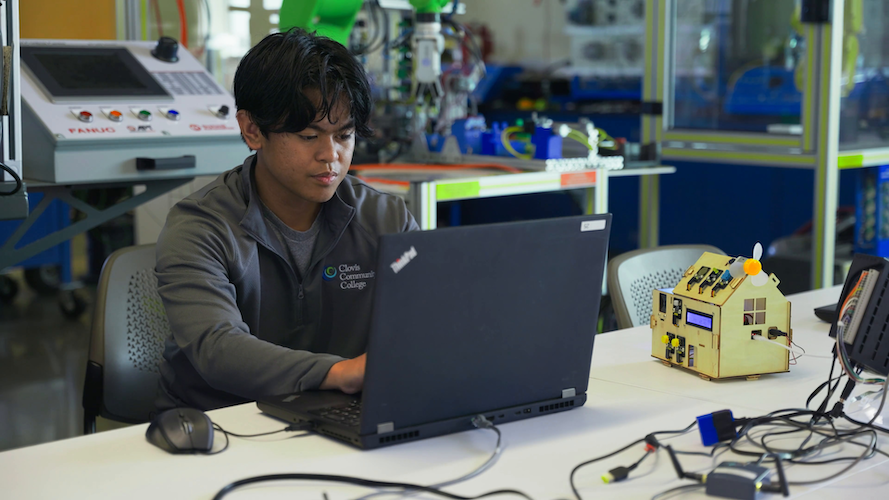
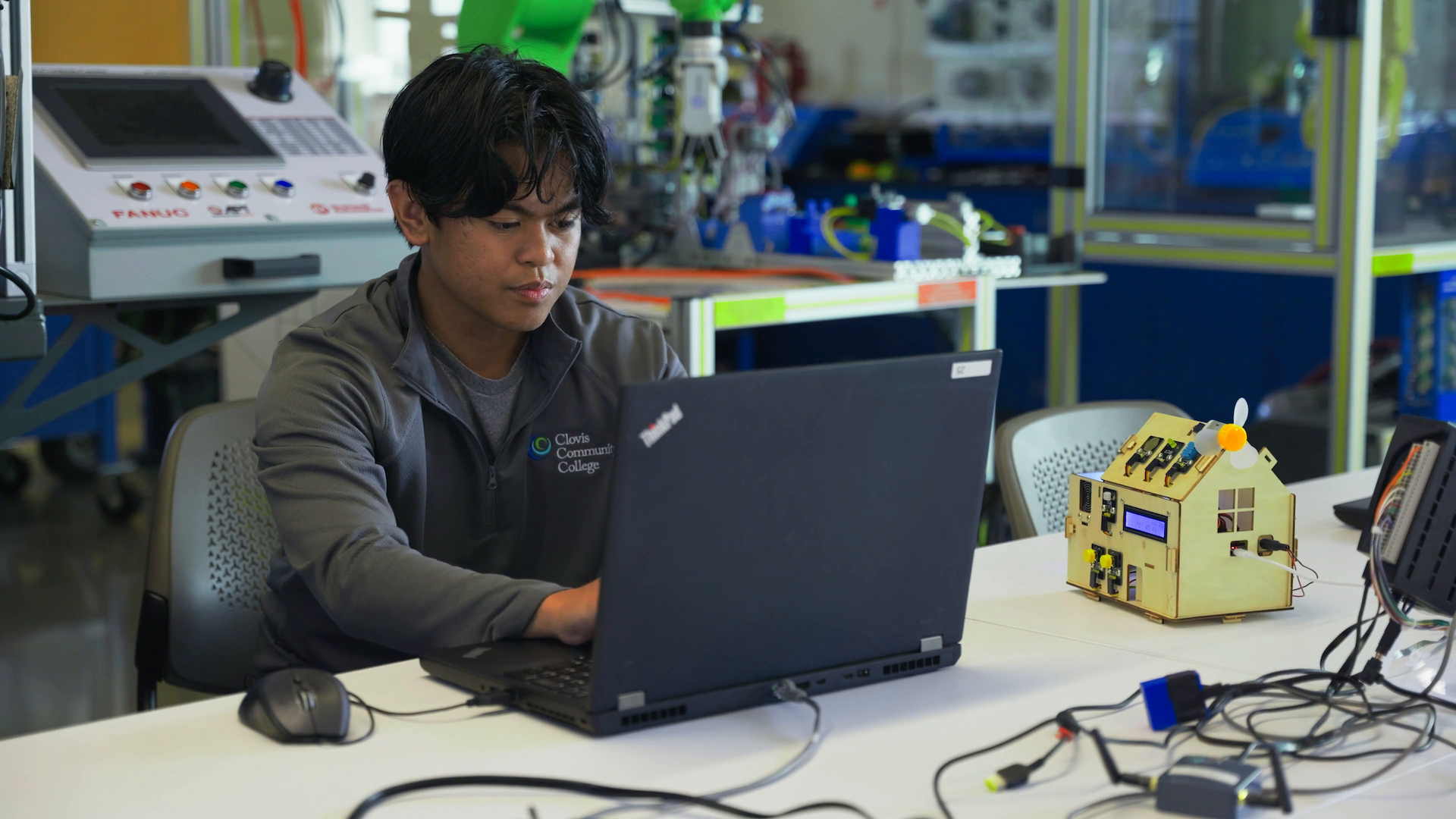
Next to the robotic arms, the off-the-shelf miniature smart homes may not appear to be a key part of Clovis Community College’s Automation, Robotics & Mechatronics lab, but this unassuming hardware is providing students and instructors alike with a unique opportunity to build industry-grade automation applications.
Located in Fresno, California, Clovis Community College is well-regarded for its high transfer rate to four-year institutions. Now, by incorporating Ignition into its curriculum, Clovis is giving students in its Automation, Robotics & Mechatronics program the tools to develop a multifaceted skillset suited to both future higher-learning endeavors and local industry.
Project Development
Matthew Graff, Instructor of Automation, Robotics & Mechatronics at Clovis, was approached by a colleague from Texas A&M University about a grant from the National Science Foundation (NSF) to train high school and college students, as well as instructors, about technology related to the Fourth Industrial Revolution. And, unlike programs that are only able to offer exposure to these concepts, this NSF funding would allow Graff to pay his student researchers.
Graff developed what has been dubbed the “Industry 4.0 Project.” The idea was simple: combine Inductive Automation’s Ignition software — an industrial automation platform for SCADA, HMI, IIoT, and more — with accessible hardware so that students could see immediate real-world results and be inspired to pursue careers in automation.
While developing this curriculum, Graff took inspiration from Walker Reynolds' idea of creating a Unified Namespace (UNS) using a Raspberry Pi. “The idea of using really cheap hardware, Raspberry Pi and Arduinos, to run industrial software made a lot of sense for us in the project,” said Graff. “We wanted something that would be very much hands-on.”
There was just one problem — Graff had no background in working with Raspberry Pis, so he reached out to Bill Kerney, Computer Science Instructor at Clovis. While Kerney describes himself as “not an Ignition user,” his expertise with Linux provided a complementary skillset. “My role here was as an advisor,” he said. “I was here to supervise the student workers on the project, and so when they got stuck figuring out how to do something, then it was my job to unstick them.”
Educational Engagement Program
While Graff had an easy time acquiring the hardware for the project, budgetary constraints prevented him from purchasing full Ignition licenses. Originally, the labs used Ignition in free trial mode, resetting the license every two hours.
When Graff, who has had frustrating experiences with other software companies, learned about Inductive Automation’s Educational Engagement Program (EEP), he sent an email without expecting much, but was surprised to receive a prompt response. “I just got on the website and said, ‘Hey, I'm interested,’ and within a week, we were talking, person to person,” Graff said. Beyond the licenses, the EEP connected him with experts at Inductive Automation to ensure the Industry 4.0 Project met industry standards.
Graff felt his experience was based on a shared ethos. “There's an understanding from Inductive Automation that there's a need to train employees, and they see us as partners,” he said.
Industry 4.0 Project
In the Industry 4.0 Project, students develop an Ignition system that controls a miniature Keyestudio IoT smart home through a combination of a Raspberry Pi and ESP32 Arduinos. Students first set up an MQTT broker using Cirrus Link’s MQTT Transmission Module, which they connect to their edge devices, meaning the smart homes. Next, students establish a UNS, following the ISA-95 standard, to connect to the MQTT broker. Once all the edge devices are publishing to the specific topics, students use the MQTT Engine Module to subscribe to those topics and bring the data into Ignition, creating tags. With these tags, students can build Perspective views and dashboards to display the real-time data.
The system is built in Perspective, meaning that when Graff gives demonstrations for high school students, he can have the class scan a QR code to gain immediate access to the application through their phones, upending the typical “no phones in class” rule. As Graff sees it, “I think a lot of times, there's the difficulty of how we make technology used for a positive thing.”
And with the combination of Ignition and smart homes, the positive results arrive quickly. “They can open up the box and hopefully within a class period, 45 minutes or an hour, have something working. They're pushing buttons and seeing responses. And so in that, immediately, they're learning some basic things like setup, using the Unified Namespace,” said Graff.
The collegiate counterparts replace the Raspberry Pi with more professional hardware, courtesy of Opto 22. The combination of Ignition and Opto 22’s groov RIO has been inspiring to the Clovis students. “Computer science majors oftentimes will live in this sort of platonic world of ideals and algorithms that are very abstract,” said Kerney. “Getting them to actually turn a motor on or to turn a light on or to open a door is oftentimes just a mind-blowing experience for them.”
Julian Laxamana, a student researcher working on the Industry 4.0 Project, found the ability to bring his programming into a tangible realm extremely gratifying. “It's really easy to have all your data in one place, which is really nuanced because if you make it by scratch, you have to have each computer send data, and you have to get it to show up on some GUI, which is really hard to get set up. But Ignition makes that a lot easier to link up all the data from the sensors to the computer,” said Laxamana.
Laxamana, who had no previous Ignition experience, also integrated the Ignition system with a camera that analyzes its video feed in (almost) real time. “We currently use YOLOv8 to collect data from ESP32 cameras, process it through the Raspberry Pi, and then display it on a web page, which Ignition gets the data from.”
Graff, who has strived to make the Industry 4.0 Project a “student-centered teaching system,” was ecstatic to see his student taking initiative with Ignition, saying, “I just showed Julian a few things. And then the next thing I know, he's brought a video in with object detection that's run on another application.”
Kerney agrees that it’s exciting to see Ignition acting as a catalyst for students. “Most computer science majors, if you told them, ‘Make a smart house that the door opens and closes,’ and has all these sensors, they won't even know where to begin, but with Ignition in it they were able to get this whole system up and running in a pretty fast amount of time.”
Transition To Industry
Entering its second year, the Industry 4.0 Project has already led to real-world success for students.
Gurkaran Singh, a student worker at Clovis studying industrial automation, was one of the main driving forces behind the Industry 4.0 Project, but most of his experience came from working on the project itself. “Before I came to Clovis, I had limited experience in industrial automation. I had only done one PLC programming class, and I had never heard about MQTT or SCADA or Ignition,” said Singh.
Even without prior Ignition experience, between free resources like Inductive University and the Ignition user manual, Singh quickly discovered the breadth of functionality he could develop in the platform. “One thing I really liked about Ignition early on was how easy it was to download and set up on my own personal computer, to begin learning,” he said.
To gain a better understanding of the groov product line, Graff and Singh traveled to Opto 22’s headquarters in Temecula for a four-day training course. During the training, Singh learned about Farm Data Systems (FDS), an integrator specializing in agricultural automation and monitoring, utilizing a combination of Ignition and Opto 22 hardware. FDS uses its Water Informatics product to monitor and control irrigation for thousands of sites. “With Ignition, we've been able to really turn the corner for our customers in terms of giving them many systems and features that they've never had access to before. It's been quite revolutionary for our growers,” said John Williamson, President of FDS.
What piqued Singh’s interest was that FDS’ office was located in Madera, about a 40-minute drive from Clovis’ campus. With guidance from Graff, Singh emailed Williamson, expressing his interest in a job and citing his experience working with Ignition and Opto 22 products in the Industry 4.0 Project. Williamson was impressed and offered Singh a position, saying, “His career objectives were very much in line with what we were doing. So we met in person, and I already knew he could add value on day one. His training at college was really so well suited to the work we're doing here.”
Even in his first few months of employment, Singh is already helping Williamson to design Ignition interfaces based on customer requirements, configure PLCs, and build panels for field deployment in addition to daily concerns like alerts from customer sites. “My day to day over at Farm Data Systems includes configuring Opto 22 products for upcoming projects, monitoring alarms for the products that are already out in the field, trying to troubleshoot any networking issues that we face, and trying to help customers solve those problems,” said Singh.
“It's been really a remarkable experience for us to work with Ignition,” said Williamson. “The product that we bring to the market is just leaps and bounds ahead of anything anybody else can provide to help farmers do their job.”
Real-World Skills
The Industry 4.0 Project helps students build a foundation based on technical experience and critical thinking skills that are so vital in industry. Troubleshooting, in particular, can be the crux of any real-world system. “What we realized with this project is automatically just connecting a bunch of things using standard industrial protocols for Ethernet, there's a bunch of troubleshooting that has to happen even if everything's working,” said Graff.
The combination of software and hardware gives students the space to learn what to do when a system doesn’t work, which can be more valuable long term. “Using hardware, you have the opportunity to make more mistakes. It may be a wiring issue or it could be a software issue such as setting an incorrect IP address. It helps you gain a deeper understanding of the whole system,” said Singh.
Additionally, the project puts many of the automation and computer science concepts taught at Clovis into the context of a complete system. “While working in industrial automation, at some point, you're gonna come across a problem where you need to integrate different devices, using different communication protocols,” said Singh. “Ignition is a really useful tool, in bringing all those different devices from different protocols together and utilizing that data to store, analyze, and generate some useful insights, and even building HMI displays for control.”
“I see Ignition as being a Rosetta Stone, and that's how I describe it to students where it can translate and connect all kinds of components together in a factory,” said Graff.
Sharing This Knowledge
Over the past year, the Industry 4.0 Project has expanded to five other colleges and 10 high schools, with plans to include five additional colleges and seven more high schools in the coming year. For Graff, sharing the project with other schools is about reaching the next generation of engineers. “A lot of high school students don't realize there's jobs related to industrial automation, and they could go into the engineering or computer science pathway,” he said.
“We've had three software engineers working on this project. The first one, Neiro Cabrera, worked on this for about a year and then he transferred to UCLA and then he just recently messaged me and told me that he got a job in a related industry,” said Kerney. “An absolute success story. He worked on this. He got experience in it. He found he loved it.”
This sense of discovery is a sentiment that Singh echoes. “When I first joined the industrial automation program here at Clovis Community College, my career goal was to be on the plant floor,” he said. “Working with this project has exposed me to newer and emerging technologies and broadened my horizon and opened me to a lot more opportunities within the field.”
Clovis does not want to gatekeep this knowledge or technology. In an effort to increase the accessibility of the project, Graff and Kerney set up a Github page that details the hardware and software requirements for the project, along with instructions for configuring components as well as lab exercises and training materials. “We want to share everything we have here,” said Graff. “You can take this and use it in a classroom. Or if you're just someone that wants to have a fun automation project, maybe before you hook up your whole home to be a smart home, you can just get a little $55 home from Amazon and pay $100 for a Raspberry Pi, and you'll be set to go.”
Learn more about Inductive Automation's educational initiatives in the blog post "IA’s Efforts To Shape The Future Of Industrial Automation."
Transcript:
0:00:11.5
Matthew Graff: I'm Matthew Graff. I work here at Clovis Community College. I'm an Instructor of Automation, Robotics, Mechatronics. What we do here in the lab is teach students on industrial automation. So a few years ago, I got contacted from a professor at Texas A&M if I wanted to be involved in a National Science Foundation project. And the project was focusing on training technicians in the Fourth Industrial Revolution. So when the grant was awarded, I let my computer science colleague know that there was a position that he could work on this grant with me. The reason I brought the computer science department in is I had no background in working with something like a Raspberry Pi and so I needed that expertise. We brought in multiple student workers over time and they assisted in getting Ignition on the Raspberry Pi, getting the system working, stuff that a computer science student could do pretty easily, but it was just not the background that myself or students in industrial automation program normally have.
0:01:16.3
Bill Kerney: My name is Bill Kerney. I am an Instructor of Computer Science here at Clovis Community College. I've been working on this project for about two years now. My role here was as an advisor. I was here to supervise the student workers on the project. And so, when they got stuck figuring out how to do something, then it was my job to unstick them.
0:01:35.1
Matthew Graff: We are training high school teachers and college instructors on the Fourth Industrial Revolution system or Industry 4.0 Project. And so what we do is we show the students how to initialize the system and then do some troubleshooting. I've been very impressed working with the Educational Engagement Program with Inductive Automation. Just from the get go, I just got on the website and said, "Hey, I'm interested." And within a week, we were talking person to person going, "Hey, this is what we're trying to do, what we need to accomplish." From there they were able to connect us with others in Inductive Automation to help with the project and give some feedback so that we would be doing stuff to industrial standards.
0:02:17.9
Julian Laxamana: My name is Julian Laxamana. I'm currently a Student Researcher here at Clovis Community College working on the Industry 4.0 Project. I work with the Raspberry Pis and Arduinos to collect data from smart homes and display it on the Ignition webpage.
0:02:31.7
Gurkaran Singh: My name is Gurkaran Singh. I'm a student here at Clovis Community College studying industrial automation. I'm also a student employee. My main focus with the project is to establish MQTT connections between the edge devices and the Ignition SCADA.
0:02:51.1
Matthew Graff: We're focusing a lot on using what Walker Reynolds called a Unified Namespace. And we're using MQTT to move the data around. As we build out the system, we wanted something that literally for around $200 of hardware, someone could learn and experience how to use Ignition. It goes down to just a really simple smart home that they're programming and setting up and configuring a Namespace for. The visualization is a big part. And so, we're using Perspective. One fun story was I was at a high school and I could see the teacher walking around telling students, they're secretly pulling their cell phones out and telling them put away. I turned around and said, "Hey, here's the address. Connect to this and you can connect into the system." And so then they had Perspective running on their phone.
0:03:45.7
Julian Laxamana: We're having the Raspberry Pi run Ignition on a terminal. And then the Arduinos connect the MQTT broker through Namespace and it sends the data through there. And you can connect through your phone or laptop and see the data from the Arduinos, which is really cool. This is the Ignition webpage to control the smart home for this smart home here. So you can set the LED color like here, and then set the yellow LED here, and there's a little door on it.
0:04:19.3
Gurkaran Singh: Basically, we're using Ignition as a MQTT broker, using the MQTT Distributor Module as the broker. And then, we're connecting all the edge devices, which are our smart homes, to the broker, and that's how we're getting the data into Ignition. Once we've got the tags in Ignition, I go ahead and create the UDTs and once they're on, I build the Perspective views. Once we've got the edge devices configured and publishing to the broker, we should be able to see the data come in on the MQTT Engine [Module] on Ignition. So the Namespace that we are using follows a simple structure. We've got a generic name "Smart Company" and then a neighborhood. So for each new neighborhood, we'll increment the number. And for each neighborhood, we've got object detection. You've got smart farms, and then we got smart homes. Under each smart home are all the homes that are currently connected and publishing data. And these are all the tags that are being published. These tags are being used on here on this Perspective view displaying the data such as count, humidity, temperature, and there is some data coming in. The push buttons got motion and there's a touch. We could switch the homes from the smart home number.
0:05:36.0
Gurkaran Singh: This dropdown auto-updates each time a new home disconnects or connects. For troubleshooting the MQTT communications, I use MQTT Explorer connecting to the broker. It's really easy to see all the data come in and confirm that the homes that are actually connected we are able to receive that data on the broker.
0:05:58.8
Matthew Graff: We also didn't want people to have the view that this is just like using cheap off-the-shelf toys and it has nothing related to industrial products. So what we did is we looked out and tried to find a product that would be similar that's being used in industry. We located Opto 22. They have a single board Linux system and we've used that for our college level systems. So we are giving institutions, through our grant, those Opto 22s and they're able to experience both working with cheap system that they could easily buy for a whole classroom, every student, and using industrial system with Opto 22. Having student workers has been helpful because I could see how much they could take on and also discuss with them well, how would we teach other students? Bouncing ideas off of them and trying to create a student-centered approach to teaching. Julian brought a video in from object detection that's run on another application.
0:07:01.1
Julian Laxamana: We currently use YOLOv8 to collect data from ESP32 cameras and then process it through the Raspberry Pi and then that displays it on a webpage, which Ignition gets the data from and displays it on there.
0:07:17.0
Matthew Graff: Working on this project has really exceeded my expectations. Been super impressed with students working at different levels. They generally have brought the project further along than I was able to do just on my own.
0:07:31.2
Gurkaran Singh: Working on this project exposed me to Ignition and Opto 22 and MQTT. I found this local company focused on agricultural monitoring and automation. Their main product was based on Ignition. They were using Opto 22s for their controls and MQTT to transmit all the data. I reached out and expressed my interest and next morning I hear back from the president of the company and my skills aligned with their products, which led me to be able to get a job over there.
0:08:04.1
John Williamson: My name is John Williamson. I am the President of Farm Data Systems. We have about 20 years experience working with farmers to help them improve irrigation management. We've been working with Opto for about eight years now, using their controllers for Ignition. We've been working with them for about six years now, so we've probably done a couple hundred projects already with Ignition. So one of our biggest challenges is building a team of technicians who have capabilities around Ignition and low-voltage electrical systems. But one day Gurkaran contacted us directly, which was really good. We had internships available at the time, but Gurkaran expressed an interest in a full-time position. So I talked to him over the phone and it was very clear his career objectives were very much in line with what we were doing. So we met in-person and I already knew he could add value on day one. His training at college was really so well suited to the work we're doing here. Can't speak highly enough about the program and how well suited it is to our business.
0:09:05.9
Gurkaran Singh: My day to day over at Farm Data System includes configuring Opto 22 products for upcoming projects, monitoring alarms for the products that are already out in the field, trying to troubleshoot any networking issues that we face, and trying to help customers solve those problems. I feel that the skills that I learned working with the Industry 4.0 Project were highly relevant and were really beneficial for me in being able to be successful in my current role.
0:09:38.0
Bill Kerney: We've had software engineers work on this project. The first one, Neiro Cabrera, worked on this for about a year and then he transferred to UCLA and then he just recently messaged me and told me that he got a job in a related industry. So an absolute success story.
0:09:51.5
Julian Laxamana: Working with Ignition and all the software we have now provides a good foundation for me to build other projects in the future.
0:09:58.7
Gurkaran Singh: Learning all these concepts, using hardware as well as software, helped me improve my troubleshooting skills. While using hardware, you have opportunity to make more mistakes. It may be a wiring issue or it could be a software issue such as setting an incorrect IP address. It helps you gain a deeper understanding of the whole system, trying to troubleshoot the issues and fixing the problem.
0:10:24.1
Matthew Graff: Projects really get students excited and so when we use Ignition, we see students, rather than trying to race to the door and leave five minutes early, they stay around for maybe an hour or two extra trying to get their project working.
0:10:42.2
Bill Kerney: One of the things I work on with my students a lot is trying to get them to go out into the real world and interface with the real world. Getting them to actually turn a motor on or to turn a light on or to open a door and things like that is oftentimes just a mind-blowing experience for them.
0:10:56.2
Julian Laxamana: Very cool for students to see their knowledge have a physical effect on the real world.
0:11:01.0
Matthew Graff: I encourage anyone who wants to look at this project go to our GitHub page. This was funded by the National Science Foundation and I just feel like we are obligated and we want to share everything we have here. There's nothing we're hiding, so feel free to use that. You can take this and use it in a classroom, or if you're an engineer and you just wanna poke around, or just someone that wants to have a fun automation project, you can just get a little $55 home from Amazon and pay a $100 for for a Raspberry Pi and you'll be set to go.
End User Description
Clovis Community College is the state’s 113th community college and joins Fresno City College, Reedley College, and Madera Community College as part of State Center Community College District. Clovis holds true to its goal and mission statement of “Creating Opportunities – One Student at a Time.” This goal is achieved with a highly qualified staff of educators and support personnel who reflect the diversity of its unique community and embrace a flexible attitude toward change and encourage the spirit of innovation. Learn more at cloviscollege.edu.
End User Location
Fresno, CA
Featured at Location
Subtitle
NSF-Funded Project Offers A Powerful Combination Of Ignition And Accessible Hardware
Thumbnail
Video Duration
716
Wistia ID
fm76z7pgri
Hero
End User Company Name
Clovis Community College
Featured in Sort
On
Filter
Sort
Resolve To Increase Industrial Efficiency With Ignition
Esther Fawson
Wed, 12/03/2025 - 08:39
Smart Solutions, Real Results: Discover Integrators’ Best Ignition Projects
Esther Fawson
Tue, 11/04/2025 - 10:50
Event Streams Module: Unlocking Next-Level DataOps in Ignition
Esther Fawson
Tue, 10/14/2025 - 15:17
Exploring Ignition 8.3: A Guided Tour
Esther Fawson
Wed, 09/17/2025 - 11:22
MES Solution Delivers Traceability & Flexibility To Juice Concentrate Manufacturer’s New Facility
Aaron Block
Thu, 07/10/2025 - 09:05
Tomorrow's Engineers Cook Up A Fast-Food Application: Lessons From A Student Competition
Esther Fawson
Tue, 06/10/2025 - 14:13
Say Yes To Any Automation Project With Ignition
Esther Fawson
Wed, 05/14/2025 - 08:19
Design Like A Pro: 25+ Hidden Gems That Make Your Project Shine
Esther Fawson
Wed, 04/16/2025 - 07:58
Clovis Community College Puts Industry 4.0 Into The Hands Of Students & Teachers
Aaron Block
Thu, 04/10/2025 - 14:19
License To Thrive: Bypass Project Roadblocks With Unlimited Licensing
Esther Fawson
Tue, 02/11/2025 - 09:34
Teaming Up To Enable Digital Transformation & Unified Namespace
Esther Fawson
Mon, 01/06/2025 - 13:18
How Inductive Automation Uses Ignition
Aaron Block
Thu, 01/02/2025 - 13:24
 Water Infrastructure Company Replaces Point-To-Point VPN With MQTT
Aaron Block
Mon, 11/25/2024 - 13:59
Water Infrastructure Company Replaces Point-To-Point VPN With MQTT
Aaron Block
Mon, 11/25/2024 - 13:59
 Unleashing ROI And Innovation With Ignition
Esther Fawson
Fri, 11/22/2024 - 14:36
Edge-To-Cloud Architecture Acquires Real-Time Data From Remote Oil & Gas Facilities
Rachel Bano
Wed, 10/30/2024 - 14:24
Unleashing ROI And Innovation With Ignition
Esther Fawson
Fri, 11/22/2024 - 14:36
Edge-To-Cloud Architecture Acquires Real-Time Data From Remote Oil & Gas Facilities
Rachel Bano
Wed, 10/30/2024 - 14:24

 Power Company Consolidates Diverse Assets With Ignition & Unified Namespace
Rachel Bano
Wed, 10/30/2024 - 14:03
Power Company Consolidates Diverse Assets With Ignition & Unified Namespace
Rachel Bano
Wed, 10/30/2024 - 14:03

 Electric Utility Expands Ignition System To Oversee Entire Transmission & Distribution Infrastructure
Rachel Bano
Wed, 10/30/2024 - 11:58
Electric Utility Expands Ignition System To Oversee Entire Transmission & Distribution Infrastructure
Rachel Bano
Wed, 10/30/2024 - 11:58

 Cloud-Based Control System Delivering Cost-Effective Solutions
Rachel Bano
Wed, 10/30/2024 - 11:44
Cloud-Based Control System Delivering Cost-Effective Solutions
Rachel Bano
Wed, 10/30/2024 - 11:44
 Island Water Utility Ensures Uninterrupted Service, Improves Compatibility & Scalability
Rachel Bano
Wed, 10/30/2024 - 11:14
Island Water Utility Ensures Uninterrupted Service, Improves Compatibility & Scalability
Rachel Bano
Wed, 10/30/2024 - 11:14

 Technical Keynote: What's New in Ignition 8.3
Rachel Bano
Mon, 10/28/2024 - 12:35
Technical Keynote: What's New in Ignition 8.3
Rachel Bano
Mon, 10/28/2024 - 12:35



 Empower Innovation With Unlimited Licensing
Esther Fawson
Tue, 01/09/2024 - 12:41
Ignition Exchange Resource Showcase
Emily Batiste
Tue, 11/14/2023 - 13:58
Empower Innovation With Unlimited Licensing
Esther Fawson
Tue, 01/09/2024 - 12:41
Ignition Exchange Resource Showcase
Emily Batiste
Tue, 11/14/2023 - 13:58

 I4.0 Accelerator for Driving Edge to Cloud Business Outcomes
Emily Batiste
Tue, 10/31/2023 - 15:19
I4.0 Accelerator for Driving Edge to Cloud Business Outcomes
Emily Batiste
Tue, 10/31/2023 - 15:19

 Water Utility Seamlessly Transitions Operating Systems and Speeds Development
Emily Batiste
Fri, 10/20/2023 - 15:32
Water Utility Seamlessly Transitions Operating Systems and Speeds Development
Emily Batiste
Fri, 10/20/2023 - 15:32
 New Mobile Capabilities for United Airlines at Houston Airport
Colette Matthews
Wed, 10/19/2022 - 10:41
New Mobile Capabilities for United Airlines at Houston Airport
Colette Matthews
Wed, 10/19/2022 - 10:41

 Lower Costs, More Data for Australian Water Agency with Over 300 Sites
Colette Matthews
Wed, 10/19/2022 - 10:11
Lower Costs, More Data for Australian Water Agency with Over 300 Sites
Colette Matthews
Wed, 10/19/2022 - 10:11

Join us for our upcoming webinar, where we’ll show you how Ignition software provides new ways to unlock efficiency across your entire enterprise. In this hour-long session, you will learn how Ignition delivers comprehensive benefits, and so much more!
In this webinar, we’ll show you real-world projects that improve efficiency, enhance data management, increase system reliability, elevate the user experience, and more. Join us to see what’s possible when innovative thinkers like you meet Ignition’s unlimited platform!
Join us for the deepest dive yet into the versatile Event Streams Module, led by Inductive Automation’s very own Chief Technology Evangelist. It’s sure to be the year’s biggest event about event-driven data!
At this webinar, join us for a wide-ranging overview of Ignition 8.3, which introduces major advancements in data processing efficiency, security, management, and development speed.
webinar
Energy
Building Sustainable Industrial Systems And A Better Future
Join control system experts as they share real-world Ignition projects that are helping organizations in various industries make significant progress in their sustainability goals, from reducing paper usage, to effective energy monitoring, lowering carbon footprints, providing cleaner energy, and more.
57 min video
Watch the webinars
webinar
Level Up Your Knowledge At The 2025 Ignition Community Conference
If you’re thinking about coming to ICC but haven’t quite made up your mind, or if you’re planning to come for the first time and wondering what to expect, get a sneak peek by watching this free webinar. You’ll learn why ICC 2025 on September 16–18, 2025 in Sacramento, CA is a can’t-miss event and a great investment in your future success!
65 min video
Watch the webinars
In 2022, Döhler South Africa realized they were reaching capacity in their production facility, an impasse that countless growing companies have reached. The question always becomes: make do with too-cramped quarters or invest in a long-term solution?
Döhler — a multinational company that manufactures fruit juices, compounds, flavors, emulsions, and concentrates — chose the latter for their new facility, which specializes in blending and secondary transformation. Located in Paarl, South Africa, the new plant adds tenfold capacity while remaining scalable. “We had to really plan for the future and really give ourselves the capability to grow,” said Dirk Brand, Head of Engineering at Döhler South Africa. “Not only for the next three years, but for the next ten years.”
Integration for a project of this size and complexity has the potential to become a game of compromise, but with the help of INTEG System Integrators, Döhler South Africa successfully implemented a massive manufacturing system built in Ignition — the unlimited industrial automation platform for SCADA, MES, IIoT, and more — that balances a staggering amount of functionality with an intuitive interface.
Greenfield Development
While the sheer scale of this greenfield project might make some blanch, INTEG viewed this as an opportunity to build from a clean slate. “We could start from the beginning and develop the project like we wanted to, in essence,” said Brian Cooper, Managing Director at INTEG. “On a brownfield project, it's difficult to do that. You've got existing standards, you've got existing equipment, and it makes it difficult.”
While the project requirements remained fairly consistent throughout, on a more granular level there were, inevitably, changes every day. “How we thought it was going to work versus how it actually worked at the end were two very different processes,” said Brand.
“During commissioning, it became apparent how easy it is to make changes on the fly and build new functionality within the SCADA system very quickly,” said Tean Butler, Technical Manager at INTEG.
Now complete, the Ignition system — built from the core combination of Ignition’s Perspective, Tag Historian, and Reporting modules along with Sepasoft’s Batch Procedure Module and the Canary Historian — boasts approximately 1.2 million tags on two gateways, as well as sophisticated batching, navigation, interlocking, and ID generation systems.
Architecture
INTEG originally considered a standard Ignition architecture on a single gateway. However, it quickly became evident that the system — which encompasses around 200 routes, 2,000 phases, and 400 equipment modules for 1,800 control modules — required some additional architectural complexity.
The system features a load-sharing, bifold structure to match the plant’s two sections, each with their own separate gateway, tag provider, and Siemens S7-1500 1518 PLC. The first gateway acts as a hub, running Perspective and housing over 600,000 tags, while the second, a “headless” spoke gateway, has over 500,000 tags. Even with Ignition's unlimited licensing model, a tag count this high requires certain considerations. All of those tags are document text exposed within the User-Defined Type (UDT) structures to allow easy access and increased flexibility with the Siemens PLCs.
ISA 88-Compliant MES
Batching integrates everything in the plant. Using Sepasoft’s Batch Procedure Module as the engine, INTEG developed the MES solution to the exacting standards of the food and beverage industry. “We were quite adamant on using a strict ISA 88 standard,” said Brand.
With an ISA 88-compliant project of this size, it was vital to build the plant according to a set standard, which led INTEG to develop an ID generation system. “The ID generation system was built using Ignition and a database system that helped us to always provide a unique code or unique identifier to each and every single component,” said Butler.
The ID generation system works based on an ownership model to ensure proper interlocking throughout the plant, from general capabilities down to phases, then equipment, and finally to control modules. Because every component in the system has a discrete ID, when an operator runs a batch, the system makes all associated equipment unavailable for any other processes.
Döhler’s plant does not function conventionally via SAP recipes; operators have the flexibility to run batches when needed. Each order comprises several batches as it progresses through the plant, the last of which being the transfer to the shipping truck for delivery. “In order to proceed from one station to another, a batch has to be completed,” said Butler. “One new batch cannot start before a previous batch has been executed.”
Every batch must pass quality control (QC) before moving onto the next process, and equipment must be Clean-In-Place (CIP) before it can be used again. To prevent any batches from starting without proper QC and CIP, INTEG used Ignition’s host of scripting functionalities to implement a sophisticated interlocking system.
“As part of the batching standard that we've developed, we've also implemented a unit state,” said Cooper. “The unit state determines whether the equipment is dirty or clean or being washed or CIP'd, and that is used to interlock specific systems or specific equipment.” The batching system makes cleaning in place exceptionally easy because Döhler can create a recipe to run against the CIP process. The Batch Procedure Module collects this information, recognizing which recipes are linked, and then displays the correct recipe for the operator. This, along with the interlocking that extends down to the control-module level, provides the operator with full visibility of the entire plant from the batching engine.
“Everything is linkable. Everything is trackable,” said Brand. “It really does make their life easier.”
Navigation
Döhler’s staff needed an intuitive method for navigating a system this large and complex. INTEG developed the interface with the simple conceit that an operator should be able to reach any part of the system in three clicks. To accomplish this, they implemented what they dubbed the “breadcrumb” system. “The breadcrumb is an easy way of taking you exactly to that specific area,” said Cooper. “It's developed in a logical way, so if you just know the plant and you know where you wanna go, the breadcrumb would easily take you there.”
This type of quick navigation lends itself naturally to acknowledging alarms. Integrating the breadcrumb system with Ignition’s Alarm Notification Module, INTEG created an easy way for operators and maintenance staff to pinpoint alarms. From the system homepage, operators can simply click on the notification in the header, then filter down through the sections of the plant, following visual indicators to specific areas and process cells.
Alternatively, if operators already know what they’re looking for, they can use the search function. The system follows ISA 95 naming conventions, so by either entering the control module prefix or copying and pasting parameters, operators can quickly scan through the available equipment.
High-Performance HMI
During the commissioning phase, Döhler was unsure whether the plant would have a dedicated control room or field-mounted stations. Ultimately, they opted to forgo a large control room, a decision that greatly influenced the HMI design.
With operators not tied to a central area, INTEG aimed to heighten situational awareness with a high-performance HMI. The grayscale palette reserves color for events or notifications that require immediate attention. “It's easy to build a lot of P&ID pictures and confuse the operators,” said Cooper. “So we developed different layers.” As operators drill down through the layers, they go from overview tiles and simple routes to detailed P&ID-style views, giving individual operators the ability to decide which style works best for them.
“You have buttons and options and menus for everything, but the learning curve was a lot shorter than what I imagined it would be,” said Brand. “Operators pick it up quite quickly.” The Ignition HMI standardizes the look and feel across the whole plant, allowing operators to move from one process to another easily. That flexibility extends to process improvement, letting Döhler add new screens to the Ignition application without restarting or reinstalling the system.
Historical Data And Trending
As with any MES application, historical data and traceability are paramount. Using Ignition, Döhler has complete visibility of their data and the tools to perform root-cause analysis. “It's quite easy now to, within the click of a few buttons, know the exact origin of the problem, the resolution of the problem, and what was done to fix it,” said Brand.
This historical data can also be put to more immediate uses like trending. “We realized that it is necessary for operators to be able to pull up trends easily from the user interface,” said Butler. The system allows operators to access the trending tool from any control module faceplate and easily add values from the same pop-up.
Linguistic Diversity And Symbols
South Africa is host to a huge amount of linguistic diversity, with twelve official languages and at least thirty-five languages spoken in the region. In Paarl and the Western Cape area, there are only three dominant languages, but English — which is used exclusively in Döhler’s Ignition system — would still likely be a second language to much of the company’s staff.
Even without this linguistic hurdle, there is an inherent learning curve for a system with this many moving pieces (not to mention routes for moving those pieces). INTEG sidestepped this potential issue by including symbols throughout the screens to clearly indicate each piece of equipment’s capabilities. “Symbols really helped ease the transition for a lot of the operators,” said Brand. “Something like a mixed proof valve might not be something that's familiar to all the operators, but a picture of a valve makes it clear.”
Maintaining consistent symbols from screen to screen has made it simple for operators to connect the physical plant floor with the representation on the HMI. “The operators picked up on a complex system very easily,” said Cooper. “They, in a short period of time, were able to operate the plant and get product out the door.”
A Communal Success
The success of Döhler’s new facility was truly a group effort. “What really impressed me about the INTEG project team is their product knowledge. The experience with similar plants and similar processes, how proactive they were in identifying potential problems and solving [them] before it becomes a problem,” said Brand.
Likewise, INTEG appreciated the two-way communication during development. As Cooper said of Döhler, “They are knowledgeable people. They gave us feedback and input on control philosophies, on control narratives, and on the methodologies that we used to develop this batching system.”
In addition to technical assistance from Inductive Automation, the project also received support from Element8, the Authorized Ignition Distributor for Sub-Saharan Africa. Butler said, “Any project such as this will encounter technical difficulties, but they had our back all the way.”
With scalability built into the system, Döhler is already looking toward future improvements. “There's almost no limit to what Ignition can offer a client,” concluded Butler, adding that Ignition “makes it easy for developers to express themselves more deeply within the SCADA systems.”
Project Scope
- Start Date: March 2023
- Deploy Date: Phase 1: December 2023, Phase 2: May 2024
- Tags: 1,200,000+
- Screens: 80
- Clients: 7
- Alarms: 6,400
- Devices used:
- Two Siemens S7-1500 1518 CPU
- 600+ ASi-Valves
- 200+ IO-Link Instruments
- 200+ Profinet Remote IO
- 70+ Flowmeters and Drives
- Architectures used: Hub & Spoke
- Databases used: PostgreSQL for access control, trending tool and materials library. NoSQL for historical data logged.
- Historical data logged: 30,000
End User Description
Döhler is a global producer, marketer and provider of technology-driven natural ingredients, ingredient systems and integrated solutions for the global food, beverage and nutrition industry. Döhler is all about mastering sensory performance and nutrition. Being sustainable by nature, Döhler helps to nourish the world better: Good for people – Good for planet.® Learn more at doehler.com/en.
End User Location
Paarl, South Africa
Featured at Location
Industry
Integrator Description
INTEG leads the way in providing custom industrial automation solutions to a diverse range of industries namely: food & beverage, water & wastewater, and pharmaceuticals. INTEG has built a strong presence in these sectors, with expertise that goes beyond their boundaries. With this comprehensive knowledge base ingrained within their organization, INTEG confidently navigates complex challenges while ensuring utmost safety and efficacy in every solution they provide. Learn more at integ.co.za.
Integrator Location
Cape Town, South Africa
Subtitle
Ignition Platform Unifies Complex Functionality With Intuitive Interface
Thumbnail
Video Duration
789
Wistia ID
q0cyqaoxlt
Hero
Integrator Company Name
INTEG System Integrators
End User Company Name
Döhler South Africa
Featured in Sort
On
Learn how to structure a working project with ordering interfaces, inventory management, alarming, navigation, and more, and see development techniques, best practices, and clever design tricks that you can apply to your own Ignition projects.
At Inductive Automation, integrators and end users frequently tell us how they’ve completed projects with Ignition that would have been impossible or impractical with any other industrial automation software. In this webinar, experienced integrators will share some of these true stories with you. As you’ll see, adding Ignition to your toolset can take you from having to say “sorry, we can’t” to declaring “yes, we can!”
Join us as two of Inductive Automation’s Ignition experts share insider tips and tricks for building projects more efficiently, working with containers, and tapping into a wealth of knowledge and resources from Ignition’s global community.
Next to the robotic arms, the off-the-shelf miniature smart homes may not appear to be a key part of Clovis Community College’s Automation, Robotics & Mechatronics lab, but this unassuming hardware is providing students and instructors alike with a unique opportunity to build industry-grade automation applications.
Located in Fresno, California, Clovis Community College is well-regarded for its high transfer rate to four-year institutions. Now, by incorporating Ignition into its curriculum, Clovis is giving students in its Automation, Robotics & Mechatronics program the tools to develop a multifaceted skillset suited to both future higher-learning endeavors and local industry.
Project Development
Matthew Graff, Instructor of Automation, Robotics & Mechatronics at Clovis, was approached by a colleague from Texas A&M University about a grant from the National Science Foundation (NSF) to train high school and college students, as well as instructors, about technology related to the Fourth Industrial Revolution. And, unlike programs that are only able to offer exposure to these concepts, this NSF funding would allow Graff to pay his student researchers.
Graff developed what has been dubbed the “Industry 4.0 Project.” The idea was simple: combine Inductive Automation’s Ignition software — an industrial automation platform for SCADA, HMI, IIoT, and more — with accessible hardware so that students could see immediate real-world results and be inspired to pursue careers in automation.
While developing this curriculum, Graff took inspiration from Walker Reynolds' idea of creating a Unified Namespace (UNS) using a Raspberry Pi. “The idea of using really cheap hardware, Raspberry Pi and Arduinos, to run industrial software made a lot of sense for us in the project,” said Graff. “We wanted something that would be very much hands-on.”
There was just one problem — Graff had no background in working with Raspberry Pis, so he reached out to Bill Kerney, Computer Science Instructor at Clovis. While Kerney describes himself as “not an Ignition user,” his expertise with Linux provided a complementary skillset. “My role here was as an advisor,” he said. “I was here to supervise the student workers on the project, and so when they got stuck figuring out how to do something, then it was my job to unstick them.”
Educational Engagement Program
While Graff had an easy time acquiring the hardware for the project, budgetary constraints prevented him from purchasing full Ignition licenses. Originally, the labs used Ignition in free trial mode, resetting the license every two hours.
When Graff, who has had frustrating experiences with other software companies, learned about Inductive Automation’s Educational Engagement Program (EEP), he sent an email without expecting much, but was surprised to receive a prompt response. “I just got on the website and said, ‘Hey, I'm interested,’ and within a week, we were talking, person to person,” Graff said. Beyond the licenses, the EEP connected him with experts at Inductive Automation to ensure the Industry 4.0 Project met industry standards.
Graff felt his experience was based on a shared ethos. “There's an understanding from Inductive Automation that there's a need to train employees, and they see us as partners,” he said.
Industry 4.0 Project
In the Industry 4.0 Project, students develop an Ignition system that controls a miniature Keyestudio IoT smart home through a combination of a Raspberry Pi and ESP32 Arduinos. Students first set up an MQTT broker using Cirrus Link’s MQTT Transmission Module, which they connect to their edge devices, meaning the smart homes. Next, students establish a UNS, following the ISA-95 standard, to connect to the MQTT broker. Once all the edge devices are publishing to the specific topics, students use the MQTT Engine Module to subscribe to those topics and bring the data into Ignition, creating tags. With these tags, students can build Perspective views and dashboards to display the real-time data.
The system is built in Perspective, meaning that when Graff gives demonstrations for high school students, he can have the class scan a QR code to gain immediate access to the application through their phones, upending the typical “no phones in class” rule. As Graff sees it, “I think a lot of times, there's the difficulty of how we make technology used for a positive thing.”
And with the combination of Ignition and smart homes, the positive results arrive quickly. “They can open up the box and hopefully within a class period, 45 minutes or an hour, have something working. They're pushing buttons and seeing responses. And so in that, immediately, they're learning some basic things like setup, using the Unified Namespace,” said Graff.
The collegiate counterparts replace the Raspberry Pi with more professional hardware, courtesy of Opto 22. The combination of Ignition and Opto 22’s groov RIO has been inspiring to the Clovis students. “Computer science majors oftentimes will live in this sort of platonic world of ideals and algorithms that are very abstract,” said Kerney. “Getting them to actually turn a motor on or to turn a light on or to open a door is oftentimes just a mind-blowing experience for them.”
Julian Laxamana, a student researcher working on the Industry 4.0 Project, found the ability to bring his programming into a tangible realm extremely gratifying. “It's really easy to have all your data in one place, which is really nuanced because if you make it by scratch, you have to have each computer send data, and you have to get it to show up on some GUI, which is really hard to get set up. But Ignition makes that a lot easier to link up all the data from the sensors to the computer,” said Laxamana.
Laxamana, who had no previous Ignition experience, also integrated the Ignition system with a camera that analyzes its video feed in (almost) real time. “We currently use YOLOv8 to collect data from ESP32 cameras, process it through the Raspberry Pi, and then display it on a web page, which Ignition gets the data from.”
Graff, who has strived to make the Industry 4.0 Project a “student-centered teaching system,” was ecstatic to see his student taking initiative with Ignition, saying, “I just showed Julian a few things. And then the next thing I know, he's brought a video in with object detection that's run on another application.”
Kerney agrees that it’s exciting to see Ignition acting as a catalyst for students. “Most computer science majors, if you told them, ‘Make a smart house that the door opens and closes,’ and has all these sensors, they won't even know where to begin, but with Ignition in it they were able to get this whole system up and running in a pretty fast amount of time.”
Transition To Industry
Entering its second year, the Industry 4.0 Project has already led to real-world success for students.
Gurkaran Singh, a student worker at Clovis studying industrial automation, was one of the main driving forces behind the Industry 4.0 Project, but most of his experience came from working on the project itself. “Before I came to Clovis, I had limited experience in industrial automation. I had only done one PLC programming class, and I had never heard about MQTT or SCADA or Ignition,” said Singh.
Even without prior Ignition experience, between free resources like Inductive University and the Ignition user manual, Singh quickly discovered the breadth of functionality he could develop in the platform. “One thing I really liked about Ignition early on was how easy it was to download and set up on my own personal computer, to begin learning,” he said.
To gain a better understanding of the groov product line, Graff and Singh traveled to Opto 22’s headquarters in Temecula for a four-day training course. During the training, Singh learned about Farm Data Systems (FDS), an integrator specializing in agricultural automation and monitoring, utilizing a combination of Ignition and Opto 22 hardware. FDS uses its Water Informatics product to monitor and control irrigation for thousands of sites. “With Ignition, we've been able to really turn the corner for our customers in terms of giving them many systems and features that they've never had access to before. It's been quite revolutionary for our growers,” said John Williamson, President of FDS.
What piqued Singh’s interest was that FDS’ office was located in Madera, about a 40-minute drive from Clovis’ campus. With guidance from Graff, Singh emailed Williamson, expressing his interest in a job and citing his experience working with Ignition and Opto 22 products in the Industry 4.0 Project. Williamson was impressed and offered Singh a position, saying, “His career objectives were very much in line with what we were doing. So we met in person, and I already knew he could add value on day one. His training at college was really so well suited to the work we're doing here.”
Even in his first few months of employment, Singh is already helping Williamson to design Ignition interfaces based on customer requirements, configure PLCs, and build panels for field deployment in addition to daily concerns like alerts from customer sites. “My day to day over at Farm Data Systems includes configuring Opto 22 products for upcoming projects, monitoring alarms for the products that are already out in the field, trying to troubleshoot any networking issues that we face, and trying to help customers solve those problems,” said Singh.
“It's been really a remarkable experience for us to work with Ignition,” said Williamson. “The product that we bring to the market is just leaps and bounds ahead of anything anybody else can provide to help farmers do their job.”
Real-World Skills
The Industry 4.0 Project helps students build a foundation based on technical experience and critical thinking skills that are so vital in industry. Troubleshooting, in particular, can be the crux of any real-world system. “What we realized with this project is automatically just connecting a bunch of things using standard industrial protocols for Ethernet, there's a bunch of troubleshooting that has to happen even if everything's working,” said Graff.
The combination of software and hardware gives students the space to learn what to do when a system doesn’t work, which can be more valuable long term. “Using hardware, you have the opportunity to make more mistakes. It may be a wiring issue or it could be a software issue such as setting an incorrect IP address. It helps you gain a deeper understanding of the whole system,” said Singh.
Additionally, the project puts many of the automation and computer science concepts taught at Clovis into the context of a complete system. “While working in industrial automation, at some point, you're gonna come across a problem where you need to integrate different devices, using different communication protocols,” said Singh. “Ignition is a really useful tool, in bringing all those different devices from different protocols together and utilizing that data to store, analyze, and generate some useful insights, and even building HMI displays for control.”
“I see Ignition as being a Rosetta Stone, and that's how I describe it to students where it can translate and connect all kinds of components together in a factory,” said Graff.
Sharing This Knowledge
Over the past year, the Industry 4.0 Project has expanded to five other colleges and 10 high schools, with plans to include five additional colleges and seven more high schools in the coming year. For Graff, sharing the project with other schools is about reaching the next generation of engineers. “A lot of high school students don't realize there's jobs related to industrial automation, and they could go into the engineering or computer science pathway,” he said.
“We've had three software engineers working on this project. The first one, Neiro Cabrera, worked on this for about a year and then he transferred to UCLA and then he just recently messaged me and told me that he got a job in a related industry,” said Kerney. “An absolute success story. He worked on this. He got experience in it. He found he loved it.”
This sense of discovery is a sentiment that Singh echoes. “When I first joined the industrial automation program here at Clovis Community College, my career goal was to be on the plant floor,” he said. “Working with this project has exposed me to newer and emerging technologies and broadened my horizon and opened me to a lot more opportunities within the field.”
Clovis does not want to gatekeep this knowledge or technology. In an effort to increase the accessibility of the project, Graff and Kerney set up a Github page that details the hardware and software requirements for the project, along with instructions for configuring components as well as lab exercises and training materials. “We want to share everything we have here,” said Graff. “You can take this and use it in a classroom. Or if you're just someone that wants to have a fun automation project, maybe before you hook up your whole home to be a smart home, you can just get a little $55 home from Amazon and pay $100 for a Raspberry Pi, and you'll be set to go.”
Learn more about Inductive Automation's educational initiatives in the blog post "IA’s Efforts To Shape The Future Of Industrial Automation."
Transcript:
0:00:11.5
Matthew Graff: I'm Matthew Graff. I work here at Clovis Community College. I'm an Instructor of Automation, Robotics, Mechatronics. What we do here in the lab is teach students on industrial automation. So a few years ago, I got contacted from a professor at Texas A&M if I wanted to be involved in a National Science Foundation project. And the project was focusing on training technicians in the Fourth Industrial Revolution. So when the grant was awarded, I let my computer science colleague know that there was a position that he could work on this grant with me. The reason I brought the computer science department in is I had no background in working with something like a Raspberry Pi and so I needed that expertise. We brought in multiple student workers over time and they assisted in getting Ignition on the Raspberry Pi, getting the system working, stuff that a computer science student could do pretty easily, but it was just not the background that myself or students in industrial automation program normally have.
0:01:16.3
Bill Kerney: My name is Bill Kerney. I am an Instructor of Computer Science here at Clovis Community College. I've been working on this project for about two years now. My role here was as an advisor. I was here to supervise the student workers on the project. And so, when they got stuck figuring out how to do something, then it was my job to unstick them.
0:01:35.1
Matthew Graff: We are training high school teachers and college instructors on the Fourth Industrial Revolution system or Industry 4.0 Project. And so what we do is we show the students how to initialize the system and then do some troubleshooting. I've been very impressed working with the Educational Engagement Program with Inductive Automation. Just from the get go, I just got on the website and said, "Hey, I'm interested." And within a week, we were talking person to person going, "Hey, this is what we're trying to do, what we need to accomplish." From there they were able to connect us with others in Inductive Automation to help with the project and give some feedback so that we would be doing stuff to industrial standards.
0:02:17.9
Julian Laxamana: My name is Julian Laxamana. I'm currently a Student Researcher here at Clovis Community College working on the Industry 4.0 Project. I work with the Raspberry Pis and Arduinos to collect data from smart homes and display it on the Ignition webpage.
0:02:31.7
Gurkaran Singh: My name is Gurkaran Singh. I'm a student here at Clovis Community College studying industrial automation. I'm also a student employee. My main focus with the project is to establish MQTT connections between the edge devices and the Ignition SCADA.
0:02:51.1
Matthew Graff: We're focusing a lot on using what Walker Reynolds called a Unified Namespace. And we're using MQTT to move the data around. As we build out the system, we wanted something that literally for around $200 of hardware, someone could learn and experience how to use Ignition. It goes down to just a really simple smart home that they're programming and setting up and configuring a Namespace for. The visualization is a big part. And so, we're using Perspective. One fun story was I was at a high school and I could see the teacher walking around telling students, they're secretly pulling their cell phones out and telling them put away. I turned around and said, "Hey, here's the address. Connect to this and you can connect into the system." And so then they had Perspective running on their phone.
0:03:45.7
Julian Laxamana: We're having the Raspberry Pi run Ignition on a terminal. And then the Arduinos connect the MQTT broker through Namespace and it sends the data through there. And you can connect through your phone or laptop and see the data from the Arduinos, which is really cool. This is the Ignition webpage to control the smart home for this smart home here. So you can set the LED color like here, and then set the yellow LED here, and there's a little door on it.
0:04:19.3
Gurkaran Singh: Basically, we're using Ignition as a MQTT broker, using the MQTT Distributor Module as the broker. And then, we're connecting all the edge devices, which are our smart homes, to the broker, and that's how we're getting the data into Ignition. Once we've got the tags in Ignition, I go ahead and create the UDTs and once they're on, I build the Perspective views. Once we've got the edge devices configured and publishing to the broker, we should be able to see the data come in on the MQTT Engine [Module] on Ignition. So the Namespace that we are using follows a simple structure. We've got a generic name "Smart Company" and then a neighborhood. So for each new neighborhood, we'll increment the number. And for each neighborhood, we've got object detection. You've got smart farms, and then we got smart homes. Under each smart home are all the homes that are currently connected and publishing data. And these are all the tags that are being published. These tags are being used on here on this Perspective view displaying the data such as count, humidity, temperature, and there is some data coming in. The push buttons got motion and there's a touch. We could switch the homes from the smart home number.
0:05:36.0
Gurkaran Singh: This dropdown auto-updates each time a new home disconnects or connects. For troubleshooting the MQTT communications, I use MQTT Explorer connecting to the broker. It's really easy to see all the data come in and confirm that the homes that are actually connected we are able to receive that data on the broker.
0:05:58.8
Matthew Graff: We also didn't want people to have the view that this is just like using cheap off-the-shelf toys and it has nothing related to industrial products. So what we did is we looked out and tried to find a product that would be similar that's being used in industry. We located Opto 22. They have a single board Linux system and we've used that for our college level systems. So we are giving institutions, through our grant, those Opto 22s and they're able to experience both working with cheap system that they could easily buy for a whole classroom, every student, and using industrial system with Opto 22. Having student workers has been helpful because I could see how much they could take on and also discuss with them well, how would we teach other students? Bouncing ideas off of them and trying to create a student-centered approach to teaching. Julian brought a video in from object detection that's run on another application.
0:07:01.1
Julian Laxamana: We currently use YOLOv8 to collect data from ESP32 cameras and then process it through the Raspberry Pi and then that displays it on a webpage, which Ignition gets the data from and displays it on there.
0:07:17.0
Matthew Graff: Working on this project has really exceeded my expectations. Been super impressed with students working at different levels. They generally have brought the project further along than I was able to do just on my own.
0:07:31.2
Gurkaran Singh: Working on this project exposed me to Ignition and Opto 22 and MQTT. I found this local company focused on agricultural monitoring and automation. Their main product was based on Ignition. They were using Opto 22s for their controls and MQTT to transmit all the data. I reached out and expressed my interest and next morning I hear back from the president of the company and my skills aligned with their products, which led me to be able to get a job over there.
0:08:04.1
John Williamson: My name is John Williamson. I am the President of Farm Data Systems. We have about 20 years experience working with farmers to help them improve irrigation management. We've been working with Opto for about eight years now, using their controllers for Ignition. We've been working with them for about six years now, so we've probably done a couple hundred projects already with Ignition. So one of our biggest challenges is building a team of technicians who have capabilities around Ignition and low-voltage electrical systems. But one day Gurkaran contacted us directly, which was really good. We had internships available at the time, but Gurkaran expressed an interest in a full-time position. So I talked to him over the phone and it was very clear his career objectives were very much in line with what we were doing. So we met in-person and I already knew he could add value on day one. His training at college was really so well suited to the work we're doing here. Can't speak highly enough about the program and how well suited it is to our business.
0:09:05.9
Gurkaran Singh: My day to day over at Farm Data System includes configuring Opto 22 products for upcoming projects, monitoring alarms for the products that are already out in the field, trying to troubleshoot any networking issues that we face, and trying to help customers solve those problems. I feel that the skills that I learned working with the Industry 4.0 Project were highly relevant and were really beneficial for me in being able to be successful in my current role.
0:09:38.0
Bill Kerney: We've had software engineers work on this project. The first one, Neiro Cabrera, worked on this for about a year and then he transferred to UCLA and then he just recently messaged me and told me that he got a job in a related industry. So an absolute success story.
0:09:51.5
Julian Laxamana: Working with Ignition and all the software we have now provides a good foundation for me to build other projects in the future.
0:09:58.7
Gurkaran Singh: Learning all these concepts, using hardware as well as software, helped me improve my troubleshooting skills. While using hardware, you have opportunity to make more mistakes. It may be a wiring issue or it could be a software issue such as setting an incorrect IP address. It helps you gain a deeper understanding of the whole system, trying to troubleshoot the issues and fixing the problem.
0:10:24.1
Matthew Graff: Projects really get students excited and so when we use Ignition, we see students, rather than trying to race to the door and leave five minutes early, they stay around for maybe an hour or two extra trying to get their project working.
0:10:42.2
Bill Kerney: One of the things I work on with my students a lot is trying to get them to go out into the real world and interface with the real world. Getting them to actually turn a motor on or to turn a light on or to open a door and things like that is oftentimes just a mind-blowing experience for them.
0:10:56.2
Julian Laxamana: Very cool for students to see their knowledge have a physical effect on the real world.
0:11:01.0
Matthew Graff: I encourage anyone who wants to look at this project go to our GitHub page. This was funded by the National Science Foundation and I just feel like we are obligated and we want to share everything we have here. There's nothing we're hiding, so feel free to use that. You can take this and use it in a classroom, or if you're an engineer and you just wanna poke around, or just someone that wants to have a fun automation project, you can just get a little $55 home from Amazon and pay a $100 for for a Raspberry Pi and you'll be set to go.
End User Description
Clovis Community College is the state’s 113th community college and joins Fresno City College, Reedley College, and Madera Community College as part of State Center Community College District. Clovis holds true to its goal and mission statement of “Creating Opportunities – One Student at a Time.” This goal is achieved with a highly qualified staff of educators and support personnel who reflect the diversity of its unique community and embrace a flexible attitude toward change and encourage the spirit of innovation. Learn more at cloviscollege.edu.
End User Location
Fresno, CA
Featured at Location
Subtitle
NSF-Funded Project Offers A Powerful Combination Of Ignition And Accessible Hardware
Thumbnail
Video Duration
716
Wistia ID
fm76z7pgri
Hero
End User Company Name
Clovis Community College
Featured in Sort
On
webinar
Going ‘All-In’ With Ignition: Insights From Leading Integrators
In this webinar, a panel of leading integrators will delve into their journey with Ignition — from first learning about it to making it their application-building platform of choice — and how this journey has helped their teams reach new heights of success.
57 min video
Watch the webinars
video
video
How To Choose a System Integrator
As modern organizations look to improve operations with new forms of automation, one question always comes up first: “Where do I start?” Odds are, these days you need an integrator. As experts in connecting OT and IT, control system integrators bridge the gap between the plant floor and information technology. Take a tour of Inductive Automation’s Find an Integrator tool to find which integrator can help you achieve your goals.
5 min video
Watch the video
Join us for this webinar to see what a huge difference Ignition’s unlimited licensing model can make in your future projects!
This webinar will highlight the benefits of using all partners within the Inductive Automation ecosystem to achieve seamless digitalization and a Unified Namespace (UNS) with reduced complexity and time.
Most people think of Ignition as software for SCADA or industrial automation, but there’s a lot more to the platform than that. Ignition is a toolbox for building whatever kind of application your organization needs. Here at Inductive Automation (IA), we have found plenty of everyday uses for Ignition because it allows us to create customized tools that generate tremendous value.
When we recognize the need for a new application, Inductive Automation still evaluates Ignition against other products on the market, but in some cases, using Ignition makes the most sense, whether that is due to our unique requirements or the speed with which an application can be implemented and updated.
In one form or another, everybody at Inductive Automation is impacted by Ignition. Below, discover a few of the ways we leverage our own software platform.
Building Automation System
When IA moved into our 56,000-square-foot headquarters, we inherited an old HVAC system, controlled by commodity HVAC software. Offices were over 10 degrees off setpoint at all times, compressors broke regularly, and heaters constantly reset unbeknownst to the control system, resulting in melted wires and visible damage. The system needed to run 24/7 because some offices would never recover from a shutdown.
It was IA Founder & Executive Chairman of the Board of Directors Steve Hechtman who had the foresight to run the HVAC on Ignition, which was unorthodox, given that specialized HVAC software already existed. His decision, however, proved to be the right one. Commodity HVAC controls would have narrowed the system’s visibility too much to isolate the root cause of each issue. Additionally, this commodity software required an external technician to make changes, resulting in slow, expensive, and sometimes ineffective solutions.
In contrast, Ignition empowered IA staff with its ability to historically log every datapoint, build ad hoc dashboards to investigate issues, and rapidly make changes and refinements. Ignition’s visibility helped us discover thermostats wired to the wrong rooms, incomplete ducting, failing contactors from faulty logic, short-cycling heating and cooling modes that were undetectable in the previous software, and more. Ignition also allowed us to review historical trends and rethink the air handler sequencing to mitigate runaway cooling of interior offices.
Now our HVAC is so efficient and responsive that IA can shut down every night and weekend, resulting in significant energy savings without sacrificing employee comfort during operating hours. Using Ignition on our HVAC also allowed us to test and refine our BACnet Driver before we released it publicly. Overall, the building automation system has given IA the visibility and flexibility to make rapid, informed changes, on our own schedule.
Lobby Sign-In
The Lobby Sign-In application at our Folsom, California headquarters is built in the Ignition Perspective Module, meaning that front desk staff can use iPads to check in guests, vendors, and trainees. The application opens with a “Welcome to Inductive Automation” screen, then gives four option tabs to choose from: Interview, Meeting, Training, and Other.
For in-person training classes, trainees can easily find or input their names. The application saves their information for the week, which makes each subsequent sign-in quicker because they don't have to re-enter their information.
The application efficiently keeps a roster and helps track who is in the building at any given moment, ensuring a secure environment for everyone. One of the application’s standout features is the ability to look up anyone who has checked in on our CRM and generate a lobby sign-in report.
IA’s Sales Engineering Division has made plenty of updates to the application for an easier check-in experience, including the ability to configure different greetings and sign-in methods. They have also uploaded the project to the Ignition Exchange.
Notes App
Sales Engineering is always creating new projects in Ignition and helping integrators build their own solutions. Sales engineers have always had a way of tracking notes, but now with the Notes App, they can derive some analytics from it.
When sales engineers meet with customers, one common question is, “What are the big things you’re seeing? What is trending lately?” The Notes App can create a word cloud based on the terms that sales engineers have recorded from their calls, giving insight into what the Ignition community is interested in. This offers a convenient way to gauge general interest in certain topics right now and over time.
Architecture Builder
Sales engineers build architectures for customers every day. Before they implemented the Architecture Builder, they had to build architectures manually, with basic digital drawing tools. Naturally, because each architecture was essentially drawn by hand, there were variations from engineer to engineer. To solve this problem, the Sales Engineering team needed a way to be consistent, fast, and add additional Ignition-specific context.
The Architecture Builder has a drag & drop editor that allows sales engineers to build out architectures quickly. The application lets engineers move servers around, choose modules, as well as create a bill of materials and pricing quote for the entire architecture. The Architecture Builder gets to a place of real value because more than just giving customers the quote or the architecture, it can additionally provide hardware recommendations based on the architecture and system size.
Zendesk Display Dashboard
IA’s Support Division helps customers with their Ignition systems every day. And Ignition helps Support do that in a number of ways.
The Zendesk Display Dashboard gives Support managers and team leads a quick overview of their teams. They can filter and set audio notifications to check in when a call exceeds 45 minutes to ensure a speedy resolution. The dashboard also shows what Support staff is doing at any given time, whether they are on a call, researching, or just sending an email.
The application has available and unavailable tabs, so managers and leads know who they can assign emergency tickets to. The dashboard is integrated with Slack to display live status, showing who is out sick, in a meeting, or on their lunch break. In any of those cases, instead of being in the available tab, they will be automatically moved to the unavailable tab. These tabs can also be filtered by team, position, or shift.
Project cards display the number of tickets in each respective queue in Zendesk: Open Problem for unassigned tickets; Special for enterprise customers; Tech Triage for tickets that haven't been triaged yet; No-Contract tickets; and Suspended tickets. By clicking on any of these, the application will show general information about the ticket, including the current assignee, subject, time history, and links to any relevant Slack conversations with the Development Division.
Thread & Slack Stats
One of the more difficult tasks that Support has to do is look through thread dumps because they don't always know what these threads are supposed to be doing or what they are responsible for. The Thread Stats feature has collected hundreds of thread dumps and parsed them for key metadata about each thread pool. This gives Support a resource for understanding what normal behavior looks like so they can better identify what is acting abnormally.
Slack Stats is another integration with Slack. When Support staff run into a roadblock while troubleshooting an issue, they reach out to the Dev Slack channel or just start a general support channel to ask questions. This project monitors those individual messages and makes sure they’re being answered in a timely manner. If they haven't received a reply in 30 minutes, it will trigger an alarm.
CRM
A few years after its founding, Inductive Automation was looking at different CRM systems. However, since Ignition's unlimited licensing is so unique, we realized that any other CRM would need to be completely customized to suit our needs. IA decided that building an in-house CRM would provide the exact application that we wanted as well as allow for continual improvement.
These days, Inductive Automation upgrades the CRM to every new version of Ignition, with a dedicated team for implementing updates. Like any company, IA faces a variety of business challenges and having an application built in Ignition lets us solve them faster. IA needs to be agile and this application allows us to be exactly that.
The CRM synthesizes both Ignition visualization modules, with the bulk of the application built in Vision and the executive dashboards in Perspective. The CRM lets the Sales team easily manage not only the organizations and companies that IA does business with, but also quotes, invoices, and license keys.
IA lets the CRM be the single pane of glass that pulls data together into one place, and because it’s built in Ignition, the CRM can integrate with other business intelligence tools as well. The CRM interfaces with our accounting software, our marketing lead generation tool, and helps us stay ADA-compliant. IA uses the CRM not only for our ordering system so the Sales team can create quotes and orders and manage licenses, but also as a reporting tool.
All of our training courses are connected to the CRM. When someone signs up for a training course, the CRM creates the order and registers that person to the class. The CRM also lets us adapt quickly to new situations. For example, when we sell tickets for the Ignition Community Conference, we use the CRM to track attendees’ dietary restrictions.
License Portal
The License Portal fulfills a need that is specific to Inductive Automation. Ignition’s server-centric licensing lets organizations choose the architecture that’s right for them, but it also means that there’s no off-the-shelf solution for managing Ignition licenses.
The application, which is built in Perspective, allows for IA employees, integrators, end users, and Authorized Ignition Distributors to manage Ignition licenses, and view certification statuses, quotes, and invoices. They can search for specific licenses by criteria like license key, location, status or role, edition of Ignition, and more.
The application displays which customer a license is associated with, plus all related modules and activation history as well as all the developers in an organization and their current certification status. Beyond just seeing licenses, the License Portal also gives the ability to add additional context to licenses by setting and/or editing a location, and adding descriptive notes or searchable tags.
The other critical feature of the License Portal is the ability to view quotes, pay invoices, and generate new licenses. This aspect of the application is particularly useful for Ignition distributors around the globe because they can quote and place orders directly through the License Portal. It gives distributors autonomy, which is especially important for locations with dramatic time differences from our headquarters in California. Being able to independently process and order for their customers eliminates the sometimes multi-day process of ordering using the traditional route.
Quoting Tool
Before Inductive Automation acquired the assets of iControls and launched Inductive Automation Australia (IA AU), iControls was the official Ignition distributor in Australia. iControls acted as a middle entity between end users and IA. As a result, they sometimes had difficulties translating quotes to local currencies and different types of markets, due to IA’s unique business model, not to mention various discounts and nuances of licensing. Prior to implementing this application, translating a quote from the IA website required three people to input the exact same data, so IA AU developed the Quoting Tool in Perspective to improve the sales process.
IA AU wanted to keep HubSpot as a single source of truth, integrating it with the Quoting Tool to bring in important pieces of data like company type, certification level, managed accounts, NDAs, and more.
The Quoting Tool lets Sales create a quote by selecting a combination of gateways and edge products in addition to support and training packages, plus an option to add a completely customized product for special cases. The tool also transparently displays the discounts applied to each part of the quote in addition to the exchange rate for the chosen currency. Once the quote is created, it is saved as a searchable template to expedite the process of building complex quotes or updating an existing one.
IA AU also wanted to address the quoting workflow. Each quote enters a track and trace mechanism as it progresses through the various steps of internal review and approval. Once the quote is approved, the document is ready to be deployed and downloaded by the sales representatives to send to the end user. IA AU is currently working to integrate the Architecture Builder with the Quoting Tool to automatically send the quote and architecture diagram together.
The Quoting Tool has provided an easier path for members of the Sales team to do their jobs, reducing mistakes while gathering data and setting goals for continuous improvement.
Share Your Unique Ignition Projects
Inductive Automation has pain points just like any company. Our approach is to look for solutions in the platforms that we already use, but if they lack specific functionality or interoperability, then we leverage Ignition to make the platforms we already have even more effective.
With its open-ended design and inherent flexibility, Ignition can solve pain points for any organization no matter the industry, so we want to hear your success stories. Share your projects with us and let us know how Ignition is helping your business and your customers.
Submit a case study application
Share your project with us on LinkedIn
Transcript:
00:02
Travis Cox: Most people think of Ignition as a platform for industrial automation or SCADA, but there's a lot more to it than that. At Inductive Automation, we build applications in Ignition for internal use because we can create small, customized tools that generate tremendous value, and once those products are in place, we can roll out improvements quickly. That's not to say we sink a bunch of development time into reinventing the wheel. We still evaluate Ignition versus other products in the market. We just happen to find plenty of use cases where Ignition is the best option. Everybody at Inductive Automation is impacted by Ignition in one way or another, so we're gonna show you some examples of how we use our product and how it gives us value.
00:40
Kurt Seifert: When we moved into our 56,000-square-foot Folsom headquarters, we inherited a unique and old HVAC system controlled by common HVAC software. Offices were often 10℉ off setpoint, compressors were breaking regularly, heaters were constantly tripping and resetting without the control system knowing as evidenced by melted wires and visible damage. We had to run the system 24 hours a day, seven days a week, because some offices would never recover from shutting down overnight. It was a mess.
01:07
Mike Hechtman: It was [IA Founder & Executive Chairman of the Board of Directors] Steve Hechtman that had the foresight to run our HVAC on Ignition, which seemed unusual at first, given the specialized HVAC software that already existed. But as we soon discovered, his decision was spot on. Existing HVAC controls run on slow networking and hardware with sluggish screens and historical trending. You either don't have enough information logged or you lose your train of thought waiting for information to load. How do you debug anything with that? How do you get to the root cause? And adjusting controls logic has to be done on some technician's schedule, not our schedule?
01:44
Mike Hechtman: Often, by the time someone can come out to fix something, you've forgotten the important details. Adding time to a problem is much more expensive than people realize. But with Ignition, we can make changes on the fly. Historically log every data point, calculate and chart how far off setpoint the entire building is. Make ad hoc dashboards to compare this to effects of outside temperature. We can wire inputs to physically verify equipment is running and show this on the HMI. We can investigate any issue as it's happening on our own schedule. We can do anything we dream up. It is empowering.
02:21
Kurt Seifert: Ignition's visibility helped us investigate and discover thermostats wired to the wrong rooms, incomplete ducting, faulty logic that shortened equipment life, and short cycling of heating and cooling modes, which couldn't be detected in the previous software, and the list goes on. Once all this was handled, Ignition allowed us to review years of historical trends to totally rethink the air-handler sequencing we were provided, at a high level, which helped us solve offices that were often eight degrees under temperature despite minimum airflow. Now our HVAC is so efficient and responsive that we can shut down every night and weekend for significant energy savings without sacrificing employee comfort during open hours.
02:58
Mike Hechtman: Using Ignition on our HVAC also allowed us to test and refine our BACnet Driver before it reached the public. It's a testing ground for us. If there is ever anything wrong with Ignition, we are gonna feel it in the office. But overall, Ignition gave us the visibility and flexibility to make rapid, informed changes on our own schedule, really challenging the norm, and it was actually a lot of fun.
03:23
Dara Claiborne: Our Lobby Sign-In application runs on Perspective, which means that we can use iPads upfront to check in guests, vendors, and trainees. The process is pretty simple. The application opens up with a "Welcome to Inductive Automation" screen, and then gives four option tabs to choose from: interview, meeting, training, and other. For in-person training classes, the trainees can find or input their names. The application saves their information for the week, which makes the sign-in process quicker because they don't have to retype all their information. The application as a whole officially keeps a roster and helps us track who is in the building, ensuring a secure environment for everyone.
04:05
Dara Claiborne: It's really easy to integrate other systems with Ignition, so one of the standout features is the ability to look up anyone who has checked in on our CRM and we can generate a lobby sign-in report. Connor Futa and Chase Dorsey from our Sales Engineering team have made plenty of updates to the application for an easier check-in experience, including the ability to configure the different greetings and sign-in methods for the version that's available on the Ignition Exchange. It's really convenient to have them continually improve the process.
04:39
Matthew Raybourn: The Sales Engineering Division is always creating new projects in Ignition, like the online Demo Project or helping integrators build their own solutions. The first application I want to talk about is the Notes App. Sales Engineering has always had a way of tracking notes, but now we're trying to drive some analytics from it. When we're meeting with customers, one of the questions Sales Engineering gets asked all the time is, "What are the big things you're seeing? What is trending lately?" The Notes App can create a word cloud based on the terms that we have recorded from our calls, giving us insight into what people are interested in. It gives us an easy way to gauge general interest in certain topics, especially over time. There have been three iterations of this application and you can see the progression through each version. One of the reasons we built this application in Ignition is that we can easily implement changes to better align with how we use it.
05:33
Matthew Raybourn: The second application that I want to talk about is the Architecture Builder. As sales engineers, we build architectures for customers every day. Before we had this application, we were building architectures manually, using basic digital drawing tools. The problem was that because we were essentially drawing these by hand, there were variations from engineer to engineer. We needed a way to be consistent, fast, and add some additional Ignition-specific context. The Architecture Builder has a drag-and-drop editor that allows us to build out architectures quickly. You can move servers around and click on a server, choose the modules, and create a build of materials for your entire architecture, providing a pricing quote or a build materials. The Architecture Builder gets to a place of real value because we're not just giving customers the quote or the architecture, we can even provide hardware recommendations based on the architecture and system size. The application allows us to be more effective in how we communicate to customers. Both of these applications are relatively simple tools that provide tremendous value. You see that everywhere at Inductive Automation.
06:43
Corbin Harrell: IA's Support Division works with Ignition every day, helping customers with their own Ignition systems. And Ignition helps us do that. One of the main ways is the Zendesk Display Dashboard. This dashboard gives the managers and team leads a quick overview of their teams, which they can filter, and they can send audio notifications to check in when a call exceeds 45 minutes, so that we can ensure a speedy resolution to the problem. The dashboard also shows what everyone is doing, whether that means they're on a call, researching, or just sending out an email. We have available and unavailable tabs so that we know who we can assign emergency tickets to. The dashboard is integrated with Slack to display live statuses. We can also see who's out sick, in a meeting, or just on lunch. In any of those cases, instead of being in the available tab, they'll be automatically moved to the unavailable tab.
07:31
Corbin Harrell: These can also be filtered by team, position, or shift. These project cards tell us how many tickets are in their respective queues in Zendesk. This first card is the Open Problem queue for unassigned tickets. This card is for our enterprise customers. Tech Triage for tickets that haven't been triaged yet, No-Contract tickets, and Suspended tickets. Click on any of these and you can see general information about the ticket, including the current assignee, subject, time history, and links to any relevant Slack conversations with the [Software] Development Division. Here on the side, we can look at Thread Stats, which is a pretty new project. One of the more difficult tasks that support has to do is look through thread dumps because we don't always know what these threads are supposed to be doing or what they're responsible for. So we've collected hundreds of thread dumps and parsed them for key metadata about each thread pool.
08:20
Corbin Harrell: This gives us a resource for understanding what normal behavior looks like so we can better identify when something is acting abnormal. Slack Stats is another integration with Slack. One of the most common Support workflows is that when we run into a roadblock while troubleshooting an issue, we reach out to the Dev Slack channel or just start a general Support channel where we can ask questions. This project monitors those individual messages and makes sure they're being answered in a timely manner. If they haven't gotten a reply yet for 30 minutes, it will trigger an alarm. This project has been a continual work. It's super useful for the Support Division and handles a lot of how we're getting data behind the scenes, but that goes for all Ignition projects, right?
09:01
Vannessa Garcia: Back when Inductive Automation was only a few years old, we were looking at different CRM systems, but Ignition's unlimited licensing is so unique that if we used any other CRM, we realized that we'd have to completely customize it to suit our needs as a company. We decided that building our own CRM would give us the exact application that we wanted and let us continually improve it. Fast forward to today, Inductive Automation has upgraded our CRM with every new version of Ignition. We have a team that manages the CRM and actively updates it all the time. Like any company, IA faces a variety of business challenges and having an application built in Ignition allows us to solve them faster. We need to be agile, and this application allows us to be exactly that. IA's Chief Technology Evangelist Travis Cox built the original application. The CRM synthesizes both of Ignition's visualization modules, with the bulk of the application built in Vision and executive dashboards built in Perspective.
10:08
Vannessa Garcia: In Sales, the CRM lets us easily manage not only the organizations and companies that we do business with, but also our quotes, invoices, and license keys. Travis built those executive dashboards for Steve Hechtman, IA Founder & Executive Chairman of the Board of Directors, because Steve wanted a fast way to see data. Since Perspective runs in your browser, that is the fastest way to do it. Building the CRM and Ignition lets us integrate other business intelligence tools as well. The CRM interface is with our accounting software, our marketing lead generation tool, and helps us stay ADA-compliant. All of our training courses are also connected to the CRM. When someone signs up for a training course, CRM creates the order and registers that person to the class. The CRM also lets us adapt quickly to new situations. For example, when we sell tickets for the Ignition Community Conference, we use CRM to track attendees dietary restrictions. What our customers get from Ignition, we get too.
11:18
Vannessa Garcia: It's a tool to capture and manage data the way we want. We use the CRM not only for our ordering system, so our Sales team can create quotes and orders and manage licenses, but we also use it as a reporting tool. The CRM application really has its fingers in all different parts of the organization. We let CRM be that single pane of glass that pools data together into one place. This is the most important tool we have. We rely on Ignition daily to run our business, so we know firsthand the amount of trust it takes to go all in with Ignition.
12:00
Yegor Karnaukhov: The License Portal fulfills a need that is specific to Inductive Automation. Ignition's server-centric licensing lets organizations choose the architecture that is right for them, but it also means that there's no off-the-shelf solution for managing Ignition licenses. The application, which is built in Perspective, allows for IA employees, integrators, end users, and Ignition distributors to manage Ignition licenses and view certificate statuses, quotes, and invoices. They can search for specific licenses by criteria like license key, location, status or role, edition of Ignition, and more. The portal displays which customer a license is associated with, plus all related modules and activation history as well as all of the developers and organization and their current certification status. Beyond just seeing licenses, the License Portal also gives the ability to add additional context to licenses by setting and/or editing a location and adding descriptive notes or searchable tags.
13:04
Yegor Karnaukhov: The other critical feature of the License Portal is the ability to view quotes, pay invoices, and generate new licenses. This aspect of the application is particularly useful for Ignition distributors around the globe because they can quote and place orders directly through the license portal. It gives distributors autonomy and independence, which is especially important for locations with dramatic time differences from our headquarters in California. Being able to process an order on their own for their customers eliminates the sometimes multi-day process of ordering using the traditional route.
13:41
Francisco Carrión: Before Inductive Automation Australia, when we were still a distributor, we were that middle entity between end users and Inductive. As a result, we sometimes had difficulties translating quotes to local currencies and different types of markets. We had tried another software to handle quoting, but it was really hard to customize because of IA's business model, not to mention the various discounts and nuances of licensing. With our previous setup to translate a quote from IA website, we ended up having three people input the exact same data. So we developed the Quoting Tool in Perspective to improve our sales process. We have used HubSpot as our CRM since the beginning of the operation, which we wanted to keep as our single source of truth.
14:24
Francisco Carrión: HubSpot integrates with the Quoting Tool to bring in important pieces of data like company type, certification level, managed accounts, NDAs, and more. Then anything that we quote is translated into a deal in HubSpot. The Quoting Tool lets us create a quote by selecting a combination of gateways and edge products in addition to support and training packages. There's even an option to add a completely customized product for special cases. The tool also transparently displays the discounts applied to each part of the quote in addition to the exchange rate for the chosen currency. Once the quote is created, it is digitized as a searchable template to expedite the process of building complex quotes or updating an existing one.
15:06
William Bowen: We also wanted to address the workflow, so once somebody requests a quote, it goes through an internal review and we keep a track and trace mechanism for the quote as it goes through the various steps for approval. Once the quote is approved, the document is ready to be deployed and downloaded by the sales rep to send to the end user. We haven't automated the delivery yet because for complex architectures we want to attach an architecture diagram, but we are working to integrate the Architecture Builder so soon we'll be able to automatically send the quote and diagram together.
15:36
Francisco Carrión: The Quoting Tool has provided an easier path for people to do their jobs, an easier way to request, an easier way to review, and an easier way to approve. We are reducing mistakes while gathering data and setting goals for continuous improvement. Sometimes the fear is that you're using Ignition for something that is potentially out there already, and so it's a waste of resources. Our approach is always to look for something in the platforms that we already use, but if they don't have the functionality, or if the data that we want cannot be communicated between platforms, then we leverage Ignition to solve the problem and integrate those softwares. For us, the key word is "orchestration." We are using Ignition to make the platforms we already have even more effective.
16:19
Travis Cox: Inductive Automation has pain points just like any company, but we address them using Ignition and rely on the customized tools that we built with our own platform. Due to its open-ended design and inherent flexibility, Ignition can solve pain points for any organization no matter the industry. We want to hear your success stories, share your projects with us, and tell us how Ignition is helping you and your customers.
End User Description
At Inductive Automation, our mission is to create industrial software that empowers our customers to swiftly turn great ideas into reality by removing all technological and economic obstacles. By cross-pollinating IT and SCADA technologies, we created Ignition software, the first universal industrial automation platform with unlimited potential for SCADA, IIoT, and MES applications. Today, Ignition is empowering industrial organizations around the world with the industry's best software tools and support.
End User Location
Folsom, CA
Featured at Location
Industry
Subtitle
Leveraging The Platform’s Flexibility & Rapid Development To Solve A Variety Of Pain Points
Thumbnail
Topic
Video Duration
1017
Wistia ID
7nuo7qd03r
Hero
End User Company Name
Inductive Automation
Featured in Sort
On
According to Goodnight Midstream’s Chief Information Officer, Kevin Cooper, “For anybody who has done large-scale networks, especially distributed out to edges that are way out in the middle of nowhere, VPN tunnels can be the bane of your existence.”
That’s especially true for Goodnight Midstream, a produced water infrastructure company for oil & gas producers, because unlike traditional methods for produced water transportation, Goodnight Midstream has an extensive network of water-gathering and transportation pipelines across the US. This network allows for saltwater to reach geologically sustainable disposal wells while eliminating greenhouse gas emissions produced by trucks and protecting freshwater resources.
Finding An Alternative To Point-To-Point VPNs
Goodnight Midstream’s SCADA architecture consisted of multiple point-to-point VPN tunnels for securely connecting their facilities and central hub. Managing each VPN connection’s firewall became complex as each required configuration, monitoring, and maintenance. This traditional point-to-point VPN setup also limited the growth of Goodnight Midstream’s infrastructure because of the additional resources necessary to individually connect and reconfigure every existing site to each new VPN. “It was not uncommon for us to come into work in the morning and have seven or eight tickets at the help desk because reports weren't working the way they were supposed to and inevitably we would trace that back to a VPN tunnel,” said Cooper.
Goodnight Midstream’s existing SCADA software provided some challenges for them as well. Simple changes like adding objects in the application screen required users to access the development environment. Moreover, maintaining version consistency — such as performing patch management across endpoints, historians, and data centers — proved cumbersome. If a data center was updated or a patch applied, the endpoints would become “orphaned,” meaning that they were invisible until they could be updated to the matching version. Manually updating each endpoint (over 100 in total) was not only time-consuming but required external contractors, which added to the operational complexity, use of resources, and overall cost.
A Deep Project Scope
These opportunities for improvement prompted Goodnight Midstream to seek help from CSE ICON, a professional services company specializing in customized solutions for industrial automation, SCADA, and Digital Transformation. From the beginning, Goodnight Midstream prepared a robust scope document outlining what they wanted to achieve, including:
- Remove the point-to-point VPNs to decrease complexity and administrative effort.
- Implement MQTT to transfer data faster and benefit from secure Internet connections.
- Replace the existing SCADA system with Ignition.
Goodnight Midstream chose Ignition — an industrial automation platform for SCADA, HMI, IIoT, and more — because it could fulfill several requirements:
- Data mining and business intelligence work on the system backend.
- Powerful Linux-based edge deployments.
- Easy upgrades that could be performed by administrative staff.
- Location data driven by an external database.
- Template support.
There was also the monetary benefit. “Ignition is very cost competitive. When you're looking at what your total cost of software is over time, having Ignition be very robust technologically, but also very affordable is incredibly important,” said Cooper.
Based on Goodnight Midstream's goals, CSE ICON defined the project scope along with the key objectives. The main focus was to design a gateway architecture and implement MQTT in the field to bring data up to the enterprise. To accomplish this, CSE ICON needed to perform:
- Installation and configuration of gateways.
- Installation and configuration of an MQTT broker.
- Creation of UDTs (User Defined Types) and instances for Ignition.
- Migration of data from their existing SCADA system to Ignition.
- Streamlined patch management.
“We felt that Goodnight was very thorough in their scope of work documentation and it made it a lot easier for us to implement the functionality that they required,” said Binh Vu, SCADA Solutions Manager at CSE ICON.
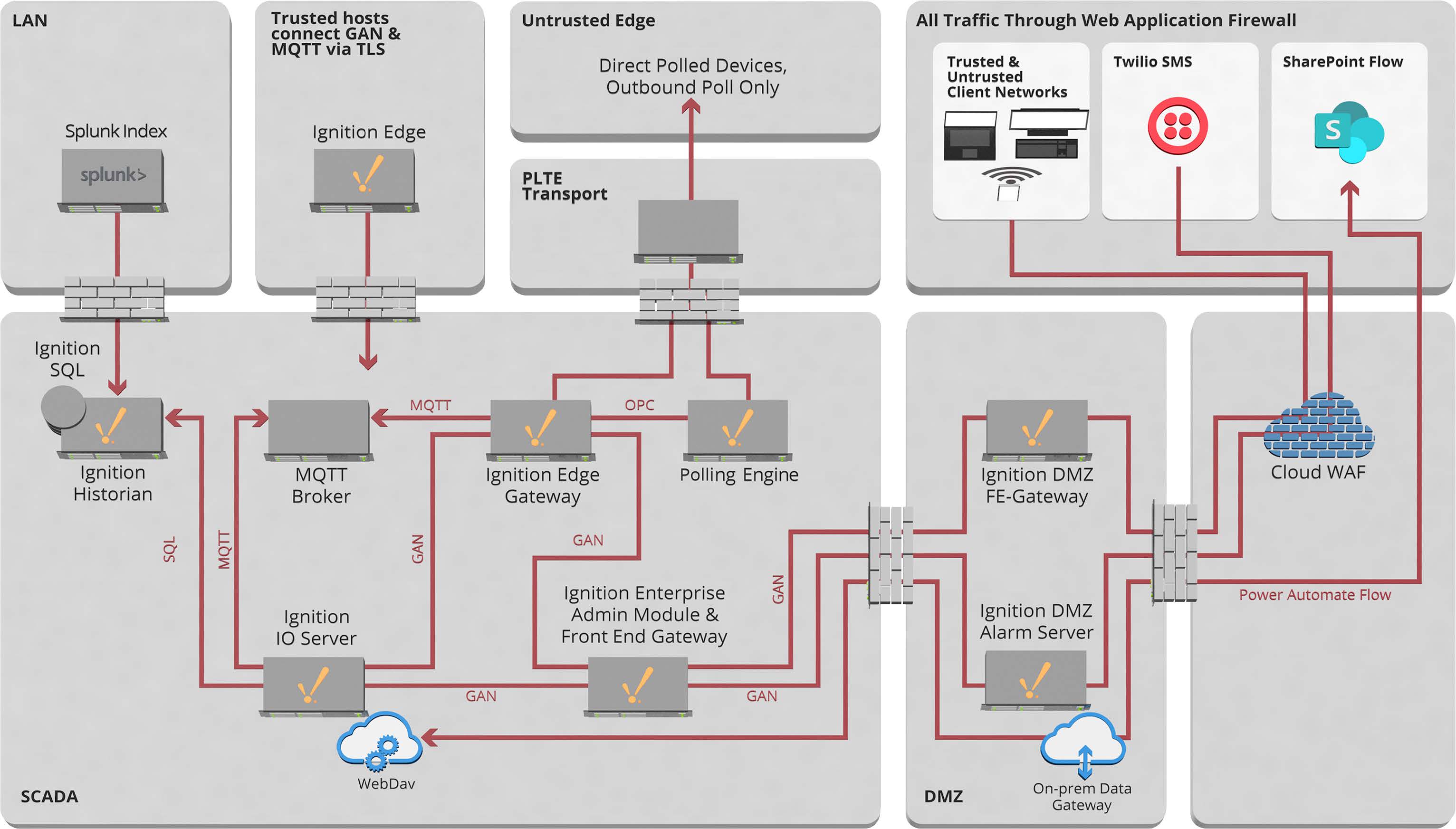
Building A Gateway Architecture With Ignition, MQTT & Moxa
Goodnight Midstream strategically positioned five Windows servers at the enterprise level and approximately 50 Moxa AIG Edge Intelligence Gateway devices — each installed with Ignition Edge — at their facilities. “We chose the Moxa platform because it came out of the box preloaded with Debian, which is Linux for the edge,” said Rick Hornung, Senior Manager of Information Technology at Goodnight Midstream. “Moxa provides a set of tools to manage those endpoints centrally. We were able to leverage that platform because of the portability of Ignition.” This combination of technologies enhanced data processing and communication capabilities at the edge of the network.
Next, the focus shifted to the communication protocol. To make an informed decision about which MQTT broker would best meet the needs of the project, CSE ICON and Goodnight Midstream’s technical staff conducted load testing to assess system performance under varying levels of demand. Goodnight Midstream ultimately implemented the Chariot MQTT broker as the results indicated that Cirrus Link’s cost-effective and easy-to-use broker exceeded the project’s requirements by a wide margin.
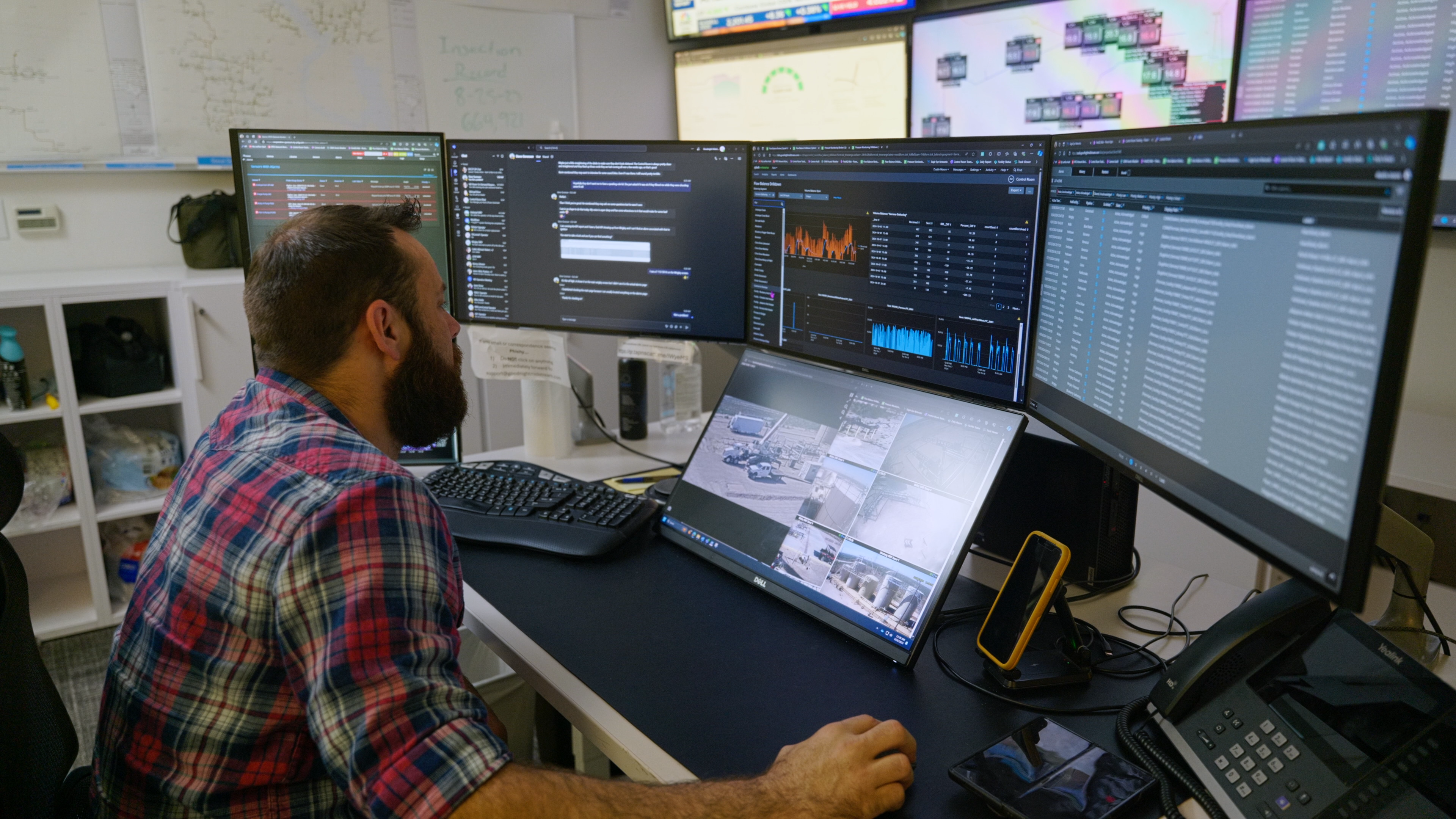
UDTs & Alarms Syncing
With the previous system, every tag needed to be manually created, so each facility had its own unique tag list. With the Ignition system, CSE ICON was able to leverage UDTs — an iterative tag data type in Ignition — to standardize tags from the ground up.
To establish a consistent real-time data exchange between client and server, CSE ICON created two types of UDTs, one for a pump and another for a tank, totaling over 100,000 tags, each of which included the OPC (Open Platform Communications) item path. However, there were also disabled tags within the UDTs, which Goodnight Midstream did not want transmitted. Fortunately, MQTT only transmits data when changes occur to minimize data transmission.
In addition to the key objectives, Goodnight Midstream also needed to receive remote alarm notifications from their pipelines at remote mini-hubs, which are manned locations in each field where a trained operator can monitor regional information. To accomplish this, the alarms (and acknowledgements) must stay in sync between the edge-based Ignition deployments at the mini-hubs and the central Ignition system. While this feature was not directly supported by Ignition out of the box, through some clever scripting, CSE ICON was able to successfully extend the system’s functionality.
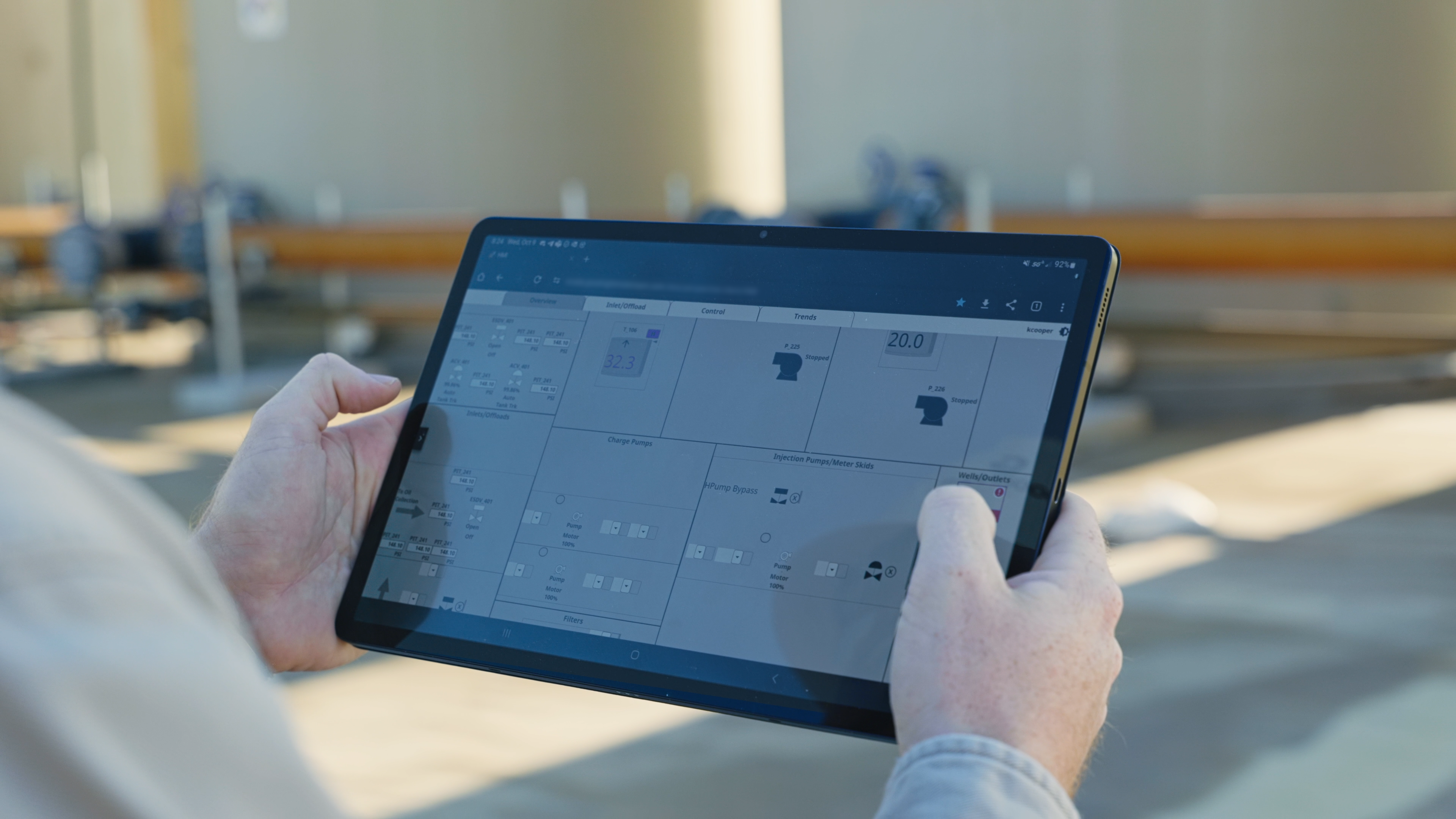
A System For Data Handling, Alarming & User Interface
The Goodnight Midstream gateway architecture project was initially planned for 12 months. However, due to the database-driven metadata model and the close collaboration between CSE ICON and Goodnight Midstream, the project was completed in just eight months.
“I don't think we pulled a single item out of that scope document,” said Cooper. This was an impressive feat, considering it involved the replacement of Goodnight Midstream’s full architecture. Ignition Edge is now deployed at multiple facilities, pulling data directly from PLCs in addition to a polling gateway at the enterprise level for high-speed cellular-enabled skids (which measure the flow of the pipelines).
Goodnight Midstream no longer needs point-to-point VPNs as all communications are now transmitted through MQTT, complete with TLS setup. Not only is the architecture simplified, the resultant system is more secure, reducing the overall complexity for IT, and allowing for remote acknowledgements from one gateway to another, sent out via Twilio.
“Ignition allowed us to move to MQTT, which is optimized for low-bandwidth connections and allowed us to remove all those VPNs,” said Hornung. “We just pump it out over the networks, over its own secure protocol, and it just dramatically simplified the deployment.”
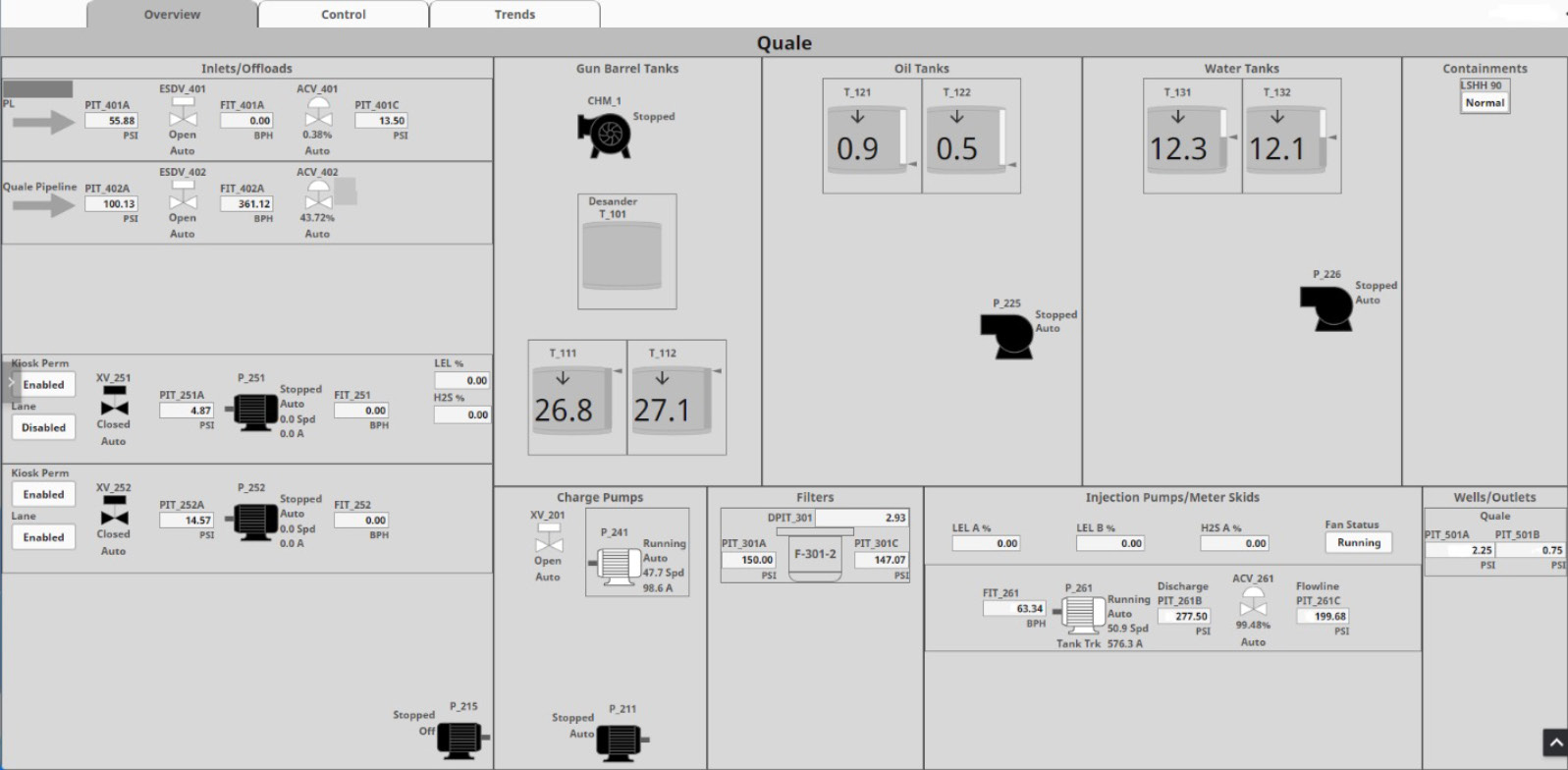
High Performance As A Standard
Using Ignition’s Perspective Module, CSE ICON designed screens that are responsive to any size, including mobile. “CSE ICON uses a high-performance HMI as a standard for our customers just to help them visualize and understand their data quickly without having a lot of clutter and a lot of other information that may not be necessary,” said Vu.
Additionally, to give an overview of Goodnight Midstream’s extensive pipeline network, the system features an interactive map and pipeline views with real-time mapping. This is particularly useful at the different levels of the architecture. “Using the templates that we have in Ignition, we can distill that information down to a KPI screen for our primary control room, but we can also broaden that view and give a little more information to the mini-hubs, since they're looking at fewer resources, and they can take a more detailed view,” said Cooper.
Enhancing Operational Effectiveness
The new Ignition system allowed Goodnight Midstream to easily overcome many common concerns in the oil & gas industry. “The reservoirs determine where you are, not where you want to be,” said Cooper, emphasizing the extreme temperatures at remote sites (from -40℉ to 120℉!). “The Ignition platform runs well on Linux devices, and when you pair those two things together, a really robust software platform with good hardware choice, [it] allows you to deploy low-power, temperature-stable devices into very harsh environments.”
The dynamic, scalable Ignition system has allowed Goodnight Midstream to use the same platform across their entire operation and primed them for expansion. With the old system, it was necessary to pull up the development environment to add objects to a screen. In contrast, the new Ignition system leverages an automatically populated tree view, which is driven by metadata, allowing Goodnight Midstream to enter new data by simply filling in a database table. The process, which used to take half a day to complete, now takes 15 minutes. This has empowered Goodnight Midstream to add new sites themselves, and the project is expected to grow to 30-50 sites in the near future.
Project Scope
- Start date: 1/2023
- Deploy date: 9/2023
- Tags: ~100,000
- Screens: 83 templated iterations of 12 unique screens
- Clients: Varies throughout the day; anywhere from 3-20
- Alarms: 59 Alarm Pipelines
- Devices:
- 5 Windows Server machines
- ~50 MOXA AIGs
- Architectures:
- Enterprise architecture
- Database exists only at enterprise
- No databases on sites
- 5 gateways at enterprise (Windows Server)
- ~50 gateways at facilities (Moxa AIG)
- Enterprise architecture
- Databases:
- 4 (MS SQL Server)
- IgnitionDB
- IgnitionHistDB
- IgnitionHistDB_Temp
- MetadataDB
- 4 (MS SQL Server)
- Historical data logged:
- ~20 billion rows
- ~70k unique tags
Transcript
00:09
Kevin Cooper: My name is Kevin Cooper. I'm the Chief Information Officer here at Goodnight Midstream. Goodnight Midstream provides integrated water management to oil & gas producers. The oil & gas companies will send us their wastewater and if they need water, we will provide it back to them in a reuse capacity. So Goodnight is using its Ignition SCADA system for managing its remote facilities, its remote pads, and all of our remote assets, and feeding that data into our field personnel, our SCADA personnel, our control room, and our engineers. The project that we used CSE ICON to assist us with was to replace Goodnight's existing SCADA system with a new updated and more functional SCADA system.
00:43
Binh Vu: My name is Binh Vu. I am the SCADA Solutions Manager at CSE ICON in charge of all of Ignition projects. CSE ICON is a professional services company, specializing in providing customized solutions for industrial automation, SCADA, and Digital Transformation.
00:56
Kevin Cooper: As part of preparing for this project, we spent a significant amount of time building a very good spec and scope sheet for what we were trying to accomplish. A few of the top features were mobile and desktop access were needed to be very easy to use and responsive. That needed to have a very, extremely robust historian 'cause we mine our data and do quite a bit of data mining and business intelligence work on the backend. The edge deployment needed to be incredibly robust and preferably Linux-based. The upgrade process needed to be very transparent and easy for my admins to be able to support. And the SCADA location data needed to be driven by an external database. And we also needed to be able to do simple templating. So for us to adopt the Ignition platform, these were all important factors.
01:41
Binh Vu: One of CSE ICON's goals was to develop a baseline architecture for using MQTT for our future customers. Main thing is reducing the complexity of the network architecture, so implementing MQTT out into the field to bring the data up into enterprise was a big goal for them. So minimizing the use of the point-to-point VPNs and just making the system more manageable from the IT standpoint.
02:02
Kevin Cooper: Ignition was able to meet these goals for us largely because it is so modular and customizable.
02:08
Binh Vu: Most important module, I'd probably say is the Cirrus Link modules that basically connect all of their remote field devices to the enterprise via MQTT and also the EAM Module as well to allow their SCADA admins to push changes down from the enterprise down to the field devices. They wanted a way to build a responsive HMI for all of their users, from the field level down at the control room, and Perspective to help facilitate building out these screens in a modular way. CSE ICON uses a high-performance HMI as a standard for our customers, just to help them visualize and understand their data quickly without having a lot of clutter and a lot of other information that may not be necessary for their requirements.
02:41
Rick Hornung: My name is Rick Hornung. I'm Senior Manager of Information Technology for Goodnight Midstream. Migrating to Ignition from our previous platform opened up a lot of different end compute options for different operating systems and hardware platforms. We chose the Moxa platform because it came outta the box preloaded with Debian, which is Linux for the edge, which is what we were looking for. And Moxa provides a set of tools to manage those endpoints centrally. We were able to leverage that platform 'cause of the portability of the Ignition platform.
03:09
Kevin Cooper: One of the things that is somewhat specific to oil & gas; you're almost always dealing with really out-of-the-way places. The reservoirs determine where you are, not where you want to be. So you're dealing with extreme hot, you're dealing with extreme cold, and I think that the Ignition platform running well on Linux devices and you pair those two things together — a really robust software platform with good hardware choice — allows you to deploy low-power, temperature-stable devices into very harsh environments.
03:40
Kevin Cooper: And we certainly experience that, we see everything from 120℉ to -40℉ and I'm able to use the same platform across my entire operation. There are a number of things that I think we're incredibly positive about this particular project and one of them is that Ignition is very cost competitive. When you're looking at what your total cost of software is over time, having Ignition be very robust technologically but also very affordable, it's incredibly important. Anybody who has done large-scale networks, especially distributed out to edges that are way out in the middle of nowhere, VPN tunnels can be the bane of your existence.
04:16
Kevin Cooper: Some SCADA systems will require to use VPN to propagate that data transmission from point to point. We had over a 100 of those VPN tunnels. Occasionally they would stick and if a tunnel gets stuck in the up or down situation, then you're not getting traffic and you're not getting volumes. It was not uncommon for us to come into work in the morning and have seven or eight tickets at the help desk because reports weren't working the way they were supposed to. And inevitably we would trace that back to a VPN tunnel. By moving away from VPN and using MQTT as our primary data transmission method, that has fixed all of those problems.
04:51
Rick Hornung: Ignition allowed us to move to MQTT, which is optimized for low-bandwidth connections and allowed us to remove all those VPNs. And we just pump it out over the networks, over its own secure protocol, and it just dramatically simplified the deployment.
05:05
Kevin Cooper: I think that the data resolution has been incredibly important to us because it really allows us to deliver to the business these higher-resolution data points. Previously, let's say a well engineer comes to me and says, "I wanna look at that well and I wanna look at it at like a five second data resolution." Well, I would have to take that entire location and bump it down to five seconds and now your historian is getting flooded with data that you don't really need. Now I can group just a couple of instruments and I can say, "I just want those to poll at five seconds." So I can just run that for a day and I can do things with my data engineers, working with my physical engineers, and give them answers that they couldn't do before.
05:41
Binh Vu: Previously every tag that they had in the system was manually created, so each facility had their own unique tag lists, and managing them was difficult. But by leveraging UDTs, it was standardized from the ground up.
05:54
Kevin Cooper: User response to Ignition: end users obviously are roaming the field, they need something that's very quick and easy, and we've actually developed some screens that are very specific to somebody who's rolling up on a facility needs to see their top five. We also run mini-hubs that are located in each field, where we have a trained person who's watching just their regional information, and then of course the control room's watching everything. Using the templates that we have in Ignition, we can distill that information down to a KPI screen for our primary control room, but we can also broaden that view and give a little more information to the mini-hubs since they're looking at fewer resources, and they can look, take a more detailed view. The way the Ignition is able to display that information makes that very easy and it makes it easy for me to make my customers happy.
06:36
Binh Vu: Now that they've implemented Ignition, their system's easier to manage. They can have a SCADA administrator come in and look at their system and manage it without having to bring in a team of developers to look at their remote facilities.
06:46
Kevin Cooper: What impressed me, and I think my team, about Ignition is we went pretty deep. What do we need? What do we want to do? What are we trying to accomplish? And the scope document that we built was very robust. And the fact that I don't think we pulled a single item out of that scope document and it fit inside of the Ignition platform and went very smoothly and we got what we wanted out of it, although it's what I wanted, I don't know if I expected that to happen, but at the end of the day, that's what we have on paper, that's what we have on our screens, and that is, I think, very impressive that a platform is flexible and robust enough that without breaking an arm, you're able to get what you need out of it.
07:24
Binh Vu: We felt that Goodnight was very thorough in their scope of work documentation and it made it a lot easier for us to implement the functionality that they required.
07:32
Kevin Cooper: CSE was very good at communicating with us and we understood when things were moving along, we understood when things were successful, and we understood more importantly when things were challenges and how to overcome those. And those were very positive experiences and we were very happy with the Ignition platform and CSE in that we got exactly how we speced out our project.
End User Description
Goodnight Midstream’s mission is to build and operate the most reliable midstream produced water systems. Providing integrated saltwater management to oil and gas producers, Goodnight Midstream has an extensive, reliable, and redundant network of water gathering pipelines and saltwater disposal wells in the leading oil shale fields of the United States. For more information, visit: goodnightmidstream.com.
End User Location
Dallas, TX
Featured at Location
Industry
Integrator Description
CSE ICON is a professional services company focused on the design, development, and implementation of operational technology used in the processing and manufacturing industries. Our mission is to bring people and data together thereby helping our customers continuously improve and increase profitability. For more information, visit: cse-icon.com and/or e-mail contact@cse-icon.com.
Integrator Location
Lafayette, LA; The Woodlands, TX
PDF
Subtitle
Ignition Platform Allows For Synced Alarming Across Distributed Architecture
Thumbnail
Video Duration
493
Wistia ID
u6l8iww1qi
Hero
Integrator Company Name
CSE ICON
End User Company Name
Goodnight Midstream
Featured in Sort
On
No matter how you look at ROI, Ignition is the best choice for HMI, SCADA, and Digital Transformation software. In this webinar, you’ll find out why that’s true by hearing the experiences of industrial professionals who have worked with Ignition for years.
icc
|
2024
IA Session
Integrating Ignition with Exciting Peripherals
Ignition is based on open standards, is deployable anywhere, provides data to anyone, and can integrate with virtually any system or device. This allows you to leverage best-in-class technology with seamless integration to Ignition. Perspective and the native iOS and Android application is a perfect example of this. Ignition enables people to extend their applications to a phone or tablet by leveraging the camera, GPS, NFC, Bluetooth LE, and other mobile tools. In this session, you’ll get some exciting use cases and live demos featuring one exciting OT peripheral and one very cool guest appearance you won’t want to miss!
45 min video
Watch the video
webinar
Architecting Success With Scalable System Design
Learn about common Ignition architectures, how to customize architectures, and the Ignition Architecture Builder, a powerful resource with tools that help you create, share, and track your architectures in a single project. Additionally, we will discuss Ignition's capabilities beyond traditional SCADA architectures, showcasing its ability to accommodate unique applications with third-party modules, database services, and more.
55 min video
Watch the webinars
customer project
Manufacturing
Glass Manufacturer Leverages Hybrid Architecture To Deploy Identical Applications At Multiple Sites
Saint-Gobain Glass mobilized 2Gi Technologie and Plantformance to create and deploy Ignition applications in several countries, within a hybrid architecture of local real-time data and shared data in the cloud. These applications enable Saint-Gobain Glass to have identical applications in its plants to accelerate digitalization and to consolidate data at a global level, as well as leverage data locally for immediate remediation plans stored in Microsoft planner.
9 min video
Watch the customer project
customer project
Manufacturing
Infrastructure Provider Builds Demo Platform To Give Clients Dynamic View Of Solutions
Vertiv, an organization that manufactures components and implements automation solutions for data centers and communication networks, used Ignition to create an internal and external demo platform that encompasses all of their go-to market offers and solutions, incorporating both manufacturing facilities and critical regional offices.
10 min video
Watch the customer project
Project Summary:
Automation Solutions Ecuador (ASE) developed a cloud-based solution for Smart Energy Applications that enables real-time monitoring, data acquisition, and reporting for Gas-to-Grid (G2G) systems located in remote oil & gas facilities in the Amazon.
Smart Energy provides Gas to Grid in a Box (G2G_B) solutions to produce energy using the gas associated with the crude oil extraction process. The G2G_B system uses gas without treatment to reduce carbon footprint. It comprises a generation unit (Waukesha), a control and synchronism unit (Woodward Easygen), and a load shedding unit (Multilin).
The project developed by ASE was crucial for Smart Energy to get real-time and historical data of electrical and mechanical parameters, KPIs, and automatic reporting of technical, financial, and environmental results. This allowed Smart Energy headquarters to assess the impact of its solutions. Additionally, the project allowed the solution to be maintained with OpEx instead of CapEx.
Problem:
Smart Energy’s generators are situated in remote facilities that are difficult to reach and have no permanent staff. As a result, Smart Energy’s systems did not have continuous monitoring and required an operator to visit each facility once or twice a day to collect data manually. At the end of each shift, the operator manually recorded the day's data in an Excel report and submitted it via email.
The staff at the headquarters would then review and analyze the technical data provided by the operator the day before. Based on this, they manually created weekly and monthly Excel reports that included process indicators and financial data. These reports were shared with management and partners who needed to justify the investment with energy savings and carbon footprint reduction to ensure the implementation of more G2G_B systems.
Obtaining KPIs and generating reports required significant time, resources, and personnel since data could only be collected directly from equipment displays.
Ignition powered this project — try it yourself for free.
Solution:
ASE designed a hybrid architecture using Ignition Edge IIoT and Ignition Cloud Edition in Azure.
To install Ignition Edge, the RTU box contains an Opto 22 groov RIO. The Modbus TCP devices are connected directly with the Ignition driver, while the Modbus RTU devices are connected via a Moxa adapter to use the RTU/TCP driver. Each G2G_B system requires one Ignition Edge installation.
For historical storage, the system utilizes an Azure Database for MySQL and an Ignition Cloud Edition subscription using Microsoft Azure. Ignition Edge publishes the collected data using MQTT and subscribes using Cirrus Link's Distributor and Engine modules for Ignition, with Starlink satellite internet for data transmission.
ASE designed the application interface in Figma and developed it using the Perspective Module in Ignition Cloud Edition. The interface includes a dark theme and parameterized views to add more generators dynamically in the future. The application is mobile-responsive and has login and language selection options, along with sections for real-time monitoring, historical queries, events, KPIs, and reporting.
Results:
Smart Energy has successfully eliminated manual data collection and replaced it with an automated system. All data is now collected and processed without human intervention, from the equipment to the end users. Personnel at the headquarters can monitor the equipment in real time and alert operators when an event occurs that requires their intervention.
Smart Energy achieved this by using Ignition and Opto 22 hardware, which meet the requirements of cybersecurity and have store-and-forward capabilities. Ignition Perspective was used to develop a dynamic application that facilitates future integration of new G2G_B systems. The application is mobile-responsive, user-friendly, intuitive, and complies with dark theme features.
To further improve decision-making and analysis of future investments, Smart Energy generates online KPIs and automatic reporting for managers and partners. Smart Energy was pleasantly surprised by the value they received from the Ignition Cloud Edition service; the price is much better than the price they had in mind. This makes it easier for them to maintain the solution with OpEx instead of CapEx.
Smart Energy optimized significant time, resources, and personnel; the solution helps to monitor in real-time the reduction of CO2 emissions and economic savings.
Start Date: December 2023
Deploy Date: February 2024
Project Scope:
Tags: 300
Screens: 10
Clients: 10+
Alarms: 100
Devices used: 6 devices, Opto 22, Moxa.
Architectures used: Cloud Hybrid (Ignition Edge, Ignition Cloud Edition)
Databases used: 1 DB, Azure DB for MySQL
Historical data logged: 300
Are you curious how Ignition can solve your toughest automation challenges?
Request a free demo that the IA team will customize to your specific use case.
End User Description
Smart Energy Applications is a company formed by professionals with an average experience of 25 years working on energy efficiency projects, optimization of associated gas projects and energy projects in general. The company was created to develop innovative and disruptive energy solutions for the decarbonization and energy transition of the oil and gas industry.
Featured at Location
Industry
Integrator Description
Since 2004, ASE has faced the technological challenges of the industry. More than a traditional systems integrator ASE is a technology partner for their customers, understanding their strategy, culture and processes is fundamental to deliver customized solutions to important companies in Ecuador and large corporations in countries such as Chile, Argentina and Sweden. ASE delivers solutions such as: Industrial Automation, MES, Enterprise-Control System Integration, IIoT, Telemetry and Data Governance. They have a strong engagement with the education of future talents and the continuous training of professionals, because they are convinced that people are the key to achieving Digital Transformation. <p>
<strong>Website:</strong> <a href="http://asecuador.com/" target="_blank">asecuador.com </a>
<p>
<strong>Website:</strong> <a href="http://asecuador.com/" target="_blank">asecuador.com </a>
<p>
Subtitle
Automation Solutions Ecuador — 2024 Finalist
Thumbnail
Video Duration
320
Wistia ID
6hqsykis6s
Hero
Integrator Company Name
Automation Solutions Ecuador
End User Company Name
Smart Energy Applications
Featured in Sort
On
Project Summary:
Dautom successfully addressed the challenge of consolidating diverse power generation assets across multiple geographical areas. By leveraging Ignition as an IIoT platform, implementing Factory Compass 4.0, and the Unified Namespace (UNS) to standardize data models, they achieved operational excellence, resulting in enhanced interoperability and scalability.
Problem:
Copower, essential in energy generation projects, operates across various geographical areas with diverse assets, including diesel, gas, and photovoltaic sources. Gathering information on these assets relied on OEM applications and software, involving multiple brands (Jichai, Jenbacher, Waukesha, Fimer, Fronius, and Huawei) and communication protocols (Modbus, CAN, and Profibus). The diversity and different data models posed a significant challenge in collecting and unifying the data with context that leverage decision-making based on information in real time for business and operation automation.
Copower wants to develop a solution focused to facilitate the operation and improve maintenance management, including prediction of failures.
Ignition powered this project — try it yourself for free.
Solution:
Dautom developed the Factory Compass 4.0, with Ignition serving as the IIoT platform. This platform integrated generation assets locally through Ignition Edge, publishing information in the UNS. Ignition Cloud was then used to consolidate a national monitoring tool. The UNS enabled the standardization of data models, providing a single source of truth for Copower's assets and ensuring interoperability and rapid deployment of new solutions.
Results:
The project facilitated organic development and scalability for Copower on its infrastructure without relying on OEMs, enabling several business automation initiatives. The UNS-based architecture integrated with the 4.0 ecosystem's data cloud layer, offering functionalities like data lakes, warehouses, ML, and AI.
An inference engine for anomaly detection with Snowflake and integration with Canary Labs for large-scale historization were also deployed. These achievements opened doors to new business models and addressed similar pain points for Copower's clients and stakeholders. The project was executed by a team from Dautom and Copower, combining technical expertise with essential knowledge of the power generation process.
Start Date: September 2023
Deploy Date: Ongoing
Project Scope:
Screens:
- Embedded views: 12
- views: 16 (low count due to reuse of parameterized views)
- Clients: Unlimited
- Alarms: 150
Devices used:
- 10 PLCs DEIF AMC 600
- Pantalla HMI AGI 415 DEIF
- 1 PLCs Opto22 groov RIO
- 2 PLCs Siemens S7-1200
- 1 Industrial Edge Computer OnLogic Helix 310
- 1 Embedded Automation Computers Advantech UNO.
Architectures used:
- Industry 4.0 based in UNS with Ignition Edge IIoT nodes and Snowflake for data cloud layer.
- Tags: 41,000
- Databases used: MySQL
- Historical data logged: 10,000 tags in Tag Historian and 2,000 in Canary, and growing
Are you curious how Ignition can solve your toughest automation challenges?
Request a free demo that the IA team will customize to your specific use case.
End User Description
With more than 24 years of experience, Copower is dedicated to the development of energy solutions in the Oil & Gas and industrial sectors. The company specializes in electrical testing, renewable energies, and O&M for power generation plants, with a focus on maintaining turbogenerators. Copower excels in executing projects in oil-rich areas, adhering to the stringent standards required by the oil industry. Their expertise encompasses gas treatment centrals, gas pipelines, and electromechanical assemblies, ensuring high-quality and reliable service. With a permanent stock of gas and diesel units ranging from 100 KW to 2000 KW, Copower supplies, installs, and operates power generation centers to meet the demands of industrial and oil-sector processes. The company has extensive experience in the operation and maintenance of electric generation centers, currently executing contracts for up to 10 years for diesel and gas generation centers. In addition to power generation, Copower offers comprehensive analysis of generator sets and rotating equipment. They design and manufacture Switchgear & MCC, with ranges from 220VAC to 34,000 VAC and breaking capacities up to 100 KA, providing robust solutions for diverse energy needs. <p>
<strong>Website:</strong> <a href="https://copower.com.co/" target="_blank">copower.com.co </a>
<p>
<strong>Website:</strong> <a href="https://copower.com.co/" target="_blank">copower.com.co </a>
<p>
Featured at Location
Industry
Integrator Description
Founded in 2013, Dautom is an engineering company specializing in system integration and digital transformation solutions for Smart Manufacturing. With expertise in IT/OT convergence infrastructure and data ops, Dautom is dedicated to driving the digital evolution of its clients. Dautom develops comprehensive digital transformation projects, integrating organizational levels with advanced IIoT infrastructure. From addressing field and enterprise needs, their solutions leverage ML, AI, and Smart Data to enhance operational efficiency. The commitment to excellence ensures not only the delivery of results but also the provision of exceptional quality. Dautom architects Industry 4.0 solutions, focusing on the development of integrated systems for real-time monitoring and continuous improvement of key performance indicators such as OEE. Expertise extends to digital transformation initiatives, seamlessly integrating various organizational tiers through Unified Namespace (UNS). The company helps clients realize their plant vision by designing and building solutions that scale. Starting with a diagnosis and design process, Dautom provides detailed system engineering and comprehensive support, ensuring clients receive unconditional service throughout their digital transformation journey. <p>
<strong>Website:</strong> <a href="https://www.dautom.com.co/" target="_blank">dautom.com.co </a>
<p>
<strong>Website:</strong> <a href="https://www.dautom.com.co/" target="_blank">dautom.com.co </a>
<p>
Subtitle
Dautom — 2024 Finalist
Thumbnail
Topic
Video Duration
580
Wistia ID
01i3jmobdm
Hero
Integrator Company Name
Dautom
End User Company Name
Copower
Featured in Sort
On
customer project
Automotive
Automotive Parts Manufacturer Replaces Manual Logging With Fully Automated Ignition System
Murakami’s North American plant produces automotive side-view mirrors, processing plastic into assembled mirrors with included electronics. This project transformed Murakami Injection’s pen-and-paper logging process into a fully Ignition-powered system with automated production, scrap, downtime, and changeover tracking.
9 min video
Watch the customer project
Project Summary:
Northern Wasco County People’s Utility District (NWCPUD) had an existing Ignition installation with several projects built by OS Engineering for reporting meter data and operating two hydroelectric power generation projects. To complete their SCADA system, OS Engineering was selected to expand this Ignition installation to include monitoring for over 80 Intelligent Electronic Devices (IEDs) across nine substations. NWCPUD wanted a single SCADA application to oversee all aspects of their transmission and distribution infrastructure, including KPIs and real-time data, along with reporting, alarming, and trending to aid in day-to-day operations.
Problem:
NWCPUD wanted the ability to monitor all IEDs at nine substations and key field reclosers across its 87-square-mile coverage area. These IEDs included protection relays for transformers, feeder breakers, voltage regulators, reclosers, and power quality monitors. There was no existing communication infrastructure between sites, and limited real-time visibility of the transmission system for operations.
Ignition powered this project — try it yourself for free.
Solution:
Utilizing the new TosiBox network infrastructure, OS Engineering began development of the Substation Monitoring project, starting with the IED configuration and data mapping to SEL real-time automation controllers (RTACs) located at each substation that Ignition would communicate with using the DNP3 driver. OS Engineering defined a tag structure and UDT definitions for all devices to make full use of Ignition’s object-oriented tools. They additionally developed a set of standard templates, faceplates, and windows for each object type using ISA-101 standards. This high-performance HMI had a modern approach on the UI, making it approachable and intuitive for operations.
All substation screens have a consistent build, with dashboards for key substation parameters along with one-line diagrams, coverage area maps, and RTAC and IED dashboards for status and monitoring. Every IED has a corresponding faceplate for additional status from the over 23,000 tags monitored in the application. A custom tagging system allows operators to place informational tags on equipment, flagging them for maintenance and other purposes. These tags are visible on the corresponding device within the one-line diagram, with the full history available on the object’s faceplate.
OS Engineering completed the full system development, configuration of the SEL RTACs and IEDs for data mapping, and commissioning of the system remotely, thanks in large part to the TosiBox network infrastructure.
Results:
The Substation Monitoring project brought new visibility to NWCPUD’s electric transmission and distribution infrastructure. Outages and other system statuses can now easily be identified, and operations can be alerted through email and SMS alarms. Additionally, the influx of available data has made automated reporting possible.
Ignition’s DNP3 driver allows for event-based polling of end devices, reducing data usage at remote sites. It also allows for easy integration with SEL RTAC controllers to consolidate IED data at each site with a reliable connection that includes event buffering.
Additionally, as OS Engineering designed the project to make full use of Ignition’s UDT and template capabilities, additional devices can be added to the system with ease using a full complement of templates, faceplates, and other objects created to suit the needs of NWCPUD.
Start Date: May 2022
Deploy Date: August 2023
Project Scope:
Tags: 23,000
Screens: 55 screens with 20 device faceplate popups
Clients: 5-10
Alarms: 900 enabled. Users can dynamically enable and configure additional alarms from the client.
Devices used: 11 SEL RTACs, 80+ IEDs
Architectures used: Standard
Databases used: MySQL
Historical data logged: 3,200 tags
Are you curious how Ignition can solve your toughest automation challenges?
Request a free demo that the IA team will customize to your specific use case.
End User Description
Northern Wasco County People’s Utility District (NWCPUD) is a customer-owned electrical utility in Wasco County, Oregon. They take great pride in providing electrical services with high reliability ratings while maintaining some of the lowest rates. NWCPUD operates two hydroelectric power generation projects on the Columbia River and nine substations that provide nearly 25,000 people and businesses with electricity. <p>
<strong>Website:</strong> <a href="https://www.nwascopud.org" target="_blank">nwascopud.org </a>
<p>
<strong>Website:</strong> <a href="https://www.nwascopud.org" target="_blank">nwascopud.org </a>
<p>
Featured at Location
Industry
Integrator Description
OS Engineering provides a wide range of electrical and automation services throughout many different industries. Based in Springfield, Oregon, they have 10 years’ experience with Ignition and have been a Premier Integrator since 2019. OS Engineering has a staff of licensed engineers and seasoned control systems integrators who service a broad variety of clients. They have implemented many successful Ignition projects for both private and public customers, with a particular expertise in hydropower and municipal water/power. <p>
<strong>Website:</strong> <a href="https://www.os-engr.com" target="_blank">os-engr.com </a>
<p>
<strong>Website:</strong> <a href="https://www.os-engr.com" target="_blank">os-engr.com </a>
<p>
Subtitle
OS Engineering — 2024 Finalist
Thumbnail
Video Duration
572
Wistia ID
njxle7g7f8
Hero
Integrator Company Name
OS Engineering
End User Company Name
Northern Wasco County People’s Utility District
Featured in Sort
On
Project Summary:
Environmental Operating Solutions Inc. (EOSi) designed a reliable, cost-effective control system capable of being deployed quickly for both pilot and long-term projects with a minimal site footprint and impact to operations. Additionally, EOSi aimed to create a user-friendly interface accessible by remote and local personnel.
Problem:
EOSi needed to design a cloud-based SCADA using IIoT edge devices and MQTT capable of making cloud-based control possible, extremely cost-effective, and reliable.
Ignition powered this project — try it yourself for free.
Solution:
The infrastructure that supports the cloud-based control system starts with a Windows server installed on an Azure Virtual Machine (VM), which in turn hosts Inductive Automation's Ignition platform. The Ignition platform includes a full-blown historian utilizing an Azure SQL server, Cirrus Link’s MQTT Engine as well as the Alarm Notification Module and Twilio Notification Module.
In the field, cellular transmitters called Rangers from Signal-Fire are used to post discrete analog process values to EOSi’s MQTT broker in Ignition. IIoT gateways from Moxa with “Ignition Onboard” pull and push, where appropriate, other data points from memory space shared between the Gateway and the customer’s PLC network. The Moxa devices have full firewalls, are accessible via VPN only, and have physically separate NIC cards to ensure there is no active connection between the subnet that the customer’s PLCs are on and the network subnet used internally by the MQTT Gateway, nor the third cellular network. The MQTT protocol transmits tiny amounts of non-contextual numerical data on this third cellular connection, which is also encrypted and linked to CA certificates, so interception or hacking is not a concern.
Functionally, through the magic of MQTT, live process values appear in the Ignition tags. Formulas in expression tags provide the control algorithm. The results of the algorithms are sent back down via MQTT to the IIoT Gateway and then to the local PLC for further analysis or direct control of analog outputs. With the use of templates, EOSi developed HMIs for each site or customer at very little additional cost, since the Ignition license allows unlimited users, tags, and screens.
What was concerning, at least in the beginning, was the reliability of the cloud. To that end, each interface featured a watchdog element monitored at the server level by Ignition.
Ignition – monitored from uptime.com, a third-party service.
- Site PLC communication – a heartbeat value from the PLC ensured site communication was functional.
- IIoT Gateway to Ignition – additional heartbeat value ensured communication between the on-site IIoT Gateway and Ignition.
- Ignition to SQL database – internal checks monitor this connection.
- If any of the above watchdogs fail, notifications (email or SMS text) configured with Twilio notify plant operators and EOSi personnel.
Results:
After four years of production installations, the only communication failure has been between the site PLC and local IIoT Gateway. In each case, after contacting the customer, the issue was identified to be a power failure at the PLC, sometimes intentional due to maintenance or sometimes a local power outage. In one case, EOSi notified the site before they had noticed it themselves. It is worth noting that because these watchdogs are monitored in the cloud, they are always active, regardless of local conditions. In other words, when the application is appropriate, EOSi has found this methodology to be more reliable than locally installed PCs and PLCs.
EOSi has moved from the traditional full-blown PLC cabinet to a very small box and reduced the cost by almost two orders of magnitude. As a business model, this cost reduction has allowed them to go from the tedious process of bids, submittals, and “hurry-up-and-wait” PLC cabinet installations to one where they can provide their cloud-based control system at no additional charge as long as the customer is buying MicroC products.
For EOSi, the Ignition platform has been life-changing for day-to-day business. Their usual deliverable is a small electrical enclosure containing the communication gateway and power supply. The most minimal footprint of all was their latest installation, where EOSi simply mailed a $800 Gateway to a friendly on-site controls electrician – the customer snapped it onto an inch of DIN rail in an existing PLC cabinet, wired some power to it, and plugged in the Ethernet cable. EOSi had configured the gateway before it left, and everything was up and running in hours, not days.
Start Date: December 2019
Deploy Date: Ongoing
Project Scope:
Tags: 170 - 1,000 per project
Screens: 15+ per project
Clients: 10+ per project
Alarms: 10+ per project
Devices used: Perspective - PC, tablets, mobile
Architectures used: Azure server running standard Ignition with Cirrus Link MQTT modules
Databases used: 6 Microsoft Azure SQL databases
Historical data logged: 5,000+
Are you curious how Ignition can solve your toughest automation challenges?
Request a free demo that the IA team will customize to your specific use case.
End User Description
Environmental Operating Solutions, Inc. provides biological nutrient removal solutions, supplies, and automation services empowering water and wastewater treatment plant operators in their mission to deliver treated effluent water free of harmful nutrient pollution and chemical contaminants. EOSi is the trusted partner, solution provider, reliable supplier, and technical expert to hundreds of water and wastewater treatment operators across North America. <p>
<strong>Website:</strong> <a href="https://www.microc.com/" target="_blank">microc.com </a>
<p>
<strong>Website:</strong> <a href="https://www.microc.com/" target="_blank">microc.com </a>
<p>
Featured at Location
Industry
Subtitle
Environmental Operating Solutions Inc. — 2024 Finalist
Thumbnail
Topic
Video Duration
553
Wistia ID
1c6poz2n2h
Hero
End User Company Name
Environmental Operating Solutions Inc.
Featured in Sort
On
customer project
Mining
Configurable MES Solution Rapidly Delivers OEE Improvement For Cable Manufacturer
In order to gain more insight into how to optimize line performance, Belden decided to partner with Flexware and utilize their SparkMES™ to rapidly capture and visualize key OEE metrics. This project returned significant ROI for Belden.
11 min video
Watch the customer project
Project Summary:
Barbados Water Authority (BWA) implemented a comprehensive SCADA system using Ignition to monitor and manage 55 drinking water stations, nine wastewater stations, and two treatment plants. The project aimed to ensure the provision of uninterrupted and high-quality services while addressing operating system compatibility, scalability, and network issues.
Aquatec-Automation designed the SCADA system using the Vision Module for desktop and the Perspective Module for the mobile application.
Problem:
BWA faced several challenges with their existing SCADA system, including compatibility issues with updated operating systems, limitations in scalability, unreliable alarm notifications, and network connectivity issues leading to intermittent outages. These issues collectively hindered efficient monitoring and control of their water and wastewater facilities.
Ignition powered this project — try it yourself for free.
Solution:
To address these challenges, BWA opted to implement Ignition. Since the platform is built using open standards, it allowed them to solve compatibility with operating systems and scalability. Also, due to Ignition’s unlimited licensing model, BWA was able to acquire a license that was more tailored to the needs of the project.
Regarding the reliability of alarm notifications, the Ignition's Alarm Notification Module provided advanced tools to ensure that operators were alerted to the most critical alarm notifications.
Ignition’s component library, along with vector graphics, allowed Aquatec to develop a wide range of functions to customize and optimize the system’s graphical interface, resulting in an intuitive and easy-to-use application.
Aquatec leveraged Ignition’s Reporting Module to tackle the challenge of designing screens that present useful information and generating automatic monthly reports with concise, summarized data. This module provided advanced tools to design customizable reports that effectively convey critical information to users. Additionally, monthly and automated reporting capabilities ensured timely delivery of summarized data for informed decision-making and efficient analysis.
Perspective addressed the need for a mobile-responsive application, ensuring that field operators had instant access to system data and could perform maintenance tasks efficiently.
Finally, Ignition's compatibility with the different industrial protocols allowed BWA to make a direct connection with the PLCs at remote stations without having to go through another additional system, thus ensuring the rapid transmission of data to and from the PLCs.
A completely isolated Linux server in the AWS cloud helped address network and outage challenges, ensuring efficiency in problem resolution and data protection.
Results:
Choosing Ignition as a comprehensive solution allows BWA to effectively address all the challenges associated with implementing a modern SCADA system, preparing the organization for future success and maximizing operational efficiency.
The implementation of Ignition SCADA yielded substantial benefits for BWA. The system's enhanced compatibility ensures seamless operation with updated operating systems, alleviating the need for costly software updates and mitigating potential disruptions. Additionally, Ignition's scalability facilitates the seamless expansion of BWA's infrastructure, accommodating growth without imposing additional licensing expenses.
Ignition's Alarm Notification Module significantly bolstered operational efficiency by providing timely alerts to personnel, enabling swift responses to potential issues, and minimizing downtime. The intuitive mobile application empowered field operators with real-time access to critical system data, enhancing responsiveness and streamlining maintenance tasks, thereby optimizing operational workflows.
The deployment of the Ignition SCADA system marked a transformative milestone for BWA, enhancing service quality, and operational reliability while positioning the organization for sustained success in the dynamic landscape of water and wastewater management.
Start Date: January 1, 2022
Deploy Date: January 1, 2024
Project Scope:
Tags: 36,806
Screens: 12 screens + 67 popups
Clients: 10
Alarms: 1,586
Devices used: 41 Rockwell PLCs
Architectures used: Standard
Databases used: One PostgreSQL database
Historical data logged: 1,342 tags, 7,674,244 rows (as of 2024)
Are you curious how Ignition can solve your toughest automation challenges?
Request a free demo that the IA team will customize to your specific use case.
End User Description
The Barbados Water Authority (BWA) is the entity in Barbados charged with supplying the island with potable water as well as the provision of wastewater treatment and disposal services to the sewered areas of Bridgetown and the South Coast. <p>
<strong>Website:</strong> <a href="https://barbadoswaterauthority.com//" target="_blank">barbadoswaterauthority.com/</a>
<p>
<strong>Website:</strong> <a href="https://barbadoswaterauthority.com//" target="_blank">barbadoswaterauthority.com/</a>
<p>
Featured at Location
Industry
Integrator Description
Aquatec-Automation is a leading company in technology and innovation applied to the Digital Transformation of the integral water cycle and the environment. They provide advisory, consulting, design, development, implementation, and maintenance services of advanced solutions for the optimization of integral water cycle processes and environmental conservation. Aquatec is part of the Agbar-Veolia group and one of the most active and dynamic companies in the DINAPSIS digital ecosystem (www.dinapsis.es), where the companies integrate cutting-edge digital services in a unique environment to face the challenges of society in the areas of water, city, and circular economy. <p>
<strong>Website:</strong> <a href="https://www.agbar.es/etica-y-cumplimiento/aquatec///" target="_blank">agbar.es/etica-y-cumplimiento/aquatec/ </a>
<p>
<strong>Website:</strong> <a href="https://www.agbar.es/etica-y-cumplimiento/aquatec///" target="_blank">agbar.es/etica-y-cumplimiento/aquatec/ </a>
<p>
Subtitle
Aquatec — 2024 Finalist
Thumbnail
Video Duration
536
Wistia ID
jmyru4n8rp
Hero
Integrator Company Name
Aquatec-Automation
End User Company Name
The Barbados Water Authority (BWA)
Featured in Sort
On
customer project
Oil and Gas
Standardized Interface & Hardware Allow Oil & Gas Company To Rapidly Onboard New Facilities
Edge Controls combined the flexibility of Opto 22 edge devices to standardize field equipment configuration and commissioning with Ignition 8.1, Chariot MQTT Broker, and Perspective, utilizing these standards to rapidly onboard new facilities and provide users with new workflows with a fully mobile-responsive card-based user interface, all while lowering overall costs.
9 min video
Watch the customer project
icc
|
2024
Build-a-Thon
Build-A-Thon
Behold, another Build-a-Thon is upon us, complete with all the intrigue, feats of daring design, unexpected surprises, and singing that usually accompany such a monumental event. This year, teams from two top integration companies will battle to see who can design the best Ignition project. Don't miss all the excitement of witnessing the crowning of a new Build-a-Thon champion live at this educational, one-of-a-kind competitive SCADA event!
100 min video
Watch the video
customer project
Food and Beverage
Brewery Optimizes Predictive CO2 Model Built in Ignition
Carlton and United Breweries redeveloped an Excel macro- and VBA-driven predictive CO2 model from beer production in Ignition’s Perspective Module. The model shows the predicted amount of liquid CO2 in storage hour by hour over two weeks. The system also monitors key quality and performance indicators in the liquid CO2 system and provides historical capabilities.
8 min video
Watch the customer project
Traditionally, we've always held the Technical Keynote or Development Panel on Day Three of the conference, but this year, we've got something big to discuss, so we've moved it up to Day One of our conference content schedule. It's no secret that we've been working on the newest version of Ignition for several years now, and now we're finally able to dive deep into what's coming in Ignition 8.3 and how its powerful new features can lead users to their next big breakthrough idea!
Transcript:
00:02
Colby Clegg: Thank you. Thank you, thank you, thank you. Thank you. Welcome to the Ignition Community Conference, 2024 edition, Breakthrough. If you can't tell from the pictures, I'm Colby; that's Carl. I think we've been doing this so long, we're starting to look alike. I don't know. But we are very thrilled to welcome you here to Folsom for this week of discovery, learning, and collaboration.
00:37
Carl Gould: Yeah, this event is really the highlight of our year. It's our chance to get together with all of you and, of course, discuss what we've been up to this year. But at the same time, it's just as important for us to hear from you, hear what are your challenges, what are your successes throughout the year, and what are you most interested in right now? Because the collaborative nature of this community is really what makes ICC so special. So whether you're a returning ICC veteran or you're here for the first time, we're really glad you made it out, and we're looking forward to an incredible week.
01:11
Colby: Yes, and what a week it'll be. The pace of innovation in our industry has really been accelerating. It's an incredible place right now. Fundamental technological building blocks have been put in place over the last few years, are being used with new thought processes, new methodologies to build incredible, global, unified systems that are defining the future of automation right now.
01:25
Carl: And, of course, we see Ignition as a foundational part of this future, driving and supporting all of that innovation. And to that end, we're thrilled to be here this afternoon to introduce to you the latest major version of Ignition, version 8.3.
01:45
Colby: Indeed. Thank you. Yeah, certainly, in some regards, this release has been a long time coming. But from a different perspective, the new release is a culmination of a journey that we've been on for a few years. And Carl and I can say with confidence that we really feel that it is the right product for where the industry is at right now. So we can't wait to share it with you. Also, Ignition 8.3 is our most substantial and ambitious release we've ever done. I know we say that each time, but when you consider that the last time we did a major release, consider that our development team was about one-third of what it is now. So this is a substantial release, and we're gonna share a lot of it with you this afternoon by going over three key parts.
02:37
Carl: Yeah, and those three parts are applications, the historian, and our approach to infrastructure. And then, so we're gonna be out here giving a high-level overview of what's new in each of these three areas. And after that, Travis and Kevin will come out, and they're going to go over some examples of architectural use cases, and then after this keynote, right here on this stage, we're gonna be back for some deeper dive sessions going into what these... All these new features that we're about to go over are all about and how to use them. And then finally, we'll be back for a closing keynote on Thursday, where we'll touch briefly on what the future looks like beyond Ignition 8.3.
03:10
Colby: So with the agenda out of the way, we are ready to get started, but we wanted to take one moment just to talk about numbers, because I think that everyone here who's qualified to use our software knows that three does not come right after one. So very quickly, we wanted to talk about why we're calling it this with two key points.
03:27
Carl: Yeah, so the first is just that we really used the time frame that would have gone into developing what would have been a theoretical 8.2 just to make Ignition 8.1 all that much better. And the second one is that we use even numbers to represent releases that don't come with long-term support, and we don't think anybody wants a version of Ignition without long-term support, so we wanted to use another odd number. And those are both fine and accurate explanations, but it's also not a pattern that we wanna keep going with. So after 8.3, we're gonna be getting back to a slightly faster release cycle, roughly two to three years. Four was too long. And the next version will fix this numbering scheme we've gotten into.
04:07
Colby: Ignition XP?
04:09
Carl: Time will tell.
04:12
Carl: Well, let's call it Ignition XP.
04:12
Colby: Well, I got a few years to convince him on that one. But I'll tell you for now, a side effect of calling it 8.3 is that the three invokes perhaps the third part of a trilogy, which is really very much how we see this release. 8.0, 8.1, and 8.3 represent a philosophical progression towards delivering what was our ultimate vision starting a few years ago: to build a completely modern platform to support the next generation of industrial applications.
04:41
Carl: Evolving a platform like Ignition in this way is not easy. And historically, a lot of vendors in this space have really struggled with it over the long term. Continuing to innovate and stay modern while at the same time providing stability and continuity that this industry demands is pretty challenging. But we're proud of our strong track record in this area. We have a 20-year track record of doing exactly that. And 8.3 really continues in that tradition, promising a smooth upgrade experience as we have totally modernized the platform. In fact, when we think about our development process and how we approach what to include in the product and how to change it, we realize that there's really four key forces that we're always working to keep in balance. And those are innovation, continuity, stability, and security.
05:39
Colby: Taking the first two, innovation and security, both of these require constant evolution and change, and those fight against the desire for continuity and stability, which are paramount for plant floor operations. Really, there's one goal on the plant floor, and that is to keep running and keep running well. Well, stability is crucial here, as well as continuity, so that you don't have to continuously reinvent the wheel as new solutions come along. Typically in our industry, though, that has been achieved through the years by sacrificing innovation and security. Innovation is about bringing in new technologies to expand what you're doing, and security really often depends on your ability to evolve infrastructure, adapt to changing environments, and roll out security updates effectively. Balancing these four forces is a complex struggle, but as Carl said, we're very proud of the track record we've built.
06:26
Carl: Yeah, let's take a look at each one individually. So let's start with security. This year, we passed our audit for ISA 62443 security maturity level 3, which attests to the fact that our software development lifecycle considers security at every point along the chain. We also routinely participate in security conference competitions where we put Ignition up in front of security researchers who are highly motivated by some pretty sizable cash prizes to find new vulnerabilities in Ignition. If and when a new vulnerability is found, we're known throughout the industry for having a rapid response time and a transparent disclosure policy so that you can all be apprised of any new vulnerabilities that are found, including information so that you can evaluate whether or not your systems may be at risk, and if so, how to patch them.
07:17
Colby: In regards to stability, we've been working for the last few years to get to the place where today we're proud to say we have a one-to-one engineer ratio between software engineers and QA engineers. So that means that QA is an equal voice in the entire development lifecycle from inception to release. We also work hand-in-hand with our support division, which is in-house, of course, and the front line of our user experience. So support, test, and dev are all able to work effectively together to really be able to deliver changes in a timely manner.
07:52
Carl: Next up is continuity. Around here, backwards compatibility is always job number one, and we have the 20-year track record to prove it. There are systems in production today running the latest version of Ignition that have been continuously upgraded all the way from the old Factory PMI and Factory SQL versions 1, which was the software we had way before we even came out with Ignition. And we're able to do this because we take special care to manage our technical debt, which means that we can ensure that the platform itself is able to stay modern and doesn't get sort of bogged down by its own baggage. This is actually a huge part of the work that went into the development of Ignition 8.3 that should be mostly invisible. So it's not very flashy, but it really is an important point for creating the conditions necessary for this kind of long-term continuity.
08:44
Colby: Absolutely. And then finally, innovation. It's always been our philosophy to not create solutions in search of a problem. We always try to talk to customers and then create solutions that are practical and pragmatic. We also put special attention on creating features and solutions that have the broadest applicability possible and avoid going too much into vertical solutions. Finally, it's important to note that both the product itself and Inductive Automation as a company are the result of organic growth without a expansion through acquisition mentality. And so that helps the product to be much more cohesive and natively integrated.
09:21
Carl: Yeah, for sure. So we wanted to start our presentation this afternoon for 8.3 by highlighting these four topics because, by focusing on achieving balance with these four forces, our ultimate goal is that through Ignition, we can all help you balance these same four forces that are at play in all of your systems as well. But without further ado, let's get into what's actually new in Ignition 8.3 that should help you do just that. And let's start with the category of applications.
09:48
Colby: Yes, and let's start with perhaps the most obvious visual change as you start up a new Ignition gateway, and that is the complete redesign and recreation of our gateway web interface. So our design team reimagined our gateway configured interface from the ground up. We combined years of user feedback and experience with our own increased sophistication in UI and UX design to create an interface that is intuitive, easier to use, more scalable, and packed with clever features.
10:17
Carl: The navigation section of the gateway has been completely reimagined, resulting in a far more logical and structured layout. So items are easier to find, and configuration and diagnostic data have been combined together so that you don't have to bounce around between different sections any longer to both understand what's going on with your system and then also make configuration changes. This interface is also designed to work far more gracefully at scale, providing a consistently fast UI no matter how many items you've configured in your gateways and allowing for multi-selection, bulk edits, and an integrated search capability throughout the entire UI. So there's a lot of advanced functionality to discuss here, but we'll save some of that for the deep dive as we move on to the next UI-focused feature.
11:05
Colby: Yes, indeed. We're happy to announce that Perspective finally gets its own integrated drawing tools in Ignition 8.3.
11:17
Colby: So we've spent a lot of time, a lot of time, creating a completely bespoke drawing interface and making it really good, built entirely to work with Perspective.
11:28
Carl: Yeah, using the new built-in drawing tools, you can start with the existing symbols, you can import symbols from other systems, or you can just create symbols from scratch, all without leaving the designer at all. And the editor has all the kinds of drawing conveniences you would expect in a vector editing package, like snapping and guides and fill and stroke and path editing, layering, et cetera.
11:53
Colby: Best of all, since it was built from the ground up for Perspective, it has native binding integration, which means that you can connect the visual representations of your drawings to your real-time state throughout your system. We know this was a hotly anticipated feature, but it's not all that we have for Perspective.
12:09
Carl: No, not at all. Let's talk about forms. So, input and edit forms, a pretty commonplace part of any application. I'm sure building forms is something many of you who have application experience, application building experience, have spent a lot of time doing. It's kind of a mundane feature. Doesn't usually get a lot of attention, but we've, over the years, observed some patterns in how forms are built over and over again, and we realized that this was an area that was actually quite ripe for some improvement.
12:41
Colby: Yes. First of all, wiring together a form with labels, inputs, dropdowns, and so on is tedious and repetitive. Then, when you think about what should be done in regards to validation and intuitive user feedback, it gets even more laborious. So, of course, we realized we could save you a lot of time by creating a component that helps you with this. So now all you need to do is configure your form's sections, fields, data types, and validations in a declarative manner, and the component will take care of the hard work of making the UI for you, building the form's internal, the form's layout, internal validation, and client-side validation and feedback rules.
13:16
Carl: Yeah, all that automatic layout and having it be automatically mobile responsive, I'm really excited about this. But perhaps the most important part of the new form component is actually in how it deals with packaging up a data submission and sending it back to the gateway, which brings us to the third feature we have today for Perspective.
13:34
Colby: Yes, over the last five years, you've shown how Perspective can be used to create all sorts of applications. But there is one category of application that you haven't been able to create, and those are applications that have to be able to work without connectivity to the gateway.
13:52
Carl: In 8.3, this is no longer a limitation. So now you can design a Perspective application that is designed and built to work entirely offline. The intended use case here...
14:07
Carl: All right. We're glad you're excited also.
14:09
Colby: Somebody knows the use case.
14:11
Carl: Somebody does. The use case is intended for applications where an operator might need to drive somewhere remote, they have no connectivity whatsoever, and they need to gather some data, maybe fill out a maintenance form or read a meter. And in these kinds of scenarios, you'll be able to mark your Perspective application for offline use, arrive in your off-site location, launch it, fill out your form, and submit the data.
14:41
Colby: Yes. And once submitted, the form's data will be queued up, and when the device is later returned into a field of connectivity, that data will be synchronized behind the scenes automatically to the Ignition gateway that the project is connected to. So as always, when we add an additional feature like this, some fundamental building block that opens up a new category of application that can be built, we get very excited to see what you build with it.
15:06
Carl: Absolutely. Because we all know that Ignition is really all about data, right? Acquiring it, contextualizing it, storing it, building useful applications around it. One of Ignition's biggest strengths is all of the different ways data can be used and manipulated. And Ignition is called many things, depending on the context. A data hub, or an edge data collector, or a data ops platform if you wanna be trendy. It can be all those things because of all the different ways data can be used.
15:46
Colby: These are all data concepts that exist today in the Ignition ecosystem. They're technologies that all of you use each day to wire together data in and out and together in different ways. But as we continue to add more connectors and really look at the ways that data can be made more useful, we realized that we were missing a central unifying concept. And that's what we're introducing today with Event Streams.
16:05
Carl: An event stream is essentially a pipeline that maps event data from a source to a handler. Pretty simple idea. And like so many things in Ignition, that simplicity also relies on incredible power. Because inside of the pipeline, you're able to do all sorts of things with the data. You can coerce it and transform it and filter it, batch it up for efficiency's sake.
16:28
Colby: Yes, and both sources and handlers are extensible, which means that all parts of Ignition and modules can contribute them. So when we launch, we'll have sources and handlers for some of the most important key systems in Ignition.
16:45
Colby: That means that event streams are a bus for data in and out of Ignition, but it's also a bus for data inside of Ignition, and you can now connect together many subsystems in a very easy, powerful, and intuitive manner. That power will only continue to grow as we add new sources and handlers over time.
17:02
Carl: Yeah, the real power of this design is in the decoupled nature of these sources and handlers. So let's look at some examples of how this might be used. You might install the new Kafka Module and subscribe to a Kafka topic. Okay, so now events from Kafka are arriving in your gateway. You might also have the Sequential Function Chart Module installed so that when a new event arrives, it instantiates an instance of an SFC to handle that event using some complex logic. Now, the Kafka Module doesn't know anything about the SFC Module. The SFC Module doesn't even know Kafka exists, and yet here they are working seamlessly together through Event Streams.
17:42
Colby: There are really so many great examples we could give. For example, we came out with the MongoDB Connector a little while ago. Well, MongoDB has a cool feature called Change Streams where you can basically register a query and be notified as data changes. So imagine having a Mongo Change Stream observer coming into Event Streams where you're running a script or performing a calculation, or perhaps writing that data to tags.
18:06
Carl: You could pipe Ignition alarm events to an Amazon simple notification service.
18:12
Colby: You could have a whole chain with UDTs publishing changes to Kafka, which are then consumed by a set of front-end servers, for example.
18:21
Carl: Yeah, you can see we're having fun dreaming up all kinds of fun possibilities because the combinatorics here are really fun to play with. There's just so many possibilities.
18:31
Colby: Ignition has so much power in it now, and we're absolutely thrilled about how Event Streams gives us a new way to magnify that power in such a simple and intuitive manner. This new feature basically leverages all of the incredible features of Ignition to create a robust and capable stream processing engine. On the subject of data, you know what else people like to do with it in Ignition. They like to store it and a lot of it.
18:54
Colby: And so let's talk about our historian system. Our approach to history has always been as controversial as it has been successful. Unlock modern open technology to serve your history needs. Yes, we use SQL databases as our historian. Many people love to argue that SQL databases are not industrial time-series historians, but we found those tend to be the people selling industrial time-series historians.
19:22
Carl: What, it's true. What SQL databases do is enable you to use standard, open, well-understood, IT-supported technologies to store any kind of data. They're very flexible. Now, I'm sure there's more than a few enterprise DBAs spread amongst you that might be a little bit upset with us for the amount of data that ends up showing up in their databases that then they are responsible for maintaining, but you can't deny the fundamental benefits of this approach. Open data, industry standard tools, and technologies that your companies already have a lot of standards and expertise built around.
20:00
Colby: Yes, that said, since the first release of Ignition in 2010, we've been asked over and over again this simple question: When are you gonna build a real historian? Well, today, we're gonna answer that. We're not. Now hold on. I see some of you are trying to unbolt the chairs and throw them at me. Don't worry, I'm mostly trying to rile you up, and I actually do have something new for you shortly. But the point is, the answer is more complex than that.
20:27
Carl: Yeah, you know, in the last few years, there's been a lot of really exciting development in the open technology area when it comes to time series data. And a lot of this innovation has come from the consumer IT space, where concepts like IoT and the way the modern internet tracks every click and every impression hundreds of millions of users are making results in massive streams of time-series data. And so it's led to a proliferation of a lot of really interesting, robust, and open technologies becoming available in that space.
21:01
Colby: Yes, today there are so many incredible technologies available to store, analyze, and manage time-series data. When we look at that technology ecosystem and think the way that we have always thought, it strikes us that we don't wanna create another, some sort of new proprietary historian system. No, instead, we wanna make it possible to leverage all of that technology through Ignition.
21:26
Carl: But there's not really any kind of standard for all this different technology, like there is for relational data. So in order to help us leverage all these interesting options, we needed to first create a framework for building historian implementations inside Ignition around these technologies, which is what we've done for 8.3. In 8.3, we've totally rethought the approach to time-series history storage. And we've created a new public API that will allow us or any third-party module author to quickly implement new historian implementations and adaptations around these sorts of storage and querying technologies.
22:06
Carl: It has support for bulk storage as well as streaming data collection and the ability to store rich metadata models along with the history, which will help with the contextualization needed to support more advanced querying. It also supports key historian features like data annotations and native in-engine data aggregation and calculations, and many things like that.
22:30
Colby: Yes, so this means that Ignition isn't just a historian; it's a platform for building historians. And that may be a first in this industry. But I told you, we do have something new, and it would be the first implementation of this interface, and it's called the Ignition Power Historian.
22:47
Carl: So the Power Historian, it's an embedded in-process time-series historian that can store your data simply efficiently with minimal configuration. And we wanna be clear about positioning this correctly. So this isn't supposed to be a drop-in replacement for some grand enterprise historian solution. But it'll make a really big difference in what is becoming increasingly a very common architectural use case.
23:12
Colby: Yes, let's look at one very common architecture today. So virtually everyone is storing history into a SQL database. And the system uses store and forward to get the data there. Well, while the data is in store and forward, it's unavailable to the system. So for that reason, combined with local query performance, it's very common now for users to also add a local historian there in that gateway. And then use the Tag History Splitter to send data to both places. That tool, the Tag History Splitter, manages storing to both areas as well as querying based on timeframe.
23:47
Carl: So the new Power Historian really simplifies this architectural picture significantly. It can serve as a high-performance local historian, and it doesn't need the store and forward system in between the source of data and the Power Historian. It can then be used as a source to later synchronize to a remote historian for longer-term storage. So you can see how much efficiency and simplicity we get by adding this piece into the architecture. And real quickly, talking about performance, what do we mean? What are we expecting? So we've got some preliminary benchmarks out, and we have compared the Power Historian to both our local historian option we have as well as to a popular database system. And I just wanna pick out one key benchmark 'cause I think it's emblematic of the way this fits into the architecture, and that's really about the ingest rate capable with this time series system.
24:41
Carl: So this is a chart showing how many millions of data points per second can be ingested into the new Power Historian. And as you can see, it really blows SQLite and MySQL out of the water when it comes to ingest rates, which makes sense when you think about how we're trying to put it into the architecture and not require store and forward anymore because it's capable of keeping up with the data changes, and it's always local, so it doesn't have any network connectivity fragility in between Ignition and the Power Historian.
25:16
Colby: We'll have more benchmarks coming soon, but to summarize here these key high-level points, what we're talking about is a zero-config, self-maintaining time-series historian built into Ignition that is vastly more powerful than what's already available today for those solutions, that can act as a data source for enterprise data roll-up, thus simplifying architectures, that's part of a unified historian platform that supports richer data modeling and enhanced historian features, and by the way, is still open and non-proprietary in its data storage, and of course, is platform-independent just as Ignition is. So with all of that said, I'm sure you're wondering, Colby, that sounds great, but how much does it cost? To which I respond, nothing. We're including it in the Tech Historian Module. That means that everyone who has that module and has that upgrade protection will get this on day one with Ignition 8.3.
26:21
Carl: So again, this historian really shines when you view it from the lens of how it fits into bigger distributed architectures. So let's take a quick look at what the layers of those architectures look like.
26:35
Colby: This is a message we like to reiterate as we talk about these subjects. We really see edge, plant, and cloud, or perhaps you could describe them as edge, site, and enterprise, as a continuum where multiple levels work together in concert. Each of these layers has its own needs and requirements, but together, they form a homogeneous ecosystem. This is what we've been saying for years now and what we've been building, and we're gonna keep building towards this vision because we believe in it now as much as we ever have.
27:06
Carl: Yeah, and that philosophy can be applied to historical data as well. Each of these layers has its own requirements and its own opportunities for utilizing historical data. At the lower levels, you typically want high-resolution data stored for a shorter time frame in a system that is mostly autonomous and self-maintaining. And then, as you go up the stack, you enter into worlds where you might be aggregating and combining data for an entire region or even an entire company. And that demands a different approach. It demands more of an enterprise-grade engineered solution.
27:40
Colby: And this is a place where maximum flexibility and technological choice is vital. It's simply our philosophy that walled gardens are not the answer. Interoperable technology is. And that's what we're offering here with Ignition 8.3, a continuation of that philosophy. We've created an incredible site-level historian that provides immediate benefit. We've also created a framework for leveraging the world's best time-series technology on an enterprise scale.
28:09
Carl: Yeah, going forward, there's really a lot of incredible potential for us to continue building on this foundation and spanning from edge to cloud with this solution. But what we're offering in 8.3 is such a huge step forward for us, and we're really excited to continue to evolve it over the next few years. And now, let's move on to the final subject before we go into those architectural use cases, which is infrastructure.
28:34
Colby: When we talk about infrastructure, we're talking about how and where you run Ignition. But more importantly, we're also talking about the tools available to you to manage those instances and all of the different pieces that come along with it, the resources, the configuration, and so on. When you're building an HMI or a dashboard, you probably don't think a whole lot about infrastructure. But when you're using Ignition to do everything, everywhere, as we hope you all eventually will, infrastructure becomes fundamental.
29:06
Carl: Yeah, the subject of OT/IT convergence has been a topic that we've been talking about in this industry for a long time now, and we like to feel like we played an important role in helping to ignite that discussion because it's really a core part of our origin, why we even exist. Even before that term was in popular use, one of the first modules we came out with for Ignition was the SQL Bridge Module. What was it bridging? It was bridging OT technology in the form of OPC and IT technology in the form of SQL databases.
29:40
Colby: But at that time, it was really about unlocking value and functionality by leveraging the capabilities of IT software in the OT space. But true OT/IT convergence is far more than that. At the end of the day, it's about bringing together these two worlds that have vastly different engineering requirements and bringing them together to try to find a way to compromise those requirements and find an optimal way forward.
30:08
Carl: So what do we mean by that? On the OT side, as we've been saying, stability and continuity are paramount. Nothing should stop production, and the investment that you put into your OT projects has gotta last a lot longer than the average life cycle of an IT project does. But over on the IT side, you need to be able to manage these applications and systems as well-behaved citizens in your technology ecosystem. They can't be rogue agents or isolated islands that are not touchable. And of course, security is paramount because IT's gotta keep these systems patched.
30:46
Colby: Yes, today we're far beyond the idea that security can be achieved through isolation. And I haven't met anyone recently who doesn't believe that IT working closely together with OT is vital to create a better security stance in our industry. That means agility in responding to threats, frequent updates, and the ability to recover quickly should anything happen. Concepts that are typically far more comfortable for IT than for OT.
31:11
Carl: Yeah, our role is really a lot bigger than just letting you use some neat technology to send a ton of data up to HQ. If you want to achieve true convergence between operational and information technology as you're on a Digital Transformation journey, what you need is a platform that perfectly bridges the unique requirements of both sides. A platform for building OT applications on IT infrastructure. And that's what Ignition is. Hashtag, what the heck is Ignition? I finally figured it out, Colby.
31:45
Colby: I think that competition ended six months ago.
31:48
Carl: Too late.
31:49
Colby: Okay, but what does this mean exactly? What traits make Ignition so IT compatible? And more importantly, what does that mean today for Ignition 8.3? Well, first of all, of course, Ignition is platform-independent. This was a big deal when it was first released because at that time, not only was the industry completely dominated by Windows, far worse, it had become very, very sensitive to OS requirements. In fact, I just heard a story a few weeks ago about a plant that's still running a Windows Server 2003 machine in the corner because they can't upgrade it right.
32:22
Carl: I feel like we all have stories like this in this industry. They're far too common. But it's really not about Windows or Linux anymore. It's really just about being platform agnostic in the first place so that you can just conform to whatever technologies and platforms your IT department can happily keep patched and up to date, which again is vital for security. But Ignition's always been platform-independent. That's not new. So what's new today? Well, today, the discussion about deployment infrastructure has moved far beyond operating systems at all.
32:55
Colby: Yes, today's enterprises are managing resources on an incredible scale. And the technologies to help them manage those resources have really advanced in the last few years. Today, concepts like containerization, orchestration, infrastructure-as-code, and source control are no longer cutting edge. They're just standard tools of a modern IT infrastructure.
33:16
Carl: And there's plenty of ways to leverage these kinds of tools with all kinds of software, but it really works best when that software has native support for these techniques. And we've long been proud of how well Ignition works with these types of technologies, but that support hasn't really been complete in our minds until now.
33:35
Colby: Yes, with Ignition 8.3, we're completing the vision that we had years ago of building the world's most advanced and most IT-friendly SCADA system. So let's start at the lowest level and work our way up to see exactly what that means.
33:48
Carl: Yes, 8.3 really does complete the themes we started and set out within 8.0. So now, all of your configuration is stored in simple text-based configuration files, which means that everything in Ignition is compatible with source control systems.
34:11
Colby: Yes, in 8.3, we've eliminated the internal database, which means that all configurations, settings, project resources, even tags, are in simple and clean JSON, which means that they can be versioned, tracked, and managed with source control tools. Now, when we talk about source control tools, of course, those are very useful for engineering and the development lifecycle, but they also really help with standardization and resource reuse, because that means that all of these resources can be stored and managed and deployed using that tooling system.
34:42
Carl: Remember that shiny new web UI we looked at 20 minutes ago? Well, that web UI is completely powered by a new and modern RESTful web API. That means that everything you can do in that web API, all of that configuration management and diagnostic work, you could now do through an external agent. Furthermore, this API is totally self-documenting, and the documentation is embedded right in the product.
35:07
Colby: This means that Ignition instances can be programmatically configured and managed using standard IT technologies. We almost feel a little bad that we made the UI look so good because the most advanced companies may actually never see that configuration UI.
35:21
Carl: Sad but true. Moving on to what is often one of the trickiest, fiddliest pieces of infrastructure design, which is managing the build, test, and deployment cycle. So one of Ignition's most celebrated attributes is how quickly you can get in there and make changes. The designer's included, you can launch it, change things, hit that save button, and deploy a ton of changes right to production. But pretty quickly, as your project stabilizes and starts being critical in production, and as the teams who are collaborating in a single gateway grow and need to negotiate for resources, you wanna start developing a bit more governance around that deploy, test, develop cycle.
36:10
Colby: In an ideal picture, you would have developers making changes. Those changes would get sent over to a testing system where they'd be validated. Only after that would those validated changes be rolled out to a production gateway. The issue here is that your gateways depend on many, many external resources. And many of those resources may need to be different for each of these stages.
36:32
Carl: Yeah, so in dev, maybe you're using simulators, right? You don't wanna connect to the production assets from development, might be dangerous. Maybe in your staging environment, you have a replica database, not the actual database. There's always little differences between the environments, and that makes the deployment phase pretty challenging, reconciling those differences. And that's always been a challenge in Ignition, something that many of you have come up with a bunch of ingenious techniques to manage in different ways.
37:01
Colby: Yes, well, in Ignition 8.3, Deployment Modes are now a first-class feature. With Deployment Modes, the gateway is aware of which environment it's running in, called the deployment mode. So for example, dev, staging, or production. It's able to automatically change its configuration so that it can load the correct settings based on the defined mode for that gateway.
37:24
Carl: So the way this works is actually pretty simple. So as you configure different resources in your gateway, like database connections or devices, you can define different settings for different modes, and then the gateway will automatically load the correct settings based on which mode it's running in. So for example, if you have a database connection, and you wanna use one IP address in production and a different IP address in staging, you can do that. Those are just different settings for the same resource, active automatically in different modes. The gateway handles this all completely automatically, and to the rest of the system, it's one logical database connection that other systems depend on. So it's really a pretty simple idea, but again, once applied to the entire configuration system, it offers tremendous flexibility in your ability to build a sophisticated environmental deployment process.
38:17
Colby: I think I saw on the schedule that there was a table talk about this subject earlier. So if you weren't talking about this new 8.3 feature, well, this conversation will get easier now. So anyhow, we've just quickly covered a lot of very powerful new tools. Each one of these solves existing pain points and unlocks new potential. But to explore that concept a little more, the potential behind them, and then perhaps introduce even more, a few more new features, we'd like to welcome out here two people who know Ignition use cases probably better than anyone else in the world. No offense. That's okay. With that, please help me welcome to the stage Travis Cox and Kevin McCluskey.
39:02
Travis Cox: Hey everybody, I'm Travis Cox.
39:02
Kevin McCluskey: And hello everyone, I'm Kevin McCluskey.
39:04
Travis: You know, Kevin and I have been working together for years and I think at this point, we know each other well enough to finish each other's...
39:11
Kevin: Lunches?
39:11
Travis: Kevin, I said sentences, come on, man.
39:14
Kevin: Sorry.
39:17
Travis: Well, even though we work together a lot, we both play very different roles. In my role as Chief Technology Evangelist, I focus on spreading the word of success people are having with Ignition.
39:28
Kevin: And in my role as Chief Technology Architect, I get to work with Ignition users and our teams here at IA to ensure that our technology continues to meet the architectural needs of our customers.
39:38
Travis: So in other words, I help people dream it and to see the art of the possible.
39:43
Kevin: And I help them take the ideas that they have and do it in the best way possible for their businesses. And one of the reasons that we both wanted to talk to you about 8.3 is that we're both really excited about the possibilities that 8.3 open up for you, for your architectures today, and going into the future. We know that each of you is at a different step inside your Digital Transformation journey. And no matter where you are in the process, this release has something for you.
40:10
Travis: Absolutely, that's right. Ignition 8.3 is advanced enough for where you are right now and for where you wanna go into the future. Whether you're an Ignition newbie or you have many years of experience working with Ignition, 8.3 is gonna help bring the level and the power of your systems up to a whole new height.
40:29
Kevin: From the beginning, we've always wanted to leverage the latest and the greatest technologies. We're technologists, we absolutely love this, and you know, the whole company is, right? And we've wanted to expand Ignition's tool set so that you can up your game. 8.3 is a great example of that. Take advantage of what makes sense for you.
40:51
Travis: Yeah, Ignition always has been around answering questions like, can Ignition do this? Or can it connect to that? And these types of questions have evolved over the years. Now people are asking more questions around IT technologies than ever before. And the idea is to be able to answer the questions that are important to you. And the questions that people need answers to depends, though, on the level of sophistication they have with their systems. Now, when I say sophistication, I'm not talking about complexity. It's more about your Digital Transformation journey, and what part of that journey you're at right now. We've broken down Ignition 8.3, and this new release, into four different categories. And that is projects, data processing, system management, and IT. And today what we wanna do is talk to you about how the features of Ignition 8.3 help accomplishing your goals in each of these categories much easier.
41:41
Kevin: The first level is that of your typical SCADA application. If you've created a project that uses Perspective, Tag Historian, SQL Bridge, and you're doing very sophisticated things inside a single Ignition gateway or redundant pair, what you see here might represent you. In this example, it's advanced project design doing a lot of really cool things with this relatively simple architecture and without wider, company-wide data flows. If you're doing an IIOT system or using Ignition communication layers like MQTT or more Ignition gateways in a scale-out architecture or multi-site architecture, your complexity might look a little bit more like this. And if you're doing a full enterprise system with hundreds of locations, multiple connections, advanced deployments supported by orchestration and supported by IT departments, your sophistication level might look a little bit more something like this, where it's high across every category.
42:37
Kevin: Everyone's at a different stage inside their sophistication level and inside their journey overall. So to help understand how 8.3 can make things easier, no matter where you are on this journey, we're going to show you which of the features that Carl and Colby just talked about are going to be the most useful at each of these levels of sophistication, starting with projects.
43:01
Travis: Right, so the first area is project sophistication. And these are tools that help you build better projects, especially around SCADA. So let's say you're a brand new user to Ignition. Building a complete SCADA system is easier than ever with the new Power Historian. You can simply deploy a single Ignition server and everything's up and running. You can connect to all your devices, you can log all that data to the Power Historian, you can build up your applications and launch clients very quickly. There is no need to install any separate software.
43:35
Kevin: Yeah, so a lot of folks are used to having Ignition with a SQL Database right alongside it, even for simple applications. You can still do that, of course, and we do encourage it for more complex systems. But if you're just dipping your toes in the water of Ignition, so to speak, and you wanna spin something up really quickly, having a Historian built in along with charts and graphs and the other visualization tools all inside Ignition, that new Power Historian makes it really easy for new users to roll that type of thing out.
44:07
Travis: Yeah, and now let's say that you're an existing user and you already have a system up and running. 8.3 adds the ability to connect to more devices with the addition of the Siemens S7+ Driver. Siemens PLCs are becoming way more popular and we're seeing them used for a lot of new projects that are out there. We wanna make sure that Ignition has the relevant drivers for you to do your job.
44:30
Kevin: That's right. With a lot of folks who are using the newer Siemens processors, this is a really big deal because it allows you, if you're connecting to those processors, basically, you understood and been using symbolic addressing and you've been using some of the optimized block addressing and probably, I don't know, 20, 30% of folks inside here have struggled with that in the past, right? With the new driver, you don't have to worry about using third-party drivers or manually configuring tags from a spreadsheet or connecting to and reprogramming and changing some of those options inside the existing Siemens PLCs. This new driver just connects immediately, allows browsing, and really speeds up the time to deploying Siemens-based projects.
45:17
Kevin: And another thing that's really easy to connect to in Ignition 8.3 is Twilio Voice and WhatsApp. With native integrations to these two services, you can send out notifications to the people the way that they want them.
45:30
Kevin: Ignition's existing notification system can already send things out to SMS, email, voice over SIP or voice over hardware, get one of those boxes and go through that. We've got the Grandstream and a couple others that we recommend there. These new notification options expand out on that more to give you more services, which really gives folks a lot of great additional options here. IT loves these for a couple of reasons. They're simple, and they also reduce that need for physical hardware. It reduces or eliminates that footprint on-premise.
46:05
Travis: I'm really excited about these features, but I gotta tell you, I'm really excited that we can, for the first time, actually draw a circle in Perspective.
46:16
Kevin: Travis. Ah. What is it that they say? Sometimes the simplest things are the ones that matter the most. Seriously, though. Perspective Drawing Tools, not Perspective Circles. We know people have been asking for this for a long time. We're really happy that we're providing this first-class, state-of-the-art drawing tools that you saw earlier directly inside Perspective.
46:42
Travis: For sure, and this feature's really gonna get us to get people the confidence and the speed to build full HMIs with Perspective to really take advantage of the most amazing, the most advanced visualization system on the market today. So, like Carl said earlier, Perspective, there's a lot of new tools that are coming in there. And in addition to drawing tools, Perspective's also taking forms to that next level. There are a lot of customers out there that need to collect data in remote locations that have very limited or no connectivity at all. And this makes it really challenging to collect inventory or sample data and get that information back into Ignition. And we've all had to do this before by building custom-built solutions. That is very difficult to maintain over time. This new form component and offline capability, it gives you the ability to do that so easily. It's gonna be a game-changer for data collection possibilities inside of Ignition.
47:33
Kevin: I've built a lot of forms in Ignition over the years, as I know a lot of you have as well. And I can tell you that there's a substantial amount of time that goes into building good forms. 8.3 is going to make that so much faster and easier for folks to build forms. And when you combine that with the forms offline mode, it's going to be a really nice experience for building projects, especially things that are replacing clipboard entry or some of the traditional types of forms that people would be walking around and filling out. You can do that inside Ignition in a way that is quick, economical, easy to implement. We have a bit of an internal mantra. It's "First make it possible, then make it easy." This is a perfect example of doing just that, where form applications inside Ignition were possible before, and they were good. But with these new features, we think they're really gonna be great going forward.
48:31
Travis: And I think we could expand that mantra to a lot of the features that 8.3 is bringing. So all of these tools here, they really help you in building better SCADA systems, and they give you more tools inside of Ignition that you can take advantage of to accomplish your project goals. Now let's move on to the second area of sophistication here, and that is with data processing. So everybody's level of sophistication with data processing is changing all of the time, right? Customers wanna make the most of their data, especially with getting data to the business. Well, with more devices we wanna connect to, more systems we wanna integrate with, and of course, more places we want that data to actually go, 8.3 is gonna help people up their game in data processing. First off, in 8.3, OPC UA is getting some updates. Now you can actually securely share specific tag data to specific places or clients.
49:26
Kevin: Yeah, with tag sharing, it's really nice. You can pull in a set of tags for a specific system to share them with a third-party OPC UA client. This allows other systems to get data that they need from Ignition without sharing more tags than you want to. We're also updating the OPC UA stack to the latest Eclipse Milo version, supporting OPC UA 105, and additionally, we're going to be adding OPC UA events to Event Streams so we can easily handle events coming from OPC UA.
49:54
Travis: And of course, that brings us to Event Streams, which I personally think is gonna be a huge game-changer. It's gonna really accelerate the movement of data from OT systems into business systems than ever before. We're gonna be able to leverage the full power of all the connectivity options that are in Ignition, from OPC UA, MQTT, SQL, of course with the new Kafka connection, and a lot more. Now speaking of Kafka, that is the standard enterprise message bus for almost every large company in the world.
50:25
Travis: They use it to talk to ERP systems, scheduling systems, and a lot more. And with Event Streams, Ignition's collection with Kafka is gonna be first class. Event Streams allows you to move data in unique ways without writing a single line of code.
50:39
Kevin: I'm really excited about Event Streams. This is one of the features that I've been talking to everybody at Inductive about for quite a while here. I think it's going to be a really significant feature, and I'm seeing it in two different ways, right? That it's useful for two different types of folks inside an organization. One would be the folks who use Kafka or other IT message-oriented platforms. It's gonna make Ignition really easy, as you saw earlier, and Carl and Colby were talking about, really easy to bridge that IT/OT gap with the right tools built into Ignition. The other category is folks who are using Ignition for tag change scripts, using Ignition in other places, and they wanna manage changes or events that are happening centrally in a way that everyone who's designing inside Ignition has access to. An event happens; could be a tag change, an alarm change, something in the database triggers it, and you wanna respond to that event inside the SCADA system directly. Event Streams are gonna be a fantastic way to do that directly inside Ignition.
51:40
Travis: With all of these tools, Ignition continues to accelerate building UNS architectures. You know, you hear a lot about UNS today from groups like 4.0 Solutions and Sesame. Ignition allows you to provide a single source of truth of your operational data that is clean and contextualized.
51:58
Kevin: You can easily contribute to a UNS of your choice, Unified Namespace, right, whether that's a pub/sub system like MQTT or Kafka, storing that data at a warehouse or anywhere, really, with context. Not only that, Ignition can also easily access data from a UNS system, providing dashboarding and visualization to anyone.
52:22
Travis: So in 8.3, there's a lot of new connectivity options and tools to help users accomplish their data processing goals. Now, of course, systems are getting a lot larger, and with larger and bigger systems comes a need to have better management. And there are a lot of great tools in 8.3 that are gonna do just that, and let's start with the deployment modes that Carl mentioned earlier. A lot of people are developing on a single production server, and they've started out with that; they've built a small system, and over time, they've built that up, and it's scaled up to be a very big system.
52:55
Travis: That became a critical system for that company. And at that point, making changes to a production environment is risky, right, and it's not the best practice. So really, it's about adding a development environment, and doing that now with 8.3 is easier than ever with this new deployment mode.
53:11
Kevin: The idea is that you have separate environments, Carl and Colby; if you were paying attention earlier, this looks very familiar, of course, but just to go over it again, right, the idea is to have these separate environments that you have different changes, and you might develop new changes that have differences between production, between your development system, between your QA system. And that production environment might have real PLCs, the development environment might have simulator PLCs instead of real ones; different SQL databases; more things like that.
53:39
Kevin: This feature allows us to define the configuration for all the different environments inside that single Ignition server. It means we can deploy one backup containing everything to multiple different environments. You don't have to worry about merging your changes from one environment to another, plus you can define the deployment modes that you want.
54:04
Travis: So now you can actually have a true development environment where you can build all the configuration for everything, you can test it out in a safe way, and you can deploy, of course, when you're ready.
54:11
Kevin: To deploy, you can simply take a backup from the development server and restore that to the production system manually, or if you wanna use source control, you can push changes from a repository and pull them into production when you're ready.
54:26
Travis: Exactly, and change tracking is incredibly important. In Ignition 8.0, we dipped our toes into that, right? We started making this easier when we moved the projects into the file system, but it was just the projects, not the rest of the configuration. But people wanna track everything, right? And with 8.3, all the configurations in the file system, and this is a big deal to make change tracking very simple. So now you can do it in a first-class way using systems like Git, which is really the most popular system around and the one that folks are trying to use and getting information about with us.
55:00
Kevin: If you've ever tried to use source control systems with the SCADA system, you'll know that some things get tracked and others don't, and others end up in binary formats that might be hard to work with. Sometimes it's kind of terrible. So, but you know, honestly, with the way things are set up with 8.3, it's amazing now. So behind the scenes, the changes, for moving everything to disk, having everything stored in configuration, that's JSON files, the internal database going away, and switching that all out, you can track everything. So if you're taking a look at project versions, you can see what changed, when it changed, what system it changed on. And Travis mentioned Git. A lot of folks use Git, but you can use other systems as well, since everything is file-based. So anything that plays with a file-based storage system is going to play well with Ignition.
55:50
Kevin: Now, if we combine source control with deployment modes, like we were taking a look at just a minute ago, it's easier than ever to track your changes and have that true environmental separation at the same time.
56:05
Travis: So with things like deployment modes and change tracking, handling more sophisticated levels of system management is easier than ever with 8.3. Another thing that's gonna be easier is working with IT departments. Increasingly, we're seeing OT and IT teams working together, especially to better manage OT systems. And IT wants to be able to help, not only by helping with system management but also by integrating with IT tools to help enhance a system and follow established best practices. So at this next level, we're gonna talk about the IT tools that 8.3 can easily integrate with, and the first one is with Secrets Management.
56:43
Travis: So Secrets Management is where you can pull out all of the secrets from within Ignition. These are the passwords, the credentials, and put it into a secrets vault that can easily be managed. And it can also handle encryption keys and certificates. Now, this has several major security advantages.
56:58
Kevin: Yeah, so for example, say IT sets up a Microsoft SQL Server database and gives you a service-level account to it. You know, a few months later, maybe they come and they want to change the password. Oh, without Secrets Management, it could be a daunting task.
57:14
Kevin: I think we've all been there, right? I certainly have, and you know, a lot of folks simply push back and might actually win that battle and not do it and have that password just stay the same because they don't wanna change a production system. You know, that could also be a potential security risk if that password ever gets compromised. By putting passwords inside a secret spot, they become much easier to manage; auto-rotation becomes something that can be automatically done, and it mitigates a lot of that risk. However, the biggest advantage here, in addition to that, really, is taking secrets out of Ignition's configuration. So let's go back to that example of setting up, you know, IT setting up that database.
57:58
Kevin: If they give you credentials to that database and you put the credentials into Ignition, then one day you need to send that gateway backup to us for support or you start working with a new systems integrator. Those credentials are included in the backup. If you're using secrets management and externalization instead, that won't happen because the credentials live in the secret manager that's outside of Ignition and they're simply used by Ignition.
58:21
Travis: Another area that IT can help is with deployments. You know, recently we've seen an increase in the number of devices that Ignition's being deployed to on the plant floor, right, with the proliferation of the edge. And as a result, we've seen the use of containerization grow incredibly fast. I wanna bring up a couple of other updates here about containerization. First is that we're actually bringing Ignition Cloud Edition to the container marketplace. So, on AWS, so Amazon ECS will now be available to spin up Ignition Cloud Edition instances.
58:52
Travis: And we're working with partners like CradlePoint and Digi and others who have orchestration platforms of their own, allowing Ignition to be deployed simply with one click using their marketplaces.
59:04
Kevin: This makes it really easy to get containers deployed on-premise and in the cloud because you're not having to install software anywhere. Basically, so, as you know, we've always said that Ignition has a three-minute install. It's one of those other mantras that we have, which it still does when you're installing in the traditional way. But with containerization, Ignition is a 30-second install, and that's with a full system, with configuration, with connections, all of that. It's just built in. Containerization is pretty incredible and enables a lot of things that we'll see in the next couple of slides here as well.
59:40
Travis: So now, when it comes to being able to deploy a lot of Ignition systems and then send out fleets of configuration changes or being able to manage it from third-party tools, the new REST API is gonna be another game-changer. I think I'm saying that a lot here today. But with tools like, using tools like Ansible to be able to access status and configuration or any other third-party tool that IT has, they can use the tools that they're comfortable with, they can get information from Ignition, they can create their own alerts, and they can manage Ignition the way that they want to.
1:00:11
Kevin: As you can tell, we're going up in sophistication level here, and not everyone's going to end up using this feature, and that's okay. But for those of you who are familiar with REST and web services, this is gonna be a really nice feature. And if you're not at that level yet but you want to get there, this is gonna be here to help you and make it easier when you're ready. The REST API will also help with wide-scale deployments and orchestration, which is the next feature we'll talk about.
1:00:36
Travis: Yes, so we talked about containerization and being able to deploy a Docker container. But there's a lot of IT departments that are setting up Kubernetes clusters both on-premise and in the cloud, and they want to deploy Ignition through that. And with Ignition 8.3, we're doing something that's pretty unique here, Kevin. So what the helm are Helm charts?
1:00:57
Kevin: I see what you did there. So Helm charts, I'll reset for a second. Helm charts are these fantastic configuration files. If anyone's ever worked with AWS CloudFormation scripts or other systems that fall under that wide catch-all phrase of infrastructure-as-code with scripts that set up architecture, Helm charts are another example of that. They're not only some basic configuration scripts, but they can go pretty advanced, and they also are fully cross-platform. So they're not specific to any specific cloud provider or set of infrastructure.
1:01:33
Kevin: Helm charts are for this system called Kubernetes that probably most folks have heard of. It's the most popular orchestration system that's out there, and it can really help with these large deployments.
1:01:44
Travis: So for example, if you wanna spin up several Ignition gateways, or you wanna spin up a scaled architecture or any other deployment that you'd usually install Ignition on a number of different places, and of course connect them all up together, these Helm charts are gonna make that incredibly simple.
1:02:03
Kevin: And we're releasing many of these. We'll have a lot of Helm charts and Helm chart options that are built into the Helm charts that'll allow for a lot of different configurations and going to make it really easy for folks to use Kubernetes to quickly spin things up, spin things down, move them around, orchestrate things in a way that requires less work. We're releasing them with 8.3, so when 8.3 is released, all of these Helm charts are going to be released along with it.
1:02:31
Travis: So as you can see, no matter what the sophistication level of your system is, Ignition 8.3 has answers to questions that you are facing. And the next question you might be asking is, okay, Travis and Kevin, when can I start doing this stuff? When can I start getting access to 8.3? So let's talk about that.
1:02:50
Kevin: I'm glad you asked, Travis. So happy to announce the beta's gonna be available soon. We're looking at a December release, so we're targeting that. Look at the forums if you wanna participate. You can go there; there's information there, and there's also going to be feedback that's going back and forth through the forums. Some of you asked about a private beta, and we have a list of folks who are interested in that as well. And what we decided to do is basically take a look at the release, and when it's good enough for a private beta, we're instead going to make that a public beta for everyone. So everyone's going to be able to get access to that.
1:03:28
Kevin: That's happening in December, and so stay tuned for that. Also, during the beta period, we'd like to ask you, please keep the feedback contained to the forums. So please don't call into tech support with your 8.3-specific troubleshooting steps quite yet. The forums, the folks on the forums are the actual developers who built the 8.3 features, and so they're really best equipped to be able to help you.
1:03:53
Travis: And once it's released, we'll be back to our regular five-week coordinated minor release cadence. That's our release train that we have. Expect releases of 8.1, though, to slow down significantly, as we only plan on releasing patches for security, vulnerabilities, or critical bug fixes that we find.
1:04:18
Kevin: As far as support goes, as mentioned earlier, 8.3 is a long-term support release. That means active support for five years from the release date and two years of limited support following that. In case you're not aware, active support is support from our development team. It covers additional features, bug fixes, and security updates for the lifecycle. It also covers support from our technical support team via email and phone. Limited support is a two-year period right after that, where our development team is no longer providing updates for the software. Because of that, we always recommend upgrading before this window. But if you miss the date, that limited support, it provides limited email and phone support. You can see in the diagram that there's a great overlap window between the two, right? We're giving two years between 8.1 and 8.3, so there's plenty of time to plan an upgrade.
1:05:10
Travis: Right, which brings us to upgrades. So let's talk about upgrading to 8.3. The reality is that 8.3 brings a lot of amazing new features everybody wants to take advantage of, and they're gonna wanna upgrade as soon as it's ready. Now, of course, 8.3 is perfect for a brand new projects. So any new project out there, go ahead, start using that. Now, if you're already on Ignition 8.1 and you wanna upgrade to 8.3, the upgrade's gonna be seamless, right? Carl talked about that we want the backwards compatibility to be there all the way. That is certainly true with this release. And you can simply follow our upgrade guide when it is released. Now, I've got a lot of confidence in our release process, but of course, a trust but verify approach is always prudent for upgrading existing production systems.
1:05:53
Kevin: And if you're upgrading to 8.3 from an older version, you'll need to upgrade to 8.1 in order to upgrade to 8.3, go through a two-step cycle there. So if you have 7.9 or any other earlier system, 8.1 or even before 7.9, now's the time to upgrade them to 8.1. So 8.0, 7.9, 7.8, whatever it happens to be, you'll wanna hit 8.1 so that you're ready to do the upgrade when 8.3 comes out.
1:06:20
Travis: Now, individual system upgrades should be seamless. Full system upgrades with multiple Ignition gateways are also seamless, with the notable exception of the gateway network connectivity. 8.3 will communicate with 8.1 gateways, but not prior. So this is because of our updates to our encoding formats that we use to help improve our security posture.
1:06:46
Kevin: Good news, if you are purchasing today, anyone who purchases a license with any support plan from us, basic care, priority care, total care, it doesn't matter; you're covered for 8.3; it's guaranteed that that license is going to work for 8.3. If you have licenses today that aren't under support, you can add support right now, and you'll be ready for 8.3 when it comes out. And if you have, for example, end-of-year budgets that you're looking to spend or a project that's gonna be happening soon, now is really a great time to get lined up with that 8.3 guarantee. Just make sure you include the support plan when purchasing.
1:07:21
Kevin: So we've covered a lot this morning. Incredible new tools like the Power Historian, Event Streams, Perspective Drawing Tools, rapid form building, offline data collection, along with a slew of connectivity features and enterprise tools for customers who can use them. I am really excited about 8.3, and I can see that a number of you are as well. I know you are too, Travis.
1:07:44
Travis: I am unbelievably excited. I'm like a kid in a candy store.
1:07:49
Kevin: There's so much packed in here.
1:07:50
Travis: For sure. So we really hope that during our presentation today that you've heard something about 8.3 that inspired you for your next breakthrough idea. And we have some more to share with you later today. After this keynote, we're gonna have two breakout sessions this afternoon, which will go into deeper dives in 8.3 for the platform and the features. So if you wanna learn more, please make sure to stay here on stage one throughout the rest of today.
1:08:17
Kevin: Digital Transformation is a journey, and every journey is traveled one step at a time. I hope that you see that whatever and whenever the next step is for you, Ignition will be there along with you to make that next step easier. Wherever you wanna go, Ignition is the foundation for the future. And wherever you are now, there is something to get excited about with Ignition 8.3. And as always, we're really excited to see the projects that you build with this amazing new technology. Thank you so much for coming. Have a great time at ICC. Thank you.
Wistia ID
53f4zqrjcc
Topic
Hero
Thumbnail
Video Duration
4142
Featured in Sort
On
Subtype
Speakers
Colby Clegg
Chief Executive Officer
Inductive Automation
Carl Gould
Chief Technology Officer
Inductive Automation
Travis Cox
Chief Technology Evangelist
Inductive Automation
Kevin McClusky
Chief Technology Architect & VP of Sales
Inductive Automation
ICC Year
2024.00
icc
|
2024
Keynote
Main Keynote: Exploring the Impact of the Ignition Community
The global community of Ignition users includes large multinational enterprises, government and professional organizations, small companies, and individuals. While each uses the software differently, they all use Ignition to harness the power of automation to accomplish their own mission of making something better. In this keynote, we'll explore how Inductive Automation is supporting the efforts of the Ignition Community and the incredible impact their work has on the future and improving people's lives on a regional and local level.
56 min video
Watch the video
webinar
Oil and Gas
The Making Of World-Class Control Systems
This webinar will be a great opportunity to delve into some amazing projects and get inspiration for your own work. By learning from these examples, you can hone your innovation skills to attain greater success in your controls solutions, improve your business results, and truly make your mark on the industrial automation industry.
59 min video
Watch the webinars
article
article
UNS: Unified Namespace
Digital Transformation is all about data, and companies will only achieve this goal if they manage their data differently than in the past. A Unified Namespace (UNS) is the architectural foundation of successful Digital Transformation initiatives because it enables you to make data accessible from your entire enterprise to a single database.
7 min read
Read the article
webinar
Food and Beverage
Unifying OT & IT Through Seamless Interoperability
On August 29, discover how you can bridge the OT/IT gap through open standard technologies and Ignition’s unlimited connections. You’ll learn how Ignition’s OPC UA Module enables you to break down barriers to connectivity, with drivers for nearly any PLC.
54 min video
Watch the webinars
video
Product
Ignition EAM Module: Enterprise Control In One Place
The Enterprise Administration Module (EAM) provides a secure and intuitive way to manage multiple Ignition installations from a single location. While the module is ideal for enterprise systems across vast geographical distances, even companies with a single plant floor can benefit from the EAM’s ability to centrally synchronize projects, monitor performance, as well as automate backup and recovery.
3 min video
Watch the product video
webinar
Design Like A Pro: 25+ Tips For Lightning-Fast Development
Join industrial automation experts as they share their top tips and tricks for developing applications amazingly fast (and without compromising quality). You’ll learn about functions in the Ignition designer that shorten a project’s timeline, how to speed up scripting, time-saving techniques for using the Ignition gateway, and a whole lot more.
56 min video
Watch the webinars
video
Product
Ignition Perspective Module: The Plant Floor in Your Pocket
Build mobile-responsive HTML applications that run natively on any screen.
8 min video
Watch the product video
webinar
Assembling The Puzzle Pieces Of Digital Transformation
In this webinar, you will see how to build a scalable system for SCADA, MES, IIoT, and Digital Transformation, step by step. Experts from Inductive Automation, Cirrus Link Solutions, Sepasoft, Opto 22, and 4IR Solutions will explain how their respective software and hardware components fit together to create a seamless automation ecosystem within an Ignition Hub and Spoke Architecture.
61 min video
Watch the webinars
webinar
Integrator Roundtable: Building A Successful & Sustainable Future In Manufacturing
This integrator roundtable will be packed with practical, first-hand advice on sowing the seeds of tomorrow’s success in today’s economy. Some of the best integrators across a wide range of industries will share insights on achieving great leadership, actionable tips to finding incredible talent, and what it really takes to create a company culture that cultivates success. They’ll also discuss building sustainable systems, recent challenges in integration, and emerging technologies in industrial automation. Don’t miss it!
54 min video
Watch the webinars
case study
Manufacturing
Iron Foundry Gains Competitive Edge & Increases Efficiency with Innovative Technology
With help from Artek, Ferroloy implemented Ignition to digitally transform their disconnected foundry through efficient data collection and analysis while integrating the new system with existing software and specialized machinery.
11 min video
Watch the case study
webinar
Accelerating The Journey From Edge To Cloud To Results
In this webinar, find out how an integrated and proven set of technologies can make the edge-to-cloud journey much faster and easier. Industry experts will explain how to drive successful business outcomes through tools like unified namespace (UNS), digital twins, data lakes, KPI visualization frameworks for OEE and other metrics, and a lot more.
60 min video
Watch the webinars
video
Product
Getting Started with Ignition
Getting setup with Ignition is quick and easy. And in this video, we'll guide you through some setup to help you get started.
9 min video
Watch the product video
webinar
Boost PLC & Device Interoperability With New Drivers
On March 28, learn how to remove the limits of what you can connect your system to. You’ll discover how Ignition makes it a breeze to improve PLC connectivity. You’ll get up to speed on the new DNP3, IEC 61850, Mitsubishi, and Micro800 drivers for Ignition. Plus, you’ll have the opportunity to ask any questions related to the drivers or interoperability at large.
60 min video
Watch the webinars
article
Guide
What Is MES?
Simply put, a MES system is used to monitor and manage work-in-process on the factory floor, covering resource scheduling, production workflows, recipe management, traceability, inventory, quality assurance, document control, and more. A successful implementation of MES software will not only improve efficiency, but make manufacturers into better businesses.
4 min read
Read the guide
webinar
How Digital Transformation Starts With SCADA
In today's rapidly evolving industrial landscape, we cannot overstate the significance of a robust and modern Supervisory Control and Data Acquisition (SCADA) system. SCADA systems are at the heart of operational technology (OT), where we find most of the data needed for Digital Transformation. Ignition SCADA bridges the gap between OT and information technology (IT), facilitating the seamless flow of data essential for monitoring, control, decision-making, and much more.
57 min video
Watch the webinars
article
Guide
| Data Center
NERC CIP Best Practices with Inductive Automation and Ignition
This guide addresses best practices for using Ignition and working with software vendors in a CIP-compliant way, with recommendations based on specific CIP standards.
1 min read
Read the guide
Discover the pure magic of an unlimited licensing model in this webinar, with examples of real-world projects that benefited tremendously from having unlimited tags, clients, screens, devices, and more, for one single, astonishingly affordable price.
icc
|
2023
Build-a-Thon
Build-A-Thon
The conference is guaranteed to go out with a bang as the Build-a-Thon closes out ICC once again. Join us for the conclusion of the ultimate Ignition challenge, where the final two teams compete for the glory of developing the most elevated Ignition solutions and being crowned Build-a-Thon champions. Who will wear the orange winner’s blazer after the votes are all counted? There’s only one way to find out, so stick around to catch the competitive spirit and enjoy an unforgettable music performance from IA’s Department of Funk that you’ll be humming for weeks!
76 min video
Watch the video
icc
|
2023
IA Session
Technical Keynote
Developing industry-defining software is no easy task, but someone has to do it. Join our Development team as they highlight recent improvements and upgrades, current developments, and a behind-the-scenes peek at the future of Ignition before answering questions directly from the Ignition community.
60 min video
Watch the video
icc
|
2023
Community Session
From LinkedIn Connections to Community Leaders: The Automation Ladies Experience
What happens when two passionate ladies in industrial automation meet on LinkedIn and decide to create a podcast? Magic. And growth, lots of growth. Dive into the journey of the Automation Ladies podcast and how it has become an engine for both business growth and network expansion. Nikki and Ali will unpack how amplifying your voice online can have real-world business benefits. If you want to grow your customer base, attract top-tier suppliers, or strengthen your community, this talk should have some actionable takeaways on the power of creating an authentic personal brand by sharing your journey with the world.
46 min video
Watch the video
icc
|
2023
IA Session
An Overview of Ignition’s MongoDB Connector Module
Earlier this year, we introduced a connector module that allows an Ignition Gateway to integrate with MongoDB. This session provides an overview of MongoDB, outlines the connector module's capabilities, and demonstrates how you can most effectively leverage it to elevate the functionality of your existing deployments.
42 min video
Watch the video
icc
|
2023
Community Session
Hitting a Home Run with Ignition
Ignition is not limited to industrial applications alone; its powerful features extend to use cases of all kinds. From its intuitive design features to its robust scripting capabilities, you can harness the full potential of its flexible architecture and rich tool-set to create innovative solutions in non-industrial automation development. Witness this potential firsthand through a baseball scoring and statistics app developed entirely in Perspective, while providing examples of how tags, persistence, scripting, and views can be utilized in a non-industrial setting. Our goal is to inspire others to elevate their lives and hobbies in new creative ways with Ignition.
45 min video
Watch the video
icc
|
2023
Community Session
The OG Perspective: 10+ Years of Ignition Wisdom and Beyond
In this session, we'll explore more than a decade of experience with Ignition, sharing valuable insights as a long-time member of the Ignition community. We'll take a practical look at how Ignition has evolved and its role in modern manufacturing, including topics like MES, OEE, AI, and more. It's an opportunity to gain practical knowledge and understand the journey from the early days to today's automation landscape.
42 min video
Watch the video
icc
|
2023
Community Session
Rising to the Challenge - Adventures in System Conversion
The folks at Flexware are no strangers to a challenge. When the opportunity to convert a large system over to Ignition arose, they took it head on. Join them in this session where they'll talk about the project and share their lessons learned, talk about custom tools, and describe their thought process.
41 min video
Watch the video
icc
|
2023
IA Session
Learning Ignition Fundamentals
Whether you're new to Ignition or just want a refresher, this session is made for all. The Inductive Automation Training team covers all the basic knowledge and fundamental features you need to get started with Ignition.
45 min video
Watch the video
icc
|
2023
Community Session
Integrator Panel
Which new innovations will prove vital for future success and which flash-in-the-pan trends are destined to be forgotten by ICC 2024? During this panel discussion, some of the Ignition community's most successful integration professionals share how they are responding to emerging technologies and techniques that are driving the evolution of the automation landscape.
44 min video
Watch the video
article
Guide
Using Keycloak with Ignition
Keycloak is an open-source Identity and Access Management solution for adding authentication to applications or services. With Ignition, Keycloak functions as an Identity Provider to authenticate users and define roles to access client/session views.
10 min read
Read the guide
icc
|
2023
Community Session
Tyson’s Smart Factory Journey
This session provides an overview of how Tyson has standardized operations with Ignition as a SCADA platform, highlighting and detailing how consistent data and dashboards allow for faster implementations. The talk will also include best practices that Tyson has developed, and will identify some of the key integrations that have helped simplify and streamline data collection processes.
28 min video
Watch the video
icc
|
2023
Community Session
Don’t Get Lost in the Cloud: Tips & Tricks for Successful Ignition Deployment and Management
With the release of Cloud Edition, it's never been easier to get Ignition running in the cloud. But are you ready for it? From security concerns to misconfigurations, there are plenty of pitfalls to stumble upon when managing applications in the cloud. But fear not, as help is on the way. Join the experts from 4IR in this session where they'll provide helpful tips and tricks for deploying and managing Ignition in the cloud.
45 min video
Watch the video
icc
|
2023
Community Session
Elevate Your OT Data Securely to the Cloud
Ignition Cloud Edition! Awesome! But wait… How can I possibly connect my PLCs or I/O systems to the cloud? Won’t that jeopardize them? And require heavy IT involvement? What’s the payoff? In this session, we’ll discuss how to use Ignition Edge and Ignition Cloud Edition together to quickly create scalable, high-performance, cybersecure architectures for democratizing your OT system’s data. Whether in brownfield or greenfield environments, you’ll unlock the power of edge-to-cloud hybrid architectures that are cost-effective, easy to manage, cybersecure, and deliver more value to your organization.
45 min video
Watch the video
video
The Ignition Effect
What Is The Ignition Effect?
"The Ignition Effect” is not just about technology, but how Ignition creates a ripple effect that reshapes systems and sparks solutions. This series offers a panoramic view of the transformative power of Ignition told by the people who use it every day. Watch these videos to witness the impact Ignition has on its community and explore what it can do for you!
7 min video
Watch the the ignition effect
icc
|
2023
IA Session
We Love Ignition. But Can it REALLY Scale?
Can it REALLY scale? This is a question we have received for the last 10 years. Delve into the realm of enterprise Ignition rollouts with industry insights from the lens of an enterprise integrator. Uncover the strategies and best practices that accelerate the implementation and ensure the long-term sustainability of Ignition. Don’t just believe us – hear it firsthand from a guest appearance with one of our enterprise end users.
42 min video
Watch the video
icc
|
2023
IA Session
Deployment Patterns for Ignition on Kubernetes
Kevin Collins returns to ICC for a demonstration of how to harness the combined power of Ignition and Kubernetes. This session offers an in-depth look at methods for effectively automating deployment, scaling, and managing containerized Ignition applications.
59 min video
Watch the video
webinar
Data Center
Data Centers: How DCIM Improves Your Daily Operations
In this webinar, experts from Inductive Automation and ATS Global will look at those common requirements and present how an open data center infrastructure management (DCIM) solution based on Ignition can help you to comply, and maybe even change the public opinion about Data Centers in the long term. We’ll also present a new Ignition demo for data centers.
46 min video
Watch the webinars
icc
|
2023
Community Session
Separating Design From Development - Using Design Tools with Ignition
Building screens in Ignition is a breeze, but did you know you can design screens even faster by mocking them up using a design tool? Join us for this session as we talk about the benefits of moving the design process outside of a development platform. We'll cover topics such as design vs. development, UI vs. UX, benefits of using design tools, and an introduction to the design tool Figma.
43 min video
Watch the video
Since the Ignition Exchange’s introduction in 2019, members of the Ignition community have contributed hundreds of resources ranging from pre-built templates, tools, and scripts to Ignition-powered retro arcade games — all available for free. Discover the full potential of the Ignition Exchange as we highlight some of its most valuable assets, including a handpicked sampling of the top Exchange resources developed by IA engineers.
Transcript:
00:10
Mara Pillott: Hi, everyone. Welcome to the "Ignition Exchange Resource Showcase." We are Dereck and Mara, and we are the Application Engineering Managers at Inductive Automation. In application engineering, we implement Ignition projects for internal customers, for product demonstrations, and the Ignition Exchange. We also present webinars and presentations and consult with our customers on proof of concepts, best practices, and project planning for successful Ignition projects. Dereck, tell us a little about yourself.
00:40
Dereck Saunders: Thanks, Mara. Hello, everyone. I'm Dereck Saunders. As Mara said, I'm an Application Engineering Manager at Inductive Automation. Previously as an application engineer, I've worked on a variety of Ignition projects for oil and gas production, solar and winds, automotive manufacturing, water/wastewater, food and beverage production, inventory management systems, and more. Today, Mara and I lead a team of application engineers that help develop Ignition proof of concepts. We consult with customers on Ignition design best practices. We contribute resources to the Ignition Exchange, and we help develop a variety of Ignition projects, like Inductive Automation's public demo projects.
01:17
Mara Pillott: I've been working with Ignition since 2010 and previously served as a design services engineer. I've built a variety of projects for our customers, and I've also assisted them one-on-one with learning to build their projects. Most of my experience is in custom database solutions, and I'm giving a workshop next week for using databases in Ignition. So I hope to see some of you there. Today, we're going to talk about how to use the Exchange to elevate your projects.
01:44
Dereck Saunders: Alright. So here's our agenda for today. We will be giving an overview of the Exchange, what it is, where you can find it, and how you can use its resources to elevate your project development. Next we'll go over a series of resources developed by IA that we would like to share with you today. After this session, we hope you'll explore some of the resources showcased, as well as the many resources developed by the Ignition community. Finally, we'll wrap the session up and answer some questions. So with that, let's get started.
02:09
Mara Pillott: So what is the Exchange? To explain, let's go back to the beginning. If you were here in 2019 watching the Build-a-Thon, you will remember when our own Kent Melville gave us the Exchange. Our dev team wanted to make Ignition even more customizable, encourage more collaboration, and help you save more time. We created a new online community with free resources. Now some of these are built right here at Inductive Automation, but you know what's really exciting? You, our community, are able to share your own resources. Today we're gonna be highlighting things that were built here at IA, but I encourage you to share your own and to check out our many community contributions. So what can you find in the Exchange? Well, really just about anything you could think of. I want you to go to the Exchange and try searching on keywords, categories, types. You're gonna find everything ranging from just like a single view, some scripting resources, entire projects, and so much more. Go check it out.
03:09
Mara Pillott: So why would you use the Exchange? You can just build anything you want with Ignition, but why build everything from scratch? Using prebuilt Exchange resources is going to jumpstart your project and save time. And you can use that for those trickier parts of your project that always seem to take up the bulk of your development time. You can find prebuilt projects in the Exchange and use those as a starting point. Once you download a project, it's yours. You can add views, make any changes you like. You can also find some prebuilt components and add those to your project. Today we're gonna show some examples where we start with a fairly complete project and we're gonna add some resources to improve it. We're also gonna show you some full project resources. We're focusing on only a few resources built here at Inductive, but there's many high-quality community resources. We encourage you to check those out and build your own. You could also keep your own set of resources just so you have a consistent look and feel for all of your projects.
04:05
Dereck Saunders: Alright, so just going over the resource submission process a little bit, resources are initially private when they are first submitted to the Exchange, and they are individually reviewed by an application engineer at Inductive Automation, and they're reviewed just to make sure everything with the resource generally works as expected and that it meets the quality standards expected for the Exchange. If we do find any issues during the review process, we provide feedback directly to the developer to help them improve the resource. And then once the resource has been approved, it's made publicly available on the Exchange. So there's a couple different ways to integrate Exchange resources into your projects. You can import them manually by going through the standard import process in the designer, or you can import them from the Ignition Exchange page on the gateway web page, which you may find to be just a little bit more convenient.
04:52
Dereck Saunders: So when we start to take a look at our specific resources in our presentation, you will see that some of them are deployed in a sample project. Our application engineering team developed a general manufacturing demo depicting the assembly of solar panels using robots for adhesive application and material handling. This demo will become the Perspective demo in the future, but we've decided to use it here as the foundation and backdrop to showcase a variety of IA-developed Exchange resources. With that, let's get into it and start talking about some of the great resources developed by IA. Our first resource is the Perspective Tag Meta Property Viewer. So in this resource, it includes a view that can be used as a pop-up to view any tag's meta properties from a Perspective session. Normally opening up the Ignition designer would be required to easily view all the tag's meta properties, but this resource provides the ability to view a tag's meta properties in real time from a Perspective session.
05:42
Dereck Saunders: This view is built to work dynamically with any standard tag type, so memory, expression, query, derived, whatever it may be. This resource is also configured to work with tag drop, so you can drag any individual tag onto a view and it will give you a small tag icon, which is dynamic based on the tag type. Hovering over the tag icon will display the full tag path, and clicking the icon will open the Tag Meta Property Viewer pop-up. Opening the pop-up will allow you to browse and view the tag's meta properties and also any custom properties that the tag may have. This will also work with any tag inside of a UDT, and all property values displayed are read-only. The main header includes the tag type, in this case a Boolean, the full tag path, its current value, quality, and timestamp. Similar to the tag browser in the designer, the header also has icons in the top right corner to indicate if the tag has scripting or alarms configured on it. Any tag scripts like a value-change script can also be viewed to further assist with any potential troubleshooting, diagnostics, or anything like that right from the session.
06:47
Dereck Saunders: Alright. Next we have the Perspective Toast Notifications developed by Application Engineer Conner Futa. This resource provides the ability to create toast notifications in your projects. These toast notifications are commonly used in mobile-specific projects for tablets and phones, but these can also be deployed in a standard desktop Ignition application if you wanted to. These appear as small pop-ups with text, and they can be configured to be click-dismissable, autodismiss after a certain amount of time, and slide in from different directions. This resource does include a small demo to help get started to see some of the options for configuring toast in your project. You can simply enter the text you want to appear in the toast message, set a number of seconds for the message timeout, and click "send toast" to see it in action. There's also additional configuration that you can set within the demo to customize the toast. You can see different locations like top left, bottom right, center, set the animation style like center right, or enter top, and the message type as well.
07:44
Dereck Saunders: Give these various options a try to see what works best for you, and then you can use the main views and scripting to build your own custom toast notifications in your project.
07:53
Mara Pillott: Thanks, Dereck. I'm going to gonna have some toast with my next project. Our next resource is Comments by Application Engineer Mitchell McPartland. The Comments resource can be used to power a blog-style system within your project. This can be useful for some ad hoc collaboration and communication between shifts or remote users. We see in this screenshot, people are discussing a fault. These notes are gonna be saved. We can look back at this later and see if this maybe happened before and who knows how to fix it. Now, you're probably going to have specific loggers in place to capture information, but this is something you can do really quickly and just give you a free-form method of communication. So resources are generally gonna include some README, maybe a guide or install notes. This page is going to tell us about the supported databases, the main view parameters, and if we want to know more about the resource, we've got a PDF document in the download folder. Now the first thing to note is we're gonna need a database connection, and we've got two parameters to set on a view. So we know we've got a database connection or gateway, we're going to hop in the designer.
08:57
Mara Pillott: So this view is in the Comments folder under the Exchange folder. You will see some resources with different folder usages, but we really encourage you to put everything in a folder named "Exchange." This is gonna keep things separated from your other project resources and avoid any duplicated names. So any parameters I have here, I can set at runtime, but just to get started, I'm setting this database connection and schema parameters, and I'm gonna save the view. And those are the two properties I have highlighted in yellow. Once I've set the properties, I can click Create Database Tables, and that's gonna go ahead and create all the database tables I need, no setup in the database for me. So there's a few more parameters here. I'm just leaving date format default. Date range can be used for filtering. Instance name is gonna separate out your comments into different groups, and we're gonna see this in a minute. And you can change the default title to anything you like.
09:51
Mara Pillott: So I've got my pop-up all configured, and I need a way to open it. I want to have a set of comments for each robot. I'm gonna open the robot pop-up view in the designer. I added a button with a comment icon, and I'm gonna add a pop-up action. I just picked my comments view, and the only parameter I need to pass is the instance name, which I'm just binding to my robot name. So let's see it in action. The blog icon opens the comment's pop-up. They're organized by the instance name we set, so this is only showing comments that are related to this particular robot, and we can view all previous comments and add our own. So I'm the Robotech user. I want to let everybody know that I've got this robot calibrated. I'll just add that comment, and we can see it there. They've got some additional features. You can pin them, just like on a traditional forum. You can save your favorite comments. Users can edit or remove their own comments, but they can't remove anybody else's comments. And you can search these guys. You can filter them by date range. Maybe I wanna know when diagnostics were last run. I can just type that in the dialog box, and I can see if I've got any results related to diagnostics. There I go.
11:11
Dereck Saunders: Alright. Thanks, Mara. The next resource we're gonna take a look at is the CSS Animation Guide: A Robot Example developed by Application Engineer Mike Bordyukov. So this resource provides a detailed guide on how to perform basic animations in the Ignition Perspective Module using CSS. This guide covers how to create smooth motion, pause and resume animations, and synchronize two robots using a state machine. This project starts with basic animations and then demonstrates how to create more complex movements. The intermediate example shows how to combine multiple rotating elements to create an animated robot. You can adjust angles and duration to see how property adjustments affect the animations. You can also view the designer properties to better understand how to achieve and implement and adjust your own animations. The advanced example shows how multiple animations can be synced together, for example, a robot placing an object onto a moving conveyor, or in this case, two material-handling robots passing an object. These particular animations are controlled by a UDT with a state machine, allowing for animation pausing to accurately depict the actual robot or equipment movements and position.
12:16
Dereck Saunders: The UDT tab of this resource includes more details on how the state machine is being controlled behind the scenes. Alright, so now let's take a look at the Simple Perspective SVG Editor developed by Application Engineer Charles Ahrens. So this resource is meant to allow users to edit SVG drawings that have been generated or modified within the Ignition designer as well as save those SVGs out as drawings out of the designer. You can add or edit circles, rectangles, paths, and text, and you can adjust the properties and color of each shape's fill and stroke or apply transforms to those shapes. You can edit drawings in either the designer or web browser and export those drawings to your computer as an SVG file. Alright, let's take a look at the SVG editor in action. Here we can see how to draw some simple shapes and maybe add some text to an SVG drawing. These shapes obviously aren't being used together to show a more complex drawing or depict equipment, but it should instead give you an idea of what the range of possibilities are with this awesome drawing tool in Perspective.
13:19
Dereck Saunders: Next, let's take a look at a more practical example where we're editing an existing valve SVG. So here we can see how we can go in and manipulate and edit the valve to our liking, and then when we're happy with how it looks, we can download to use it elsewhere and clear the canvas for our next drawing. I'm honestly a fan of all the resources that we're showcasing here today, but I think this resource in particular really underscores the impact and importance of the Ignition Exchange and all the possibilities that it can unlock, thanks to the contributions of our Ignition community as well as our application engineers here at IA. Okay, so we just looked at how to draw and create SVGs in Perspective, but what if you want to take it a step further and animate them? So next we have the Perspective SVG Animation Resource, which was also developed by Application Engineer Charles Ahrens. This is a teaching/learning resource similar to the CSS animation guide that we looked at earlier, except this deals with SVG animations.
14:14
Dereck Saunders: This resource has a few examples of SVGs being manipulated by elements within Ignition to create dynamic objects. Following these examples, a user could create an SVG representation of complex equipment in their facility and animate it dynamically to give users of that display a better idea of what is happening behind the actual process. Starting simply, the basic example shows how to move a circle around the screen controlled by two simple sliders for the X and Y coordinates, as well as a slider for changing the radius and color of the circle. Again, a very basic example just to start things off. The intermediate example uses some more complex expression bindings to draw a line connected between the center of the canvas and the center of the circle, which follows the circle wherever it goes. Additionally, this view has the ability to have automatic movement and the circle will rotate around the center point following a path that can be changed while running with the sliders.
15:05
Dereck Saunders: This automatic movement can be toggled with the manual and auto buttons. The advanced example uses lessons of movement and rotation and combines them into a robot arm, which has four positions that can be saved automatically and moved between them with a smooth motion. If you're looking to learn how to animate SVGs in your Ignition project, whether it's something very simple or even more complex, go check out this resource on how to get started.
15:29
Mara Pillott: Wow, those are some amazing graphic tools we could use in almost any project. Our next few projects are simple but very powerful. First is the Copy to Clipboard by Application Engineer Conner Futa. This allows us to copy any text on the screen into our clipboard. In this case, let's say I sometimes just need to copy a serial number for robots so I can look up documentation or send emails to a vendor. If you wanted to look something up and they said, "What's your serial number?" and you had to go find it, you know how annoying that is. I added an embedded view to the robot view. I set my path to a link to the Copy to Clipboard resource in the Exchange folder. I've got one parameter named "toCopy" and I'm going to bind that to my serial number. So let's see it. I just click the copy icon next to the serial number. The icon turns green, so we know we've got the text in our clipboard, and we can paste it anywhere we like. I'm just going to go ahead and paste this into my email where I'm requesting some service.
15:38
Mara Pillott: Next we have our JSON Viewer by Matt Raybourn. This resource exists just to make JSON human readable. Our imaginary robot manufacturer provided us some diagnostics as a JSON string. It's pretty long, it's not human readable, and it's not very useful in this format. In our JSON viewer, it's much better. It's human friendly, it's color coded, it's nicely formatted. We can find what we need here. We can pair this with Copy to Clipboard, and we can paste this in an email or a report or anywhere we want. We're going to stay on the subject of powerful user interfaces as I turn this back over to Dereck.
17:05
Dereck Saunders: Thanks, Mara. Our next resource is the Pan Zoom Frame developed by Application Engineer Mike Bordyukov. So this resource enables the manipulation of images or other views using CSS transformations. It offers two distinct views: a generic view that allows panning and zooming of any embedded view, and a specialized view for image components that provides more options for customization. As the name suggests, with this resource, you can pan over images or SVGs to provide a more interactive viewing experience. In this particular case, we can see how this resource is used to pan over an Ignition architecture diagram, but this could be any image, SVG, or even just another embedded view in Perspective. Even though this is just an architecture diagram, you can see how this could be especially useful for panning and zooming over detailed schematics and line drawings. While the pan zoom capabilities of this resource are awesome, this resource takes things a step further, allowing you to leverage dynamic displays that are driven by zoom level. By that, I mean we can design an embedded view to react to the zoom level of the pan zoom frame, which allows us to display certain components and details when zooming in, but then hide them when zooming out.
18:12
Dereck Saunders: Maybe we have a lot of tanks or other type of equipment on an overview screen, and we want the overview to stay relatively simple, but we still want to be able to drill down and get more details like tank level or tank contents without navigating away from the overview to a different screen or open a pop-up or dock view. This dynamic display driven by zoom level allows us to accomplish that all within the pan zoom frame, and this design approach certainly won't work for every project, and there will definitely be cases where it still makes sense to use a classic pop-up to drill down, but I think this resource offers a different and intriguing design approach that could be really useful in certain scenarios. Switching gears a little bit, let's talk about IEC 61850 and in particular the IEC 61850 Scripting Demo developed by Training Content Creator Rob Lapkass and Lead Quality Assurance Engineer Garth Gross. If you're unfamiliar with IEC 61850, I'm not going to go into all the details here, but we do have some great resources and articles on our website and in the Ignition docs to help break it all down. Essentially it enables device interoperability and data standardization in electrical power systems and provides a better way for IEC-compliant field devices to read and write data.
19:23
Dereck Saunders: We recently released our IEC 61850 Driver for Ignition, and with that came some new scripting functions to help explain those new functions. And to help explain those new functions, we have an Inductive University video called "Using IEC 61850 Scripting Functions," and this resource is a copy of the view shown in that video. While most of the features will not work without a valid device connection, you can still download the resource and take a closer look at how the scripts work and potentially connect an IEC 61850 simulator device as well. Staying the topic of IEC 61850, let's take a look at Sales Engineer Tom Goetz' IEC 61850 Graphics resource. The goal of the Ignition Exchange resource here is to provide basic graphics and configurations to components related to the IEC 61850 Driver. The configuration allows for users to change color, text, visibility, rotation, and state of switches and breakers.
20:17
Dereck Saunders: The configuration works both in the designer as well as in session, and if modifications are allowed in session, a SQL database can be configured to store and retain changes made in the session. You can arrange and use any of the custom components as you would any embedded view to build out a substation layout, or you can use the dashboard component in this resource for easy configuring and arranging of the graphics. Alright, next let's take a look at the Inventory Prediction Manager developed by Sales Engineer Reese Tyson. So this application is built off of a UDT and scripts that monitor levels, predicts a run-out date using linear regression, and notifies emails, notifies a list of emails before the inventory runs out. The linear regression is performed on the historical data of the inventory levels to create a prediction of the date that the inventory will run out. Once that date is established, a user-configurable lead time can be set which will determine when the notification is sent out.
21:14
Dereck Saunders: This application is designed to take a proactive approach to making sure material is available when you need it. As you can see, the Inventory Prediction Manager is also mobile responsive. Alright, next we have the Mobile Responsive UI resource. This resource was a joint effort by Application Engineers Conner Futa, Chase Dorsey, Sales Engineer Tom Goetz, Sales Engineering Director Kent Melville, and Design Department Manager Ray Sensenbach. Mobile responsive means creating an app that is easy to navigate, visually appealing, and functionally consistent. However, there is no user manual to tell you what to include in your mobile app or what structure is best for your purposes. This resource has examples of good mobile-responsive design, all wrapped up in a semifunctional demo CMMS project. The best practices for design include intuitive navigation, reversible actions, informative feedback, smart defaults, accessibility, error design, protecting user work, visual clarity, progressive disclosure, visual style, and functional behavior.
22:15
Dereck Saunders: So this resource is also meant to be more of a teaching or learning tool than an actual resource that you would deploy in your project. It showcases a lot of great design techniques that I just mentioned and could also help inspire your next design or take your current mobile project to the next level with excellent UI that feels intuitive and is easy to use. If you're looking for an example of some stunning visuals and best practices in UI/UX, definitely go check out this fantastic resource.
22:42
Mara Pillott: Well, speaking of user interfaces, our next resource is the Perspective Alert Dialogs, again by Ray Sensenbach. If you're like me and you came from the Vision world, you may have noticed that we can't use things like system.gooey.confirm or message box in Perspective. Perspective is HTML-based, so if we want those dialogs, we have to create some pop-up views. We could create them ourselves or we can use these nice themable dialogs that Ray already built for us. Like a lot of resources, it comes with an information view that's going to help you get started. The dialogs are totally customizable. You can select a theme to match your project. You can warn against an action, let users know if an action was successful, alert them to an error, or just give them some information. The alert pop-up is a single view with several parameters. They're going to set everything, icons, button text, message text, all your actions. Best of all, they're extensible. They come with some built-in functions, and you can add anything you like. Let's hop in the designer.
23:41
Mara Pillott: So we can see we have several parameters for text, icons, and actions. We can set the action for each button. We can set any of these icons, alignment, remove icons, and we can change the state based on the states we saw in the previous slide. Each button has a set of message handlers. We can see here we've got two handlers, one for closing the pop-up and one that will log us out of our session. You're not limited to what you see here. Like I said, you can add any of your own custom message handlers. I have an icon over here that I can click to log out of my project, but I want to let users confirm before they close that project. I added an event handler. It's got a pop-up action. I set my parameters. I want my log-out action for the primary button, and for my secondary button, I just want to close the pop-up. I set some yes and no text, and it's not visible here, but I set a title and a message. So let's see it in action. I click the log-out icon and realize I don't want to log out. I can just click no, and the close pop-up action executes.
24:48
Dereck Saunders: Alright. Thanks, Mara. Now let's check out the System Monitor resource developed by Application Engineer Tyler Earnest. So this project is a basic system monitor for CPU and memory utilization of the gateway PC beyond that being used by Ignition itself. This is accessed using the Java ManagementFactory library. Two Perspective views are provided. One is a mobile view showing real-time details, and the other is a desktop view showing historical details over the last five minutes using tag history. An included system monitor UDT can be imported that includes CPU, total memory, available memory, and calculated in-use memory. So here's a better look of the desktop view showing those historical details for the CPU and memory usage. Obviously, you can customize this, alarm on the UDT tags for high CPU and memory usage or embed this elsewhere as part of a larger in-session diagnostics bundle. While it's common for Ignition to have its own dedicated server, there are definitely instances where Ignition is installed alongside a database or other software where knowing the overall machine CPU and memory usage and potentially alarming on it might be quite useful.
25:54
Dereck Saunders: Alright. Next, we have the GeoJSON Explorer developed by Application Engineer Mitchell McPartland. This Perspective project can be used to display GeoJSON data in the Map Component. For demonstration purposes, this resource retrieves datasets from data.gov that can be modified, and it can be modified such that it retrieves datasets from other sources as well, and there are examples included in this resource. You can browse a selection of datasets that the developer included and see a lot of different ways to visualize GeoJSON data. As cool as all the examples are, you will really unlock the full potential of this resource by leveraging your own GeoJSON data. There's a good amount of options you can choose from to display the GeoJSON data differently, including the base map type, the overlay, and the theme. We just talked a few minutes ago about UI/UX best practices with the mobile-responsive UI resource, but I think this resource also really showcases some really clean and intuitive UI.
26:49
Dereck Saunders: And as you can see, this resource is also fully mobile-responsive and can be run on a phone or tablet right out of the box. And lastly, before I turn it back over to Mara, let's check out the Perspective Electronic Signature Framework resource developed by Chief Technology Evangelist Travis Cox. This resource shows how to leverage the new authentication challenge feature in Perspective to perform electronic signatures with full auditing. This resource provides a framework and example that you can use in your project. This resource is designed to be extended to any kind of action you want to perform. The example provided shows how to perform tag writes with a two-stage verification process. And this resource was made possible through the collaboration with 4IR, an Inductive Automation Solution Partner. 4IR Solutions provides an easy way to deploy Ignition and its partner ecosystem into the cloud via a fully managed solution. They have deep expertise in 21 CFR 11. So yeah, this is a really neat resource that Travis put together with 4IR and provides some awesome new functionality with this electronic signature framework.
27:53
Mara Pillott: Alright, we've seen some pretty cool resources today, but I have one here that's going to help you with just about any project that you have. I talked about themes a little when I introduced dialogues. Ignition comes with built-in themes, but like anything, you're not limited to just what is built in. You can build your own themes using the built-in themes as a base. Now, these themes are built using cascading style sheets, but you can modify these with your favorite text editor, and if you want a more visual tool for building themes, check out this Theme Builder by Sales Engineer Tom Goetz. Let's take a minute and just talk about themes in Perspective. This was a little new to me coming from the Vision world. So like I said, it comes with built-in themes, and this is going to provide an initial style to your components. Now, we're going to focus on color today, but the themes allow you to change all the styling. For example, you can change scrollbar width or the default borders. The themes are built on cascading style sheets or CSS, like I said. These advanced users, you're going to just you're going to learn this very quickly on your own, but this resource is going to help you build a set of colors visually.
29:01
Mara Pillott: So how does this look in a Perspective project? We saw an example of this in the dialogs project. There's a built-in session property for theme. Changing this theme is going to change the default colors of your components. Here we can see that choosing between the themes changes our background and text colors. I don't have any colors or styles set for these components. These are just default colors, and they're based on the theme. They range between light and dark, and you've got some cool and warm selections as well. Now, you can set custom colors for your components, or you can use the themes to just give yourself a set of color variables. In this example, I want purple buttons, but I still want all my buttons to work with the theme. I chose sequential 4 for my button background color. It only applies to this button, and it's going to follow my theme selection. So using light, I'm going to get a dark purple button with white text, and if I switch over to dark, I'm going to get a lighter background and darker text.
30:01
Mara Pillott: You can also use theme colors in your style classes. So in the previous example, I was just working with the color selection for a single component, but using styles, I could apply these selections to multiple components and give my users a consistent look and feel. So that gives you a few basics on themes, so let's see how we can use this theme builder to create a new theme. So the main view shows you all the colors in your selected theme. You can start with any existing theme as a base or import a theme. Here, I'm selecting light and dark, and we can see that my color sets are changing with my selection. Configuration is on the left, and the theme colors are displayed on the right. This just gives me a chance to preview. So I'm going to start with the dark theme, and I'm going to start changing some colors. Notice that the colors are grouped. In this example, I want to change my neutral colors. I want lots more blue, and I'm just going to slide that blue selection all the way over. As I change this, you notice that the preview colors change. The original colors are in one column, and my updates are in the far right.
31:08
Mara Pillott: So this gives me some idea of where I'm going, but I don't really know how this is going to look on a screen. Well, I got a preview mode, and I can test drive my theme. Now I've got a really blue background, and you can see my neutral colors range from blue to yellow, and this really hurts my eyes, and I've gone way too far. But I got a reset button. I can reset everything using the bottom reset button, or I can just reset to a neutral group. Now maybe I just want to make a few changes. So I would just like call to action to be a nice Ignition orange. I can expand the individual color config, enter in my hex color, and apply that to call to action. So check it out. I get a nice orange color listed in the preview pane. I can come over here to see how it would look on my screen. I've got standard light theme for everything except call to action, and just a few other selections like my checkbox and slider are now the orange color that I'd like. I can keep making changes, and I can just see what they look like right here on screen.
32:11
Mara Pillott: I'm going to apply my ICC 2023 color to the diverging colors and to the info color. I expanded the diverging color selection, entered in the hex color, and I applied that to the starting color property. All the diverging colors changed. Next, I expanded the individual color config and set that same hex color for my info. Once I'm happy with my theme, I'm going to want to use it in all my projects. So it's time to build my variable CSS file. I'm just going to click my build button, choose a starting theme, give it a name, and I can download this as a zip. So I've downloaded it. What do I do with it? Well, like a lot of the resources we have here, we've got a README file in the download, and I just had to copy my CSS file in my theme folder into the Ignition program files. So once I've got the theme in the Ignition install directory, I can use it. I can just go to my session property for theme, check out my dropdown selections. My new ICC 2023 theme is here. I can select this and notice that my button color is changing from that default blue to my new custom orange.
33:25
Dereck Saunders: Nice. Alright. Thanks, Mara. So those are all the resources that we had to share here today. We do want to let you guys know that there are going to be some great new features coming to the Exchange soon. We do plan to add resource ratings, which should be great, and even more search capabilities. So stay tuned for that. And we look forward to bringing even more improvements to the Exchange in the future. Also, every single year we host the Ignition Exchange Challenge now. So all resources entered to about a month up before ICC are eligible for the challenge. And the winners will be announced at the live Build-a-Thon after this session, so you'll be learning their names soon. And we look forward to this year's announcement and seeing all of your new resources in the coming year. Lastly, while we wanted to showcase resources today that were developed by our application engineering team and others here at IA, we still want to say a big thank you to the entire Ignition community that contributes to the Exchange.
34:17
Dereck Saunders: There have been a lot of incredible resources that have been built just in the last year by the Ignition community, and we invite you to go visit the Exchange now or later and check out all of the resources that are available. You might find something really useful that you've been waiting for but you didn't think existed. You might find something that you can leverage and build on to accomplish your project goals. You might find a helpful learning resource that helps you take the next step, or you might find something that inspires you to go create that next amazing feature or project. And if you build something that you think is useful, fun, or just plain cool, please upload it to the Ignition Exchange and share your creations with the Ignition community. Inductive Automation's motto has long been: Dream It, Do It. And I think that motto is personified, and to borrow a term that you may have heard once or twice this week, elevated by the Ignition Exchange and its contributors.
35:04
Mara Pillott: So once again, we just really want to thank all of our contributors from Inductive Automation and all of you for what you've done in the Exchange. We've seen some amazing resources today. I just cannot wait to see what you, the Ignition community, are going to develop next. You never fail to surprise me. With that, we're going to conclude our presentation and answer any questions you might have.
35:36
Audience Member 1: So the question was, if we're going to contribute to this, and we're working for a company, what is it that they have to agree to? What are the legal kind of, what's the paperwork?
35:47
Mara Pillott: Sure. Everything that you download from the Exchange is freely available and free to use in your, in anybody's projects. And it can be changed or modified at will.
35:57
Audience Member 2: If he contributes.
35:58
Mara Pillott: Sure. Sure. So if you want to ask something of your users, that's really, you know, that they give you credit or anything else, that's really not part of the Exchange. It's a freely available resource.
36:12
Audience Member 1: So basically, the, whoever we work for needs to be okay with, basically.
36:16
Mara Pillott: Oh, absolutely. Sure.
36:17
Audience Member 1: Yeah, yeah, yeah. So what is the, is there like a legal, is there like a form you have to sign to sign away the...
36:24
Dereck Saunders: There's an agreement that you sign when you set up an account for the Exchange, but that's essentially it.
36:29
Audience Member 1: Okay. Thank you.
36:33
Audience Member 3: I was wondering if there's talk about adding more videos to how to use these tools like you had today.
36:40
Dereck Saunders: Yes, great question. And that is something that we are planning on doing. Right now, you know, if you uploaded a resource, you could potentially include a link to YouTube or whatever it may be for that resource. But our team is planning in the future to provide videos for every resource that's uploaded by IA. So in the future, the idea is to have a video companion with every resource that we make.
37:03
Audience Member 4: So how do you decide which applications make it into the main installer? Or what should live in the Exchange?
37:13
Dereck Saunders: Sorry, you're asking what our approval process is? Or just somebody who's just using the Exchange?
37:17
Audience Member 4: Oh, what made you put it on the Exchange instead of just putting in the main program? Since it's being developed by the same company?
37:25
Dereck Saunders: Oh, like why isn't in the platform that you would download with Ignition?
37:27
Audience Member 4: Yeah.
37:28
Dereck Saunders: Yeah. So you know, our dev team has a lot of things that they want to add to Ignition and a lot of things they need to maintain. With the Exchange, we have the flexibility to have developers build things that they think are useful. Maybe a while ago, it might be something that we might have built for one or two customers. Now we have the ability to build something that might be more generic and share it with a lot of different people. So it just gives us that flexibility, where we can build something that maybe dev would like to do. And maybe we'll come to Perspective or Ignition or whatever it may be someday. But you can essentially build something and upload it in a few weeks and have it be available for people to use.
38:01
Mara Pillott: And it allows people outside of Inductive Automation to also contribute to this community, collaboration is very important here at Inductive. And even though you're giving your resource away, you're really publicly showing people what your developers can do. And I think there's some... There's some contributors that are pretty famous, really in the community for what they've built here on the Exchange.
38:23
Dereck Saunders: Yep.
38:25
Audience Member 5: Are there any constraints on the sort of things we can put up on the Exchange, such as like injecting JavaScript into views and then with that, when it comes along to 8.3, are you doing regression testing on Exchange resources?
38:42
Dereck Saunders: So I'm not sure on the JavaScript question. I'd have to check on that. We do do a full review of the resource. So anything that gets uploaded before it goes public for anyone to download, we do do a full review of the resource. And then for 8.3 in terms of regression testing, that is something that we probably will have to look at. But I don't know that we'll be going through and doing every single Exchange resource, probably the ones that IA has developed. But that'll probably be something that will be the responsibility of the person who uploaded the individual resource.
39:09
Mara Pillott: And our developers are committed to making sure that you don't have regression problems with 8.3.
39:17
Audience Member 5: And aside from JavaScript, are there any other absolute no-no's in terms of if I'm going to put a resource up there that you just say you shouldn't be doing that sort of thing?
39:27
Dereck Saunders: I don't think so. If it's something that you can build in Ignition and it's part of your project, you can essentially upload it. Again, we do review the resource for anything that could potentially be malicious or anything like that. But yeah, if it's something that you can build in Ignition, you're pretty much free to upload it.
39:42
Mara Pillott: There are certain types of function calls that we are specifically looking for in the review process that we might not allow. So if we had questions about anything you had built, or even if you have questions before you build it, go ahead and talk to us because we might be able to have a conversation with our reviewers about that.
40:01
Audience Member 6: Just a suggestion of either a feature request, like someone could request a resource and people could look at making that or having a challenge or something to create a certain kind of resource for future stuff.
40:17
Dereck Saunders: Yeah, you can go to the Ideas section of the Inductive Automation website and there is an Exchange section there where you can put in requests or just ideas or just see the status of something that you may be interested in. Yep.
40:29
Mara Pillott: But I like where you're going with that.
40:31
Dereck Saunders: Yeah, for sure.
40:31
Dereck Saunders: Exchange specifically.
40:34
Dereck Saunders: But other than that, I think that's it. Thank you.
40:38
Mara Pillott: Thank you. Just like us, I'm sure you're looking forward to Build-a-Thon.
Wistia ID
n6rbngqha8
Topic
Featured at Location
Hero
Thumbnail
Video Duration
2453
Featured in Sort
On
Subtype
Speakers
Mara Pillott
Application Engineering Manager
Inductive Automation
Dereck Saunders
Application Engineering Manager
Inductive Automation
ICC Year
2023.00
icc
|
2023
IA Session
Ignition Diagnostics and Troubleshooting Basics
Ignition offers numerous built-in tools for gathering diagnostic information about the health of your system. This session offers an overview of these tools and explains how our Support Division leverages this information during the troubleshooting process. By the end of this session, fixing problems will feel like shooting code in a barrel.
46 min video
Watch the video
icc
|
2023
IA Session
Introduction to Automated Testing of Perspective Projects
Learn the most effective ways for leveraging automated testing to safeguard your development-to-production process. This session will start by outlining how the core tenets of testing apply to automated testing, leading directly into best practices for verifying that your Perspective project development is production-ready.
38 min video
Watch the video
icc
|
2023
Panel
Industry Panel: ICC 2023
61 min video
Watch the video
Come and learn with Cirrus Link and Snowflake what your data has to say. Snowflake, Inductive Automation & Cirrus Link have partnered to provide Data Cloud Solutions. With Ignition UDTs, MQTT, and Sparkplug, discover how easy it is to leverage Snowflake’s platform to gain derived data insights immediately through native AI tooling. Learn about the impact of the recent partnership of NVIDIA and Snowflake. See how this disrupting technology, in conjunction with Ignition, will elevate and simplify your journey to data insights.
Transcript:
00:00
Travis Cox: Let's do it. Hello, everybody. Welcome. Hope you guys had some fun here today, so far. I know the session's been pretty amazing so far, yeah? We definitely have another great session for you now. Hope you guys are excited about this one, Accelerator for Driving Edge to Cloud Business Outcomes, and we're gonna show a complete edge-to-cloud solution today using data models, and we're gonna actually bring in the Data Dash and kinda show you how all that comes into play.
00:30
TC: Got three amazing speakers, really two, besides myself. We got Arlen Nipper, who is the CTO for Cirrus Link Solutions. He's the man, the myth, the legend behind MQTT. I'm sure a lot of you know him. Excited for having him here today. We also have Pugal Janakiraman. He's the Industry Field CTO for Manufacturing for Snowflake, and he's responsible for building higher level solutions to kinda drive business outcome for manufacturing. And we're really excited about this particular session. We're gonna kick it off with Arlen. He's gonna show, we're gonna show Ignition Edge and Ignition, how we can bring that in through MQTT to the cloud, bringing that from IoT Bridge over to Snowflake. We're gonna show you that whole journey here this morning. So Arlen, without further ado.
01:16
Arlen Nipper: Thank you. Thanks, guys. Thanks, everybody. Everybody enjoying it? This has been awesome so far. So real quick, Cirrus Link Solution, we've been around... This is our 11th year now. We've been growing year on year. This has been a fantastic journey for us. And we started eight years ago. I was over in stage two. And I did the first ever MQTT engine demo. That was our first Ignition module. From there, we've developed a whole line of Ignition modules, as well as products that we support, including the Chariot standalone MQTT broker, and all of the IoT Bridge products that we've developed for getting data out of Ignition into the cloud. So where I'd like to start is largely due to the community and all of the feedback and the involvement of all of you.
02:13
AN: We started with MQTT and the first demo that we did was just Arlen and one of the engineers I worked with. And we had a little binary way that we published MQTT. It was great. As we started going to conferences and all of that, everybody goes, oh, we do MQTT, and we do MQTT, and we do MQTT. But if we would've plugged it all together, nothing would've worked, because the topic namespace would've been different, the payload would've been different. So we started on a journey for our own sanity five years ago. We said, mm, let's invent a spec. And since we have Engine and we're running on Ignition, let's call it Sparkplug. And so we started the Sparkplug specification. And again, it was internal. People started looking at it, Ignition users. I still remember Chevron going, "Well, Arlen, who owns that?" And we said, "Well, it's up on our public GitHub site. You can download it, it's open source." "No, really, who owns it?"
03:12
AN: So at that point, we kinda went on this journey of taking the Sparkplug spec to the Eclipse Software Foundation, which is a standards body and we worked for three, almost four years, in getting the spec cleaned up and getting it ratified. And at the end of last year, Sparkplug 3.0 was officially released. And from that, what you see up here, is that resulted in the release of a Technology Compatibility Kit. So that means that if you're doing MQTT Sparkplug, whoever wants to do it, you can download the conformance kit and you can run your client against it and get conformance-tested and get listed up onto the Eclipse website, so that we have interoperability. So when Todd Anslinger at Chevron orders your module or buys your product, he can be assured that it is Sparkplug B compliant going forward. And then other thing interesting from that is that because of Eclipse and their relationship with the IESO, IEC standards body, now Sparkplug is pending, but it'll be an international standard, IEC 2237. So now Sparkplug will be an international standard.
04:29
AN: And then the last thing I wanted to mention is that I know a lot of you, especially in manufacturing, you deal with a protocol called MTConnect. MTConnect's been around for about 15 years. There's probably over a million CNCs and Lays and Autoclaves that talk MTConnect. And the cool thing about MTConnect is they already do data models, but they do them with XML. So if you want to get the spindle speed from a current MTConnect, you do a get and it sends you back a 300K XML file that you can parse down and find the spindle speed. And what they've realized is they wanna be able to publish those MTConnect models using MQTT Sparkplug. So we are working with the MTConnect Foundation to natively have MTConnect agents running on CNC machines and Autoclaves and all this other equipment, be able to publish that information natively. And you can imagine, that means you could have a whole factory with all of this machinery. You turn it on, it publishes into Ignition, you automatically learn everything about those machines, which would be pretty cool. That's our end goal, if you will.
05:46
AN: So the other interesting thing, we hadn't even thought about it, so I had Chris run a report and say, well actually, how many people are using MQTT Sparkplug? And at this point in time, there are over 1,300 separate companies that are using MQTT Sparkplug. And six years, seven years ago, if I were to put this pie chart up, it would have been 95% oil and gas. And over the last four or five years, you can see, we've expanded pretty much across this technology, across all of the verticals that Inductive Automation is in. So the adoption for MQTT Sparkplug across all of the industry section has been huge going forward. So real quick, I just wanted to review this. What does Sparkplug do? Well, it does four important things. Number one is it gives you plug-and-play auto-discovery. So with a well-known, with Sparkplug, you know what the topic is, you go subscribe to it, it publishes a message, you get the message, and you go, oh, I know where you came from and I know what you wanna do.
06:58
AN: So, high level, gives you plug-and-play auto-discovery. Number two, very important, as we're finding out, as Colby and Carl talked this morning, this is digital transformation. And to do that, you can't have data in the data swamp, you have to have contextualized data that you can actually see from a business-level standpoint of what that data is. So with Sparkplug, we can publish a model, or the definition of that. Now, you instantiate that and create the asset, and I hate the word, but we'll call it that, you create your digital twin. Now, everybody's notion of a digital twin is different. I think ours is the best and we'll see that in the demo here in a little bit.
07:43
AN: The third thing that Sparkplug does is that we have been wrestling with registers from PLCs and our sensors and our flow computers for the last 47 years that I've been doing this. Modbus register 40002, and it's got a value of 17. 17 what? Degrees, gallons, we have no idea, so what do we do? We sat a human being in a chair, and we said, "Okay, Arlen, engineering high is this, engineering low is this, engineering units is that, and I hope I typed it all in correctly because you're gonna run your plant with all of that information that I just typed in."
08:21
AN: But with Sparkplug, we create a digital object that I can go back five years from now from this Snowflake demo that I'm gonna do, find that tag, and I can tell you the name, the value, the timestamp, the engineering high, the engineering low, the quality, and any other custom property you wanna decorate that measurement with and get it into Snowflake, we can do that now with Ignition. And then the last thing Sparkplug does is it gives us that state management. Because if I can't guarantee that I know the state of all your process variables, if you're doing command and control, or you're going to the cloud, then you're not gonna trust that, you're not gonna use Sparkplug. So, Sparkplug tells you that you are online, that value is last known good, and then if your network goes down, you're gonna know about it, all the tags will go scale in Ignition, but when it comes back up, we know at the edge, at the Ignition Edge, everything we would have published goes into a store and forward queue, and now we can do store and forward.
09:24
AN: So with Ignition on the left side, we've got that brownfield connectivity that we need to connect to all those different protocols, all those machines, and bring that into the Ignition platform. From the platform, we've got a really cool tool called UDT, and with that UDT, we can organize that data, we can give it context, we can give it engineering use, give it engineering high, we can give it asset properties because it's very important. Think of like PI Asset Framework, you've got all your asset information over here, which is different from your historical data over here, but we're gonna be able to put that together in one single database, and then we can take MQTT transmission and publish that to an MQTT infrastructure, where it can be consumed by what? Well, it can be consumed by Ignition, for sure, but we're introducing IoT Bridge for Snowflake. So those Sparkplug messages coming from Spark, from our MQTT transmission module into a server, well, IoT Bridge sits there, it's an MQTT client, it knows how to receive those messages coming in, and then using Snowpipe Streaming, we can do sub-millisecond inserts into rows into Snowflake data tables.
10:45
AN: So that means that we can take all of that contextual data we have in Ignition, and by a click of a button, get all of that natively into Snowflake, the data cloud platform. But wait, what is Snowflake, right? So I'll bring Pugal out, Pugal will tell us. Now, Pugal and I have a bit of a history. We've been working together since AWS IoT, and right before Christmas last year, Pugal called me, he said, "Hey, Arlen, I'm the manufacturing CTO for Snowflake," and I said, "Great, Pugal, that's fantastic. What's Snowflake?" And so here it is, it's incredible technology, and here's Pugal to tell you about it.
11:31
Pugal Janakiraman: Thanks, Arlen. Okay. So what is Snowflake? There is a reason why we sat together and picked Snowflake as a platform to build this out, because this is an Industry 4.0 journey. There is a whole bunch of requirements around Industry 4.0. One is that the attractive thing around Industry 4.0 and value proposition is you need very high level of compute, you need an extremely performant database out there, because this is a big data problem. You're bringing in huge volume of data, spanning IT and OT data sources into one location, whether you call it as unified namespace or a centralized location where you can facilitate IT and OT convergence, you need a high-performance database out there. So, the challenges I have seen, been in the middle of a few hundred of these Industry 4.0 initiatives, is today if customers want to go build an Industry 4.0 solution, if they pick a cloud vendor, you have to learn around 200, close to that amount of services, elemental services, stitch it together to build a solution, govern all of it, go through the whole journey of learning that and go from there.
12:45
PJ: That is hugely challenging for most of the customers we work with. So what do we do here? Snowflake is a globally connected cloud vendor agnostic data platform. So what does it mean? You don't have to go learn hundreds of services from multiple cloud vendors and build an Industry 4.0 solution. We got that covered. It's one single managed service from Snowflake. We take care of security, we take care of governance, we take care of scalability. Every one of it is taken care by us. And after that, much more cool, your API of choice is still SQL. You don't have to learn hundreds of new services. You continue to use SQL as a mechanism to leverage data which is present in Snowflake, whether it is around building dashboards or you want to build an AI and ML model or build inference around those models, you still use SQL as an API for doing that.
13:38
PJ: So this is extremely powerful, one-stop shop, easy button to adapt to the cloud. And that's what we bring to the table, Snowflake as a company. The other one, as I said, you need a highly performant database to do that. So Snowflake is a cloud-native database built 100% on cloud, and it is one of the most performant database today in the market today. Again, this is not a marketing statement. If I had to pick a number, I just brought up a number on what really is the kind of transactions which happens in Snowflake today. So April of this year, 2.9 billion queries was launched in the Snowflake data platform. And around just in one single customer, one single table, there are around 50 trillion rows out there. For us to go operate and pull up millions of rows and visualize that, it's no big deal. We do that on a daily basis.
14:33
PJ: And it's around the largest number of queries within one-minute interval a customer is executing, around 160,000. 177 petabytes of data just on five customers, what is being maintained within their database. So big data handling, we do it on a daily basis. That is our lineage. We started as a data warehousing company and built a data platform around it. So handling this volume of data is pretty much a daily affair for us. So other one around collaboration. There is a whole bunch of customer ecosystem built around Snowflake. Data sharing between different customers, it's a matter of you don't copy the data over, you can just refer to the data and still run analytics. Why is it important? You got a whole bunch of OEMs and you got a whole bunch of suppliers out there. If you want to share quality records or you want to share connected product performance data to your supply chain, you don't need to copy the data over.
15:33
PJ: Data can still reside on-premise or it can reside in whatever is your cloud vendor of choice. You can run analytics without the data movement out there. So we provide that kind of collaboration mechanisms. Another cool thing, with the volume of data, just visualizing billions of records or millions of records, human mind cannot comprehend that and derive inferences out of it. We provide AI and ML-based analytics. In fact, yesterday we demonstrated how you can just provide the data set to our pre-built anomaly detection algorithm. It is going to tell you that there is an anomaly going to happen and you might want to take a look instead of getting into an unplanned downtime kind of situation. So we do that as well. We provide all this reference architecture as part of Snowflake data platform. And obviously, with all these capabilities, it accelerates the analytics adoption, whether it is on IT or OT data or a mix of both.
16:31
PJ: So that's what Snowflake brings to the table from a manufacturing perspective. There's a lot of technical detail behind this. Feel free to stop by at our booth. We can go through this in detail on, any level of detail on what you would like to understand around what Snowflake brings to the table, technically speaking. Just to summarize, so what does it mean for customers and partners? So we got it covered, whether the data is sitting in silos of database and on-prem systems or it could, across different organizational boundaries, data is distributed, or it is distributed across multiple cloud vendors, across multiple regions, we can run analytics seamlessly. So I think that is one of the major value proposition we bring to the table. So any data products you build and offer to your customers, it's global in nature. It can scale. We got the security covered. There is seamless collaboration which is possible between you and your customers, and your suppliers.
17:31
PJ: It's not an issue at all, okay? Performance, as I said earlier, we got the performance factor covered as well, okay? Added to that we got thousands of customers today using Snowflake for various analytical needs today with pre-built integrations with popular systems like SAP, in addition to OT systems which Arlen talks about and which he's going to demonstrate as well. And we provide Snowflake Marketplace where you not only can take the products you've already built today on Ignition, you can monetize those data products and offer it through our marketplace to thousands of customers we got around the world. So that's what Snowflake brings to the table. Instantly scalable. You can build global data products which you can take it to your customers. So pretty much that's a Snowflake value proposition.
18:25
PJ: So again, quickly before I hand it over to Travis, this is how the journey started for us. Ignition on Edge with zero coding using Snowpipe Streaming API, send the data to Snowflake. So again, this is one of the best integration built by any cloud vendor as of today from a cost point of view and a fidelity of data point of view. To accurately represent every possible manufacturing data in cloud, you need to support around 13 data types. No other cloud vendor does that today. So maximum they support is four data types, which means all the other data types, you slam it on the existing data types you support. And there is always loss in translation issues associated with that.
19:10
PJ: In our case, we support all 13, Sparkplug B is an associate. We support all 13 of it, and this is the lowest possible cost integration with high performance, near real-time analytics, we can perform as well. That's what we built and launched as part of manufacturing cloud between Inductive Automation, Cirrus Link, Opto 22 as a joint solution offering. Okay. We have made that much better now with Snowflake, with Ignition Cloud Edition as a connected applications available in Snowflake, and along with that, in addition to OT data, you got IT data, you got third party data like weather, traffic information, supply chain information already being managed in Snowflake, you have an opportunity to build applications on top of Cloud Edition and take it to your customers. And every applications you have built and launched at Edge seamlessly will work in cloud, with this edition. I think again, this is a cloud vendor perspective. With that, I'm going to give it to Travis to talk about from Ignition point of view.
20:11
TC: Alright. Thank you.
20:19
TC: Alright. So everything that we are showing on this slide here is something that's available today. And we're gonna show a full example of how, with a demo with Arlen and myself, how we go from Edge to Cloud going into Snowflake, back into Ignition Cloud Edition so we can show some dashboards, get information out there. And what we're talking about is what Snowflake's calling Connected Apps, right? We're simply gonna be deploying Ignition Cloud Edition to our Azure AWS account, and we're gonna connect to Snowflake through JDBC, and be able to be able to get that data from there and put it onto dashboards. So we're gonna show you what that looks like. However, we're thinking future and how this can even grow and get even bigger as we go forward.
21:01
TC: And there is a potential future landscape where... Whoops. All of that can be simply running all within Snowflake's cloud environment, so that you could spin it up really, really fast and get these solutions going quickly. So, but the idea is really simple, right? The focus of this is being able to get data that is modeled, customers need to... Basically it's a culture shift, right? Where they have to think about how they're gonna standardize on data and their data models across their entire organization, and the idea of this is to get it into a storage where that data is stored with its context, so we can go a lot further. So, what's really funny about this whole thing, when we got introduced to Snowflake is, at the end of the day, it's a database and we can connect to it just like we connect to every other database within Ignition through JDBC. And you can install that JDBC driver really easily in Ignition and you can issue queries just like we do with any other database.
21:54
TC: And so, we're gonna show that here today. It's very, very easy to get connected, very easy to issue those queries. We can issue anywhere within Ignition and they also do provide REST API so you can actually go a little bit further as well with that. There was nothing we had to do in day one. We just had to install the JDBC driver and get started. And from the very beginning of our company, we've been centered around SQL databases. This is just now a database that's highly scalable, it's in the cloud that allows for a lot more opportunity that we can... Where we can... For what we can do with that data. And a lot of that is around AI and ML, as Pugal was saying, there's anomaly detection and forecasting services that are built into Snowflake, and you basically train models and you can can do the detection on those just by running simple SQL queries against Snowflake.
22:45
TC: So it's very easy to work with this. However, it doesn't have to be within that. Any other service or tool that's out there that wants to be able to do that same thing, you can connect to the database the same way and you have all that data, you have all the context, you can go and learn everything that's there and go a lot further, right? And with this, what we're talking about too is not only you get the storage, you get these kind of services, but you get those results back into Ignition so that we can provide that information back to our operators, can provide alarms, whatever it might be. So it's kinda that full circle kind of integrated solution. So that's all I wanted to say really, in terms of Ignition and Snowflake. We're gonna get into the demo a lot more, but I did wanna bring up the Community-Powered Sparkplug Data Dash, because we thought for the conference here, we wanted to show this whole thing in action.
23:31
TC: And well, we got all the community to participate, where they're basically leveraging Ignition or Ignition Edge or potentially have a smart device that speaks MQTT Sparkplug and they're gonna build a data model, publish that up to a Chariot broker that's in the cloud. Real simple. Then we can use the IoT bridge for Snowflake by Cirrus Link and all that data from Sparkplug goes directly into the Snowflake database. We're showing it on a dashboard within Ignition, but it's going to Snowflake database as well. And we can easily go and query that data. And we went one step further and we're actually showing the anomaly detection within the Data Dash. So we'll do a demonstration of this in just a moment, but wanna show you just how easy it is for this solution. And it's all something we could do right now. It's very, very simple to get started with this whole thing. So with that, Arlen, I'll bring it over to you for the demo... Start at the demo here.
24:23
AN: Alright. Cool. Thank you. All right. Real quick, the topology is, I've got some simulated devices. Some of the devices are in Stillwater, Oklahoma that I'm actually talking to publishing those up to distributor running on Ignition on an EC2 instance in the Cloud. And so what we're gonna do is we're gonna go into Ignition, we're gonna build our "digital twins," but they're much more than digital twins. We're gonna show all that context and then we're gonna say, "Okay. Well now we've got this single source of truth. How much code are we gonna have to write to get it into a highly scalable Ignition or into a highly scalable cloud database?" And then from there, Travis is gonna go, "Oh. Well I've got that data in there. Let's see what I can do with Ignition Cloud Edition."
25:13
AN: So we're going to do the live demo, which we always love doing. All right. So, I know it's a bit of an eye chart, but it's hard to zoom in on the Tag provider. But I've got a Tag provider, Smart Factory and Smart Factory, underneath that I've kind of got the whole unified namespace of, I've got Smart Factory one and under Smart Factory one, I might have some building management systems because we've got BACnet/IP with Ignition now, I might have some Opto 22 KYZ meters and I've got my equipment in the factory, right? I've got CNC, a lathe, haul-off machine. And then down here you can see I've got the notion of an extruder. And this extruder has some process variables, some temperatures and some pressures and things like that. And had we... The way that we've been doing this going forward is that executives came to operations, they go, "Hey guys, we heard there's digital transformation. We gotta get all of our data in the cloud."
26:15
AN: "Okay. Well let's put all of our data in the cloud." So they go out and they write a bunch of code and they go in here and they go, "Okay. Let's do this and then let's pretend this is the cloud over here. And boom. Okay. We're done." We've got all of our data going into the cloud. It's all going into a data lake. But wait a minute, without some context, how can I use this? So I come into my data lake and I wanna look at something, and I've got 148 degrees, 148.85 degrees, where'd that come from? What machine was it attached to? What plant did it come from? I don't know. Oh. That's over another database. So I need to write some code. And then maybe there was some other asset information, now I've gotta get some code. And what happens is we've got terabytes of data hitting data lakes in the cloud and nobody's doing anything with it because it's too hard and you can't get any context from the data. So, let's drain the swamp. And before we do that, let's go into that extruder and actually give it some context.
27:34
AN: So I wanna build a UDT of an extruder model. And every time that extruder shows up, the first thing that I want to do is I probably want to give it some asset information. Asset ID, asset serial number, location, anything else that you want to be available to you on each instance of that extruder in Snowflake that you want to be up there, you can define in your UDT and it'll be automatically published up there. And now that I've got my asset information, I can go back to that melt temperature and say, "Look, for that machine when melt temperature shows up, I don't care if it came from Allen-Bradley PLC or a Modbus or Rockwell, I want to know that it represents melt temperature, it's 0 to 225 somethings. Those are in degrees C, it's using absolute deadband.
28:22
AN: There's my deadband percentage and my scale mode and anything else again that I want available to me in Snowflake when I'm done with this demo, I can define in this UDT. So now that I've defined my machine, very, very simply using tools on platforms and I can go in and define a dryer and a bunker, and now I can come back and take those nebulous tags and look at the fact that this extruder actually was, extruder seven, was a model of an extruder. And you can see here I've got my asset ID Wile E. Coyote, asset serial number B549 courtesy of Hee Haw, location in Oklahoma and all my process variables. And since it is a UDT, I can use the Power Perspective or Vision to be able to start taking that and maybe when the extruder feeds into a bunker, and the bunker feeds parts when it comes out into a CO2 dryer, and maybe I've got an Opto 22 EMU and it's measuring the three-phase power on that extruder. But my point is, is that at 3:14 on September 27th, this is the single source of truth of my factory.
29:48
AN: This is the single source of truth. I didn't define it in the cloud and then try to bring it back down and iterate back and forth, I know this is my factory. So I just came off of a really cool demo from Snowflake and I go, "Wow. What if I could get that single source of truth into Snowflake? How hard would that be?" So what I'm gonna do is I'm gonna go to the Azure or AWS marketplace and I'm gonna download the IoT Bridge for Snowflake. I'm gonna install it. And when I install it, it's going to go in to my Snowflake console here and it's gonna create two very simple databases, a node database and a staging database. And in here, I have a very simple Sparkplug device message table that you can see right now is empty. And when we installed it, we also added some convenience and I could get a view, and since it's all going up from UDTs, I've got a view that says, "Hey, tell me about all the UDTs that are in that factory or all the factories." Oh, well, I don't have any factories yet. So I need to fix that. Let's go back into our Ignition configuration. And you can see here that I demo a lot. I've got a lot of tag providers and if you look at Smart Factory, it's pointing to the Snowflake MQTT server. So that's great. I'm gonna come over here and I'm gonna enable my MQTT transmission. Okay? And when I did that, what happened?
31:36
AN: When I did that, MQTT transmission looked into the Smart Factory Tag provider and it says, "Hey Arlie. You've got all these models, you got dryers and extruders and conveyors." And so we're gonna publish those using Sparkplug. And the Snowflake Bridge was sitting there listening to an MQTT server. It was a very... It wasn't doing anything. All of a sudden, messages started showing up. Remember that advantage, auto discovery. "Oh. We got an extruder." Now I'm gonna put that into Snowflake using Snowpipe Streaming. So 15 seconds ago, I didn't know anything. Let's go back to our Snowflake console and let's hit Refresh. And lo and behold, we now have a Smart Factory 1 with views of every machine that we've got in that factory.
32:32
AN: Before I go look at one of those, let's ask the SQL database, what models do I have? Let's ask it again. "Oh. Arlen, you've got an extruder, a chiller, a dryer." So now I literally know everything that was in that UDT on Ignition. Now that I know all of the models, I can go back over here and say, "Well, now that I know that, let's go to that extruder and let's do an SQL query, which everybody knows SQL and single, this unified namespace, Smart Factory, Smart Factory 1, line seven, extruder seven, when did the message arrive? What was its sequence number, and all of my process variables in real-time, all hydrated, no holes in the database. I literally could start using this today. So if I know SQL, it took me five minutes to get all my machines defined, get everything up there in real-time. And now for every machine I had in that Smart Factory, I now have a single source of truth of all the real-time data is showing up in Snowflake. Pretty cool. Now, once it's in Snowflake, what can we do with it from there? And with that, I'll turn it back over to Travis.
33:55
TC: Sweet. Alright. So, again, once it's in the Snowflake database, it's just a matter of going and doing, issuing queries against that. So, I'm going to switch over and show you the Sparkplug Data Dash here. And so this is our server that we have that's running in the cloud. And you can see that we've got a Snowflake database connection here that is connected and valid. So what we did first though is we went to the driver's part here in Ignition and then JDBC drivers, we had a bunch of pre-built ones that come with it. Now we're working on getting the Snowflake one built into Ignition, in a new build. But for now, you can go download the JDBC driver and simply just go ahead and install it.
34:37
TC: And we have some instructions on that, a little Read Me on how to do that. Real simple. Get that installed. Once we have that installed, we can go and make a connection like we have here. And so just like any other databases, of course, once I have that valid connection, I can go anywhere in Ignition, and I can use it. So I'm gonna open up the designer here and what we've done for the Data Dash, and I'll go and show you the application in a minute. But we just basically, if I go to the Snowflake, we have a bunch of predefined name queries that basically go and query certain tables. So, he was showing that, that Sparkplug device messages table, and so if I go and look at this, you can see that we're just doing a standard select query against that Sparkplug device messages table.
35:21
TC: And we're looking for... And this one I'm filtering for specific group ID, Edge node ID, and a specific data model that I wanna look for, that we're using for the actual dashboard itself. So it's incredibly easy for me to go into Ignition. In fact, we can go into the database query browser against the Snowflake database and we can easily start saying, "Select star from stage DB, sparkplug device messages." And so we can just bring that data back and anywhere in Ignition within that. And in those queries, we can have... There could be millions of rows. In fact, with the Data Dash, we've got over 120 million rows at this point that we've been logging with that and it's very, very high performance to get that information back.
36:12
TC: So as you can see, that's how we have developed it with the Data Dash. Let's actually go and show the outcome of what we built. So we're gonna go to tryignitioniot.com. So if you haven't checked out Data Dash, simply go to tryignitioniot.com on your phone. You can go... There's the... On the tech lounge, there's a TV up there that has this application open. So here's what we did. We asked participants to go and do exactly what Arlen just showed. He built an extruder machine, a data model. Build any kind of data model that you want, right? Provide that context, provide those parameters that you wanna associate, provide the engineering units and the engineering ranges of the values. Basically create a UDT within Ignition or any other device that speaks Sparkplug, and have that published up to a cloud MQTT broker. With IoT Bridge, everything he showed, that all came into Snowflake and it's all ready to be discovered. So, this dashboard, you can go and you can actually go and see these data models. So if I go look at, for example, I'll use Opto 22's EPIC c-store. We're just showing a visualization of this. Let's go to a different c-store.
37:20
TC: So, we're just showing a visualization of that data model. So you can see the information up here. So there's a perspective template that corresponds to that data model, so that we can easily look at that live data. But again, that history is all going into Snowflake and it's accessible so that we can query that. So let's go over here to the Snowflake tab. And the first overview of this is basically just a discovery of all the data models that happen to exist within Snowflake. So much like he just showed how all those views got created, well now we can actually go and query those, and we can discover information about this. So for example, let's go in. Since I was using the Opto 22 c-store, I'll go into the Stillwater and look at that particular data model. So there, on the right-hand side, we can see all of the parameters that are gonna be... That are part of this is like the UDT definition. All the parameters that are there, what the data model is, here are all of the process variables that are in there.
38:17
TC: For the process variables, like, for example, if I look at this freezer compressor, I'm gonna get, of course, that it's KW and I get the range, 0 to 1500. So this is all... I can have Ignition completely independent from all of the... Not even connected to the MQTT broker, and I can see all the data models that happen to exist within Snowflake, because again, using Sparkplug, those templates were sent to a broker and into Snowflake, again, it's that same exact context. So very, very easy to see that. So this overview is kinda just showing all the data models that are in there, and we've got a whole slew of them with this, so let's see if I can clear this out or there's no exit on that, but we have a whole slew of different data models that are there. At the end of the day, then we can go and query the history very, very easily, and build dashboards and we can go a lot further.
39:06
TC: So I'm gonna show you two kind of demos, one is we're just gonna go and query the history, bring it back into trends, so we're gonna go and select... I'll need to go down to one of those instances, those data models that we have, I don't wanna look at that data, so we'll go... Again, we'll look at the Opto 22, since we're on there, we'll go to Stillwater, look at the EPIC c-store, and because we have the data model stored, you can see here's all the tags, all the process variables associated with it. We already know what those are, and I'll go and select a particular instance. So here's our c-store 405, here's my date range that I'd wanna query the history on, and we'll just select some process variables. I'm not gonna select all of them, we'll just do, let's say, the compressor, all the freezer system, we'll bring those back. I'll apply. And basically, at this point, we're gonna go and issue the... For that time period that we have up here, we're gonna issue a query to get back that history. The idea is that we can simply just go and query all that data. We can bring it back on trends... Hey, there we go, just took a few for that information to come back.
40:03
TC: So, not only is all that data stored there, we can discover that, we can understand what it is, we can query it, put it back onto a dashboard very, very easily. So that's kind of one demonstration of what we're using with Snowflake. The other, of course, is going to the ML/AI side. We're talking about anomaly detection. And so if I go back over here to the map and we look at a particular location, let me go back to that, that Stillwater one, on that freezer, where we have that Compressor KW, we do have the Anomaly Detection turned on in Snowflake. We trained the model based on good data already and just basically ran a SQL query to train the model. And once it's trained, then we continuously, since that data is piping through the bridge into Snowflake all the time, on the Snowflake side of the task that's running, very, very quickly, that is basically looking at the last bit of data we brought in and we're gonna run it through that model to see if it detects any anomalies. Now we're kind of manufacturing this by clicking a button that says Trigger Anomaly, but it is going through that whole system, kinda coming back, where we're getting that feedback back in Ignition. So if I go ahead and do that, what we're doing is gonna...
41:08
TC: We're gonna spike that Compressor KW, which of course, is gonna cause that anomaly to happen, but as you can see, that came back extremely fast, running that model very, very quickly on the Snowflake side. We got the anomaly that's an alarm within Ignition, we could do something about that, but those can be running all the time. And because we trained the model off of that UDT, any new site that has that same data model can take advantage of that same... The same thing that we've built, so we can easily do anomaly detection across the entire enterprise on those data models.
41:41
TC: So it's very, very easy to get these things going, to go further with all of this, not only are we showing how we can get the data into... Get it into Snowflake and how we can leverage those UDT models, we can easily bring it back into dashboards and show that data very effectively. So with that, I think we'll just be opening up to questions.
42:11
TC: So anybody have questions out there? Yes? We have one down here...
42:14
Speaker 4: I know it's hard to say, but what's the rough startup cost of getting the MQTT,
42:22
And then the Snowflake?
42:26
AN: Free. It's one of the rough startup costs... Everything that you're seeing there, you can run in trial mode, right? So you'd probably have to get a test account, and you can get a test account from Snowflake. For the IoT Bridge, that's 30 days free. So you can do it for 30 days, basically for free.
42:47
TC: The whole thing would be, so you got... You've got Ignition you could do in trial period, no problem, in trial period, we can also provide longer trial licenses if required. The IoT Bridge is 30 days free, easy to work with, and with Ignition Cloud Edition, that would be the broker, that would be in the cloud, you'd wanna have some broker up there, it could be that, it could be something else, so you can run that for a couple of hours or a few hours. It's pretty low cost, maybe a dollar per hour. And then with Snowflake, I believe, when you create the account, there's a... I think credits you already get.
43:17
PJ: Yeah, they are some credit options, we can work with you on that. I would say it's pretty much everything is... When you do the compute, you do the reporting, it's pay-as-you-go... It's like electricity bill. When you use it, you get the bill; otherwise, we're not going to charge you. So, pay-as-you-go model. That's what it does. And again, I think having done those kind of Industry 4.0 initiatives,
43:38
AN: Multiple effort, I would say this is the lowest cost possible startup cost around Industry 4.0 because even four years back around what the initiatives which used to happen, a few hundred thousand dollars, we can connect three machines and we can do a business outcome. That was the pitch. It's no longer there. It'll be hardly a few thousand dollars to get it started. At pilot level, I don't see that as a challenge.
44:06
TC: And yeah, and one thing to mention is that... Oh, I lost my train of thought... Oh, well, we'll come back to that.
44:13
AN: Well, no, I think... What I was gonna mention is that, the other thing that's really different here, it was an advantage, Snowflake didn't have an IoT service when we started this project, so they had no notion of charging by the measurement. So it doesn't matter if you're publishing a 1000 tags or 50,000 tags, you're running in a compute warehouse, so you're not charged by the measurement like you are on all the other data services, you're just running in a compute warehouse; as long as you stay within that warehouse, you know your cost.
44:47
PJ: In fact, there are two advantages which came with that. When Arlen mentioned there is no IoT service, [0:44:53.8] ____ but last year when I took this role, I told Arlen that this time, when we do the integration between Snowflake and at the edge, for edge-to-cloud business outcome through Inductive Automation, they should be the best-in-class integration ever built on this planet, so far. Again, I think there, we had an advantage because we didn't have an IoT service. There are two major advantages which came with it; one, there is no additional cost factor. We are not gonna charge you for an IoT service which other cloud vendors are going to do.
45:26
PJ: The other one, pretty much every IoT service as a sub-optimal view of the manufacturing asset world, and they have done the modeling, that always comes to the challenge when you try to move that edge data to the cloud, there is always a compromise made on the data model. When you try to change the data model, you've got a bigger problem associated with it. So these are all the challenges we never had, so we made sure that we can handle every possible data types. And data ingestion, in our viewpoint, should be a commodity, because either way, we don't make a lot of money in data ingestions, it's pretty much nickel and dime to move the data from edge to the cloud, it's really around compute, that's how we charge you. So we are trying to keep it as easy as possible to move the data into the cloud.
46:09
TC: I remembered my train of thought real quick, which is for existing customers who already have Ignition, it's incredibly easy to take advantage of this. We're talking about simply just getting MQTT transmission, just plopping it in, if you have models already built, it'll be that quick to get integrated again.
46:24
AN: Exactly. If you already have Ignition, we're probably talking less than a day.
46:27
TC: We're talking, for new customers though, for people that maybe have a new site or a new facility or something, or they haven't had Ignition at all, it's going with Ignition Edge or your full Ignition, putting it in to connect to PLCs, bringing those... Building the models is super easy. In fact, we've also built a kit with Opto 22, where they have their EPIC controller with Ignition Edge on it already ready to go; especially for energy, with the energy monitoring units to basically pump those energy UDTs in the cloud, so there's a lot of easy ways to get started. Other questions? There's one in the back up there.
47:07
Speaker 5: So, for the piece that you were speaking about, in terms of ML or the pre-trained models, can you go into a little more detail about A, the training that goes into those pre-built models and B, the explainability behind those models?
47:21
TC: Yeah, so for the Anomaly Detection Service, the way that that works is, you're basically kinda like calling a stored procedure almost. You're specifying, you're doing a train model call and you're specifying the data set that you'd wanna train it on. And so in our particular case, we're doing one of those [0:47:37.1] ____ as of use that Arlen showed, for a particular...
47:39
TC: So we did it for this, the c-store, we did it on that, on that freezer compressor, we basically brought back the data from the time period that we'd wanna train in... We trained it on, I think, a few thousand rows of data that was good. So we call that function once and it creates an object in Snowflake, that is the anomaly detection object. And much like you're creating a table or a view or a task screen like that, you're creating one that you can then run again later. So then next time, when you want to do a detect anomaly, you just run another SQL query that is saying... Basically, call this anomaly detection name, you say detect anomaly, so you give it a new query or a new set of data you'd wanna run through, and it will give you back a result, a table that's gonna show you, if all the data, if there's anomalies or not, what the variation is, all of that. And so we just basically take that, that result and if we see anomalies, we then trigger that alarm to come back to Ignition. So as simple as that, two queries: One to train and one to detect. It's as simple as that.
48:40
Speaker 6: Okay. Is there any plans to add discovery tools for engineers who like to look at trends initially to build out some ideas before they run it through the model?
48:54
PJ: If you can swing by the Snowflake booth, we can go deeper into that. That's a longer conversation, if you don't mind.
49:02
AN: Alright.
49:02
TC: Alright. Thanks, everybody. Awesome.
49:03
AN: Thanks, everybody, appreciate it.
Wistia ID
n4vjppa7mj
Featured at Location
Hero
Thumbnail
Video Duration
2953
Featured in Sort
On
Subtype
Speakers
Arlen Nipper
President & CTO
Cirrus Link Solutions
Travis Cox
Chief Technology Evangelist
Inductive Automation
Pugal Janakiraman
Industry Field CTO - Manufacturing
Snowflake
ICC Year
2023.00
icc
|
2023
Community Session
Sepasoft MES Orchestration for Digital Transformation
Manufacturing workflows are required to execute critical processes the right way – every time. The correct tasks must be carried out in the correct order, with the correct materials, approvals, quality checks, and accurate records, especially in regulated industries (e.g., 21 CFR Part 11). This objective, and true Digital Transformation, can only be accomplished with a platform that is integrated, agile, low-code, and feature-rich. Join us for a demonstration of our various MES offerings to showcase Sepasoft’s orchestrated workflow solution.
43 min video
Watch the video
icc
|
2023
IA Session
What's That in the Sky? An Intro to Ignition in the Cloud
Is it a bird? A plane? No, it’s Ignition! There’s enough buzz around deploying Ignition in the cloud, you’d think it would give your system super powers. But does a cloud deployment align with your organization’s grounded, realistic objectives? In this session, we’ll introduce cloud deployment concepts, discuss which architectures and scenarios benefit the most from cloud-based integration, and share real-world Ignition use cases.
46 min video
Watch the video
icc
|
2023
Keynote
Main Keynote: Elevating Automation
Let's kick off the 2023 Ignition Community Conference on a high note. Join Inductive Automation's leadership team as they reflect on the past year, look toward the future, and give you a bird's-eye view of our growing company, ever-evolving industry, and thriving Ignition community. This is ICC, elevated!
98 min video
Watch the video
webinar
New Possibilities at the Edge
As industrial organizations do more at the edge of the network, important new questions are arising. What is the relationship between edge systems and centralized systems? What can you do at the edge that you couldn’t do before? How can you use the edge with the cloud effectively?
47 min video
Watch the webinars
customer project
Manufacturing
Global Collaboration Helps Steel Manufacturer Implement Centralized Control Room
The main purpose of Uddeholm, a Voestalpine company, is to manufacture high-quality industrial steel tools, applying best practices for an efficient use of resources and a sustainable development. This strategy has led Uddeholm to become the world’s leading steel tool manufacturer with more than 350 years of innovation and presence in more than 90 countries.
5 min video
Watch the customer project
customer project
Food and Beverage
All Equipment And Recipes Across 10 Lines Monitored With Single Project
This Ignition project came as a result of a controls-focused project on increasing OEE across 10 packaging lines, specifically monitoring two aspects of production. The first was trending the speeds of each piece of equipment on the line to allow users to monitor the V-Curve over time. The second was maintaining equipment recipe data and tracking when changes were made.
6 min video
Watch the customer project
customer project
Manufacturing
Glass Company Increases Profitability With True-North Metrics
HMI Glass was facing numerous challenges impacting profitability, leading to reduced earnings before interest, taxes, depreciation, and amortization (EBITDA) since 2018. The scope of the project was to utilize intelligent manufacturing data to implement a lean management model and drive cultural transformation. The success of the project was tied to fees based on performance and utilized a gainshare model based on a cost of poor-quality improvement.
10 min video
Watch the customer project
customer project
Energy
Real-Time Data & Custom Drivers Allow Power Supplier to Anticipate Demand
First Gen is one of the oldest and largest conglomerates in the Philippines that has an interest in power generation and power distribution. While Energy Development Corporation is a diversified renewable energy company, both are under the First Philippine Holdings Corporation – A Lopez Group of Companies, who constantly strive to meet the needs of its customers. In June 2021, the Enhanced Wholesale Electricity Spot Market Design Operations (EWDO) was launched. This officially started the new regulations for shortening of the dispatch interval: instead of a per-hour basis, it was transitioned to a five-minute interval. First Gen and Energy Development Corporation (EDC) have adapted the five-minute interval in their Central Dispatch Operations (CDO). This new regulation was addressed by installing multiple Ignition gateways for faster data monitoring, collection, and secured control of power generation across more than 30+ power plants (and counting). Controtek developed customized drivers to get the real-time dispatch setpoints from the Independent Electricity Market Operator of the Philippines (IEMOP) to meet the demands of the operations and compliance with the new regulation of the EWDO.
12 min video
Watch the customer project
customer project
Chemicals
Digital Troubleshooting Guide Boosts Chemical Company's Efficiency
Cooley Group has a corporate Manufacturing 4.0/Digital Transformation initiative that it is implementing using the Ignition platform. RoviSys was brought on to help guide Cooley Group on this journey and develop the functionalities it needed in a templatized way that promotes scalability and supportability. Cooley Group requested the use of Ignition to develop a Digital Troubleshooting Guide that operators could use to help resolve downtime events impacting their OEE. For this project, RoviSys implemented a creative solution that gave Cooley Group exactly what it asked for, yet made it easy for it to build and configure on its own within the Ignition designer.
3 min video
Watch the customer project
Project Summary:
Design and develop a new treatment plant HMI to replace WinCC and condense third-party applications into one platform.
Problem:
The City of Orlando used Siemens WinCC for many years, but had several problems with it. The City had to wait until the development team in Germany could find a solution to its issues. After many days of trial and error, the City of Orlando finally got a solution. Updating WinCC was a very daunting task. It usually had to completely rebuild its servers, from installing the operating system to upgrading each client out in the field, and it took about two weeks to complete a system upgrade.
Solution:
When the City of Orlando has a problem with Ignition, it can easily contact one of the developers or a very knowledgeable technician who will help it as best they can to find a solution to the problem or find a path for its own solution. Myron, The City of Orlando’s Inductive Automation account representative, is also very quick to help set up meetings with the developers and find a solution to specific issues. The City of Orlando can contact Ignition support in a matter of minutes and resolve an issue in a matter of a day or two. Upgrading the same version of Ignition takes minutes and is fairly easy to do. The same is true for installing Ignition and restoring a project.
Results:
One of Ignition's main benefits is it saves development time. Ignition takes less time to maintain than the previous platform. There are some built-in modules in Ignition that eliminate the need for third-party software. Consequently, the City of Orlando no longer needed the paging software Win911, and Kepserver for some of its communications as Ignition has a built-in paging system.
Ignition also has a built-in auditing feature, and there was no need for auditing in the previous platform unless it was scripted or third-party software.
The system can also bring information from other applications into Ignition via SQL communications, scripting, and querying. There is an interface to CMMS asset management software, and its end users find that very helpful. It can feed more information into Ignition than what it could before.
Deploy Date: September 2021
Project Scope:
Tags: approximately 49,000
Screens: 289
Clients: 42
Alarms: 200 plus
Devices used: 55 PLCs
Architectures used: Standard
Databases used: MySQL
Historical data logged: 140GB
Learn more about how Ignition helps to enable Digital Transformation for the Water & Wastewater Industry
End User Description
The City of Orlando Water Reclamation Division collects and treats approximately 45 million gallons per day of wastewater through a system of gravity and force mains, lift stations, and water reclamation facilities. The treated (or reclaimed) water is then used for a variety of beneficial uses, such as irrigation. We are the Water Reclamation Systems Group, part of the City Of Orlando’s Industrial Automation group that takes care of the Wastewater collection and treatment plants process automation, controls, and communications. <p>
<strong>Website:</strong> <a href="https://www.orlando.gov/Home" target="_blank">orlando.gov/Home</a>
<p>
<strong>Website:</strong> <a href="https://www.orlando.gov/Home" target="_blank">orlando.gov/Home</a>
<p>
Featured at Location
Industry
Subtitle
City of Orlando — 2023 Finalist
Thumbnail
Topic
Video Duration
522
Wistia ID
2z6xho1cv6
Hero
End User Company Name
City of Orlando
Featured in Sort
On
customer project
Oil and Gas
Reliable Data Supports Cleaner Energy Initiative For 50 Sites
One of South Jersey Industries’ (SJI) key initiatives is to deliver on its commitment to provide cleaner energy. The generation of renewable natural gas facilities at dairy farms is a key production commitment for SJI. A modular production facility is required at each farm site, near the raw materials. The speed of deployment and number of sites involved demands the establishment of a universal architecture and platform for the integration of control and enterprise systems at the company. In addition, the distributed nature of the system and criticality to the energy infrastructure demand the highest level of security and reliability. Finally, SJI requires that all these sites be centrally monitored from an enterprise SCADA system that will also historize data for financial and regulatory reporting. The central importance of reliable data for continual operational financial justification proves the common Digital Transformation adage that “data is the new gas.” SJI Industries tasked InflexionPoint to build a foundation for the application of key control and information technologies and systems that will allow the organization to realize world-class Digital Transformation and create a secure data pipeline. In doing so, SJI would be able to provide users at all levels of the organization with access to control system information. Through the strategic application of industrial information technologies, significant benefits are realized in the following areas: reliability, availability, visibility, and security. InflexionPoint successfully built and deployed this operational technology stack on Inductive Automation’s Ignition platform, which let ACC establish a scalable architecture to support plants/sites of varying sizes and complexity. The integration of data from the site’s control level, through various secure (DMZ) network layers to the corporate core network and cloud providers, has been addressed.
10 min video
Watch the customer project
customer project
Food and Beverage
Enterprise SCADA Gives New Zealand Meat Producer Standardized Control
Tamaki Control implemented a new Ignition Perspective standards framework for ANZCO Foods. This framework replaced unsupported SCADA systems and enabled new automation projects and ERP API integration solutions across its 10 manufacturing and processing sites in New Zealand. The project involved upgrading or installing Ignition 8.1 at each site and connecting them on the Gateway Network through an enterprise architecture with the Enterprise Administration Module. The result is a cohesive and efficient system that has positioned ANZCO Foods for continued success.
10 min video
Watch the customer project
customer project
Pharmaceuticals
New Control System Improves Safety And Compliance For Pharmaceutical Company
Initially, Zendal approached Optomation Systems to tackle their needs for monitoring unmanned storage units holding pharmaceutical final products for their customers. When Optomation introduced Ignition, it rapidly evolved into a larger project with a broader scope to encompass the data acquisition of varied equipment, process control and supervision, alarm notification, data historization, and automatic report generation. The main objective of the project was to implement a system that acts as a data repository for the information collected from the dedicated equipment in the different production areas and auxiliary services, both to satisfy regulatory requirements and prove compliance with CDMO obligations to customers. In addition, the system integrated new production areas into the system and expanded functionality to include control and supervision of several processes. Field devices and sensors are connected to controllers that execute automated sequences, and from Ignition, operators have full access to the operation, just like a traditional SCADA system.
10 min video
Watch the customer project
webinar
Manufacturing
Defying Ordinary: A Deep Dive Into Unique Automation Projects
Every year, Inductive Automation shines a spotlight on modern marvels in industrial automation at the Discover Gallery, but there’s a whole lot more to these projects than we could ever capture in the showcase. In light of that, we’re diving deeper into some of this year’s most novel Ignition projects.
48 min video
Watch the webinars
webinar
Expanding Connectivity with Ignition’s Mitsubishi Driver
We are continually expanding Ignition’s capabilities, adding new features, updates, and drivers. With the release of Ignition 8.1.31 this month, Ignition’s new Mitsubishi Driver now adds the MELSEC-F devices to its growing list of compatible MELSEC series, including the iQ-R, iQ-F (FX5U), Q, and L series. This latest addition is more than just an increase in compatibility, it’s a step toward making the Ignition platform more effective globally.
46 min video
Watch the webinars
article
Guide
What Is a Panel PC?
Most people are familiar with PCs (Personal Computers), but far fewer understand the difference between a retail PC and a panel PC. Whereas PCs are typically found in offices, panel PCs are specialized units designed to be used on or near machines in industrial environments like plant floors or remote sites. Panel PCs are built specifically to run HMI/SCADA software that allows operators to monitor and control processes in virtually every industry, including food & beverage, oil & gas, automotive, water & wastewater, and many more.
4 min read
Read the guide
webinar
Agriculture
Design Like a Pro: Exceptional Industry-Specific HMIs
When it comes to designing an HMI, there are a few basic concepts to keep in mind, but no one-size-fits-all solution. Every screen will be unique, with functionality and requirements particular to the needs of its operators, and the more specialized the use, the more critical those differences are. So what makes an HMI excel in an industry setting?
58 min video
Watch the webinars
podcast
How’d You Get Here with Kevin McClusky: A Professional Journey
In this new segment of How’d You Get Here, Kevin McClusky chats with Arnell J. Ignacio to discuss Kevin’s professional journey. They talk about Kevin’s early experiences at Inductive Automation to where he currently is now. Kevin also shares insight of the early days at Inductive Automation, what makes IA such a unique place, his journey at Inductive Automation, and much more. We also get a peek into Kevin’s interests and what he is excited about.
50 min episode
Listen to the podcast
webinar
Ditch Data Silos: Create a Unified Namespace with Ignition UDTs & MQTT
Data management can sometimes seem like the Wild West, with the chaos caused by inconsistent conventions for naming and organizing data. The current manual and point-to-point data entry methods used in the manufacturing industry result in inefficient operations, difficulty scaling, and dreaded data silos that make it hard for people to share information.
56 min video
Watch the webinars
podcast
How’d You Get Here with Paul Scott: A Professional Journey
In this new installment of How’d You Get Here, Paul Scott sits down with Arnell J. Ignacio to take a trip back in time to explore Paul’s professional journey. They talk about Paul’s early experiences at Inductive Automation to where he currently is now. Paul also shares insight about what it is like to work at Inductive Automation, what makes IA such a unique place, her journey at Inductive Automation, and much more. We also get a peek into Paul’s interests and what he sees for the future.
43 min episode
Listen to the podcast
webinar
Ignition Community Live: Ignition Cloud Edition
Hotly anticipated since it was first teased at ICC 2022, Ignition Cloud Edition combines the power of Ignition with the convenience of the cloud. Join some of our Ignition experts as they answer questions from the Ignition community, and explain the best uses for Cloud Edition as well as how it compares to the standard Ignition platform.
66 min video
Watch the ignition community live
webinar
Ignition + Docker: How to Use Containers for Faster Development
In the never-ending quest to develop and deploy automation projects more quickly, containers represent a powerful leap forward — especially when paired with Ignition. In this webinar, thought leaders from Inductive Automation and the Ignition community will discuss effective ways to use Ignition with the Docker platform, which is widely regarded as the de facto standard for building and sharing containerized apps.
56 min video
Watch the webinars
podcast
Building Businesses and Relationships With Ignition
Rafey Shahid from Qanare Engineering joins Don Pearson to talk about the influence that Inductive Automation and Ignition has on his career. Rafey shares his early days of integration, how he found Ignition and its impact on his business, and the relationships he has developed over the years. Rafey and Don also discuss the challenges and opportunities Rafey has faced and what the future looks like for Qanare Engineering.
35 min episode
Listen to the podcast
webinar
Energy
Supercharge Your Power Monitoring with Ignition + IEC 61850
One of the defining features of the Ignition platform is its interoperability and now with the IEC 61850 driver, Ignition can natively connect to virtually any IEC-enabled device. Leveraging this new driver, Ignition can supercharge power-monitoring applications through a combination of expanded functionality, increased flexibility, and Industry 4.0 technology.
53 min video
Watch the webinars
podcast
How’d You Get Here with Peggie Wever: A Professional Journey
Peggie Wever joins Arnell J. Ignacio to talk about her professional journey at Inductive Automation. In this discussion, they explore Peggie’s experiences from the early days all the way to her current role. Peggie also shares insight about what it is like to work at Inductive Automation, what makes IA such a unique place, her journey at Inductive Automation, and much more. We also get a peek into Peggie’s interests and what she sees for the future.
25 min episode
Listen to the podcast
podcast
Software
How’d You Get Here with Jason Waits: A Professional Journey
Jason Waits talks with Arnell J. Ignacio about his professional journey at Inductive Automation. In this discussion, they explore Jason’s experiences from the early days all the way to his current role as Chief Information Security Officer. Jason also shares what it is like to work at Inductive Automation, what makes IA such a unique place, his journey to becoming the Chief Information Security Officer, and much more. We also get a peak into Jason’s interests and what he sees for the future.
29 min episode
Listen to the podcast
webinar
Food and Beverage
Breakthrough Batch Manufacturing Solutions
Batch manufacturing has not seen major innovation for decades – until now. Creating batch solutions that include process graphics, communications to business systems, traceability, e-signatures, and WIP inventory historically required purchasing and interfacing together several separate software packages, resulting in inconsistent production quality, difficulty making recipe/batch changes, and struggles to comply with regulatory requirements. Finding the right tools to conquer these challenges is key to unleashing your production’s full potential.
56 min video
Watch the webinars
podcast
Manufacturing
Educating the Next Generation of Manufacturing Engineers
Jake Hall, also known as the Manufacturing Millennial joins David Grussenmeyer for a great discussion on the outlook on education within the manufacturing industry. They dive in and discuss the effects of the OT and IT convergence in manufacturing, the new generation of manufacturing engineers, and how education is evolving to meet today’s manufacturing needs. Jake and David also talk about the challenges of education and how the pandemic revealed opportunities in manufacturing.
41 min episode
Listen to the podcast
webinar
Design Like a Pro: Mobile-Responsive HMIs for Any Screen
Mobile apps have become exponentially more important as smart phones and tablets continue to advance and become the dominant computing devices around the world. This means creating an app that is easy to navigate, visually appealing, and functionally consistent is more necessary than ever before. However, there is no user manual to tell you what to include in your mobile app or what structure is best for your purposes.
55 min video
Watch the webinars
article
Guide
| Pharmaceuticals
21 CFR Part 11 and Pharmaceutical Best Practices with Ignition
This guide addresses Food and Drug Administration (FDA) 21 CFR Part 11, Data Integrity and Good Automated Manufacturing Practices (GAMP). It provides best practices and guidelines supporting regulated Ignition applications in the life sciences and pharmaceutical industries.
1 min read
Read the guide
webinar
Ignition Community Live: Ignition Certification Update
Join us as we explore the details and timeline of the new Certification process, what this means for integrators in the Integrator Program, and the reasons behind the change, as well as addressing any questions from the Ignition community.
56 min video
Watch the ignition community live
podcast
How’d You Get Here with Kathy Applebaum: A Professional Journey
Kathy Applebaum joins Arnell J. Ignacio to talk about her professional journey at Inductive Automation. In this discussion, they explore Kathy’s experiences from the early days all the way to her current role as Software Engineering Department Manager. Kathy also shares insight about what it is like to work at Inductive Automation, what makes IA such a unique place, her unusual journey to becoming Software Engineering Department Manager, and much more. We also get a peak into Kathy’s diverse interests and what she envisions for the future.
28 min episode
Listen to the podcast
webinar
Harnessing the Power of Edge-to-Cloud Architecture
Cloud-native applications have supercharged industrial systems with previously unthinkable levels of storage space and computing power.
59 min video
Watch the webinars
webinar
De-Risk Your Digital Transformation — And Reduce Time, Cost & Complexity
Although many manufacturers want to get a Digital Transformation project going, they feel hesitant about investing major time and effort into a project that may not deliver the desired results. However, just imagine if you could achieve a quick win for Digital Transformation in only 90 minutes!
60 min video
Watch the webinars
podcast
Back In-Person at ICC X: Insights From the Ignition Community
Arnell J. Ignacio of Inductive Automation sits down with guests from Blentech, 4IR Solutions, NetApp, OnLogic, DMC, Flexware, NV Tecnologías, Streamline Innovations, Qanare Engineering, Vertech, and Automation Professionals LLC. In this podcast, Arnell and guests dive into what it is like being back in person at ICC, their challenges and accomplishments during the pandemic, what to look forward to at ICC, and the future outlook of the industry.
77 min episode
Listen to the podcast
customer project
Oil and Gas
Numerous Custom Applications from One Platform for Provider of Gases, Materials, and Equipment
The customer suffered from a classic corporate administrative problem: too many of its critical processes were managed by a hodgepodge of spreadsheets and paper records. Off-the-shelf products solved some of these needs but were too inflexible to be adapted to the custom internal procedures. Ignition allowed custom applications to be built to satisfy these needs and gain wide community acceptance and shape corporate policy and culture.
8 min video
Watch the customer project
customer project
Mining
Cloud-Hosted Enterprise SCADA for Large Provider of Aggregate Material and Cement
Dolese Bros. is a large provider of aggregate material and cement throughout the state of Oklahoma. Over the past several years, Dolese has upgraded many of its quarries with advanced automation, networking, and operational systems. A key component of this strategy is the deployment of Inductive Automation’s Ignition platform at each quarry, and then a cloud-hosted enterprise-level Ignition system to provide reporting, visualization, and business system integration at a corporate level. Dolese enlisted the help of Industrial Networking Solutions (INS) to accomplish their goals.
5 min video
Watch the customer project
customer project
Pharmaceuticals
New SCADA Improves Productivity for Biomanufacturing Company
National Resilience Inc. offers a broad mix of customized manufacturing and development capabilities at their Mississauga, Ontario facility to serve the needs of biopharmaceutical companies at all stages of the drug development process – from pre-clinical development to commercial supply. Resilience requested Grantek’s assistance to develop an Ignition SCADA to support new GMP manufacturing processes in the building area known as the “H-Area.” This solution was needed to rapidly scale a brownfield contract pharmaceutical manufacturing facility, allowing Resilience to maximize their productivity and meet their commercialization goals.
6 min video
Watch the customer project
customer project
Manufacturing
Improved Monitoring of Power Generators Nationwide
Brown Engineers developed a USA-branded solution specific to their needs for monitoring a nationwide fleet of generators for high-reliability customers.
8 min video
Watch the customer project
customer project
Manufacturing
Industry Leader Reduces Paper, Gets Faster Reporting and Better Productivity
This project was created by FG Automação Industrial for Saint-Gobain, a world leader in the design, manufacturing, and distribution of materials and services for the construction and industrial markets. To better attend to their customers' needs, FG Automação Industrial used Ignition Perspective and Sepasoft's OEE Downtime modules. By combining these modules, they were able to transform the Saint-Gobain tube production management process into a robust, user-friendly, dynamic, reliable, and 100% digital interface.
7 min video
Watch the customer project
Project Scope:
- Tags: 43,019 PLC Tags (>170k tags total)
- Screens: 127
- Clients: 5 (this number is expected to grow as more devices start coming in and used by field operators)
- Alarms: 24,641
- Devices used: 22 ControlLogix PLCs
- Architectures used: Standard
- Databases used: 1 (SQL Server)
- Historical data logged: N/A
Project Summary:
In addition to the HMI baggage handling system Vision application running on the workstations for Houston Terminal C/E (and now B), the intent was to offer the same functionality on a mobile device, such as a tablet. While incorporating the same security roles as the Vision application, the operator on the tablet can view/acknowledge/shelve alarms, view graphics, view and interact with device statuses and controls, view statistics and view connection status details from the new Perspective application.
Problem:
One of the problems Brock Solutions was trying to solve by introducing a Perspective mobile application is offering field operators greater visibility and awareness of what is happening in the system. The workstations in the control room provide valuable information to those operators, where they can relay information (such as alarms) to field operators who can investigate but having the physical representation would ease the maintenance work.
Solution:
Perspective was used to solve this problem by having devices (tablets) used by field operators. Rather than having control room operators call out alarms to the field operators, the mobile application allows the field operators to view and interact with alarms and devices straight from their tablet. This eliminates the need for a control room operator calling out alarms. Due to the size of the system, it is broken up into configurable “areas,” such that the application could be filtered out to show only relevant information (devices and alarms), which allows the field operators to focus on their configured areas.
Having the physical representation of the system in the field is very important in how operators/maintenance crew interact with it and improves the efficiency of resolving alarms on site.
End User Description
United Airlines, Inc. is a major U.S. airline headquartered at Willis Tower in Chicago, Illinois. United operates a large domestic and international route network spanning cities large and small across the United States and all six inhabited continents. George Bush Airport Terminal C handles all domestic services to and from Houston Airport owned by United Airlines. George Bush Airport Terminal E exclusively serves International Arrivals.<p>
<strong>Website:</strong> <a href="https://www.united.com/en/us" target="_blank"> united.com</a>
<strong>Website:</strong> <a href="https://www.united.com/en/us" target="_blank"> united.com</a>
Industry
Integrator Description
Brock Solutions is an engineering solutions and professional services company specializing in the design, building, and implementation of real-time solutions for broad-based industrial/manufacturing and transportation/logistics organizations globally. With over 500 employees in North America, Brock Solutions is a privately held, employee-owned organization with over 30 years in the real-time solutions space.<p>
<strong>Website:</strong> <a href="https://www.brocksolutions.com/" target="_blank">brocksolutions.com</a>
<strong>Website:</strong> <a href="https://www.brocksolutions.com/" target="_blank">brocksolutions.com</a>
Thumbnail
Video Duration
531
Wistia ID
nitlde3g73
Hero
Integrator Company Name
Brock Solutions
End User Company Name
United Airlines
Homepage Featured Order
12
Featured in Sort
On
customer project
Pharmaceuticals
Variety of Connections and Unlimited Licensing Aid Cancer Therapy
This project involved using Ignition in the personalized medicine industry to handle multiple communication protocols in one 21 CFR Part 11-compliant environment. The same regulatory data integrity requirements exist in personalized medicine as in large-scale productions and Ignition has proven to be a valuable tool because of its flexibility, mobility, and above all — device integration.
5 min video
Watch the customer project
customer project
Manufacturing
Improvements Beyond Expectations for Global Leader in Beauty & Wellness
This project was developed for a greenfield site, built for the manufacturing of beauty and wellness products. The customer had outgrown their original site and had to expand their production to meet demand. The new site had to provide a solution with improved visibility on their systems, services, and manufacturing processes, and provide consistency in the quality of their manufacturing procedures.
7 min video
Watch the customer project
customer project
Food and Beverage
Improved SCADA, HMI, and MES for Ninth-Largest Craft Brewer in United States
Stone Brewing is the ninth-largest craft brewing company in the US, located in Escondido, CA, and was founded by Greg Koch in 1996. The goal of the project was to upgrade the existing Siemens BRAUMAT brewing automation system with a new design consisting of Rockwell PLCs, networks, Ignition HMI, historian, batch, and MES software for the two brewhouses at Stone Brewing Company in Escondido, California.
6 min video
Watch the customer project
Project Scope:
- Tags: 70,000
- Screens: 880 screens and 450 popups
- Clients: 1 fixed dedicated client (workstation), 5 web clients, with 20-25 mobile/tablet clients
- Alarms: 4,500
- Devices used: 80+ Red Lion Protocol Converters (DA30D); 75+ Teltonika RUTX09 4G Modems; PLCs - 80+ Koyo Click Plus, 60+ MELSEC across several varieties: MELSEC FX1N/60MRES, MELSEC FX1S/30MRES, MELSEC FX3G/40MRES, MELSEC FX3G/40MRES; 10 Modicon PC-E984-285
- Architectures used: Ignition Standard architecture with redundancy
- Databases used: 2 SQL Databases (System Data and History)
- Historical data logged: 65,000 historized tags
Project Summary:
A regional municipal council has implemented the next generation of remote telemetry monitoring and data-driven decision-making. This represents a significant step for the water industry in Australia and provides access to the same data-driven decision-making process used by large water authorities for a fraction of the cost. Since implementing the new system, the council has seen the commencement of significant cost reductions, improved planning, and data-driven decision-making.
Problem:
Australia has a long history of remote telemetry operations with many water authorities covering huge geographical regions. Often these systems are based on old poorly secured technology (by current standards). This project is a great example of a small council in a growing region using a forward-thinking approach during their control system upgrade.
Alexandrina Council is one of the fastest-growing regions of South Australia, with a population greater than 27,800. During summer, the population swells with visitors, requiring the council to account for this additional peak demand. The region is home to the Murray Mouth, Coorong, and significant environmental sites including Ramsar wetlands.
The council had more than 300 remote sites across at least six independent SCADA technologies with very limited to no remote accessibility. This created a difficult asset environment to manage and meant maintenance teams were constantly traveling to collect data and spot-check the status of the different systems.
The council’s wastewater team had a future vision to leverage the rich data capture and drive analytical tools to enable predictive maintenance for their sites.
SAGE implemented a superior solution using Ignition Perspective, MQTT Sparkplug B, and LTE, that enables the council to:
- Implement a large wide-area remote telemetry system with data buffering for a fraction of the price of other comparative solutions on the market.
- Combine multiple SCADA and HMI technologies into a unified Ignition platform.
- Use a mobile-first design approach that allows data to be accessed anywhere on any device, all developed/tested and commissioned once.
- Store data from more than 300 sites and provide access to decision-making support tools.
- Reduce maintenance costs via site visibility, reducing the amount of travel needed.
Solution:
The latest features of Ignition Perspective’s visualization platform were used to provide a flexible project. Taking a mobile-first approach allowed templates to be used across different devices (mobile, tablet, and desktop) without duplicating development effort. This was completed without negatively impacting the desktop environment, which includes full P&ID views using the latest Ignition piping tools.
The project is built around Ignition’s tight integration with MQTT Sparkplug B. It uses Red Lion DA30D units at each site as a common edge device which can communicate to the wide range of PLCs that the council has installed over 15 years. The ease of integration and data backfilling combine for a powerful solution at a fraction of the price of a traditional RTU architecture.
SAGE leveraged the web service connectivity, powerful scripting, and templates within Ignition to replicate an entire IoT system quickly. The Flovac IoT system is used as a data source, and Ignition’s graphics and data are all generated dynamically. This allows Ignition to be a single source of truth from an operator’s perspective and removes the need to manually update Ignition as new sites are added or removed in the IoT system. This significantly reduces the level of system maintenance required in the future.
Results:
The council gained full remote visibility of sites, with multiple external systems integrated into a single centralized SCADA. As a result, operators can access historical data, as well as intelligence (such as event markers) to improve troubleshooting and response times, from whatever location they need.
SAGE takes a highly collaborative approach when working with software and hardware vendors. The requested features and improvements developed in this process change the industry for the better. Specifically, SAGE worked with the Red Lion team to improve how the MQTT backfilling process works and increase stability. Within Ignition, they were one of the first teams to implement the piping tool in a live system and provided valuable feedback on it and other critical features of Perspective like trending, alarm display, and shelving.
Introducing new operations personnel to a SCADA system is time-intensive, so 3-5-minute training videos are embedded into the system. These recordings step users through common scenarios typically covered by in-person training sessions, such as simple navigation and color standards, through to complex features like trending. This also allows experienced users to re-familiarize themselves with infrequently used features. Fundamentally, this system supports and provides critical user tools for the operators, ensuring they remain at the center of application development.
The council’s on-call support has vastly improved - previously, any alarm would require travel to the site. Using Ignition’s alarm notification system, alarms are categorized and directed to the appropriate operations group, who can log in through their mobile device or tablet, and address the alarm with the operational intelligence they need.
Operations now more effectively plan and schedule multi-site works by remotely monitoring site status to ensure a suitable operational state when they arrive at the next site to take samples and measurements.
Prioritizing alarms, reducing travel time, and performance-based maintenance create direct cost savings for the council, allowing funds to be redirected towards expansion plans. It also provides the council with the core infrastructure for analytics and machine learning tools to increase those savings even further.
Transcription:
00:18
Scott: I'm Scott Avis, senior systems engineer, and have been with SAGE Group for 12 years, delivering SCADA and telemetry solutions across a number of industries. SAGE Group is an Australian-based company with more than 600 people across two continents. We are a Premier-Level Integrator with Ignition. We have a presence in every state and territory in Australia and are focused on delivering a smarter future, better world. Alexandrina Council has a population of more than 27,800 residents across more than 1,800 square kilometers and is one of the fastest growing regions of South Australia. The region is a popular tourist destination with more than 800,000 overnight visitors each year. The Council originally had more than 300 remote sites across at least six independent SCADA technologies, with very limited to no remote accessibility. This created an asset environment that was difficult to manage and meant that maintenance teams were constantly traveling in order to collect data and spot-check the status of the district systems.
01:20
Scott: In 2021, SAGE Group began working with the Council to introduce an overarching control system across all their wastewater assets. This project involved Alexandrina Council's implementation of the next generation of remote telemetry monitoring and decision-making in wastewater. This represents a significant step change for the water industry in Australia and provides access to the same data driven decision making processes used by large water authorities for a fraction of the cost. Since implementing the new system, the Council has seen significant cost reductions, improved planning, and better decision-making. So before we take a look at some actual graphics, I'd like to discuss the design philosophy of this project. Initial discussions with the Council revealed their preferences for a highly mobile workforce. With this in mind, SAGE designed faceplates for mobile resolution first. These face plates are common between both the mobile and desktop environments. Everywhere possible, we focus development on faceplate templates, which are dynamically placed on the view interface, regardless of resolution.
02:24
Scott: So we'll start here with the map overview page. This page shows all the sites in the Council district. The pump station overview page provides a high-level status of all pump stations in a township, including pump status and sublevel. From the individual pump station page, Operations receive a more detailed view of site status, including pump operation, sump levels, pump statistics, site control. Both the pump station overview in this detail page are created dynamically based on site information in the system tag database and SQL tables. This is allowed for quick and simple site instancing. SAGE have utilized the new Perspective piping tool to create the P&ID pages operators are familiar with. One of the Council's existing more featureful SCADA installations was deployed across a vacuum pumping system. SAGE system engineers worked with the FLOW-VAC developers to utilize a new rest API service, which enabled replication of the FLOW-VAC SCADA system within the Perspective environment. This has enabled Ignition to fulfill the Council's desire for a single source of monitoring.
03:40
Scott: This implementation will even recognize when a new device is added on the FLOW-VAC side and automatically added to Perspective without any user interaction. In terms of actual graphics, you'll see, we have a graphical map showing asset locations, which can be filtered based on which pump station the vacuum site feeds, which gateway they communicate through. We have also developed a table view showing all sites. This table can be filtered based on any column value. Table rows can be selected to display additional site information, including a trend and statistics, which automatically update based on the trend time period. SAGE has developed a trend saving feature which allows operators to build their own specific trending. These trends can be saved and retrieved at a later date by themselves or another operator based on user credentials and page settings. Operator training is a small part of a project handover, but for new operators and those unable to attend training sessions can often result in a "here's the manual, have a read" approach. To mitigate this issue, we've embedded training videos directly into the SCADA application.
04:50
Scott: This allows any operator to access short and specific training videos on demand. In addition to the new operator training, we also foresee an experienced operator accessing specific videos for SCADA elements they don't often use, such as advanced trending features like multi-plot trends. One of our team members had a stroke of inspiration and developed a dark mode feature. Now every graphic in the system functions in both a light and dark mode. You can see this as I cycle through the graphics. Everything I've mentioned previously works on mobile and tablet environments. Displays automatically scale up and down based on device resolution. This results in a SCADA system which works as well on a mobile device as it does in a multi-monitor operator control room. At its core, Council operations has been significantly improved. They have the data to drive informed decision-making and the ability to push that data into other analytical platforms. They have SCADA access from any location on any device and minimized incident response time through prioritizing of alarm events.
06:03
Scott: This has resulted in a significant reduction in transport costs and operator driving time. SAGE has delivered all this at a fraction of the cost of a traditional RTU wide area communication network, saving the Council money, allowing prioritized spending and benefiting Council residents as their funds can be redirected. Looking forward, the Alexandrina Council is discussing growing the SCADA system by incorporating additional storm water and irrigation sites.
Learn more about how Ignition helps to enable Digital Transformation for the Water & Wastewater Industry
End User Description
Alexandrina Council is uniquely positioned in the picturesque Southern Fleurieu Peninsula of South Australia, approximately 80km from Adelaide CBD. Alexandrina Council comprises some 182,684 hectares and is one of the fastest-growing regional areas in South Australia – experiencing peri-urban trends while also noted for its high-quality agricultural production (the second largest industry in the region). The Alexandrina vision is about ‘connecting communities’ through regional innovation, a thriving environment, quality of life and wellbeing for all, increasing cultural vitality and activating vibrant spaces.<p>
<strong>Website:</strong> <a href="https://www.alexandrina.sa.gov.au/" target="_blank"> alexandrina.sa.gov.au</a>
<strong>Website:</strong> <a href="https://www.alexandrina.sa.gov.au/" target="_blank"> alexandrina.sa.gov.au</a>
Industry
Integrator Description
SAGE Group is a global company with a team of more than 600 people spread across two continents. As an integrated industrial digitalisation services provider, SAGE combines the perfect balance of technology, process, and capability. SAGE Group includes specialist offerings – SAGE Automation, Nukon, Embedded Expertise and Skills Lab – that together deliver seamless support and provide the keys to successfully accelerating our clients on their digital journey. Our purpose is to partner with clients across defense, energy, manufacturing, resources, utilities and transport to create a smarter future, better world.<p>
<strong>Website:</strong> <a href="https://www.gotosage.com/" target="_blank"> gotosage.com</a>
<strong>Website:</strong> <a href="https://www.gotosage.com/" target="_blank"> gotosage.com</a>
Thumbnail
Video Duration
408
Wistia ID
5ogzfk532r
Hero
Integrator Company Name
SAGE Group
End User Company Name
Alexandrina Council
Homepage Featured Order
8
Featured in Sort
On
customer project
Manufacturing
Global Automotive Machinery Company Gets Single Source of Truth in Every Department
Ignition is used to create a SCADA/MES application that replaces a lot of separate Excel sheets and an old Citect SCADA platform. By using Ignition, AT-Automation instead created a single source of truth for every department (production, process engineering, technical service, quality, logistics) within the company.
7 min video
Watch the customer project
customer project
Energy
Enterprise SCADA Streamlines Processes for Renewable Energy
SB Energy engaged Vertech to provide a world-class enterprise SCADA solution for their new remote operations center. They needed a single-platform SCADA system to oversee six solar locations across North America and report industry-standard KPIs and data analytics in real-time.
9 min video
Watch the customer project
customer project
Water/Wastewater
New SCADA and Greater Mobility for Large Water-Management Agency
The evolution of Réseau31 agents' missions requires more and more mobility and access to management and supervision tools using mobile terminals (smartphones, tablets). In addition, the rapid changes in the infrastructure to be monitored and operated (organic changes in the network, maintenance, new contracts, etc.) require frequent changes to the applications.
7 min video
Watch the customer project
customer project
Food and Beverage
Data from Numerous Processes Aids Large Salmon Producer
This project has been developed by employees at the automation department of Nordlaks Produkter AS for the Nordlaks group. The project consists of several departments where operators can control entire processes and managers can extract information and data all the way down to the component level.
8 min video
Watch the customer project
customer project
Water/Wastewater
Largest Publicly Traded U.S. Water/Wastewater Company Benefits from Enterprise Solution
More organizations are bringing Information Technology (IT) and Operations Technology (OT) together to assist in business decisions at every level of the organization. American Water teamed up with Flexware Innovation and Automated Controls Concepts (ACC) to create an Ignition ecosystem for SCADA/HMI standards, central data collection and analysis, and integration with other backend systems to support data-driven decision-making across the company. This project was the first and largest-scale standardization of their operational technology systems, and consisted of converting an outdated SCADA system to a modern system that is ISA 101-compliant. Ignition Perspective and Cirrus Link MQTT modules were included as key parts of this solution.
9 min video
Watch the customer project
customer project
Manufacturing
UK’s Leading Leather Manufacturer Has Better Data, Better Results
The project allows Scottish Leather Group to track rawhides through an intake fridge system, and categorizes these hides based on their food grade, weight, gender, origin and status to intelligently fill the fridge rails. An outfeed selection algorithm helps operators choose the best available hides for a given fridge outfeed job (i.e. lime processing, recirc, etc.).
10 min video
Watch the customer project
icc
|
2022
Build-a-Thon
| Manufacturing
Build-A-Thon
The 2021 Build-a-Thon was the first ever to feature members of the Ignition community battling it out head-to-head. This year, we invited all of Inductive Automation’s Premier Integrators to apply for a chance to wear the Build-a-Thon blazer, and after three rounds of challenges, the final two integrators, DMC and Roeslein & Associates, will face off at the conference.
61 min video
Watch the video
icc
|
2022
IA Session
Running Ignition in a Container Environment
Leveraging Docker can be a powerful technology for rolling out large systems and setting up flexible development environments. In this session, you'll hear practical tips for running Ignition in a container environment from Inductive Automation's Docker expert.
45 min video
Watch the video
icc
|
2022
Community Session
How Far We've Come - Ignition Across the Enterprise
Ignition was always great for solving problems and beloved by Operations. But could it scale? Could it be deployed across an enterprise? Could it stand up to scrutiny in the boardroom while execs are aligning on their digital strategy? Absolutely. Over the past several years, Brock Solutions has been deploying Ignition across enterprises, helping customers accelerate their digital transformations. But don't take it from Brock; hear it from our customers' mouths about how and why Ignition has become the real deal in their enterprise landscape.
42 min video
Watch the video
icc
|
2022
IA Session
Performance Tips & Tricks for Optimizing Gateway Networks
Getting the most out of your Ignition gateway network is important to your system’s performance, especially for large implementations. In this session, you’ll get expert tips about how to optimize the performance of your gateway network for heavy workloads.
60 min video
Watch the video
icc
|
2022
Community Session
| Food and Beverage
Stone Brewing Successfully Implements Modern Batch System
In this session, Stone Brewing and Wunderlich-Malec Engineering will showcase the first successful implementation of Sepasoft’s Batch Procedure Module. Going into the project, Stone Brewing hoped to upgrade to a flexible and modern batch system that could handle complex recipes. With the support of Wunderlich-Malec, Stone Brewing easily configured the module to replicate existing processes. Attend this session to learn about Stone Brewing’s quick adoption of Batch Procedure and more project highlights.
47 min video
Watch the video
icc
|
2022
Community Session
Ignition: The New Enterprise Connection Platform
The quest for greater productivity and reduced costs is driving market forces and investments into new projects trying to combat today’s challenges from the supply chain, labor, and inflation. Learn how Ignition has advanced from the “New SCADA Platform'' to become the standard tool for OT-to-IT Enterprise Digital Transformation. The session will discuss and demonstrate how Ignition with MQTT/Sparkplug is the “Swiss Army knife” Digital Transformation platform from the edge to the cloud to achieve these goals. Get your Enterprise ready to Xperience and Xplore the serendipitous nature of your OT data!
48 min video
Watch the video
icc
|
2022
IA Session
Modern Cloud Deployment Strategies
With the systems getting larger and the need for flexibility increasing, effectively running Ignition in the cloud can be a powerful deployment strategy. In this session, Inductive Automation’s architecture experts will talk about how to utilize the cloud for modern deployment strategies.
48 min video
Watch the video
icc
|
2022
Panel
Drain The Data Lake - Model And Contextualize Your OT Data at the Edge
Join a panel of Ignition community experts who helped the State of Indiana launch a Digital Transformation program for manufacturers quickly and simply. Energy data, manufacturing output, and other OT data can be collected and modeled in-plant, and efficiently published into cloud infrastructure and unsupervised AI for actionable insights with a pre-built “I4.0 in a Box” solution.
48 min video
Watch the video
icc
|
2022
Panel
Integrator Panel: How Integration Has Changed & Where It's Going
This panel will bring together some of the Ignition community's most accomplished integrators to discuss how the industry has shifted over the past decade and what technologies and practices will be vital in the future. From IIoT-enabled hardware and cutting-edge security tools to eliminating paper from the plant floor, changes in the last 10 years have altered how integrators approach business and opened up new opportunities. But which areas still have room for refinement and innovation? Hear experienced professionals give their insight and answer your questions about the industry's past, present, and future.
45 min video
Watch the video
icc
|
2022
Community Session
Unlocking Innovation & Delivering New Services Through Digital Transformation
Digital Transformation has accelerated as a result of the pandemic as nearly every industry and every company has had to adapt to changing work conditions, market conditions, and environmental conditions. Those companies that are thriving in this new normal have uncovered new value in leveraging technology to accelerate innovation cycles and deliver entirely new products, services, and even business models. Imagine fully recovering from this pandemic better off than before it started with entirely new revenue streams that fill the revenue gaps with even greater profitability through new channels. Learn how this can be done and hear the stories of companies who have succeeded.
45 min video
Watch the video
icc
|
2022
Panel
Industry Panel: Exploring Digital Transformation
It takes coordination to revamp processes or upgrade machinery, but it’s a far more complicated task to establish change all the way from the plant floor to the C-suite. While the necessary Digital Transformation of manual operations may look different across a variety of industries, the critical benefits of increased stability, flexibility, and security remain consistent. Hear from a panel of industry thought leaders and experts as they explore how enterprise-wide solutions have led their companies to a new level of growth and answer your questions about large-scale Digital Transformation.
64 min video
Watch the video
icc
|
2022
Keynote
Technical Keynote & Developer Panel
This year, the co-creators of Ignition, Colby Clegg and Carl Gould will be expanding the traditional developer panel into a new format. In this new Technical Keynote, Colby and Carl will cover the recent progress of Ignition and look at the roadmap for the near future of the platform. They will also get some help from a few Software Engineering Division all-stars to give further insight into specific aspects of the platform like security, advanced analytics, and design tools.
65 min video
Watch the video
webinar
Pharmaceuticals
Overcoming Digital Transformation Pain Points
In order to succeed at Digital Transformation, organizations must plan and carry it out at the levels of process, technology, and culture. Because it is an all-encompassing and ongoing endeavor, the pain points associated with Digital Transformation can be more complex than those you’d encounter when doing something like a SCADA system upgrade or a first-time OEE project.
60 min video
Watch the webinars
podcast
Software
How’d You Get Here with Colby Clegg - A Professional Journey
Colby Clegg joins Arnell J. Ignacio to talk about his professional journey at Inductive Automation. In this discussion, they explore Colby’s experiences from the early days all the way to his current role as CEO. Colby also shares insight about what it is like to work at Inductive Automation, what makes IA such a unique place, his journey to becoming CEO, and much more. We also get a peak into Colby’s interests and what he envisions for the future.
43 min episode
Listen to the podcast
webinar
How Ignition Eases SCADA Pain Points
Although SCADA systems are the backbone of modern manufacturing, they are not immune to pain points. While new difficulties have arisen with the need for enterprise-wide Digital Transformation and implementation of IIoT-enabled technologies, many of the issues afflicting integrators and end users have persisted for years.
43 min video
Watch the webinars
webinar
Ignition Community Live: What to Expect at ICC X
This year’s Ignition Community Conference (ICC) is right around the corner! Join us for a behind-the-scenes look at ICC X that will help you to truly make the most of it, whether you plan to attend virtually or in person.
45 min video
Watch the webinars
podcast
Manufacturing
The Forces Behind the Digital Transformation
Jeff Winter from Microsoft joins Don Pearson for an interesting discussion on the forces that drive Digital Transformation. They will dive in and discuss the forces of consumer demand and government investment into manufacturing. Jeff and Don will also talk about the power of innovation, the ongoing impact of artificial intelligence, and how to harness the never ending stream of data. You may access the video version of the podcast here.
43 min episode
Listen to the podcast
webinar
New Ignition Features In Action
Ignition 8.1 was released in late 2020, bringing many exciting new features like Perspective Workstation, Perspective Symbols, Power Chart, and plenty more. Ignition 8.2 will still be in the works for a while, but that doesn't mean that you have to wait long for new features and improvements. The Ignition software development team puts out “release train” updates nearly every month, and each one comes loaded with significant features that are based on user requests.
56 min video
Watch the webinars
webinar
Ignition Community Live: Ask a Sales Engineer
The Ignition community always asks outstanding questions about industrial automation, software, and technology. For our second installment of “Ask A Sales Engineer,” Co-Director of Sales Engineering Travis Cox will answer attendees’ questions, whether about SCADA, HMI, IIoT, digital transformation, machine learning, Ignition, or beyond! With such a wide range of important topics, missing this webinar is out of the question.
55 min video
Watch the ignition community live
webinar
Solving Data Problems to Accelerate Digital Transformation
One of the biggest Digital Transformation challenges companies face is how to make the most of their data. Problems like stranded data, lengthy setup times for systems, and difficulties bringing IT and OT data together inhibit an organization’s ability to gather insights. Without these insights to fuel the decision-making process, many companies end up stalled on their Digital Transformation journey.
59 min video
Watch the webinars
podcast
The People Behind Digital Transformation
IA’s very own Don Pearson sits down with Arnell J. Ignacio to explore the people-driven aspect of Digital Transformation. They discuss how Digital Transformation is more than just implementing technology and why motivated professionals are so important to its success. Don and Arnell also talk about the Digital Transformation effect on company culture, the processes people adopt, challenges people face, the business implications, and the business value.
33 min episode
Listen to the podcast
article
Industry Article
Digital Transformation: Your Guide to Business Success
Digital Transformation is not just a buzzword or a passing fad businesses can afford to ignore. It’s the evolution of business.
12 min read
Read the industry article
webinar
Ignition Community Live: Behind the Scenes of IntegrateLive!
You already know Inductive Automation helps build great SCADA solutions and information platforms ... but did you know they have also helped build an incredible friendship resulting in a new community that is uniting industrial automation changemakers from around the world? Learn more about this exciting new project as we are joined by Allen Ray (head of the Ignition Cross-Industry Collective) and Jeff Knepper (Canary Labs) for what is sure to be an entertaining episode where we look behind the scenes at what it takes to build a service-oriented community.
58 min video
Watch the ignition community live
webinar
Security Best Practices for Your Ignition System
Cybersecurity is a moving target. The techniques and technologies of yesteryear won’t necessarily protect your system in this highly interconnected era of IIoT-enabled systems. As attacks on industrial control systems become increasingly commonplace, it’s more vital than ever to stay up to date on the latest in security best practices to mitigate risk and maintain peace of mind.
53 min video
Watch the webinars
case study
Pharmaceuticals
Variety of Connections, Unlimited Licensing Aid Cancer Therapy
Autolus Therapeutics is working hard to deliver life-changing benefits to cancer patients.
5 min read
Read the case study
webinar
Ignition Community Live: OEE Accelerator Built with Ignition Perspective
Understanding how your manufacturing systems and assets are performing is one of the first steps to real-time operational insights, identifying opportunities for improvement, and intelligent Smart Manufacturing initiatives. Overall Equipment Effectiveness (OEE) is the essential, industry-standard metric for capturing asset utilization and efficiency.
50 min video
Watch the ignition community live
podcast
Food and Beverage
Context is the Key to Unlocking Data
Daniel Voit and Keith Weerts of Blentech join Paul Scott to discuss the importance of context when it comes to data. They dive into how Daniel and Keith started on this path to unlocking the power of food production data, how Ignition played a crucial role in their development, and how companies can fully utilize their equipment in a short amount of time.
45 min episode
Listen to the podcast
webinar
Waste Management
Turn Any Panel PC Into an Ignition HMI
The traditional human-machine interface (HMI) is a hardware-and-software solution used to view and track data in all kinds of industrial settings. Lately, supply-chain problems have led to long wait times when ordering traditional HMIs. But don't worry: It’s easy to turn any panel PC into an Ignition HMI solution, and in this webinar we'll show you how!
55 min video
Watch the webinars
podcast
Manufacturing
The Business Value of Digital Transformation
Remus Pop from Riveron chats with Don Pearson about the meaning of Digital Transformation, Industry 4.0, and IIoT and the business value of the technologies developed for these initiatives. They further discuss the challenges and obstacles of implementation, how companies are handling global disruptions, and the outlook of our industry and the agents of change leading the charge.
34 min episode
Listen to the podcast
webinar
5 Mobile-Responsive Layout Strategies
In our smartphone-dominated world, developers need to make HMI screens and applications that will look great on small, medium, and large devices. Are you familiar with the mobile-responsive layout strategies that make this possible?
55 min video
Watch the webinars
webinar
Ignition Community Live: Practical Ways to Use Ignition to Achieve Digital Transformation
The phrase "Digital Transformation" is taking the world by storm — but is there substance behind the hype? In this presentation, executives from 4IR will describe current trends in manufacturing digital transformation and show how these initiatives deviate from technology adoption cycles of the past. We will close with a technical showcase of specific, practical examples of Ignition techniques you can use today in support of digital transformation initiatives.
35 min video
Watch the ignition community live
webinar
Bringing Digital Transformation Into Focus
Today it seems like every company is embarking on a journey of Digital Transformation. While this is a necessary shift, only those companies that see the big picture will succeed at it, which means looking at not only the technological aspect of Digital Transformation but its wider impact on processes, people, and programs.
57 min video
Watch the webinars