ICC
Explore past sessions from the annual Ignition® Community Conference.
Browse ICC content by year:
Filter
Sort
icc
|
2025
Build-a-Thon
Build-a-Thon: 2025
Prepare for the return of the Build-a-Thon, bringing with it all the thrilling design challenges, innovative solutions, and unforgettable moments you've come to expect! This year, two leading integration companies will go head-to-head, showcasing their expertise as they build the most impressive Ignition project. Witness the excitement live at this truly unique, educational, and competitive SCADA event, culminating in the crowning of our next Build-a-Thon champion!
83 min video
Watch the video
icc
|
2025
Community Session
Scaling Smart: Architecting for Industrial Growth
Sila's transition from R&D-scale experiments to a full battery material production facility required more than just more equipment — it demanded a shift in how systems were architected. Learn how Sila (working with DMC) deployed Ignition using a Unified Namespace design, UDT-driven standardization, and MQTT messaging via HiveMQ to create a consistent, scalable control layer. This structure not only streamlines deployment across the plant but also feeds contextualized process data to Snowflake for deeper insight and future optimization.
41 min video
Watch the video
icc
|
2025
Panel
Return of the Dev Panel
Step behind the curtain and meet the minds shaping the future of Ignition. In this lively and interactive panel, you’ll have the rare opportunity to ask the developers who design and build the platform questions directly. From exploring the newest innovations to learning how features take shape, this panel gives you insider access to the visionaries driving Ignition forward. Bring your curiosity and your toughest questions. Our team is ready to share insights, stories, and a glimpse into what’s next for the software transforming industrial automation. Don’t miss this chance to connect with the people who make Ignition possible and be part of the conversation about where it’s headed next.
48 min video
Watch the video
icc
|
2025
IA Session
History of Industry: From 0.0 to 5.0
Explore how the evolution of humans, processes, and technology progressed us through the first industrial revolution and beyond. Follow the journey from the first engine, electricity, PLCs, and the Internet, and into the modern digital era. Discover what each industrial revolution contributed to human-machine collaboration. Then, find out how industrial automation and Ignition will level up industry into the future.
51 min video
Watch the video
icc
|
2025
Community Session
Making Music: Ignition in Manufacturing at Taylor Guitars
Taylor Guitars, a leading manufacturer of acoustic guitars and other musical equipment, first adopted Ignition for more cohesive HVAC monitoring. Soon after, new projects such as guitar neck quality control, legacy CNC monitoring, and UV print control have all been implemented through Ignition. Learn how Ignition helped a small engineering team at Taylor Guitars say “yes” to most production requests in manufacturing.
46 min video
Watch the video
icc
|
2025
Community Session
Designing Future-Proof Manufacturing Architectures with MQTT
This session explores how to design future-proof manufacturing system architectures using MQTT Sparkplug B, Ignition Edge, and centralized Ignition servers. Attendees will learn how this modern approach enables scalable, resilient, and easily maintainable systems while dramatically reducing commissioning time. We’ll discuss best practices for network topology design using both UNS and CDM architectures, the trade-offs between single and distributed MQTT broker architectures, and strategies for efficient device onboarding. The presentation will provide actionable insights for engineers and architects aiming to modernize their manufacturing infrastructure without compromising reliability or long-term flexibility.
43 min video
Watch the video
icc
|
2025
IA Session
API Integration: Level Up Your Ignition Deployment
Need to connect to external applications? Curious about using APIs in Ignition? Join Sales Engineers Brad Fischer and Tom Goetz to learn how to call external APIs, host API and file resources within Ignition, and use the new Ignition HTTP API.
40 min video
Watch the video
icc
|
2025
Community Session
Delivering Value Through Digital Transformation
Developing software moves your organization nowhere — it's a black hole of cost until it is adopted by users. Driving complex Industry 4.0 initiatives through the traditional "Define, Design, Deliver" process has left a wake of delayed go-lives, subpar results, or worse — unused systems. Using proven software delivery practices, Vertech is turning the model on its head by delivering immediate functionality within weeks of project kickoff and leveraging real user feedback on additional features. See Vertech’s approach and how it enables you to catch the "white whale" of Digital Transformation: value for the organization.
46 min video
Watch the video
icc
|
2025
Community Session
Achieving Scale With Ignition and Modern DevOps Practices
Get a front-row seat to a real-world project scaling Ignition with DevOps tools like Kubernetes, Helm, Argo CD, and Git-Sync. In this session you’ll get an overview of these tools, examples of automated and GitOps-driven deployments, and practical tips for boosting performance, reliability, and operations in a large-scale, complex, critical systems environment.
47 min video
Watch the video
icc
|
2025
Community Session
10 Years Later: MQTT Foundations That Still Matter
This year marks Cirrus Link’s 10th anniversary of presenting at ICC. In that time, it has consistently championed core architectural principles that are now central to modern industrial systems: decoupling devices from applications, providing a single source of truth, and enabling plug-and-play OT integration. These ideas weren’t trends — they were foundational. Join Arlen Nipper and Nathan Davenport as they reflect on a decade of progress, demonstrate how these principles are more relevant than ever, and showcase what’s new in Ignition 8.3, including tools that further simplify and strengthen MQTT-based architectures.
44 min video
Watch the video
icc
|
2025
Community Session
Ignition Maker Edition Electronics Inventory and Storage System
Most DIY electronics hobbyists have large collections of development boards, sensors, antennas, and assorted components. Attend this session to learn about an Ignition Maker Edition inventory system that allows you to add new purchases with important information, datasheets, and details of where the item is stored. A dashboard displays at-a-glance inventory information, and you can quickly search the system for specific parts from project BOMs to stop accidentally repurchasing parts you already have! This Maker Edition project could also work well for makerspaces, so members can locate and document parts and projects (a constant challenge). The next iteration of the project will include a simple pick-to-light system for greater convenience.
42 min video
Watch the video
icc
|
2025
IA Session
Flex Your Knowledge on Perspective Containers
How well do you know your Perspective containers? Come test your knowledge in an interactive session, level up your design game, and maybe even get a new “perspective” on container types!
40 min video
Watch the video
icc
|
2025
Community Session
Beyond Installation: Production Ignition Operations
Many Ignition implementations stop at "it works," but running production systems requires comprehensive operational practices. Discover how to make your Ignition deployments easier to maintain and more secure with modern practices including observability, DevOps, disaster recovery, configuration management, and deployment automation. Learn proven strategies for monitoring, maintaining, and scaling Ignition systems that enterprises depend on. This session reveals the technical and operational frameworks that separate hobby projects from mission-critical industrial systems.
43 min video
Watch the video
icc
|
2025
Community Session
Secure, Scalable Edge Orchestration Using Ignition
In today’s cybersecurity landscape, SCADA systems deployed with edge devices are increasingly restricted, limiting direct access to individual nodes. Administrative and security frameworks introduce multiple layers across environments, often complicating centralized management and control of enterprise-wide operations. Join TIGA in this session to explore how it harnessed Ignition to overcome these barriers.
43 min video
Watch the video
icc
|
2025
IA Session
Modern Ignition Deployments: Containers, Version Control & Ignition
Take a look behind the scenes at how IA deploys the Ignition Public Demo with containers and version control. In this session, we’ll review the public demo’s previous legacy deployment strategy and architecture, and discuss the research and development phase for the new deployment. Then we’ll take a detailed look at the new deployment strategy and how it leverages containers and version control. Whether you’re already using these deployment strategies or learning about them for the first time, attend this session to learn more about how IA has taken a more modern approach to Ignition deployment with the Ignition Public Demo.
45 min video
Watch the video
icc
|
2025
Community Session
Fueling Manufacturing Integration With AI & Ignition Containers
Explore how AI is transforming the development of Ignition applications and integrations across the manufacturing enterprise. This session demonstrates how AI-assisted coding, architecture generation, and integration design accelerate the creation of modular, containerized Ignition solutions. By deploying Ignition in containers and leveraging AI to streamline development workflows, manufacturers can modernize legacy systems, unify data sources, and deploy more scalable, intelligent applications. Learn how this approach enhances developer productivity, reduces integration time, and supports more agile, connected operations across MES, SCADA, and enterprise platforms.
51 min video
Watch the video
icc
|
2025
Community Session
Ready to Level Up Your Machine Monitoring Game?
Do you have dark, unconnected operational data stranded on the plant floor or in the field? While Ignition excels at connecting PLC-based equipment, many assets without PLCs or smart devices can be far more challenging. Join this session to discover how to use edge industrial I/O to securely link almost any equipment to Ignition – including simple sensors – enhancing your plant's production tracking and operational awareness. You’ll also see real-world case studies, including the story of a Tier 1 automotive supplier that successfully implemented these techniques, improving efficiency, creating a Unified Namespace (UNS), and advancing its digitalization efforts as a result.
45 min video
Watch the video
icc
|
2025
Community Session
Migrating from 7.9 Vision to 8.1 Perspective
Frederick Water has been upgrading its Ignition instances from 7.9 to 8.1. In upgrading one of its water treatment plants, it decided to leverage Perspective for the platform’s easily reproducible styles and end-device flexibility. While Vision is a fantastic platform to work in, this session covers some of the benefits of moving to Perspective.
36 min video
Watch the video
icc
|
2025
IA Session
ISO 9001 Certification Journey
Learn about Inductive Automation’s ISO 9001 Certification journey in this moderated panel session. Panel members will share IA’s reasons for pursuing this certification, an overview of the project, lessons learned during the process, resulting benefits, and the impact on IA’s customers.
48 min video
Watch the video
icc
|
2025
Community Session
Tapping Tag Data Flows With SDK Actors
Ignition's Java API makes it easy to tap into raw data flows in the tag subsystem, allowing an SDK module to efficiently monitor, modify, or intercept values. This API can tie into the tag property model to present your features in the designer's Tag Editor with little or no UI code, blending into the Tag Editor like IA's own native features. The Ignition Tag Actor Pipeline will be reviewed in detail in this session, with code examples, implementation ideas, and known pitfalls to avoid.
46 min video
Watch the video
icc
|
2025
Panel
Industry Panel: Leveling Up Insights Across the Enterprise
Hear from a panel of industry leaders as they discuss how embracing and integrating the different levels of the enterprise can empower industrial organizations with powerful insights and applications that drive growth. Learn strategies for inspiring innovation, unlocking critical insights, and driving significant productivity gains across your entire operation.
47 min video
Watch the video
icc
|
2025
Community Session
From Pit Stop to Power Drive: A Data-Driven Digital Overhaul
Get a walk-through of the basics of utilizing Ignition to start transforming your manual physical-based processes into a modern digital format. The goal of this session is to equip you with the knowledge of how to utilize the tools within the Ignition Designer "garage" to implement a practical use case with a data-driven and templatized model. If you're interested in a targeted under-the-hood presentation that focuses on the implementation side of Ignition, with examples of the grease, gears, and gadgets at your disposal to tune up your plant, this session is for you!
47 min video
Watch the video
icc
|
2025
IA Session
Hello AI, Meet Ignition: Leveraging LLMs in the Ignition Ecosystem
Explore how Artificial Intelligence (AI) and Large Language Models (LLMs) can enhance the Ignition platform in practical, effective ways. This session will introduce approachable methods for integrating LLMs into your industrial systems — no advanced AI expertise required. Learn how to use LLMs to streamline development, generate insights from historical data, automate repetitive tasks, and improve operator interfaces. We’ll walk through client use cases, development tools, and project management examples to show how LLMs can add value without adding complexity.
43 min video
Watch the video
icc
|
2025
International Session
Empowering Humanity: Prosthetic Arm and Open-Source Homeless Management System Powered by Ignition
Join HebronSoft and Inductive Automation’s Vice President of Sales, Chris McLaughlin, for an inspiring look at how Ignition is being used to power innovative, socially impactful solutions. This session explores two real-world projects that harness the flexibility and power of the Ignition platform: - Prosthetic Arm Project: Learn how Ignition was used to develop a cutting-edge prosthetic arm that enhances mobility and quality of life for individuals with limb differences — including Ukrainian soldiers who have suffered amputations due to the war. - Homeless Management System: Explore how a volunteer-driven initiative, originally led by Chris McLaughlin during his time at Vertech, evolved into a robust, open-source system — refined in partnership with HebronSoft — to help communities better coordinate support for those experiencing homelessness. Discover how these projects combine cutting-edge technology with social good, setting a new standard for automation in purpose-driven applications.
48 min video
Watch the video
icc
|
2025
Community Session
Compliant Innovation: Ignition in 21 CFR Pharmaceutical Environments
Explore how to navigate the complexities of 21 CFR pharmaceutical environments with Ignition. This session delves into CSA vs. CSV, overcoming the challenges of deploying innovative applications like Ignition, fostering successful partnerships, and rethinking traditional approaches. Gain insights into doing things differently while ensuring compliance and efficiency in regulated spaces. This session is perfect for professionals seeking actionable strategies and collaboration in tech-driven compliance innovation.
46 min video
Watch the video
icc
|
2025
Keynote
Technical Keynote: What's Next?
The industrial technology landscape demands constant evolution. As architectural complexity grows, AI advances rapidly, and enterprise management becomes more challenging, companies must have the software tools they need to keep pace. In this keynote, we'll reveal how the Ignition platform's development is addressing these forces. We'll explore our approach to building distributed architectures, the potential for AI in automation, and the new tools we're designing to deliver the best customer experience in the industry. Join us for an exciting presentation and engaging live Q&A session with Ignition experts.
65 min video
Watch the video
icc
|
2025
Community Session
MES and Beyond: Where Execution Meets Intelligence
Build systems that support today’s goals — and shape tomorrow’s possibilities. This session explores how open, modular MES platforms provide the digital backbone for future-ready operations. In addition to core functions like production tracking, traceability, and quality management, modern MES should drive execution on the plant floor, orchestrate workflows, and enable proactive decision-making through real-time insights, advanced analytics, and AI readiness. Join experts from Sepasoft to see how Sepasoft MES supports continuous improvement and fuels long-term innovation.
45 min video
Watch the video
icc
|
2025
International Session
Ignition Perspective UX Development & Model-Driven UI
In this session, join Tetra Pak® to learn how to level up your food and beverage process automation with Tetra Pak® PlantMaster. Hear about how Tetra Pak® designed a new front-end application library using Ignition Perspective, exploring collaboration between process automation engineering and UX/UI design teams. You’ll discover UX/UI best practices, how to implement reusable application standards in Ignition Perspective, and how to leverage the Ignition tag provider to accelerate your Perspective application development workflow with model-driven UI.
49 min video
Watch the video
icc
|
2025
Community Session
Creating Modern Smart Manufacturing Architectures and Better Namespaces
Join CESMII CEO, John Dyck, and CESMII Chief Technology Architect, Jonathan Wise, to learn about the three imperatives for smart manufacturing architectures, and how Ignition is positioned to leverage them. Manufacturers stand at an inflection point, facing a generational choice to either continue propagating the architectures, methodologies, and mindsets of the past, or pivot toward smart manufacturing, a journey that positions your enterprise for a significant leap forward in value creation and productivity, and a much more effective, organic collaboration between your OT, IT, and ET organizations. In this session you'll learn best practices for unifying your namespaces with standards, evolving your architectures for AI-readiness, and building portable applications that accelerate agility and prevent vendor lock-in.
48 min video
Watch the video
icc
|
2025
IA Session
Taking the Helm With Ignition on Kubernetes
Get a sneak peek of the new Helm Chart for setting up easier deployments of Ignition on Kubernetes clusters. Inductive Automation’s Lead Software Engineer, Kevin Collins, will share an overview of the chart to build out more advanced architectures.
44 min video
Watch the video
icc
|
2025
Community Session
Structured for Scale: Tag Naming & Data Modeling
Want to level up your Ignition game? It all starts with structure. This session dives into practical, real-world strategies for organizing tag names and designing scalable data models that can grow without turning into a mess. From clean naming conventions to solid architectural patterns, we’ll look at what actually works when building Ignition systems that are easy to scale, maintain, and understand — whether you're starting fresh or trying to bring order to an existing setup.
40 min video
Watch the video
icc
|
2025
Keynote
Welcome to the Next Level: The Future is Here
Industrial automation has changed forever. A new paradigm has taken hold. Old categories are collapsing. Legacy architectures are fading. And a new standard has emerged. This keynote unveils what this shift means and how it's already transforming operations across the globe for those who've made Ignition the cornerstone of their digital strategy for the future.
81 min video
Watch the video
icc
|
2024
IA Session
Integrating Ignition with Exciting Peripherals
Ignition is based on open standards, is deployable anywhere, provides data to anyone, and can integrate with virtually any system or device. This allows you to leverage best-in-class technology with seamless integration to Ignition. Perspective and the native iOS and Android application is a perfect example of this. Ignition enables people to extend their applications to a phone or tablet by leveraging the camera, GPS, NFC, Bluetooth LE, and other mobile tools. In this session, you’ll get some exciting use cases and live demos featuring one exciting OT peripheral and one very cool guest appearance you won’t want to miss!
45 min video
Watch the video
Behold, another Build-a-Thon is upon us, complete with all the intrigue, feats of daring design, unexpected surprises, and singing that usually accompany such a monumental event. This year, teams from two top integration companies will battle to see who can design the best Ignition project. Don't miss all the excitement of witnessing the crowning of a new Build-a-Thon champion live at this educational, one-of-a-kind competitive SCADA event!
Transcript:
00:17
Kent Melville: Hey guys.
00:19
Kevin McClusky: How are you doing back there?
00:19
Kent: I'm hungry. Do we have any snacks?
00:23
Kevin: We just ate lunch.
00:25
Kent: I'm hungry now.
00:29
Travis Cox: Alright, Kent. Here you go, buddy.
01:00
Otto Mation: In a land where possibilities are unlimited and integrators can become warriors who forge alliances with dragons, comes the next chapter in our Build-A-Thon saga where smart people fight over an orange jacket. We first met our 24 teams of innovative integrators on an arduous adventure of automation through The Lands of Ignition, where they overcame challenges that included answering Ignition version trivia at the Tree of Editions, uncovering secret passwords at CSS Cove, and unscrambling Persnickety Puzzles at Perspective Peninsula. They won our hearts as they quickly answered Ignition trivia using brains, not brawn, to move boulders to reveal secret passwords and out-style a quick-witted quill. Two teams ultimately emerged victorious from this quest, and now our heroes will face the Mysteries of Machination like MQTT, data modeling, and visualization. They'll have their boundaries pushed, their mental strength challenged, and their driving skills put to the test. Which one of these teams will effectively use innovation and teamwork to win the coveted orange jacket? Which hopefully it fits this year. Prepare yourself for a showdown like no other and remember that the destiny of these challengers will be in your hands.
02:39
Kent: Hello, everyone. Welcome to the 2024 Build-A-Thon. Who's excited to be here? Yeah? Awesome. Well, I am your host, Kent Melville, and I will be walking you through this, the premier event in the world of competitive SCADA. And you'll notice that I am alone on stage. No Travis, no Kevin. That is by design. In fact, I made a little bit of a deal with them. I said, for the promo video that we showed a little bit earlier, if I sit in the car seat, which obviously was their idea, not my idea, if I sit in the car seat and have to pretend like I'm a child, then you have to let me do the live event solo. And they agreed, but do I take them at their word? No, I don't trust those guys as far as I could throw them.
03:22
Kent: And so on the side of the stage, I have actually constructed barriers to keep them out. So hopefully we're gonna have no issues today, and it's gonna be a wonderful, safe event. But I really liked that video we just watched, which introduced you to what happened back in July. We had over 20 Premier Integrators compete in our Build-A-Thon elimination challenge for a chance to come and be here on this stage. Out of those 20, only two remain. And without further ado, I would like to introduce our competitors for this year's Build... Wait, what is happening? Oh no, this better not be Travis and Kevin trying to crash the party. Oh my goodness.
04:06
Kevin: Kent, you didn't think we'd really be able to keep us away, did you?
04:14
Kent: I hoped. I hoped we could keep you away.
04:15
Travis: This year's theme is Breakthrough. You think that's gonna stop us from breaking through?
04:24
Kent: Guys, this is a huge mess. Who's gonna clean this up?
04:28
Kevin: Kent, I think you know who.
04:28
Travis: Come on, Kent, those blocks aren't gonna clean up themselves, buddy.
04:33
Kevin: Well, we're happy to be here.
04:35
Travis: Thank you.
04:35
Kevin: Ready for the real show? I do feel a little bit bad though. I mean, look at him over there. Hey, Kent, do you want some help?
04:49
Kent: Yeah, that would be great, guys.
04:50
Travis: I think we could help you out a little bit.
04:51
Kevin: Yeah. All right, I'll hold this side.
04:54
Travis: Yeah, he has to come over here. There you go. One block at a time, Kent?
04:58
Travis: Wow, this is really; you're doing a great job.
05:01
Kevin: Have you ever cleaned anything up in your life?
05:05
Kent: Guys, it's gonna be great.
05:06
Travis: Oh my god.
05:07
Kevin: Well, I think we just, we got to get some help from somebody else.
05:13
Travis: Yeah, like this is gonna take too long.
05:13
Kevin: Yeah.
05:14
Travis: Oh my gosh.
05:15
Kevin: All right.
05:15
Travis: Guys, can we get some team members to come in here and help clean up the mess that this guy over here, Kent, made? Oh my goodness.
05:23
Kevin: Oh man.
05:25
Travis: Well, I think it is time, while Kent's doing his thing over there, to unveil the panels for this year's Build-A-Thon. What do you guys think?
05:36
Travis: Let's do it.
05:37
Kevin: Yeah, we're pretty excited about this. Right over here, we give you...
05:42
Travis: We give you a convenience store.
05:43
Kevin: Convenience store. And for panel number two, we give you another convenience store.
05:52
Travis: Another convenience store.
05:55
Kent: Well, hey guys, that's nice. They're already powered up and ready to go.
06:00
Kevin: Yep, isn't that convenient? No need to gas it up.
06:06
Travis: That's right. We don't need to get these folks all pumped up 'cause they can see that this is a convenience store, a model convenience store, and gas station that was made by none other than our official hardware sponsor, the Build-A-Thon. Give it up for Opto 22, everybody.
06:22
Kent: So what you guys are saying is that our competitors have some prizes in store for us today?
06:29
Travis: Oh my god.
06:32
Kevin: Oh man. Kent, yeah. Just go back over there. All right. Well, while he does that, we are gonna have the folks from Opto 22 actually come out here and tell you a little bit about these panels that the competitors are gonna be using today. So with that, Vincent Hoagland and Terry Orchard, please come out to the stage.
06:56
Travis: Oh, this side, this side.
07:02
Terry Orchard: Thank you, guys. Yeah, this actually really started for Opto back in 2022 when you guys at Inductive Automation called up Opto and asked us to fabricate these panels for the Build-A-Thon three years ago. So we designed it, we built it, we controlled it, and then we returned again for the panels in 2023. And here we are, ICC 2024, and we're back again, this time with the idea of a convenience store or the Epic C store. So this is something we're familiar with that needs monitoring control. So we took that idea and scaled it down for the stage. I started by just modeling the whole concept in Fusion 360 design software, and then actually 3D modeled and 3D printed each of the different components on our Bambu X1. So everything from the street lamps and the fuel pumps, the cars, even the conveyor tracking gears were all 3D printed just specifically for this panel.
07:54
Terry: Then we leveraged the rest of our team here at Opto, and we had our in-house machinists build a frame that holds everything together and had our graphic designer create the images that you guys see in the car wash and in the C store. And we even stuck some little things in there. And then we finished it up with some dot addressable LEDs and really brought this all together into this sort of stage-worthy scale representation of a C store. So all of this is so that we can have something that our competitors have been working with to demonstrate their ability to show monitoring control. They've been working with these panels, and now we have them on stage. But over the last three years, the last three panels that we've put together for the Build-A-Thon, at the core, has always been this groov Epic. But what appears to be just a simple PLC is actually a lot more. So for that, Vincent?
08:41
Vincent Hoagland: Indeed it is, Terry, a lot more than just a PLC. So once Terry and his team actually assembled and built the panel, and then we had our master electrician actually land all the I/O points and wiring all through these I/O modules in the PLC, I got to work working with the embedded software that's on the Epic. First, of course, I had to get into the device through groov Manage. I commissioned it, created some accounts, set up security, certainly the networking, any firewall configurations. Then I grabbed my control program and started to build a control strategy that took all the I/O from the C store in through these I/O modules and then created the runtime that does execute in real time.
09:23
Vincent: Next, I identified various variables and I/O on the system and decided which ones I wanted to make public through the built-in OPC UA server. Then I just turned on Ignition Edge, already pre-installed, got the gateway up and running, and then licensed it with Ignition Panel Edition, Ignition Edge Panel Edition. Best part? Then I go into designer, and I crafted UDTs to basically model this entire C store into logical subgroups and then used MQTT transmission to publish those up. With those same UDTs, I actually built an HMI front panel right here, and that is Perspective running on the Epic right on the front panel. Thank you.
10:10
Vincent: Now, once I have all my UDTs completed, I have MQTT transmission from my friends at Cirrus Link Solutions, and now I'm publishing those UDTs up over this cellular radio that's over here on the side, only on change. Indeed, there are no inbound firewall ports open on either the router or the Epic. That means this C store is 100% secure. So, what can you do with all of these UDTs? Well, first, we have a car wash here, and we can start and stop the car wash and also monitor its rinse, wash, and dry cycles. We'll see that. Down here, we have an underground fuel tank, so we can monitor the fuel in the tank and we can also publish prices for that fuel right up on the display. Looks like somebody's already working through it. Once we have that, I also have here a temperature probe, so I always know what the temperature of the C store is, and indeed, we also have code running in the Epic that is reaching out to a weather API and pulling back the current conditions for wherever the C store is, its location, however that was configured.
11:21
Vincent: So once I have all that, I've also got all my lighting zones here that can be controlled, so that's all available in the UDTs. And finally, we actually have an energy monitoring module on this system. It's wired up to CTs, and we're getting real-time power. We're getting energy consumption, and all of those are available in the UDTs as well. So, Terry, I'm super excited to see what these teams are gonna put together, building their Ignition system with the C stores. And thank you guys.
11:53
Travis: Thank you, Benson and Terry. All right. This is definitely one of the coolest panels we have, and it is gonna be outside. We're gonna be upstairs after the session here, so you can see it up close and personal, and as they said, there are a couple Easter eggs in there, so go and look very carefully inside of the artwork that's there, but we're super excited to have it here this year.
12:20
Kevin: Yeah, it's pretty exciting. Next, we're gonna tell you a little bit about how to vote, right? So you're gonna need to vote at the end of the session, but it's kind of a lot of work to do this. Kent does actually do a pretty good job. Do you guys want to bring Kent back out? Should we do that? Okay. All right. All right. Kent, stop being lazy over there and come back out here and do your job.
12:43
Kent: All right. So how do we choose winners for the Build-A-Thon? It's not us. It is you, and so we are gonna be having all of you vote today, and so that you know what you're doing when we get to the end of this thing, we wanted to introduce you to voting now, early on. And so, how do you vote? Well, it's gonna be a poll in the ICC app. So hopefully you've downloaded the IA Events App, and if you go into that right now, you can actually go down to the bottom. You can go to agenda, and from that agenda, make sure you're on today, and one of the first events you'll see there is the Build-A-Thon. If you go ahead and click on the Build-A-Thon event and you scroll all the way to the bottom, you're gonna see some polls.
13:30
Kent: And is everybody seeing polls? Anybody there? Yeah? Good. All right. I want you to click on the first poll, just the first poll right now. You'll notice there is no poll; that is the actual voting. You can't vote yet until you see what the teams have actually built. We're watching you guys. So the way that you're gonna do this, for the first one, just for practice, I want you to go into the app. First one, I want you to vote for your favorite convenience store. Now, Travis and Kevin both like Buc-ee's from Texas, but if you are Team Kent, you're gonna vote for 7/11, but you guys can vote for whatever your favorite is. All right. I heard the booze for Buc-ee's. Thank you. Thank you. I needed the support.
14:07
Kent: All right. All right. Where are we here? So you'll be voting, and yeah, you should be good to go. We will be doing another practice for that second poll in a little bit, so if you weren't able to figure out this time, don't worry. Stay tuned. We'll be talking about it again. But let me tell you a little bit about what our challengers have been doing.
14:32
Kevin: Hey, Kent, Kent, you don't need to do that. Travis and I made a video.
14:37
Kent: You made a video? Guys, we talked about this. If I sat in that car seat, you were gonna let me run the show. I was gonna do it here at the live event.
14:43
Travis: Well, that's just showbiz, kid. Keep up.
14:48
Kent: You got to be kidding me.
14:51
Kevin: Kent, you didn't really think you can come between us and the Build-A-Thon, really?
14:53
Travis: Yeah, that's right. Let's roll that video.
15:04
Kevin: The challenge is to build a project to manage a fleet of convenience stores.
15:06
Travis: Each convenience store has a car wash, fuel pumps, lighting, refrigeration, environment, and energy monitoring.
15:13
Kevin: The stores have a local groov Epic PLC provided by Opto 22. The PLC program and data have already been designed. Each store is modeled as a single UDT that is published to a cloud MQTT server over MQTT Sparkplug from Ignition Edge running on the groov Epic PLC.
15:32
Travis: Your task is to develop a backstory about a fictitious owner and their plans to dominate the convenience store market and build an Ignition project from scratch to help them accomplish their goals. What is their plan?
15:43
Kevin: What requirements do they have?
15:45
Travis: What do they want to do and see?
15:47
Kevin: What does the architecture look like?
15:48
Travis: What is the rollout plan?
15:50
Kevin: The challenge gives you an opportunity to show off your Ignition skills.
15:54
Travis: The Ignition project must include all of the following: visibility into this and all future stores. Interaction with all three elements of the convenience store: starting a car wash, managing fuel prices and fuel level, and monitoring refrigeration unit. Lastly, the ability to commission a brand new store from the runtime.
16:12
Kevin: Be creative, and feel free to add any additional features you want. This is your opportunity to separate yourself from your competition.
16:38.4
Kent: Well, what do you think? Pretty cool? Awesome. All right. Well, I think it is about time that we actually bring our teams out. And so we are very excited to welcome out onto the stage, Team DMC. Give it up for them, guys.
17:00
Kent: Come on over. All right. Well, welcome, everyone. It is so good to have you in this Build-A-Thon this year. DMC is well known in the industry, but for maybe the few people who don't know who you are, could you tell us a little bit about DMZ? Or DMC. Am I saying DMZ? I'm so used to talking to architectures with all of you. DMC, tell us a little bit about DMC.
17:26
Brandon: Yeah, we are integrators based out of... Our headquarters in Chicago, Illinois. We have been around since 1995. We have offices now all over the country. I think 15 offices now from San Diego all the way up to New York. And, yeah, we love working with Ignition in helping our clients out.
17:46
Kent: Good answer. That is exactly what I want to hear. Awesome. Well, we are so glad to have you, and we'll be hearing from each of you here in a little bit. But for now, we'll go ahead and have you take a seat in your chairs back here. But give it up one more time for DMC.
18:00
Travis: Now, one thing to note about DMC is that this is their second time being up here on stage. I think this time they're out for some blood.
18:09
Kevin: Yeah, that's right. Last time they had the racing uniforms, right? And this time, if you remember a couple of years ago, they only lost by a hair. So they know what they're doing. They're the folks who've been part of this already. So that might be a leg up.
18:24
Kent: Yeah, I mean, they're in t-shirts now. They're relaxed. They're ready to go. Seems like they're confident. Should be good. But I hope they're not too comfortable, 'cause we do have an incredible other team. Please help me welcome out BIJC. Come on out.
18:46
Kent: Well, hey, thank you so much for being here. They're kind of local-ish. But for you guys, it was a little bit farther to come out this year, huh?
18:57
Jonathan: A few thousand miles, yeah.
18:57
Kent: Yeah, absolutely. We are very excited BIJC being our first international competitor in the Build-A-Thon, hopefully the first of many. But since you're across the pond, please tell us a little bit about BIJC. Where do you come from?
19:09
Jonathan: So we're based in the southeast of England. And we've got about 10 to 11 people, sort of relatively small company. But we've been working with Ignition since 2014 now and absolutely love it.
19:31
Kent: Well, absolutely great. We're very excited to have you, and small but mighty. And so we're very excited to see the projects that you guys have built. So with no further ado, we'll let you go ahead and take your seats. Give it up for BIJC.
19:45
Kevin: Yeah, it's small and mighty, and these teams went through the competition that you saw alluded to earlier. They're an amazing... Both of them are amazing sets of engineers here. We had a lot of really good folks who were part of that competition. I did wanna acknowledge everyone who participated. It was not an easy competition, and these folks are crème de la crop. So well done. BIJC back quite a ways with us as well. You heard 2014, Chris Taylor, he got the award earlier in our earlier session for the Community Impact Firebrand Award.
20:22
Kent: And give it up for Chris Taylor, everybody. Hopefully you saw him in the main keynote. So excited for the work that he's doing in the community.
20:28
Travis: I think these teams are fired up, Kent.
20:31
Kent: I think so too. And so now that we have all this momentum, let's talk about voting again. Alright, so real quick. I want you to pull out your apps, and I want you to prove to me that you know how to do this. You're gonna go once again to the ICC app. I'm even gonna do it with you here, okay? And then we're gonna go at the bottom. We're gonna go to Agenda. Make sure that you are on the 19th. You're gonna go ahead. We got a great hero image there for you showing the Build-a-Thon DMC vs. BIJC click on that. Scroll all the way to the bottom. You're gonna see a second poll. And this one is gonna ask you, What is your favorite convenience store snack? And the right answer for this one, it's an open book test here. I'm telling you guys all the answers to these things. But the right one is obviously the fruit snacks that I was eating in the promo video earlier. But you can vote for whatever you want. Go ahead and submit that. And you also can view the results. Thank you. 83 of you have already voted for what I told you to. You've got this down. Well done, everybody.
21:29
Kent: And it is fun. You can also look within the first one. I'm looking to see that people voted with me. 7/11. Oh, Buc-ee's! No! Buc-ee's has 143 to 138 7/11 votes. I guess you guys still have a little sway here. All right. But there will be a third poll that will be added, and I believe we're gonna be removing those other two to eliminate distractions at the very end. That's gonna be how you're voting for these teams. So now you know how to vote, but who should you vote for? In order to figure that out, we are gonna be having a series of three presentations from each team. You'll notice three competitors, and so each person will get a chance to present. The first two they can prepare for, but the third one is a bit of a twist where they're gonna have to do something live on stage in true Build-a-Thon fashion.
22:26
Kent: But which team gets to go first? That's the question. And to determine that, we will be doing our Build-a-Thon commemorative coin toss. And so we are gonna be welcoming our first presenters from each team. So, Sheila, please come on down. Jonathan, please come on down. And to make sure that this is fair, we're gonna tell you how I'm gonna do it, okay? I'm gonna flip it up into the blinding lights, and then it's gonna come down, and maybe I will catch it, but I'm gonna do my best. And then I will take it and flip, and whichever is on the top, we go with. Now this is not your typical coin. It is not heads and tails. Instead, you can see that this was the coin that we used for the very first Build-a-Thon with integrators competing. So shout out to Vertech and Flexware for really setting the stage for integrators in the Build-a-Thon. Give it up for those teams.
23:21
Kent: Alright. So as such, it's your second time here, so we'll let you go ahead and call it in air. You're gonna call Vertech or Flexware, and whoever wins the coin toss will choose whether they go first or second. Make sense?
23:36
Sheila: Yep.
23:36 Kent: Make sense?
23:37
Jonathan: Sure.
23:37
Kent: Alright, here we go. Kent, don't screw it up.
23:39
Sheila: Flexware.
23:40
Kent: I can't see anything. It's a redo. Hold up. But she said Flexware. That still counts. I can't see anything in the lights. It is Flexware. Alright. You called Vertech, correct?
24:00
Sheila: I said Flexware.
24:01
Kent: She said Flexware? She said Flexware? Help me out, crowd. Yes? Alright. I don't know what I'm doing up here. The light's blinding me, and I turned into a deer staring at the light. I can't do anything. What do you think? Are you gonna go first? Set the stage? Set the tone? Get the first impression? Or do you want that last say? What do you think?
24:17
Sheila: We wanna go first.
24:18
Kent: Going first. Bold move. I like it.
24:18
Kevin: Alright.
24:18
Kent: All right. Well, thank you, Jonathan. Go ahead and have a seat. Well, Sheila, stay up here. Stay up here. You're not done yet. Alright. So, for this presentation, you will be walking everybody through just an overview of your project. We are gonna be giving you eight minutes to go through it. You do have a timer right here, so you're gonna be watching that as it counts down. No pressure. No stress. And we're excited to see what you have built. And then afterwards, the next presentation will be a technical deep dive where we'll get to see a little bit more under the hood. But for this one, we really just wanna see all the cool features that you've rolled into this thing. So, you ready?
24:55 Sheila: Yeah. I'm excited to show you guys.
24:58
Kent: Alright. Well, we'll let you come back here. So, are you gonna have the laptop here to guide us through?
25:02
Sheila: Yep.
25:03
Kent: Alright. Well, take a seat. Everybody, give a cheer. Let's see if they've got some good stuff for us here. Alright. Take it away.
25:09
Sheila: DMC just did our first project for a villain, Gru and the Minions from Despicable Me. Gru and the Minions reached out to us to help them take over the world by dominating the convenience store market. Gru knew Ignition was the best platform for this job. Right now, they only have one store, but they want to expand their empire and have hundreds of stores this year. Also, during the design phase, they requested it to be easy to monitor stores and drive profitability. So, we kept those in mind as we built our project. Now, I'll show you how we implemented these requests.
25:54
Sheila: So, our first screen here is a map. Right now, we have our one store here, and the store icon tells us the status of the store. If it's red, there's an alarm. If it's yellow, it's unprofitable. If it's green, everything's good. If you hover over the store, you can get some more additional metrics about how the income and expenses are going. We can also, with this drop-down, click our store, and it'll automatically zoom in to show a closer view of where that store is. This pin right here will pin this in place, and clicking on here also opens up our side panel. Pinning it allows this to stay open as we move around our map.
26:47
Sheila: This side panel over here has additional controls and things to monitor. So, starting first, we have our fuel. You can see all of the prices here, and if you look at the model, you can also see the prices there. And these buttons over here allow us to change the prices of the fuel. So, we increased our price to $5.14. We also have our monitoring of the fuel level, which the simulation was turned off and is now... Is it on? To continue going through that as that's working... Oh, there we go. Now the simulation of fuel level is turned back on. And we also have the ability to refill some of our, when we run out of fuel. I'm gonna add 100 gallons. We'll do 1000, and then it'll show up more better. And that just changed our expenses. We just spent more money on fuel, and the fuel level changed.
28:06
Sheila: Over here, we have information on our freezer. This is the power the freezer compressor is using and the status of whether the freezer door is open or closed. When the freezer door is open, we have an alarm. As you can see, the freezer door also turns red on the model. Down here, we also have a summary of the weather. So, when you're monitoring remotely, you can see what the current weather at this convenience store is. Last but not least, we have everyone's favorite part of a convenience store gas station, a car wash. So, we're gonna run that for everyone.
29:03
Sheila: And then down here, we have a few more screens. Dashboards we'll come back to, but this will go to a dashboard already selected for this store. And then we have a screen for light controls. So, if we go here, you can see all of our lights are on. We have the buttons down here to turn all lights on or all lights off. But then you can also click on the specific light to control that individually. So, if I click on Epic Store right here, it turns that off. We can also click on one of these to turn that on and off. So, a nice, fun way to easily see which lights are on or off. And we're gonna leave them all off for now.
29:54
Sheila: Going over to our left navigation, we have our dashboard. Here you can click your store, set a date range. And this is where it's very easy to see all of our revenue and expenses. We have how much we've made from fuel, convenience store purchases, car washes. And we did some simulation to get all of this data. The convenience store data and buying fuel data wasn't part of the PLC, so we added some simulation for that. As well as the car wash, we ran that automatically over the last few days so that we had some historical data. Over here we have the amount of money we just spent on fuel and then our energy expenses for running this store.
30:55
Sheila: Our transaction tab goes through all of our transactions that we've had in the last six hours, which we could edit that up there as well. We have our car wash sales, store sales, gas sales, and gas expenses. You can see our gas expense that we just demonstrated earlier. And then there's summaries down below that add up all the transactions and total expenses below each table. Lastly, we have our energy. And we can see that we just turned off those lights, and the energy levels dropped down right over here. Continuing on in our left navigation, we have the store configuration. Gru and the Minions really care about expanding their empire, so we wanted to make it as easy as possible for them to add new stores. So when new stores come online, they're gonna show up here and make it really easy for them to add.
32:02
Sheila: Lastly, over here we have our alarm screen. You can see that the door was open earlier and previous fuel level low alarms. So all of that will show up here nice and easy. So that's a nice overview of our store. We can see now that the fuel level is no longer low; our store is green and profitable, so we're doing great. And that's an overview of our project. We hope you enjoyed it.
32:43
Kent: Well, great job. That was an incredible project and just less than a minute to spare. You used your time effectively. It was great. After Coin Gate, where I dropped the thing in staring at the lights, I did neglect to do one thing, which was to get to know you, Sheila. Sheila, we're excited we got to hear about DMC. We're excited we got to see the project. But what the people back home wanna know is: who is Sheila? Tell us a little bit about yourself.
33:09
Sheila: I'm Sheila. I work out of DMC's New York office. I've been working at DMC for like three years. Outside of work, I like to do a lot of running, into long-distance running. I also like to travel a lot. Right before this, I came from Budapest, which was fun. So nice little 20 hours of travel on Sunday.
33:36
Kent: Yeah, great way to be well-rested for the event. I love it. Yeah, dedicated. I like it. Awesome. Well, Sheila, thank you so much for introducing us to not just yourself, but to this incredible project. I was offstage, and the creator of the panel, Opto 22, they were talking about how impressed they were with the project. But they don't get to choose. You get to choose. We'll see if you guys were impressed with the project. But I'm also, when we have our peanut gallery here, they broke in. They might as well say something. Travis and Kevin, what did you guys think of the project?
34:06
Travis: Well, I got to say, it's incredible to think that this was built in just two days. So in the morning on Monday, we gave them a challenge, and two days later, a complete project from scratch was built. It's so cool to see.
34:22
Kevin: Yeah, I was impressed with a couple of unexpected directions, starting front and center with the map there and the scale, and planning for that scale was something that I wasn't expecting. And then the expenses, and just having that bottom line there to see, is this profitable? Is this not profitable right now? I thought those were really nice touches.
34:44
Travis: Absolutely.
34:45
Kent: Yeah, and I know that Gru has had problems with funding in the past for his empire, and so tracking his profit, very important. Sounds good. All right. Well, they're not the only project to see today. We do have another one. We are excited to see BIJC, what you have in store for us. And Jonathan, it's gonna be you that's doing our first presentation, right?
35:04
Jonathan: That's right.
35:05
Kent: All right. Well, I'm not gonna screw it up this time. We're gonna have you introduce yourself first. And so, yeah, Jonathan, tell us about yourself.
35:12
Jonathan: So I'm Jonathan. I've been with BIJC for seven years now and absolutely loving it. Fun fact about me: I'm a musician. I play about five or six different instruments and really enjoy it.
35:24 Kent: Well, there you go. I thought I was a musician, too, but everybody gave me terrible reviews for last night's performance. So next year it's just you, is what we're saying, right?
35:32
Jonathan: Fine. Yeah.
35:33 Kent: Anybody wanna see Jonathan next year? Yeah?
35:36
Jonathan: All right. Maybe. We'll see.
35:39
Kent: All right. Well, with that, you also are gonna get eight minutes to present. And so without any further ado, give it up for BIJC. Let's see what they've got.
35:51
Jonathan: So we were given this challenge by an eccentric businessman who wants to take over the world. His business name, Totally Epic Autos. The fact that it spells out the acronym of tea is completely coincidental. So he wants to take over the world with his convenience stores. And let's get cracking. Okay. So his first store didn't work out too well. You can see it here. It's in Boston. It's in the Harborview. And there is nothing there to see because that is now completely defunct. So unfortunately, tea is no longer available in Boston.
36:39
Jonathan: So let's take a look at the store. So we've got our HVAC control. We can see that we can change the temperature set points. He wants to take over the world, so we put it in metric as well as freedom units. So we've got the PID here as well. We can also turn that off if we just wanna view the temperature. If we wanna open the fridge door, we can do that here, and you gets a nice little animation to show that the fridge door is open. There you go. We get the alarm. It goes red, and that will close itself. He's measuring his energy because the less energy he uses, the more profit he makes. We've got some store statistics here, so that money he's making. And of course, we have the September employee of the month, Travis. Let's take a look at the banned list. I'm very sorry, Kent. You are banned. You're not allowed. I don't know what you did, but it was obviously quite bad.
37:38
Jonathan: So in the fuel station, again, because we want to take over the world, we have the opportunity to view it in the local currency, so they're linked up to a currency API. We take the price in USD, and that's what's stored in the database, but on the local store, it will show the correct prices. We have some statistics on all the pump information, so the money that they've made there, and we can change the fuel level if we want to. So let's say we take a delivery of 1000 gallons. We can say fuel is delivered, and that should bring it in. That brings an event into our events table that Lewis will tell you about a little bit later, and that's lovely.
38:23
Jonathan: Okay. So the car wash. Now, again, he has information about the money he's made there, but we have a timer, and this is dynamic, so however long the rinse cycles, the dry cycles, that will update whenever you need and will be the correct ratio. So let's take a look at what happens. So we get some bubbles. When we get to the rinse station, it goes underwater, and we get some dry. Now, if those animations don't conform to the guidelines within the advanced HMI handbook, I don't know what does. So we have some alarms. We have our journal. We have alarm configuration. Now, we can change these alarms on the fly. We don't need to go into the designer, so let's say that the anomaly trigger should be at a set point of false. We can then go back to our alarm table, and we can see that alarm has come straight back in, so a nice little feature there. And if we look at our store config, we've got some manual controls and some store status, so we can change the status of the store there.
39:35
Jonathan: So down at the bottom here, we have city information. We can change the price of the fuel. Amy will do that for you later. And one of the big things that we've done is the events table, so it's a single table in the database that is extensible. We can do whatever we like with it. And it doesn't matter what type of event goes in there; we can get all the information we need. So we can see, here loads of information. Whatever event it is, it just breaks down everything nicely. And if we extend that time, let's say we take a couple of hours off here, these numbers on the totals change, and it all looks good.
40:19
Jonathan: We also have along the bottom the information about your weather, wind speed, how much you've made over the last seven days, and the year to date. And of course, we can see where our store, the one Big Apple in New York, is; we can see that. We can click on it, and it takes us straight to our store. And that is about it.
40:42 Kent: All right. Give it up for BIJC.
40:51
KM: Two incredible projects, both very different, but both bubbly, so we like it. But Travis, Kevin, very interested in your thoughts on this second one.
41:00
Travis: Well, I wasn't expecting to be employee of the month. I work pretty hard for it, so it's pretty exciting to see.
41:05
Kent: I do feel a little bit attacked in that I get enough... What is the... Antagonism? I can't think of words today, but I get attacked by you guys all the time. But for you guys to throw me on the banned list...
41:21
Kevin: So, so right now, apparently Travis is team BIJC and you're a team DMC.
41:27
Kent: Yeah, absolutely. But we're not biased.
41:29.
Kevin: There were a couple of things that I really liked in that presentation. Some of the animations were nice flavoring on top, right? Obviously, they don't increase the functionality significantly, but they can really make a big difference for customer projects when they see that in terms of how it feels when it's delivered, especially when folks are showing it to somebody else or they're gonna give their users access to it. And I really like the fuel consumption or the amount spent and the mount consumed over the last few days there, is that you could see yesterday, you could see today, you got the buy charts there, that would give you an at a glance as a business owner, how is this performing?
42:06
Travis: Yeah, and the event tracking's really cool; just to be able to see all the events and be able know exactly what's happening, store owners need that.
42:14
Kent: And soon you guys will be using event streams in 8.3 to take all those events and send them up to Kafka or something amazing like that, right?
42:19
Jonathan: Yes.
42:21
Kent: Absolutely. Subtle plug for our product. No. But speaking of subtle plugs, no, a big thing that we do every year at the Build-A-Thon is we like to talk about this year's Exchange winners.
42:39
Travis: And that's right, Kent. The Ignition Exchange is near and dear to my heart, and it's really what makes this community unique because everybody's so willing to go and contribute and share resources they built with Ignition, including these two amazing teams right here.
42:51
Kevin: Yeah, and the Exchange was announced on this stage at the Build-A-Thon back in 2019, actually, the best Build-A-Thon ever.
43:00
Travis: Yeah. Why? Was it because you won?
43:03
Kevin: Yeah, he's a bit of a sore loser. I did win, but no, that year and every subsequent year since then, the Build-A-Thon, we've taken the opportunity to take the resources that are submitted in the course of the previous year before the Build-A-Thon, and pick out winners. And so this year is no different.
43:24 Kent: Yeah. So, let's get to that. Let's see these winners. Before we show the top three, which will be featured on the Ignition Exchange, we do have some honorable mentions. So let's go ahead and take a look at that. The first category is devices. And for this, part of what we wanted for the Ignition Exchange was a place that people could create templates and face plates based on specific equipment that they used all the time. And we've had some incredible submissions to the Exchange that do that. And we dream of a day where any hardware you could go buy off the shelf would have an equivalent template on the Exchange. We got a little ways to go. We're gonna rely on you, the community, to help us get there. But really wanted to give an honorable mention to this Cognex Vision Web Socket Demo, also the 1734 Animated I/O, and also the Mettler Toledo Library. All submitted by different members of the community. Thank you so much for participating. Wanted to give you a shout-out here. All right. Yeah, give them up.
44:37
Kent: And two more that fit this category that we really wanted to highlight. We also have this Compact Logix 5069 Animated I/O and also, of course, the groov RIO EMU Faceplates. And so give it up for these two as well.
44:56
Kent: All right. Well, next up is gonna be third place. So our first official winner of this year's Build-A-Thon Exchange Challenge is, let's take a look, The Jupyter Kernel. All right, well, this came from Andrew Geiger. And you may look at this and say, I don't know what that is. That's fine. You should go check it out. But what this does is this resource allows you to develop and run scripts for Ignition inside the JupyterLab Notebook environment. And so people have often wanted to do the actual experience of writing code in Ignition rather than doing that in our designer, doing that in a external IDE of some sort. This allows you to do that, and allows you to run the scripts and do all kinds of cool stuff all within Jupyter. So, if you are one of those power users that is constantly writing cool scripts to enhance the capabilities of Ignition, this is a mandatory resource to go check out. Give it up for Andrew Geiger.
46:05
Kent: All right. In second place, we have none other than this Historical Tag Analysis by Eric Gruber. This one is a, well, the other resource we just showed was this really complex resource that is gonna be really cool for a select few. Something that really made this one stand out is that this is a simple resource that could be used by everyone. And so what this is is it's a Perspective view that allows you to generate a hit list of historical tags using which ones have the most storage in a specific timeframe. So you can go and start not just looking at, oh, all my history, but I can start seeing which of my tags are generating the most history and start doing some analysis to go and check it out. And so we think it is gonna be really powerful for a lot of people. We see analytics and deeper analysis to your, into your projects really being a big focus in the industry right now. And so we love seeing resources along those lines coming to the Exchange.
47:06
Kent: All right. But now we are ready for first place for this year's Exchange Challenge. And so we give you the Task Toggler. Once again, we picked this one because this one actually has a very, very high level of polish. And the other thing is that this is just one of several very polished resources that came from Artech Integrated Solutions. And so what this one is, is it allows you to track notes and time spent on daily tasks, and as you can see, I'm scattered constantly up here. And so I need something to help me track my tasks throughout the day. This is a great example of how to do that. And it's built for mobile, highlighting the responsive nature of the Perspective app, and works in any browser. Artech not only created this but many other resources. And so please go to the Exchange and see there are other things, like one that allows you to group and reorder rows in the Perspective table, a PDF annotator, and many more. So, please help me give a round of applause for Artech Integrated Solutions.
48:23
Kent: All right. Well, it's time to do a deep dive. It's time to see behind the scenes how these teams have built these incredible projects. And we'll be going in the same order. So we're coming back over to DMC, and Nicoli, that means you're up. For the people at home, who's Nicoli? What do we need to know about you? And in fact, I think you may be familiar; it's almost like you've been here on this stage before, is that right?
48:49
Nicoli: Yeah, that's for sure. This is my second time. I think I'm on the other side of the stage though, so this is a little unfamiliar.
48:55
Kent: I didn't want you to feel too comfortable. Had to shake it up a little bit. Yeah. But yeah, who is Nicoli? Tell the people at home.
49:02
Nicoli: Yeah. I am a systems engineer from our San Diego office. I love Ignition, work with it all the time across a whole bunch of variety of projects.
49:14
Kent: Awesome. Engineer, a man of simple, concise statements. I like it. But he was really leaving time, 'cause we're gonna give you 10 minutes now to present behind the scenes how you built this incredible project. Take it away.
49:28
Nicoli: Yeah. So I really wanted to dive in and start by kind of explaining the how we implemented this navigation strategy. So we really wanted this map to drive navigation. And we started by just thinking of it being very flexible and driven by what tags are currently existing in our tag provider. So this map you see on screen and the ability to navigate to it is fully driven by basically what tags are existing in our backend. And we're popped into the designer now because we wanna... We only had 16 hours to sort of finish this project, but we want to give you a very authentic look into kind of how we were able to implement this. So, the first thing, we have a script that to generate our map is basically browsing our tags and looking for UDT instances that we've created for each of these stores. So, if more stores were to become available and be implemented into our tags, we would automatically generate them on the map, and we would also, they would show up in this search dropdown.
50:44
Nicoli: We also put a large emphasis on sort of different elements of CSS that we could include into our project, utilizing Ignition's built-in style sheet and style classes. There's a few different ones. You obviously saw this growing card. We really like the idea of having icons, but also the ability to get more details and kind of show more on screen when you're able to hover over this card. Some other notes: our menu is a little bit dynamic to give you some feedback of which one you're hovering on. And obviously we saw the car wash run earlier there. There's whole different levels. There's some that are a little bit more functional and nice for the operator to see, and then you can obviously implement stuff that is also more fun.
51:37
Nicoli: But how we ended up doing this is, if we take a look at the style sheet for our cards, you'll see that we implemented a class that, basically, we are hiding this black card with all the data behind our icon. How this is working is that we've basically forced this icon to be at the top left of this view. And what happens when it's not hovered is that we're basically scaling it to be zero in size. And this Z index is also hiding it behind the icon in front of it, and we simply scale it. So it's mostly being driven by these, like, three lines of CSS, and just implementing them in kind of the correct way can create this cool effect.
52:39
Nicoli: One other thing that may be difficult to notice is that when we're far out, the icons become small, and as you move in, the icon ends up becoming larger. This is somewhat built into the Google Map component that we used, but we implemented it a little bit differently. So, we basically wanted to really dictate the size of this. And so we also basically set minimum widths and minimum heights as well as maximums for the card. And basically, the CSS just creates a little bit more of a modern feel and reactive sort of environment for your project. As for this car wash, I'll run it one more time. This is just adding multiple layers of CSS on top of each other to sort of get this car going around feel, and a little bit of indicators on the colors and the bubbles as well. It's all just more layers of CSS. And we'll be publishing our project to the Exchange. So feel free to take a look after this presentation.
53:58
Nicoli: The next thing I wanted to talk about is that we are dynamically building all of our tags. So, Opto is pushing MQTT tags to us in in the engine, and we have a script in our gateway events that is basically always browsing for potential new MQTT tags and instancing our own UDT in our tag provider. We then implemented our own UDT that extends the Opto MQTT UDT to add a few more additional things. So, we get values like what latitude, longitude exactly we want it on the map. We store UUID to associate with all of our database data and some additional parameters. How this connects is just with a simple tag path pointing at the MQTT, like root UDT instance, and all the tags inside figure out their path from there.
55:06
Nicoli: We also wanted to note that on our, to also be very flexible, basically all of our views, pretty common practice for us is to pass in this single tag path that basically points to the UDT instance so that if we were to add more stores, we'll have zero configuration of these views going forward. I also wanted to highlight a bit how our SVG works for this lighting. We developed this SVG with open-source software called Inkscape. I'm no graphic designer, but I did my best to make it look somewhat reasonable. And what this is doing is it's binding to the different tags we get for the lights. So, if I turn all these lights on, you'll see them basically connect and show up on screen. And we're connecting to the individual shapes on this SVG to basically change the fill color. So, if I was to update what color we wanted the lights to be, I could do that all from one place and quickly update the project.
56:44
Nicoli: What then is happening on top of this SVG is that we are layering invisible flex boxes to basically act as our triggers for controlling the controls. So all of these invisible flex boxes on screen are configured with a script to basically change the status of the light. Cool. Hopping back real quick to our map, I just wanted to also point out that like we ended up deciding not to use a docked container for our sliding controls. What you'll actually see is that we are hiding it off screen right now, just utilizing some of the other styles we have access to. And so if I make the overflow visible, you'll see it off to the right. And just on, when we click on these icons, it will basically shuffle itself onto screen. And so when this is marked as hidden and you see it in the actual application, it's still on screen, but just hiding.
58:00
Nicoli: And we kind of liked implementing it without the docked container to have a little bit more flexibility in this. And ultimately, it doesn't take much to make this work. We added a bit of a transition to get the sliding effect, and we're simply driving a tag that is adjusting a transform on the view. So, if I change this to 600, which is what we set the width of it to, it will slide off screen. And it's all driven by either clicking on the icon or clicking on the map to get rid of it.
58:45
Nicoli: Lastly, I just wanted to also thank Opto 22 and Inductive Automation. Opto for their incredible PLC work and the whole mockup, also giving us plenty of documentation to make this work, and Inductive for this opportunity and the kind of just letting us hit the ground running with a gateway and database already set up.
59:06
Kent: Well, thank you. Yeah, give it up for Opto, right?
59:17
Kent: I am so glad this year that we have given the teams more time to do a deep dive and actually see how they built these projects. I was thoroughly entertained. Thank you so much for going through that. Travis and Kevin, what stood out to you guys?
59:31
Travis: Well, I gotta tell you, it's impressive to see the use of CSS in the project, right? To do all those little animations and polish and be able to transform that. So, and to be able to have that be available on the Exchange for everybody to be able to take advantage of, that's pretty awesome.
59:46
Kevin: That is really awesome. Yeah, I mentioned earlier that having some of that sugar that's on the screen, basically, it does make a project feel a lot more polished. DMC's project, absolutely, like that each of the mouseovers, everything that somebody might be used to inside a web application. If a new user's coming to this and they're wanting to interact with it, you hover over that car wash button; it has the little slide in that just makes it feel good, right? And I think that this project really feels good.
1:00:15
Travis: Absolutely.
1:00:19
Kevin: And it is built in a way that obviously there's a lot of expertise there putting into that that here's the CSS that everybody here can take advantage of; it's really cool to see.
1:00:27
Kent: That is really cool. All right, give it up for DMC. What a great presentation. Tough act to follow. But if anybody could do it, it would be Louis. Louis, tell us a little bit about yourself.
1:00:44
Louis: Okay. So I am one of our SCADA developers. I'm largely known as the Python guy around the office. If you look through any of our scripts and you find something doing 10 different things on one line, that's probably me. I'm a father of two, and I have an extremely understanding wife because it's actually my wedding anniversary today.
1:01:05
Kent: Happy anniversary.
1:01:06
Louis: And I'm here.
1:01:07
Kent: Happy anniversary. Hope you're watching.
1:01:11
Louis: It's fine. It's the ninth this year. She's told me emphatically, not next year. That's 10th, not allowed.
1:01:16
Kent: That's smart. I just hit my 10th, so I understand. It was a big deal.
1:01:21
Louis: But yeah, that's me. I'm a Python guy around the office. I've been using Ignition for how long, Charlie?
1:01:28
Jonathan: Four years.
1:01:28
Louis: Four and a half years now. Sorry, my youngest was born like two weeks before I started at this job. So as long as I remember how old he is, I know how long I've been working on this.
1:01:37
Kent: There you go. Well, speaking of counting, you are going to have 10 minutes here to give the people a deep dive into your presentation. Are you ready?
1:01:46
Louis: Yeah. Why not?
1:01:47
Kent: All right. Well, take it away.
1:01:49
Louis: Okay. So, first of all, I just want to put you all at ease. We do understand, with the color of our shirts and the fact we are, in fact, not at home, there is an element of danger with us. But we are surviving. It's all going well. So first thing I want to show off is that these screens were designed first to run full-screen in a 1080p environment. However, we understand that that is not always the case. And somebody might be running it on a laptop, whether they're out and about or traveling around. And two of the things we wanted to achieve was, one, that these panels we've built will work inside various different sizes and when both the lower bar and the top browser bar are there. But also, as you may notice, as they shift in and out, they get moved around and off the screen, but they are always active. We don't have to worry about any loading appearing or anything else like that.
1:02:49
Louis: So what I will do is, well, if I work from the back to the front, so we have, much like DMC, we are not attaching anything directly onto the MQTT tags themselves. We have a reference provider with a reference UDT through which we can add lots of extra little tags, extra little systems, little bits and pieces that we want just attached in there that all the stuff we want at the hub end but isn't necessarily needed at the edge where it's all collected. These get created through the front; there's a section on the front end where, when things appear, there's a couple of scripts that run that will generate the bits we need in the database to back these up and then fill them out as it goes through.
1:03:40
Louis: And speaking of the database, if I can make sure... Yeah, that's that one. We tend to use this website; it's called DBDiagram, and it's incredibly handy for just mapping out what you're going to have in your database. Very quickly, throw it all together. There's a markup language here called DBML that just allows you to get things up and see exactly what the shape of them are going to be before it ever touches the actual database. And every now and again, as we're kicking it about, we go, oh, hold on, we need an extra column here, we need an extra column there. Well, I do all of that in our design phase, and this website allows us to export out to several vendors, which just kicks out the script, we throw it at the database, and we have all of our tables in there with all the relationships put in place for us.
1:04:28
Louis: On these, we have decided to, we have our stores table, which stores all of the information related to those stores. So that's things like the latitude, longitude, where it is, the route path of our reference UDT, the size of the fuel tank that's underneath the store. And each of those belongs to a city, and our prices are all set on the city level rather than the store level. Same as each city might have a different fuel delivery truck size, and those are our default truck sizes that we use to run that front-end box that you saw. However, my favorite on these is our events table, and it's fairly simple; it's just storing when something happened, where it happened, and what it was in terms of a type ID. And our type IDs are built into ranges, so the 100 range is the car wash, the 200 range is the fuel pump, and so on and so forth.
1:05:28
Louis: But the real magic of this is the extra data column, which is just a regular old string. We are using ours to store various JSON objects, so when a car wash happens, we all know what the source was for that and how much it cost at the time. So that when it comes to calculating these prices and how much has been made, it's as simple as just scanning through those events and just calculating the cost and ripping it straight out of that extra data. The UI itself, as we've built it, I want to give a particular thank you to David Rojas. If I can bring this back up. So this little set of tabs at the top, that is an Exchange resource called the Simple Tab Control. We use that everywhere. It is so good for so many different reasons, and it drives so many of our projects. If we just want something up there to just tab across things, the man's done the work for us, so I want to say thank you.
1:06:34
Louis: Where am I on this? Lost my mouse. There we are. So the advanced style sheet as well allowed us to get all of our key frames in for all of the lovely animations you saw. We also stacked some extra little bits in here as well. We tend to collect together a lot of... Our classes are built out of... There's a style library called Tailwinds that gives us lots of little building blocks that we can use to collect together and just build out our nice, easy, simple-to-use classes that we can drop wherever we need them.
1:07:22
Louis: So I'm going to show you how the panel viewer works. There you are. So this is the panel viewer that you saw. And if I just quickly pop that to New York so we can get something going. There we are. And in here, it is simply an XY container with a couple of embedded views thrown inside it. Now, each one of these is keeping track of the current viewport height, with a little check in there because, unfortunately, in the designer, we don't always get our primary view width and height. It takes itself to zero, so we're just running at the moment off of that default size for the view itself. And then beyond that, it's just consuming that. We are building our offset, just to plug that straight into the middle, which just lands the page directly in the middle.
1:08:21
Louis: And the scale, now, these ones are currently set to; they're one-to-one, but using that viewer height, using the width and the height that is output by each view, we can just generate a nice, quick, easy scale and then plug all of that into our CSS Transform 3D, which just gets it where it needs to be. And as I said, this will work; if I start shrinking that down, it starts bringing itself down, back up again, and it just means that if I pop that back out to full screen, it sets itself to the as-designed sizes. And I think that is...
1:09:04
Louis: Oh, no, the events. Almost forgot. So talking of the events, as I said, these are simply just JSON strings that we attach to each event. And this is extremely extensible if they want to track something else. We realized as we were building through, we actually managed to completely forget storing transactions in the store. But it's cool. We're literally just straight into the event types. Well, there's a type 601 now. Let's get that in there. And then for backfilling this data, I just had to run everything into the event table and just attach all the data that we need. So we have, as you can see from these car washes, the remote start is when it comes off of here. If we were to run the Manual button, we'd get a new event that says, Manual button Start Source. The fuel pumps track when they start. Hopefully they stop at some point. And at the end of that, it will calculate how much fuel was used. So on our fuel level check, it's every time that fuel level goes down, assuming it's a fuel pump that started, we'll store that start value, pick up the value off the end, go through the middle and multiply it by whichever fuel was in use at the time. And that is, I think, me done.
1:10:28
Kent: All right. Well, give it up for BIJC.
1:10:31
Louis: Yeah, there we go.
1:10:38
Kent: Very cool, and thank you for, was it dbdiagram.io?
1:10:42
Louis: Yeah, honestly, it's one of the most helpful things that we have found in terms of the free tools around.
1:10:47
Kent: I believe it. Travis and Kevin, I hope you're taking notes. I've seen your database schemas, so good tool for you. Just a pro tip. But really a great project. Really great to see behind the scenes how it's all put together. What were your thoughts?
1:11:03
Kevin: Yeah, I think there were a lot of really, really cool things that were built in there. One of them that I wanted to pull out and highlight, as the screens change, all of the math that's behind that and the transforms that are there, it's really, it looks really impressive, and it's also, the way that you implemented it is really simple, too, which is part of the beauty in it. So any screen, as you were showing, any size that that was going to, it's going to be dropped there in the middle. You're able to fly those in from the other sides and fly them out, all of that. Really impressive to me.
1:11:37
Travis: And I'm a fan of ERD diagrams, so it's always good to see the behind-the-scenes, see what's actually the database, and the simplicity of the event table with JSON makes it so powerful, right? Because you can have a Flex Repeater or a table. I don't know exactly what you get, but maybe a Flex Repeater to make it, to show that information there. It's pretty exciting.
1:11:54
Kent: Yeah, I really appreciate you brought up the flexibility of the data model there. I love seeing the JSON, so that people come up with new things to store to their data model after the fact; it's very extensible, right? So a lot of cool stuff. It's going to be a tough decision for you all to decide who's going to be our champion today. Two incredible projects. But with that, I think we can go ahead and start getting ready for our final presentation.
1:12:22
Travis: Wait, Kent. No.
1:12:22
Kevin: Wait, wait, wait, wait, Kent.
1:12:24
Travis: Not too fast. I mean, look, come on.
1:12:27
Kent: Oh boy, what is it now?
1:12:28
Travis: I think that there is a wizard amongst our midst, and that is Inductus the Gateway Maker from the Lands of Hecht.
1:12:41
Kent: Oh my gosh, there's a real wizard up there.
1:12:43
Kevin: Oh, great wizard! Will you please summon our curveball? Magic.
1:13:03
Kent: All right.
1:13:05
Travis: There was no one doing that. It just does it.
1:13:07
Kent: Give it up for Derek Chambers of Flexware, our Ignition wizard. All right. Well, I guess, you know, with Ignition, scalability should be like magic. So I guess this does play in nicely as a metaphor here. But we have a third panel. What does that mean? Travis, tell us a little bit about it.
1:13:30
Travis: Yeah, so if you didn't catch here in the architecture, what we set up for these two teams was simply an Ignition Cloud Edition instance in our AWS account. So each team had their own cloud environment, and we are publishing the data from, as Benson said, from the Epic over MQTT as a UDT through Sparkplug to a chariot broker in the cloud that their Ignition Cloud Edition servers are connected up to. So it's a really simple architecture. We are literally, all that you saw here live was literally being published to the cloud. All the applications they're showing were in the cloud, and the data, the responsive, how fast it was was going all through cellular from these panels. But part of this challenge, is to, for the curveball here, is to show how they're dominating the convenience store market, right? They've got to have more convenience stores being added over time. And so we thought, well, let's bring out another one and see how well they can adapt to a second store being added to their system. 'Cause as we know, with MQTT and Sparkplug, it is auto-magic. Those tags will just show up.
1:14:43
Kent: All right. Well, then I guess the third challenge, the third presentation they're going to get to see for these projects, is we are going to have our teams see the MQTT UDT get published up; well, the UDT published up over MQTT. It's going to be in the broker. Their projects are going to discover it, and we have to see how easily it can commission that new site inside their projects. And it should be easy, right? Easy to roll out new sites. They probably planned for this. They had scalability in mind. We saw the lack of Boston earlier, so we know there's a concept of scalability. So let's see what they can do. Travis and Kevin, for this one, I think it's going to be a little more interactive. We're going to start with DMC. We're going to go ahead and go into their presentation, and we'll have them treat you guys as the customer. So I don't know which one of you is Gru.
1:15:40
Kevin: I guess I was the minion.
1:15:41
Travis: I guess I'll be Gru today; I don't know.
1:15:42
Kent: You're Gru? Kevin the minion. That's my boss, everybody. But you guys are going to come and talk over here. But before we do that, we do want to... Not that page. We do want to come over here and get to know Brandon. So Brandon, the final presenter. That's a lot of trust from your team to have you finish this thing off. Tell us about yourself.
1:16:12
Brandon: Hi. So I'm Brandon. I'm based out of our Chicago office. I've been at DMC just over six years. Fun fact: I'm originally from Tanzania. Grew up, spent most of my life out there. And have lived in Chicago since college. Also a new dad.
1:16:29
Kent: Congratulations.
1:16:24
Brandon: Thank you. And yeah, excited to be here competing.
1:16:31
Kent: Yeah. Awesome. All right. Well, Travis, you want to come and...
1:16:37
Travis: Yeah, let's get this thing started off. So let's bring their screen up here. Because right now, we only have one store, right? And we said that we might be adding new stores. So we're going to go ahead, and right now the transmission on this is turned off. So our team in the back, let's go ahead and turn on transmission to get this data published up to the cloud. They'll give that a few seconds for that to happen. But we'll see how the team will be able to respond, right? What's going to happen here while this is going on?
1:17:08
Brandon: I mean, this is exciting. Your empire is already expanding. Day three. One of the two stores.
1:17:15
Travis: And I have a DeLorean.
1:17:16
Brandon: Wow, that's a nice car.
1:17:17
Travis: This is pretty exciting.
1:17:20
Brandon: But yeah, we know we wanted to make it easy for you to add new stores and expand your empire. Well, it's already expanded. And so the way it works is we're browsing those MQTT tags, and when it detects new UDT instance, it will automatically create those tags and add it to our local configuration and give us a notification that there's a new store that needs to be configured.
1:17:39
Travis: So my empire's expanded now.
1:17:40
Brandon: And your minions are very happy about it. So if we click on this button, it'll take us to the store configuration page, where it will allow us to see all the store, all the new UDTs that have yet been configured. So we wanted to make it easy, so just with a few clicks, you can customize your store and have it ready to use.
1:17:57
Travis: So even somebody as silly or as stupid as Gru here as myself can do it?
1:18:02
Brandon: I think you can do it. So if we click configure store, there's a couple of things that we can change. We can change the location where we get our weather information, which that came pre-configured from the MQTT tags. We can also update the store name. Again, those are preset on the MQTT tags. And lastly, we can decide where we want it to be on the map. So I can pull up this map editor, and I can pick where I want it to be. And so, I don't know, let's just put it like over here.
1:18:27
Travis: Let's put it in the forest, huh?
1:18:29
Amy: Yeah, let's put it right in the forest. So hit confirm location, and then we hit configure store, and it's done.
1:18:36
Travis: Oh my gosh.
1:18:36
Brandon: It's configured. It's all it needs to do. So it's ready to use. So if we go back to the map, we can zoom out, and we can see our new store added. Not yet profitable, but we'll work on that. Start selling some gas. But I wanted to highlight a couple of features that make it easy to use. So as you can imagine, when your empire expands to hundreds of stores around the world, navigating between them could be difficult. But in this drop-down, it allows us to navigate between the stores. And so you can also search for your stores in here. So I can be like Inductive: find the store, navigate to it, and it'll bring it back. And so it allows you to switch between stores very quickly. Also, you can zoom out and still see the status of your stores across the country and how they're performing. So you also can navigate them this way as well.
1:19:19
Brandon: Also, we wanted to give you flexibility to change your stores if you need to move locations, get a new center. So you can, from here, you can update the name and the weather location. You also can reselect a spot on the map where to put it. Again, because, as Nicoli mentioned, all of our views are dynamic using the tag path, so all these views are completely dynamic and reusable. All we have to do is pass in the new tag path, which we do by clicking on the store, and it's already ready to use. So we can set the fuel prices, we can monitor the fuel level, so if we want to add some fuel, schedule a refill, we can do that as well. And then, of course, obviously, we can run the car wash.
1:20:16
Brandon: We also have the light controls, and you can see they're all on, but we can turn them off, and we can have full control of these lights. It's all dynamic. And then the dashboards also, we can select our store, we can see our new store, and we can see how it's been performing over time. And you can see we just bought some fuel, and we haven't been selling gas because we just opened it, but as we sell gas, it'll soon be profitable for us. And so, yeah, some of the best practices that we use to really make it easy to add new stores is passing that tag path as the global identifier for each store makes it easy to like create these screens and make them dynamic. We also created a UUID, a UUID in the database to track all of the transactions to make it easier to filter and sort those transactions. Yeah, so hopefully this app allows you to manage your expanding fleet and be profitable and dominate the convenience store market. Yeah, and I hope you like it. And yeah.
1:21:16
Travis: Thank you so much. Appreciate it.
1:21:26
Kent: Alright. Travis, are you satisfied as the customer?
1:21:29
Travis: I'm pretty satisfied, but I do have plans now for a hundred more, but we got to do it next month.
1:21:32.9
Kent: Perfect. Awesome. Well, Kevin, I'm gonna have you come join me over here as well.
1:21:38
Travis: Yeah, Kevin.
1:21:39
Kent: You're done being a minion. You got to start your own empire over here. Take over the world, right?
1:21:45
Kevin: Hey, Travis. Can I buy a store from you?
1:21:48
Travis: Thanks, man. Here you go.
1:21:49
Kevin: All right. Got it.
1:21:52
Kent: Alright. Well, we are excited to see your project in action, see how it does with the same challenge of commissioning a new store on the fly. But before we jump into that, Amy, we're so excited to have you here representing BIJC, the closer at the end, saving the best for last, is that right?
1:22:13
Amy: I hope so.
1:22:14
Kent: Yes. Well, yeah, please introduce yourself to us.
1:22:18
Amy: Well, I'm Amy. I started at BIJC about a year and nine months ago with no experience. So I think that says something about Chris's hiring practices. But I've learned so much, and I've really learned a lot in that time. And I'm really excited to see in the years to come using Ignition more and more and just becoming more experienced in it. And a fun fact about me is that I'm from Kenya. So with the Olympics, really good at long-distance running, I am not. So I feel like Sheila should be the honorary Kenyan because she's clearly doing better than me at the country sport.
1:23:00
Kent: Great to see in the midst of a competition, a gesture of goodwill, keeping things clean up here for the teams is great. It's that time. We're gonna have you go ahead, and Kevin is going to be your customer. He wants to take over the world, and he is gonna do it with one more convenience store. Let's see it.
1:23:22
Kevin: I am excited. I just bought a store for 20 bucks. Thank you, Travis.
1:23:24
Travis: You're welcome.
1:23:25
Kevin: And I would like to put it on my system. Can you show me how we do that?
1:23:30
Amy: Yes, that will be no problem, fingers crossed. I really don't wanna utter that phrase. It definitely worked earlier, so.
1:23:39
Kevin: We believe you.
1:23:40
Travis: We believe you. Sometimes these things take just a minute to...
1:23:42
Amy: Okay. So.
1:23:43
Kent: Oh, is it there?
1:23:45
Amy: I know. So we have a new store, and it's flashing red to indicate that we have to do something with it. So if I click on here, Folsom is not an existing city that we have in our city table. So we have this configure new city popup where we can put in some initial prices or we can do some promotional levels just to get people interested.
1:24:07
Kevin: Alright. Let's not give it away. That's $2.50.
1:24:12
Amy: What do you want it to be?
1:24:15
Kevin: Let's call it eight bucks, and then when people don't buy...
1:24:16
Amy: Oh. Jesus. Okay.
1:24:19
Travis: But Kevin, you don't even, you have an electric vehicle, man. You don't even have gas.
1:24:24
Kevin: I don't know what it costs.
1:24:27
Amy: Okay. And then we can set the car wash price as well. What do you want that to be?
1:24:32
Kevin: Oh, 10 bucks.
1:24:33
Amy: 10 bucks? Okay.
1:24:34
Kevin: That seems reasonable, right?
1:24:36 Amy: Yeah, I think it is.
1:24:36
Kevin: I don't wash my car either.
1:24:41
Amy: So here, if we were in a new country, 'cause you're looking to expand, we can set for that specific currency, but we'll keep it as US dollars.
1:24:49
Kevin: Beautiful.
1:24:50
Amy: And we'll keep the truck size as 3000 gallons. So when I click this button, it will create a new city in the city table. And then we need to now configure the new store itself. So we have these settings here for the tank car size, and we need to actually put it on the Harris Center. This is where I don't know where I am on the map.
1:25:11
Louis: Just right over there.
1:25:16
Jonathan: Over here.
1:25:19
Kevin: There we are.
1:25:20
Amy: There we are. And now when we click create, we'll see that now it switches to yellow to indicate that this site needs commissioning. So, let's go to our new store. There it is. Well, you're already employee of the month, so well done.
1:25:46
Amy: And let's see if anyone's managed to make the banned list in that short space of time.
1:25:53
Kent: How did you know?
1:25:55
Amy: I think it's actually actually a blanket country ban. Maybe a global ban. I think that's actually more of an achievement, Kent, than a failure. So well done.
1:26:06
Amy: So here you can see, we can operate all the same things that we could on the other one. Simulate the door opening. We can also... Oh, where's my mouse? There it is. You go to the fuel station, we'll see those new updated prices there. We also have the city pop up here so you can edit that in real time. You might have had a change of heart and decided to charge cheaper prices if you want. So you could set that down, and that will update on the screen shortly. There you go. And now we are happy with the prices, and we're happy with the store. We can go over here, and we can take the store out of commissioning and set it as active. That will also change its status on the map. So now it's green. Oh, sorry. And now we can operate on the car wash. Let me click on it on the map again. I'll go that way. Just to prove you to you that it really does work.
1:27:15
Kevin: Yeah, and I get my little animation there too.
1:27:17
Amy: Yes.
1:27:18
Kevin: That's my favorite part.
1:27:22
Amy: So yeah, that is our new store commissioned and up and running. I will like to say that I'm definitely not under duress and that, and that Kevin has informed us that he does not know where my family lives. So please don't feel bad about not voting for us because I will definitely be here for the next ICC.
1:28:00
Kent: Awesome. Well, incredible job to both teams. What a Build-A-Thon. Only thing that's left now is for you to decide which project you like better. And so at this time, we do invite you to pull out your phones. Hopefully you haven't been on your phones the whole time; you're paying attention up here. Come on, stay with me. But go ahead, pull out your phones. You're gonna go once again to the IA Events app, and you're gonna go into this event. You're gonna go ahead and go to the agenda at the bottom. You're gonna go to today, the 19th. And you're gonna scroll until you see the Build-A-Thon. You're gonna click on the Build-A-Thon, you're gonna scroll to the bottom, you're going to see the polls, and you should have a poll there that you can click on to vote for your favorite team.
1:28:47
Kent: Alright. So yeah, I think at that point, I do wanna say these panels by Opto 22 truly are incredible. And as was alluded to earlier, after this session, we will be taking the panels upstairs. Give us a little bit of time to get them up there. But we will be plugging them setting up so that you can come and check out the panels, turn on a car wash, and see all the great work that Opto 22 has done. Alright. Yeah, give it up for Opto, right?
1:29:24
Travis: So, yeah.
1:29:25
Kevin: Alright. Well, I think as they're getting their final votes in here, we have one thing. Go ahead and take a couple of minutes to vote. But we have something that has to do with music and it has to do with the video.
1:29:37
Kent: I think you're right, Kevin. We can't have a Build-A-Thon without...
1:29:40
Kevin: A music video.
1:29:41
Kent: A music video. All right. Enjoy.
1:30:14
Kent: 2018, it all began. I watched from the side, Travis and Kevin; the pioneers filled me with pride. Perspective was the challenge. A new dawn in our side. Travis took the crown that year. His brilliance shining bright. The next year brought a re-match, the Ignition Exchange, in play. Kevin's historical playback stole the show that day. I stood there in the shadows, admiring their might, wondering if I would ever step into the light. From Travis's first victory to Kevin's shining win, their rivalry and friendship is where it begins. Man. The Build-A-Thon rocks! The Build-A-Thon rocks! The Build-A-Thon rocks! Yes, it does! The Build-A-Thon rocks! The Build-A-Thon rocks! The Build-A-Thon rocks! The Build-A-Thon rocks! Yes, it does! The Build-A-Thon rocks!
1:31:52
Kent: Each year I see the teams, Vertech, Flexware, and more. Roeslein, DMC, Corso, and Design Group, they all soared. Opto 22's creations, a spectacle to behold mixing tanks and Galton boards, stories to be told. I feel the weight of history, the legacy they've made. Travis and Kevin, my heroes, their shadows never fade. But in their light I find my strength to host and to inspire; keep the spirit of the Build-A-Thon burning like a fire. 'Cause the Build-A-Thon rocks! The Build-A-Thon rocks! The Build-A-Thon rocks! Yes, it does! The Build-A-Thon rocks! The Build-A-Thon rocks! The Build-A-Thon rocks! The Build-A-Thon rocks! Yes, it does; the Build-A-Thon rocks!
1:33:02
Kevin: The Build-A-Thon's a wonder, a testament to skill. We gather here to innovate, with passion and with will. But Kent, my friend, you seem so down; you're down for plain to see. Just take my hand 'cause you and I, and us, we all agree. The Build-A-Thon rocks! Yes, it does! The Build-A-Thon rocks! Every day! The Build-A-Thon rocks! Yes, it does! The Build-A-Thon rocks! Amazing socks songs! The Build-A-Thon rocks! Like the Rednecks! The Build-A-Thon rocks! Golden marble! The Build-A-Thon rocks! Yes, it does! The Build-A-Thon rocks! The Build-A-Thon rocks! Like dinosaurs! The Build-A-Thon rocks! Like birds! The Build-A-Thon rocks! Yes, it does! The Build-A-Thon rocks! Pop rocks! The Build-A-Thon rocks! Classic rocks! The Build-A-Thon rocks! Yeah rocks! The Build-A-Thon rocks! Yes, it does! The Build-A-Thon rocks! Yes, it does! The Build-A-Thon.
1:34:23
Kent: Magic.
1:34:30
Travis: Let's all give it up for the best MC, master of ceremonies, Kent Melville, everybody.
1:34:44
Kent: I love working for Inductive Automation, where we don't take ourselves too seriously, and love being part of the IA Department of Funk. Thank you so much for joining us last night. Thanks for indulging this music video. We love you guys.
1:35:03.7
Kent: I think it's that time. Who wants to know who the winner of the Build-A-Thon is this year? Yeah? Yeah? Alright. Well, we are closing polling. Polling is done. At this point, we are going to go ahead and reveal the winner, and we're gonna put it up on the screen. So I give you this year's Build-A-Thon Champion, DMC; look at that!
1:35:30.2
Kent: DMC, go ahead and come on up here. It was close. Congratulations to both teams. Thank you for participating, seeing so many votes. As is the tradition, when you win the Build-A-Thon, you get a coveted orange jacket. Something that the music video made very clear that I have never done, so I have a green jacket. But to provide the orange jackets, we are going to invite on stage last year's Build-A-Thon winners from Barry-Wehmiller Design Group. Give it up for Design Group, everybody.
1:36:12.1
Kent: Alright. You may go ahead and present the jackets. And do they fit this year? Yes. Look at that. We did something right, folks. Alright, I give you your new champions.
1:36:32
Kent: Alright. Well, these teams will be around for the rest of the day. Please go congratulate them, tell them what you loved about their projects. Go and ask for tips about your next project. It is great to see the best of the best here on this stage, and we look forward to doing it again for you in the future. Also, we are very excited to do this in the morning of the last day so that you can have a chance to play around with the panels. But if the Build-A-Thon is not closing out the conference, what is? Well, we have a closing keynote for you later today. I talked about this last night, but there will be a special announcement in that session. We do hope you stick around, but for now, we just wanna say thank you and have a great day.
Wistia ID
bfbh19c7gw
Hero
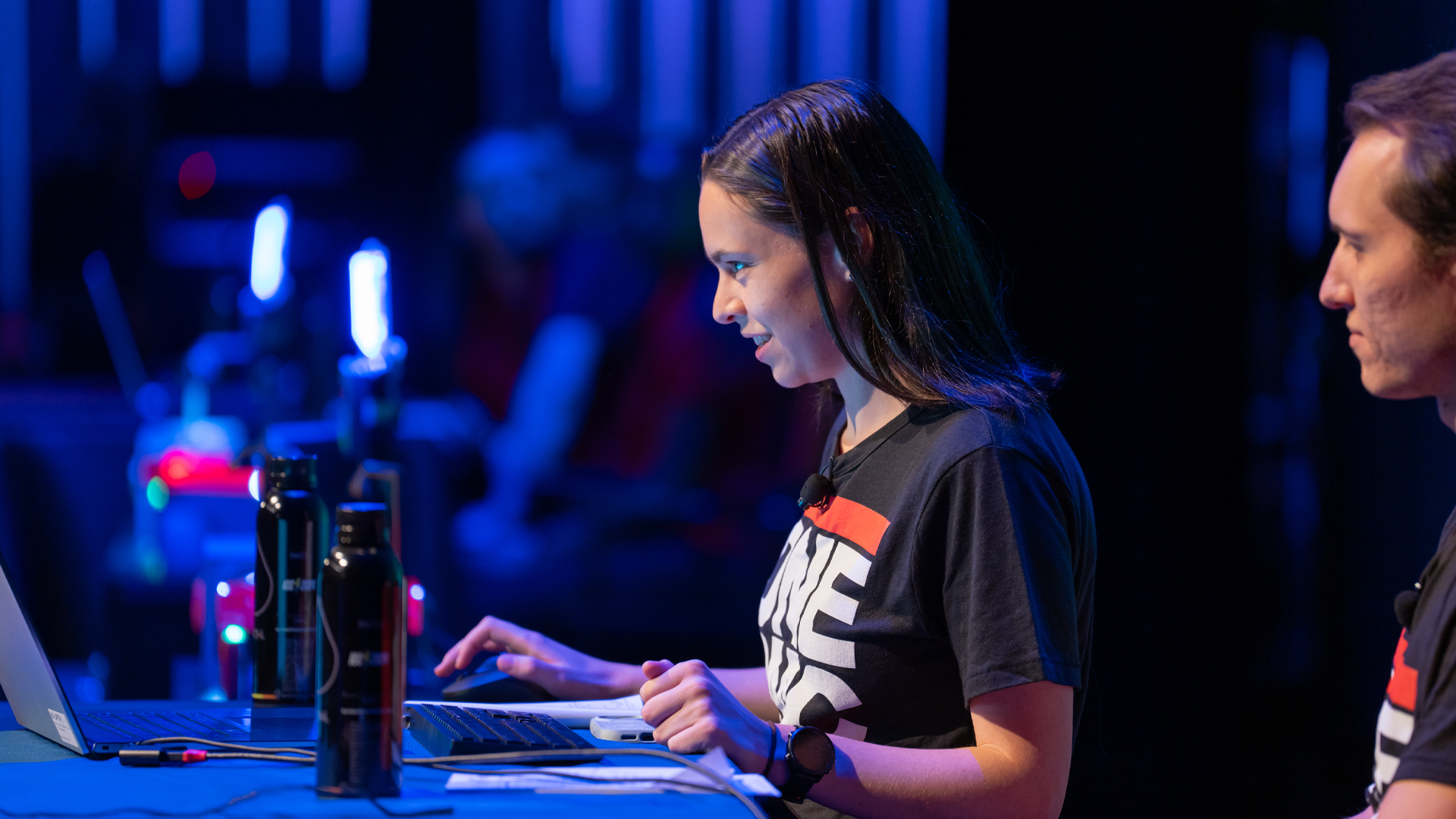
Thumbnail
Video Duration
5981
Homepage Featured Order
1
Featured in Sort
On
Subtype
Speakers

Kent Melville
Director of Sales Engineering
Inductive Automation

Travis Cox
Chief Technology Evangelist
Inductive Automation

Kevin McClusky
Chief Technology Architect & VP of Sales
Inductive Automation
ICC Year
2024.00
icc
|
2024
Keynote
Technical Keynote: What's New in Ignition 8.3
Traditionally, we've always held the Technical Keynote or Development Panel on Day Three of the conference, but this year, we've got something big to discuss, so we've moved it up to Day One of our conference content schedule. It's no secret that we've been working on the newest version of Ignition for several years now, and now we're finally able to dive deep into what's coming in Ignition 8.3 and how its powerful new features can lead users to their next big breakthrough idea!
69 min video
Watch the video
icc
|
2024
Keynote
Main Keynote: Exploring the Impact of the Ignition Community
The global community of Ignition users includes large multinational enterprises, government and professional organizations, small companies, and individuals. While each uses the software differently, they all use Ignition to harness the power of automation to accomplish their own mission of making something better. In this keynote, we'll explore how Inductive Automation is supporting the efforts of the Ignition Community and the incredible impact their work has on the future and improving people's lives on a regional and local level.
56 min video
Watch the video
The conference is guaranteed to go out with a bang as the Build-a-Thon closes out ICC once again. Join us for the conclusion of the ultimate Ignition challenge, where the final two teams compete for the glory of developing the most elevated Ignition solutions and being crowned Build-a-Thon champions. Who will wear the orange winner’s blazer after the votes are all counted? There’s only one way to find out, so stick around to catch the competitive spirit and enjoy an unforgettable music performance from IA’s Department of Funk that you’ll be humming for weeks!
Transcript:
00:06
Narrator: Long ago, in the lands of Ignition. Well, it was in July, so not that long ago. A transcending tale of technomancy chronicles 33 warriors of wit, facing a crucible of challenges, for a chance at the Build-a-Thon crown. Alas, these were no ordinary feats of integration and tech wizardry. Our brave adventurers faced fierce trials, modeling marvels of data for demon ducks. Crafting code for a cantankerous and huffy hermit, safeguarding shell scripts on seas swarming with pirates, and domesticating a devious dragon. Of course, none of these monsters were real, but the track did indeed test their prowess in Ignition and leveraging technology such as MQTT and protocol drivers, toward the goal of shaping a symphony of systems. Many succumbed to pressure prematurely, while others later fell victim to the commentary of Lords Travis, Kevin, and Kent, which honestly would test anyone's mental fortitude. But in the end, two contenders rose like stars to shine brighter than the sun. And now the time is upon us as our valiant finalists, Corso Systems and Barry-Wehmiller Design Group, battle head-to-head to win the fabled orange jacket of destiny. Their fate now depends upon their skills of innovation and imagination and also rests in the hands of those who vote today. Behold the 2023 Build-a-Thon.
02:02
Kent Melville: Alright. Welcome everyone to the 2023 Build-a-Thon. We have a great show for you, hopefully you like the theme you're gonna see that throughout, it's gonna be a really fun day, but I wanted to invite you back to the most prestigious and exclusive event in competitive SCADA that happens all year, but we can't have a competition without competitors. And so let's welcome to the stage our challengers for the final round of this year's Build-a-Thon. From Corso Systems. I'm supposed to advance the slide here, I'm already failing everybody here we go. Here we have Corso Systems. So Corso come on out. We have Adrienne Harvey, Marguerite Daw, and William Bohn.
02:52
Kent Melville: Popular team. Popular team. Alright and on the other side from Barry-Wehmiller Design Group we have Keith Gamble, Alex Spyksma, and Christian Davis. So teams, excited for this year's Build-a-Thon?
03:11
Adrienne Harvey: You know it. We are ready.
\03:12
Kent Melville: Awesome. How about you guys? You ready to go?
03:17
Keith Gamble: I am exhausted. I mean exhilarated.
03:17
Kent Melville: There you go, I share the sentiment. Perfect. Alright well teams, we're really excited to see what you guys have been doing this year so we're gonna go ahead and let you get back to your stations here and we will be talking to you throughout, so take a seat. Alright. So yeah here we go. So yeah we're good. Alright so, you might be wondering it's a Build-a-Thon, what are they building? What are we doing? What's happening? So as was announced in the video they went through some challenges to get here, they're here now, and they've been working on building an application based on some mysterious panels that we have up here and so at this point we're gonna actually show you what these panels look like, so I'm gonna invite some people to come out on stage. These are some wonderful people from Opto 22. Yeah give it up for Opto 22.
04:33
Kent Melville: You may have seen them at their booth down here at the end of the hallway, Opto 22 has been the hardware sponsor for the Build-a-Thon for a few years now. How many of you were excited about the water panel they built last year? Do you see that? It's pretty cool. Well they have stepped up their game even further and so if you can help me count down from three, we'll see the panels that we've got this year. So here we go: three, two, one. Yes. What the heck is that, Right? that's the question. Thank you Opto 22.
05:16
Kent Melville: Alright so these are called Galton boards. You may be familiar with Plinko or other-style games where you have balls that drop down and go through a series of gates to eventually land in one of these troughs down at the bottom. Well they've gone and done a bunch of 3D printing and created these all custom, they've got all these servo motors, all these sensors to do all this tracking, all powered by their groov EPIC controllers. And so what this is here is this is a hopper that is full of golf balls, all different colors of golf balls, and then they come down and there's a color sensor, right here where they can see the color of the golf ball and actually there are tags inside the PLC so that they can set these different gates to either be neutral where the balls will fall randomly into the troughs or they can set them to go left or right, and so we gave these to the teams and gave them very loose instructions to build some control for these panels, we'll talk more about that in a little bit. But essentially let them go wild with it and so today we're gonna see what they were able to do over Monday and Tuesday. Monday and Tuesday they were able to go through and build some great stuff. So with that, we do have a video to show you these requirements in detail and so enjoy.
06:52
Travis Cox: For this year's Build-a-Thon you'll be creating an Ignition project that controls and gathers data from a Galton board, provided by Opto 22 the official hardware partner of the ICC Build-a-Thon.
07:03
Kevin McClusky: The Galton board, named after Sir Francis Galton, is a triangular array of pegs. Balls are dropped on the top peg and then bounce their way down to the bottom where they're collected in little bins. Each time a ball hits one of the pegs it bounces either left or right. By default the balls collect in the bins following the classic bell curve of normal distribution.
07:24
Travis Cox: We didn't want to just stop there. With our Galton board, there are more possibilities due to additional sensors and gates. Each peg is controlled by a gate that has three positions: neutral, left, and right. You can either let the ball fall randomly or specifically control the path. Each channel and bin has a sensor that detects when a ball passes through, so we can record the path of each ball.
07:51
Kevin McClusky: The PLC will also provide the time in milliseconds it takes for a ball to go from one gate to another. Additionally there is a color sensor between the hopper and the first peg that allows us to know the color of each ball. That allows us to record the color and/or control the path by the color outside of chaos mode.
08:07
Travis Cox: Your task is to create an Ignition project that allows an operator to control the Galton board and record history and statistics of each run. We've provided a groov EPIC PLC that provides all of the I/O and built-in logic to build different operating modes.
08:21
Kevin McClusky: You need to implement a chaos mode and at least one additional mode. In chaos mode, the gates are in a neutral position and the balls fall randomly. For the additional mode you can choose to specify how many balls you want in each bin, associate bins with certain colors, implement Pascal's triangle with perfect distribution, or other creative modes.
08:43
Travis Cox: The most important part of this project is data analysis. Once the data is logged, you provide on-screen reports that show off the data. This is where you get to be creative and differentiate yourself from the competition.
08:54
Kevin McClusky: We would also like you to implement at least one metric.
09:00
Kevin McClusky: For example you can log which gates have had the most balls pass through. The focus is on Perspective screens for the visualization. Think of innovative ways to visualize the data using different Perspective components.
09:10
Travis Cox: Again be creative and have fun.
09:21
Kent Melville: Pretty cool, right? Yeah.
09:29
Kent Melville: Alright. So we've introduced our teams. We've introduced you to the prompt, right? What they were going to be doing. And so who wants to see what they built? Yeah? Alright. Well let's see the final projects.
09:42
Travis Cox: Whoa, whoa, whoa. This project's not complete yet. They've got to build one more thing.
09:50
Kent Melville: What do you mean they have to build one more thing? Who even is this?
09:54
Travis Cox: Well this wouldn't be the Build-a-Thon without some live building.
10:00
Kevin McClusky: Without some live building.
10:01
Kent Melville: Travis and Kevin back again. Alright. So what are we doing here? What's going on guys?
10:08
Kevin McClusky: These projects are great but they need something extra special.
10:12
Travis Cox: That's right. We came up with a curveball that's going to really test these competitors their chops.
10:25
Kent Melville: Guys we only have like a one-hour session. If we're going to do a live build here then we need to get started. We need to get our teams going. What do you mean a curveball?
10:31
Kevin McClusky: Hey check your packet for some instructions. It's appeared there as mysteriously as we did.
10:36
Kent Melville: What the heck? These weren't here a minute ago. What happened?
10:40
Travis Cox: That's right. The ways of the Build-a-Thon are deep and mysterious.
10:48
Kent Melville: Wow.
10:51
Kent Melville: Alright well Design Group apparently you got some work to do, here are your instructions. Corso I guess this is for you enjoy. Yeah, so I guess we're going to be doing some live building rapidly here. Travis and Kevin wherever you went can you give us some more details for the audience about what this curveball really is?
11:15
Kevin McClusky: Kent, thanks for making yourself useful.
11:17
Travis Cox: Oh my gosh. We totally have to be out here on stage and help him out, huh?
11:26
Kent Melville: What the heck? They get chairs too? No way, come on. You know what? I never want to see these again. Somebody take these home, please get rid of these things. Go for it. Terrible throw. That's not what they pay me for. Alright. So guys what are we doing? Tell me about this curveball.
11:51
Kevin McClusky: Well, you guys may have heard about the Data Dash project that we had going. Very exciting project and the curveball has to do with that.
12:01
Travis Cox: Yeah we've asked the competitors to simply build a UDT instance and a Perspective template that represents the live status of their board, so that audience can see everything live while they're going to demonstrate it.
12:13
Kent Melville: I can't believe I'm saying this but that's actually pretty cool. I am starting to like this idea a little bit. Despite the fact that I thought we had a very clear scope already defined. But while our teams are figuring that out, while they're figuring out how to publish to Data Dash. We do have another video that walks through Monday and Tuesday, and kind of shows what the teams did. And so at that point let's cue the video. Let's see what they did over Monday and Tuesday. And cue the video.
12:39
Travis Cox: Kent, we got this.
12:40
Kent Melville: Oh my gosh.
12:43
Adrienne Harvey: I'm Adrienne Harvey. I'm from Corso Systems.
12:49
Christian Davis: My name is Christian Davis and I'm from Barry-Wehmiller Design Group.
12:50
Adrienne Harvey: It's kind of difficult to stay on track when you've got this amazing panel, that is so much fun and it's so distracting but we've been looking at it and just kind of figuring out how we can pull some of the most interesting data out of it. I'm trying to squeak in a little bit of story in there.
13:09
Christian Davis: We want to make sure that all of our core functionality was really rock solid before we started to add any ancillary attributes and maybe some wow factors. I think if we get some time we would really like to scale it down to maybe an iPad or even down to a cell phone or a mobile.
13:24
Adrienne Harvey: That's kind of where I come from in terms of design in general. So I've already been kind of thinking a little bit about, "Okay this is cool," but, I wanna make sure this also might look good on mobile or be usable or be observable by certain types of operators or users.
13:42
Christian Davis: I think some of the challenges we might face with the build is integrating some of the fun aspects and taking that to the next level. What features that we want to implement tomorrow that we maybe don't know about today.
13:54
Adrienne Harvey: I think that really kind of the challenge there is to make sure that we have a lot going on technically that is also visually interesting and compelling.
14:05
Christian Davis: I think the thing that really stands us out at this point especially for this Build-a-Thon is how much emphasis we put on the front end. We really want the user experience to be exceptional. Because we believe that we're delivering exceptional applications and we want it to look and feel that way.
14:21
Adrienne Harvey: I think we're gonna have a cool design, I think we're gonna have some compelling data. I'm going to pull that little bit of story in there just to kind of as a wow factor. So here's the thing. I've been obsessed with the map that Inductive Automation made. So I'm looking at ways to kind of pull in the metaphor of the map and of the quest with our data. Now, the challenge is making the data and the quests come together in a significant way, so we'll see.
15:08
Christian Davis: There are some new unique features. One of the features that I'm somewhat excited about after having worked within Ignition so much is we're integrating this thing called Anicons, where icons can actually animate. So if you click a play button it might swirl or do something interesting like that.
15:08
Adrienne Harvey: We're trying to get as much cool data in there as possible and also working with the full capabilities of the panel.
15:22
Jeremy Plunkett: So it's like you've got a couple of Perspective views. Any particular containers you're using or how are things going here?
15:24
William Bohn: I'm working on flex containers right now. I'm working on a run viewer, a run history viewer.
15:31
Jeremy Plunkett: Is there a reason you picked the flex container out of any of the other options?
15:35
William Bohn: I'm just comfortable with it and we don't need piping or symbols on this particular view so that's just the easiest to make it look nice. If we get to the point where we can make it responsive we will, so that'll prepare us for that.
15:49
Jeremy Plunkett: Alright very cool. Yeah which one is this?
15:52
Adrienne Harvey: I'm good. Having fun.
15:55
Jeremy Plunkett: Yeah, I see some scripting going on over here.
16:00
Adrienne Harvey: Yeah.
16:00
Jeremy Plunkett: Can you talk a little bit about that? Is that message handlers or event scripts?
16:06
Marguerite Daw: It's button-pushing script. We're fiddling with the screen right now so we're debugging the buttons because it's moved containers.
16:15
Jeremy Plunkett: You've got a lot of button event scripts going on, or mostly on the gateway? How's that look?
16:17
Marguerite Daw: Yeah just maybe like start and like build the recipe. Yeah.
16:27
Adrienne Harvey: If you were in Vegas that would probably be a great sound.
16:31
Jeremy Plunkett: What do we got going here? Looks like you're styling some Perspective views.
16:37
Christian Davis: Yeah we're gonna put together a dashboard. You can just see over there we kind of have a mock-up. So putting together this portion. We're gonna start to put together some of our analytics from collecting some runs.
16:53
Jeremy Plunkett: Very cool. Are you using flex containers or...?
16:53
Christian Davis: Yeah, we're ideally gonna try to make it mobile responsive if we have enough time.
16:55
Christian Davis: So that's the premise of only flex containers for the most part except, I think we gotta use a coordinate container on the Galveston board or Galton or whatever it's called.
17:09
Adrienne Harvey: We wanted to kinda keep with the cool theme that you guys had for the kind of epic adventure and I hope that everybody enjoys the time we have. I don't want to give too much away.
17:22
Marguerite Daw: I feel like you've given a lot away.
17:23
Adrienne Harvey: Yeah you better edit that.
17:26
Keith Gamble: Yeah we're currently working on closing up the styling and everything around the analysis stuff we have and just kind of trying to pull everything together so that the data flows more effectively as you use the application.
17:40
Keith Gamble: We've definitely banged our head against SFCs a little bit trying to really map out how we're moving data and where we're moving it. We've done some tricky things with the panel that weren't expected so you know it required a little bit of extra customizations but we managed to push through it and that's worked super well.
18:00
Kent Melville: Alright. Well I think the teams did a great job. You know when we first started the Build-a-Thon everything happened on stage in one hour and it was just really fast and there's only so much you can do within one hour and so starting last year we really added the two-day build on Monday and Tuesday. And so it was great having these teams in our offices and seeing the great projects that they built. I also wanted to mention real quick I just went and got updated a little bit on these projects about the Data Dash. So the Data Dash is upstairs which is exciting. I hope you had a chance to go and check that out. But also the Data Dash is available on your phones. It's at tryignitioniiot.com. But you can also just scan this QR code here. And apparently everybody else other than me knew about what was happening here. But there's now if you go to that, a little logo at the bottom that says Build-a-Thon. You can go and you can click on that and it'll show you where the team's curveball builds are gonna go once they're done building them because they're building right now.
19:19
Kent Melville: So there's just placeholders there today, but what you're going to be voting on is you're going to be voting on a combination of how well they built cool projects on Monday and Tuesday. Plus, on your own phones, you'll be able to see the projects that they're building now based on the curveball and eventually vote for which team you think did all of that the best. And so how do you vote? How do we pick these teams? So in the app that you've got on your, the ICC app that hopefully you've installed on your phone. If not, it's not too late. You can go and download that. But there will be on this session, if you go to the schedule and go to sessions, find this session, there's a poll in the description. And if you click on the poll, you'll be able to vote for teams. But before you pull out your phone and you vote right now, don't click on that poll and choose a team yet. Once you have voted, your answer is locked in. So please wait, at the end of the Build-a-Thon they're going to have a chance to present all of this to you. And that will be your time to vote for which team you think did the best. Now, for those of you who are not here in person, we do have the Livestream going on. You are also able to participate in the voting. And so you'll see a poll show up there. And we please encourage all of you to vote remotely.
20:39
Kent Melville: Alright. So coming back to this here, let's see. Travis and Kevin, we just watched this video about what our teams did Monday and Tuesday. I'm really curious, since you guys have been competitors, each of you winning a year of the Build-a-Thon, you know what it takes to win. Do these teams have it? How did they do from what you've seen so far? Kevin, let's start with you. What did you think about Corso?
21:08
Kevin McClusky: Sure. Kent, I wanted to start off by saying you're actually doing a great job. Can we give it up for Kent?
21:16
Kevin McClusky: We like you a lot. We're just having some fun. Yeah, let's get you a chair out here.
21:22
Kent Melville: Thank you. Yeah. Let's get a chair. That's not as nice as yours. Yeah. Thanks for that.
21:30
Kent Melville: Okay. I feel a little beneath you, but continue.
21:36
Kevin McClusky: Alright. You asked about Corso Systems. I'll be serious for a moment. I think they have a really interesting approach to all of this. So I know that they're a big fan of design simplicity and using built-in tools that are inside Ignition. I'm excited to see what they're doing with that. I know they're using some of the new features, the right-click context menu inside Perspective specifically. And, of course, some of the things they talked about in the video are exciting. I don't know what's happening with the map, but we'll find out, I think.
22:04
Kent Melville: Yeah. Very cool. Yeah. I'm excited to see the map as well. But, Travis, what did you think of Design Group's?
22:11
Travis Cox: Well, definitely the teams have taken two completely different approaches, which is really cool to see. And it's going to be, I think, real hard for the audience to actually decide on this one. But with BWDG, Design Group, the use of the icons is really cool, what they've done. The board, there's some built-in modes of the board, but they've actually started going against the raw IO, creating some modes that are completely unique and different. I think it's really good. And they had some challenges to do that. There's some timing challenges, things like that, that they were able to accomplish. And I can't wait to actually see it in action.
22:41
Kent Melville: Yeah. I've got to say, getting under the hood sounds risky, but I hope it pays off for them. Well during the Build-a-Thon, they're all building here. It'd be interesting to know how it's going. And so I can see you're deep in thought here. You keep thinking for a second. But I really want to see how it's going so far and what you guys are doing.
23:01
Adrienne Harvey: Well, we are really pleased. The curveball is not too scary for us, considering what we've been working on so hard for the past couple of days. So we were actually kind of glad to hear what it was.
23:13
Kent Melville: Great. This is awesome. And hopefully you're able to reuse some of your project and bring that in.
23:24
Adrienne Harvey: Absolutely. And I'm also kind of amused that some of us is using this...
23:27
Kent Melville: No, they're good. They want to get back to building. Thank you for the little insight. We're excited to see what you do. And we'll come over to these guys. Deep in thought, thinking hard. Tell us what you've come up with so far. What do you think?
23:37
Keith Gamble: We're trying to take a core kind of piece of what we're looking at and trying to represent that in a way that's useful and kind of get a good state of what's going on, if that makes sense.
23:47
Kent Melville: Now these people are going to pull it up on their phones. Were you ready for a mobile-responsive application here?
23:54
Keith Gamble: If you have an iPad mini in your pocket, then it's going to look amazing. And there's a high chance it looks great on a phone in however many minutes.
24:04
Kent Melville: Yeah. Absolutely. What could go wrong? Well, yeah. Good luck, guys. We'll let you get to it. But yeah, let's come back to Travis and Kevin. Alright. So we have been talking about all kinds of stuff here. But based on what they've done so far, what do you think? Does it sound like they're on the right track?
24:33
Kevin McClusky: Yeah, I think so. I think that once we get to the Exchange Challenge and the Arcade winners, that's going to be an exciting moment of all of this as well. But, yeah. What they're doing so far is just, I think that the way that they're integrating with Data Dash, if you're not familiar, it's basically UDTs and embedded views and being able to pull that into one spot, publish that up at the end. And I think it's going to be great.
25:00
Travis Cox: Yeah, absolutely. And, Kent you know what? It's like you're a little parched out here. I think we should get some water out here. Let's bring some Kent-sized water out for him.
25:07
Kent Melville: That's not for me. That does look good. You're right. I am parched. I've been doing a lot of talking this whole week and singing. People enjoy the band last night? Yeah? Great.
25:20
Kent Melville: And his shoes, too? Yeah, you guys look great. Do I get water? Any water out there for me? Yeah? Oh.
25:28
Kevin McClusky: That's perfect for you, Kent.
25:31
Kent Melville: That's perfect. Yeah. See how they treat me here? What is this? Alright. Well, while I open this water, I also did want to go over real quick, we talk about taking this data that they're building today, and they're going to be publishing it up to Data Dash. And in order to do that effectively, they need to be able to encapsulate their projects in a really interesting way. And so, that is not a new problem for our community. People want to build things that are reusable, that they can use in one environment and then move it to another environment and make sure it's useful and all that kind of stuff. And nothing really exemplifies that as much as the Ignition Exchange. How many of you have used a resource from the Ignition Exchange before? Yeah? A bunch of you. Absolutely. And every year, I say every year, for the last couple of years, we've done what we've called the Exchange Challenge. And the Exchange Challenge, is we take all the resources that are submitted throughout the year, and we get a big team together at Inductive Automation, and we go through and we review each one, and we see which resources we think are the most exciting. Who has done the best to contribute to the whole community. And so we pick our top three, but there's so many good submissions that we have a couple honorable mentions to go through.
26:54
Kent Melville: The first one is Arnaud. Arnaud is amazing. Arnaud has submitted more resources to the Exchange than anybody else. And he had two resources that we wanted to highlight here, where he took some resources that Inductive Automation had actually created, and he went and made them work for Ignition Edge. And so, rather than relying on database back ends and all that kind of stuff, it all worked through a buffer or through tags. And I thought that was a really cool example of the community leveraging the resources from other people and then making them more extensible for others and the reusability. So, thank you so much, Arnaud. Next, I would like to give an honorable mention to our community development team, as Carl would say apparently in the Keynote, for all of those people that made ChatGPT resources, they were noticed, and they're pretty cool. And so shout out to all of these people for their great work. Alright. And the last honorable mention, is kind of a Perspective design category. We had some really beautiful graphics and things that were uploaded to the Exchange this year. And so here you can see like a VFD template. You can see some loading animations and also some Perspective gauges.
28:13
Kent Melville: We really like these kind of resources. It's hard not to make them win every year because we like the eye candy. We like the cool stuff that people build. Alright. I lied. There's also one more honorable mention category here, which is Perspective design.
28:30
Kent Melville: Yeah, exactly. We've got a couple of fans out here in the group. Absolutely. There's a Perspective flip card. So any of you can, like as you hover over it, it flips over and also some really cool oil and gas templates for people to use. So now on to our top three, our winning resources here. In third place, we have this Plastic ORM resource. And this is a scripting module that allows you to interact with the database without having to write queries. And so you can connect up to any database and you can read in data, you can filter things, update existing rows, and it supports multiple databases. It works with MySQL, Postgres, and SQLite right now. But this is something that we got really excited about because when we build resources for the Exchange, we always, and they need a database integration. We then have to worry about like which resources, which databases do we go and support. If you use something like this, then you can just tie into these scripting APIs, and then now it's compatible with a whole slew of databases right out of the box. So Emily Liu, congratulations. Great resource. Congrats on third place.
29:46
Kent Melville: Alright. In second place, we have the Siemens ProfiBus Diagnostic Repeater Faceplate. And this is a set of Vision resources and UDTs for Siemens ProfiBus DP Diagnostic Repeaters. Provides fault location on the segment, potential fault cases, and remedies as per the diagnostic repeater manual. And this was a big one for our team because that's one thing that Inductive Automation really leans on the community for, is there's all this hardware out there, and we want Ignition to work really well with it. We don't have that expertise in house, but you do. And when you go and figure out how to work with various hardware and software, and then you build that integration, and then you share it with the community, we think that that's just incredible. And so really wanted to highlight that one. So yeah, give it up for Braxton McKean.
30:44
Kent Melville: Alright. And in first place, we have a Responsive Navigation Menu Using CSS Styles by Jerry Eppler. And yeah, give it up for Jerry at Artek.
30:58
Kent Melville: And like I said, we're a sucker for eye candy, but this one's also very functional. So, if you've ever gone in and you need to create menus in Ignition, so like every project. This is a responsive menu that works really well for mobile or desktop-size Perspective screens. And you can bring it in, really easy to modify, and the navigation action is really easy to set up. And to make sure that it was very usable, they didn't just go and add documentation inside the Exchange, but they've got a link to a YouTube video they created to walk you through how to use it in more detail, which we thought was really cool. And it was really cool to see that this is usable by all the different versions of Ignition, including Maker Edition, and is mobile responsive. So yeah, once again, give it up for Jerry, first place. Great job.
31:53
Kent Melville: Alright. So next up, SCADA Arcade. This was talked about in the Keynote, a bunch of people from our support division went and they created some awesome games using Ignition. You're able to play those upstairs. Hopefully you got to go check that out. We did want to announce some winners of the SCADA Arcade who had the best times and best scores. And so, going through this pretty quickly for Cosmos Assaulter, you can see first place here. We have, these are the nicknames that they put in as they were playing. And so who they are? May be a mystery. You got to go and find them out. We also don't know necessarily who all these people are. So if you're one of these people, you are going to get a prize. Please go upstairs after this session and we'll get your real name so we can give you a prize. But congratulations to these people. Going through also for Pac-Man, you can see first, second, and third place here. We also had a Pong game. You can see first, second, and third here. And we had ProSCADA here. ProSCADA. The pun game is strong. We also have Combat Yachts, which is pretty cool. You should check that out. And we had Cerebro Puzzles.
33:11
Kent Melville: Now this, don't know who that is, TJ Holt. No, but congrats TJ. Cerebro Puzzles, this is an aggregate of who did the best across all the different puzzles. And then overall, when you take all the games together, HEI, I don't know who you are, but congratulations. You had the best scores across the board. Give it up for HEI.
33:39
Kent Melville: With that being said, I want to come back to the teams again, real quick here. You've had a little more time to build. I'm trying to stretch it out for you. How are you doing so far?
33:49
Adrienne Harvey: We are doing great. I can't wait for you all to see what's going on over here. We've had to keep a lot under wraps to not spoil the surprise. But it's gonna be good.
34:03
Kent Melville: I saw in the video earlier that sometimes you want to overshare. Tell everybody about the projects. We had to edit that stuff out. But...
34:09
Adrienne Harvey: Yeah, I heard you leave that in, actually. What's up with that?
34:13
Kent Melville: No judgment. It's fine. But anything you can leak for us now? Any sneak peek we should know about?
34:23
Adrienne Harvey: Oh, gosh, I don't...
34:23
Adrienne Harvey: We are done with our Data Dash.
34:25
Kent Melville: Data Dash is done?
34:28
Kent Melville: Impressive. Data Dash is done. I'm excited to see it. Perfect. Alright. Yeah, give it up for Corso.
34:38
Kent Melville: I'm gonna finally drink some water. Design Group, you heard? They're done. How are you feeling about that? You done?
34:43
Keith Gamble: We had a little bit of a setback in the beginning. We had Docker running, and when we sat down, it was no longer running. So we went through a little bit of exercise. But due to the scalability of containers, we're up and going again. So we're trying to wrap things up now, make sure everything's working, and good to go.
35:00
Kent Melville: Perfect. Sounds great. There's bound to be little hurdles to get over, but way to stay in the game. Give it up for Design Group.
35:15
Kent Melville: Alright. So, making sure I'm not skipping any steps in here. Travis and Kevin we've been going through a bunch of stuff. Really wanted to come back to you guys. We're talking about how they're doing. It's impressive. We've got teams that are already kind of putting the finishing touches. We got some teams that have some setbacks. You've been there. You've had the setbacks. You've finished early. Travis, tell us about your past experience with Build-a-Thon, how that relates here.
35:40
Travis Cox: Yeah, absolutely. The first year, Kevin and I did the Build-a-Thon, well, we did it on a beta product Perspective. So that was just straight-up crazy.
35:49
Kevin McClusky: I had some problems.
35:51
Travis Cox: Yeah, his screen blacked out right in the middle of that one.
35:52
Kevin McClusky: It was my fault.
35:53
Travis Cox: Absolutely crazy. The second year, we were like, "We're going to be so prepared. We're going to do this real quick." And we get done in 10 minutes, 15 minutes, we're like, "Oh, wait, we have another 30 minutes left before... Or 20 minutes left before we're done." And we're sitting there twiddling our thumbs like, "Okay, oh, my goodness."
36:08
Kevin McClusky: Got to look busy. It's being broadcast up there. So pretend that we're doing things, dragging labels out.
36:14
Travis Cox: We know what it's like to be over there and to get over that finish line.
36:19
Kent Melville: Yeah. Well, perfect. Alright. Well these are exciting times. We are getting close to running out of time here. I'm looking at the side, seeing kind of time check. How much time do we have left for our competitors here? Only a few more minutes. Alright. Well, we've only got a couple minutes for you. And so we'll tell these teams to please hurry up, finish as soon as they can. While we're waiting, we wanted to let you know, if you're looking at your clock, you're like this is going to 5 o'clock. You're right. We are gonna wrap this up because once they finish their projects, they're going to give stuff off to our team. We're going to take a backup, and then we're going to go publish it up to our infrastructure in the cloud for the Data Dash project, so that we can start updating all your phones. So that you can actually see these projects.
37:15
Kent Melville: Now, if you haven't really heard about Data Dash, then you missed the Keynote. 'Cause we talked about it there. But you may have forgotten. I'll tell you a little bit about it. So essentially, what they're going to be doing is just like we have competitors from all over the world doing, we're going to take their data, it's going to be published up over MQTT, and then we are pushing it up to an MQTT broker, and that's hosted in AWS. And then the actual data is subscribed to from the broker by a whole slew of servers that are all in the FactoryStacks product by our Solutions Partner, 4IR. So 4IR is at a booth. Hopefully, you've checked them out this week. But 4IR does manage infrastructure, right?
38:01
Kent Melville: And so, when we were thinking about the Data Dash, it's funny, we've tried to do something in a past Build-a-Thon, where we wanted everybody to be able to see the projects that got built on their phones and we kind of crashed and burned that year, but you got to see it on stage. It was great, but there's a lot of infrastructure that goes into pushing something to the cloud and then letting people view that at scale and so it was natural for us to say, "Let's go to 4IR. Let's leverage their managed infrastructure." They know how to do that really well and they really came through for us this year of helping us put all that together. But Travis, I know that you were instrumental in that whole process. Any comments about this architecture and Data Dash as a whole?
38:42
Travis Cox: Yeah, this project is kind of near and dear to my heart because it's really just trying to show people how first of all, it's important to be thinking about modeling data, creating and standardizing on data models across the board. Because once you do that, it is so incredibly easy to get that data published up using MQTT. And we're just putting it up to a Chariot broker in the cloud and then from there, the sky's the limit. We could bring anywhere. We're bringing to Ignition Cloud Edition, showing dashboards, which we're going to be seeing here in a bit. We're also bringing it over to a Snowflake database and we could go a lot further with that. So, it's a really simple thing, but we had over 50 participants around the world. We've had data published all over United States, all over Europe, even India, South Africa, and Australia. And I really wanna, at this point, take a moment to give all those participants a round of applause.
39:34
Kevin McClusky: Yeah, we ended up with over 150 or 200 actual templates or embedded views inside the Data Dash project and they range from simple labels all the way up to complete almost many projects inside there. There were some really cool resources that were inside there. That's a testament to our community. It's a testament to the infrastructure and the architecture and the technology that enables all of this. So it was really cool for me to see, too.
40:00
Travis Cox: And they're all available for you guys now in the Exchange.
40:01
Kent Melville: Yeah, which is great. Alright, well, teams, you got one minute. One minute. In a minute, we'll do the countdown all together. Once again, when they are all done, yeah, we got one minute and it's counting down. So they can see this. There's a one-minute timer. But for these teams, we'll take the backups. We'll go push in this infrastructure. We're using the EAM, the Enterprise Administration Module, to push it to a bunch of front-end servers, just like you can do with Ignition. And also this time, I wanted to remind you about voting. The teams, what we're going to be doing after this is they're going to get a chance to do their presentations. They'll each get a seven-minute presentation to show you what they've got. And at that point, please use the poll inside the app to vote for which team you think was best. Alright. We've got 20 seconds. 20 seconds. I see lots of, well, some hands off keyboards, so people are feeling good.
41:04
Kevin McClusky: I remember the first year. I was panicking right now.
41:07
Kent Melville: Absolutely. Alright, everybody, we've got five seconds. Countdown with me. Five, four, three, two, one. Time's up. Hands off. Alright, and so at this time, we're going to have an application engineer from our team come out, and you're going to work with them, get the backups from their projects, and then take them, start getting them into the live Data Dash. And so we thought about pushing them directly from here, but many of you know about never trusting an Internet connection when you go to shows or things like that. So we planned all this to be manual, and so we are literally putting these on little flash drives, and then we're going to go quickly and upload them. So, it should be fun, but we are going to need to kill a little bit of time here while we're making sure that those do get published. And so it wouldn't be the Build-a-Thon if we didn't have a little bit of musical entertainment, and so we do have another music video for you this year, and so please enjoy.
42:18
Singers: In a world unknown, a young heart did yearn, an adventurer's path, eager to discern. He sought to elevate his factory's line, dreams of automation, a goal so divine. Through trials he wandered, both day and night, seeking the tool to elevate his might. In industrial realms problems did conspire, a journey of growth, the forge of his desire. His hands met struggles, gears out of place, each tool he tried fell short in the race. A quest for efficiency, factory's call, he needed a guide, a tool for them all. Then in the tales of tech, whispers did convey, a software named Ignition to light his way. At ICC he learned where minds did unite, a solution to elevate shining so bright. Through trials he wandered, both day and night, seeking the tool to elevate his might. In industrial realms problems did conspire, a journey of growth, the forge of his desire. With Ignition's might, problems took flight, a symphony, a wondrous sight, in the heart of it all, change did transpire, a coming of age, his dreams reached higher. No more sleepless nights, no more endless strife, Ignition's touch brought order to life. A heart now wise, with tools in hand, he conquered the challenge, fulfilling his plan. Through trials he wandered, both day and night, his journey of growth, his path now alight. In industrial realms, problems did conspire, but he emerged triumphant, his spirit afire.
44:15
Kent Melville: That's what I do for a living, that's pretty fun.
44:18
Kent Melville: But it's funny, we've been doing the Build-a-Thon for a long time, and every year we change it up a little bit. But the feedback we keep getting from the audience is, we don't care what you do, as long as there's a music video. And so there you go. But, it takes a lot of work to write songs. Our legal team said we can't do just any old song, we have to write our own songs. I think they just wanted to see what we could come up with, really. But, this year we actually used ChatGPT, and so those lyrics, I put aside my automation engineer hat for a little bit, was a prompt engineer, and spent like an hour and a half fighting with ChatGPT, but that's where those lyrics came from.
45:02
Kevin McClusky: Would you even say that we used KentGPT?
45:03
Kent Melville: We did, yeah, KentGPT. But, yeah, and then Kevin was able to take those lyrics and come up with that song, and then it was nice this year, I didn't even really have to sing it. I think they cut me out purposefully, but Travis and Kevin got to sing this song for us, so it was pretty fun. The teams have had a chance to catch their breaths now. They're looking bright-eyed and bushy-tailed again. But, really wanted to come to you guys and see, what do we know about these teams? We've talked about their names, and that's it. What do you know about these people?
45:38
Kevin McClusky: Well, we've got some little fun facts here that we wanted to share, and we'll probably go back and forth a little bit, but one that I wanted to pick out and mention to you guys. Adrienne there, Team Corso. Stanford, during the pandemic, she had a pandemic project that has a Stanford Pupper quadruped robot that she created. William... Yeah, you can cheer.
46:11
Kevin McClusky: Alright. And I might as well keep going. William was the first employee at Corso.
46:21
Kevin McClusky: And Marguerite plays Ultimate Frisbee and participated in the Mixed Southwest Regional Championship for the weekend before ICC.
46:38
Travis Cox: We've got some interesting facts on this side over here with Design Group as well. And this one blew me away, but Keith Gamble here, he played professionally for the Minnesota Vikings drumline for two seasons. Holy Moly.
46:56
Travis Cox: And next year, though, from Alex, we might want to use this in the Build-a-Thon next year, but Alex, he's a certified helicopter flight instructor.
47:05
Kevin McClusky: Coming in from the top, I like that.
47:09
Travis Cox: And then we can't discredit Christian, who has climbed the tallest mountain in the contiguous United States.
47:20
Kevin McClusky: It's a little bit funny. We're really neutral this time around, and we don't have a team, but it feels like I'm Team Corso and you're Team Design Group.
47:29
Travis Cox: I guess I'm Team Design Group.
47:32
Kevin McClusky: We like both of them. That's all.
47:35
Kent Melville: Well, perfect. Well, now that you've picked teams. In addition to the people, can you tell us a little bit about the companies? I know you guys have worked with these integrators for a long time and been staples in the community for a long time. Give us a little background on Corso Systems.
47:49
Kevin McClusky: Sure. So I don't know if we actually have lists here.
47:55
Kent Melville: No notes. This is all off the top of your mind.
47:57
Kevin McClusky: Yeah, Corso's been working with us for years and years. They've done a bunch of really good projects. We've got a relationship with Alex Macy that just goes back a really long time. Staples in the community, staples at ICC, and really brilliant engineers. They're all a remote company as well. Lots of folks from around the world, well, around the country, I know for sure who make up this company that is a really inclusive set of folks who are excited to be working together. And, yeah, it's a great company.
48:29
Travis Cox: We're really excited for them. They were the first to contribute to our Ignition Exchange.
48:35
Kent Melville: They were?
48:36
Travis Cox: When that came out, they were the ones to make sure we want to get the first resource up there.
48:40
Kent Melville: Very cool. Give it up for Corso.
48:47
Kent Melville: So how'd they do? Does that sound like your company? Anything you'd add?
48:49
Adrienne Harvey: Gosh, let's see. Looking down the list. 13 of our 19 engineers are Gold Certified.
49:00
Kent Melville: There you go.
49:03
Kent Melville: Awesome.
49:04
William Bohn: And about that Exchange resource that was published backstage here at ICC that year, and Travis, I remember, had been up all night preparing for his Build-a-Thon.
49:14
Kent Melville: Yes, that was quite the year. 2019, is that right? Sounds about right. Well, awesome. Well, thank you, Corso. We're so glad you guys are here. Give it up one more time for Corso.
49:29
Kent Melville: Now, Design Group here. Travis, we'll get your intro first, and then we'll hear from these guys.
49:33
Travis Cox: Yeah, well, I've been working with Design Group for quite some time, and they are some talented engineers over there and have built some really impressive projects. Recently, what's been really cool to see is their UI/UX they're bringing into it and working with Figma, and just it really is elevating the projects that they're building every single day.
49:51
Kevin McClusky: Travis added a little for Corso. I'll add a little for Design Group. So a number of years ago, I personally actually went with Design Group to a joint customer, and we pitched together the concept of Ignition and had to demo connecting to a whole slew of PLCs that they had with a whole slew of protocols that were sitting on the board right in front of everybody who was very carefully judging us. And we had two designers going at the same time, and we were showing all of that off, too. And, yeah, great company too.
50:21
Kent Melville: Awesome. Well, there you go. They're talking about their resource, so anything you would add about Barry-Wehmiller Design Group?
50:30
Keith Gamble: Oh, I got distracted by what he just said, so one moment.
50:37
Kent Melville: Relationship with them is they never listen to anything we say, but they keep doing their thing.
50:40
Keith Gamble: No, it's pretty much exactly what happens. We have our monthly "listen to Keith ask for features" meeting, and it's an awesome opportunity. Now, Barry-Wehmiller is an awesome company. We've been working with Inductive Automation for a really long time. We are very proud to have, I think somewhere in the area of around 40 Gold Certified professionals.
50:58
Kent Melville: Not that it's a competition, right?
51:00
Keith Gamble: No, not at all. I only made sure to pick a number larger than the company.
51:03
Keith Gamble: No, I was kidding.
51:07
Keith Gamble: But we operate kind of around the world in some 56 offices, I believe. And, yeah.
51:11
Kent Melville: Awesome. Well, very cool. Did you guys have any other fun facts that you wanted to share about these teams while we're getting things going? Anything else?
51:23
Travis Cox: I think we all need to start seeing some building here, though. Some of what they've done, right?
51:28
Kevin McClusky: Yeah, yeah. But it sounds like we might be killing some time.
51:28
Kent Melville: Yeah. Based on the fact that somebody just came and asked a question, I'm just saying maybe we'll give them an extra couple minutes here. Yeah, we're going to give them a couple minutes here. Boo. Yeah, I know.
51:45
Kevin McClusky: Who said that?
51:45
Kent Melville: The Build-a-Thon always goes perfectly. Some fun facts that I saw. Something about me. I love board games. Any board games fans out there?
52:01
Kent Melville: It's a nerdy community. You've got to like board games, right? And so I hear somebody had a favorite board game over here. Yeah. What's your game?
52:10
Marguerite Daw: It's called Spirit Island.
52:12
Kent Melville: What is Spirit Island? You've got some fans, though.
52:15
Marguerite Daw: It's a cooperative game where you play spirits on an island that's being invaded by colonial forces and you try and fight back the colonial forces.
52:24
Kent Melville: Nice. As a co-op game, you all win together or you lose together?
52:28
Marguerite Daw: Correct.
52:30
Kent Melville: So what's your ratio? How often do you win?
52:33
Marguerite Daw: I would say about 90% of the time.
52:35
Kent Melville: She's pretty confident. Have you lost friendships because of those 10% that you guys lost?
52:41
Marguerite Daw: No.
52:42
Kent Melville: No, she's doing good. Alright. Also, very cool. So another fact I see on here, William, how did you find out about Corso? Where did you find them?
52:53
William Bohn: I met Alex on Reddit.
52:54
Kent Melville: On Reddit?
52:55
William Bohn: That's right.
52:56
Kent Melville: How did that come about?
53:01
William Bohn: I had taken a course with some PLC training and I posted just how to get advice, about getting advice and how to get into the industry and Alex kind of said, "Well, actually..." And we started talking.
53:11
Kent Melville: Nice. And the rest is history.
53:11
William Bohn: That's right.
53:12
Kent Melville: Very cool. Awesome. Now, something that I really value. So my wife is a big entrepreneur. She's got a food truck and stuff like that. Starting her own businesses. Now, I understand, Adrienne, you are a bit of an entrepreneur yourself.
53:28
Adrienne Harvey: Yes.
53:28
Kent Melville: Yes? You've got your own mic. You don't even need this. But tell us about your businesses.
53:35
Adrienne Harvey: Alright. So in 1999, I started a very small e-commerce business and I ran that for about 12 years as primary. And I have to call it the business school of hard knocks. And... Would I go back and do it again? Probably. But what I've learned from that, pretty much in the trenches and watching e-commerce grow from the point of people mailing in money orders because they didn't want to use their credit card on the Internet. Coming from that, all the way to now and thinking about all the systems we have now at our disposal for really great customer experiences and user experiences. And I love the fact that Ignition actually lets me bring some of that to the table, in order to make interfaces that people already know how to use.
54:25
Kent Melville: Yeah. That's very cool. Well, thank you so much. Give it up for Team Corso. A bunch of interesting people here, right?
54:35
Kent Melville: And I know nothing about any of you, no.
54:37
Keith Gamble: It's nice meeting you for the first time ever.
54:39
Kent Melville: Yeah. Exactly, yeah, Keith and I go back a few years even before he was at Design Group. But what's something interesting that we don't know about you?
54:47
Keith Gamble: About Design Group or me?
54:49
Kent Melville: About you, Keith. Let's get deep here today.
54:53
Keith Gamble: Oh, about me? You didn't know the drumline thing.
54:58
Kent Melville: I did not. For the Viking NFL.
55:01
Keith Gamble: I did. I got to go to any home game for free. I got to go play at the Packers stadium a handful of times.
55:04
Kent Melville: If you had still been there, you could have bled over now and been at a Taylor Swift concert.
55:09
Keith Gamble: Yes. Here's a random story that you don't know about me with Taylor Swift specifically.
55:17
Kent Melville: Please tell. This is what they came for.
55:18
Keith Gamble: Both of them know this story. It's been shared. So, when I was in high school, I went to a high school in Minnesota that was very music-forward. Our director for percussion, which is what I played, was the board of something for the Minnesota Percussion Association. Whatever. And so we got to play all kinds of random things. And so one of the things we got to play was a charity event at Excel Energy Center in downtown Minneapolis. And I don't know when it was, but it was a Disney thing. And so, we got to play on stage with like... I actually got to play on stage with Macklemore playing, "Can't Hold Us." And there was a handful of random things like that. But Taylor Swift. Backstage, I was being picked on by the people that were my friends and they didn't save me a spot to eat. So I went and sat down at the table with the Disney celebrities, 'cause I thought I was being funny. And then they let me continue sitting there. So I got to eat lunch with a handful of Disney people plus Taylor Swift.
56:17
Kent Melville: That's super cool. I'm jealous. That sounds great.
56:22
Kevin McClusky: Have you kept in touch?
56:26
Keith Gamble: No, but separately, same year, we played in the Rose Bowl Parade. And we played in the Rose Bowl Parade, we saw Taylor Swift in something and she identified our drumline. And so basically, I'm famous.
56:39
Kent Melville: There you go. Alright. I am getting the green light here, but we have two other team members. Any fun stories or anecdotes that are shorter than Keith's that you want to share?
56:51
Kent Melville: No?
56:52
Alex Spyksma: We have never met Taylor Swift.
56:52
Kent Melville: Never met Taylor Swift. Perfect. Alright. Well, excited to have you all here and give it up one more time for Design Group, everybody.
57:07
Kent Melville: Alright. So, the moment you've all been waiting for. Waiting and waiting and waiting for. We now need to figure out which team gets to go first. And so for that, when we first switched this from the Build-a-Thon being a competition between Travis and Kevin, to going to our community and having integrators compete, our first two integrators to compete were Flexware Innovation and Vertech. In the house tonight. Give it up for them. Yeah.
57:38
Kent Melville: Alright. And that year, we created this coin, and you can see it on stage there. And we filmed a really fun video, where we actually went to a stadium and were able to film the team doing a coin flip to see who would get to pick the topic for what they would be building. At that point we, it was a little more structured. They had something specific they had to build. But we wanted to keep this coin as part of the Build-a-Thon because it's really cool. And so this year, we're actually going to be flipping this coin again for the teams to see who will get to go first. And so, we'd like to invite up Keith and Adrienne to come on down here. And Keith, we're gonna let you call it, and at this point, whoever is right, so if you called it right or if you called it wrong, then it'll be over here.
58:32
Kent Melville: You'll get to choose whether you want to go first or second. So a little gamesmanship here. You can decide, is it more advantageous to get the first say or the final say. Alright. So, before everybody says, I'm cheating and flipping or whatever, what I'm going to do or attempt to do, I will flip the coin, catch, and flip over onto my hand, and that will be it. But we need to say, would you like to be team Flexware or Vertech?
58:57
Keith Gamble: I think we're going to go with Flexware this time.
59:00
Adrienne Harvey: Alright. Great.
59:00
Kent Melville: Alright. Flexware, Vertech. We're going to see how this goes. Hopefully I don't drop it. Okay, coin flip. Those lights are bright. Here we go. Flexware. So, Design Group, would you like to go first or second?
59:16
Keith Gamble: Oh, second is best.
59:18
Kent Melville: Second is best. Alright. Well, then with that Corso, we're coming to you.
59:24
Adrienne Harvey: Alright.
59:25
Kent Melville: And so at this point, please go to your station, make sure your demo is all ready to go.
59:28
Adrienne Harvey: Let's fire up the timer.
59:31
Kent Melville: Yeah.
59:32
Adrienne Harvey: Alright. You got it.
59:35
Kent Melville: Alright, real quick, as they're making sure that they are all prepped and ready to go, we are going to be asking you to vote. So as a reminder, 'cause every year people are like, "You didn't explain how to vote clear enough." I've told you three times. But here we go. You're going to go, and in the app, you can go to schedule. You can go to the session down at the bottom, the last session, you can click on that one. And then in that there will be a little poll button. You can click on that. You'll be able to see the two teams and poll. In the Livestream, you can see down to the bottom, there's this little icon on the left-hand side. You can click polling and you can vote, too. So with that, I will turn it over to Corso systems for their presentation. You have seven minutes. We got seven minutes on the timer. And we'll go ahead and switch now so that they can see your screen here. And it's going to be great. And so you're going to be able to see their screen, but she'll also talk you through it, and you're going to actually get to see a live run.
1:00:37
Kent Melville: Who wants to actually see these panels in action? Yeah.
1:00:44
Kent Melville: Perfect. Alright. And so, you nervous?
1:00:48
Adrienne Harvey: I want to see that screen.
1:00:50
Kent Melville: Oh, there it is.
1:00:51
Adrienne Harvey: Alright here we go.
1:00:53
Kent Melville: You got it. It's all yours.
1:00:54
Adrienne Harvey: Okay. Well. In the spirit of the legendary Build-a-Thon, the Corso Systems team wanted to create an epic adventure for this final challenge, especially after navigating through all of those interesting lands depicted on that detailed map. We would like to welcome you to adventure mode. Alright. So, each of the golf balls that we have here are various colors in the hopper, and they represent a brave adventurer navigating their way through 15 locations, gates, in this case, to reach each one of six color-coded destinations at the end of their journey. So afterwards, we'll find out which of these adventurers will reach their guild's stronghold. Our main page is essentially a live status page. We'll start by choosing adventure mode and demonstrate a short example, perimeter quest, before we continue. These are normally much louder. Notice how each gate registers how many golf balls have passed through it, and how many reach their destination. Afterwards, with the new context menus feature, we can right-click on each gate to learn how many have, intrepid adventurers, have passed through with ad hoc trends. We can also view a pie chart to see the frequency of each state on each gate.
1:02:28
Adrienne Harvey: But before we proceed forward with too much analysis, let's design our next quest on the adventure planner. We have created a sophisticated planner to chart the courses of any number of adventurers, golf balls. So, we'll decide how many will be in each party and their quest destination. It might be protocol bay, shipping bay, data delta, the app building zone, history headlands, or the formidable testing towers. For each destination we can choose from a variety of possible paths. You'll see there, she's choosing from those different paths. And they're lit up on there, so you can preview each path, too. We can queue them up and we can name our adventure. In this case, of course, we are proud to plan the Elevate Expedition. Alright. And we are planning that right here, right now. This is fresh. This is live. Once that adventure is saved, we will go back to that live main page and we'll run it. Here we go. Hopefully it was a short one. Alright, so you'll see the party of adventurers includes random numbers of each or random members of each color-coded guild. This is a fun way of saying that we don't know which colors of golf balls will be dropped in a given party. But, we will find out if they arrive at the stronghold for their guild or not. We'll say that their guild is represented by the color of their cloaks, which is a fun way of saying color of golf balls.
1:04:25
Adrienne Harvey: So, like to see those cloaks. Now that the adventure has run its course or courses, we'll learn who was a skillful pathfinder that found their way to their guild stronghold or if they were a lost wanderer, over here on our epic metrics page. Now, you can see all of those destinations there with little pieces of the map to remind you of those destinations. By choosing our most recent run, we'll see the results of the Elevate Expedition that we just created in front of you. For example, let's take a look at a location. Let's see here. Oh, gosh. Well, in protocol bay, we only had one arrive, and it was someone that should have gone somewhere else. Goodness. They were very lost wanderers. And that's okay. But every run's metric can be viewed, so you may have some other runs in there that will show you some better stats. Maybe some wanderers with a little more of a clue, maybe a map. I guess these guys forgot the map. Anyway, we can still drill down further with the run history page. We open the run history page, we can relive nearly every detail of each run, including the mode, start time, end time, and which user initiated the run. We can also chart the path of each and every ball as the individual journeys are also displayed. So you'll see that kind of replay over there. Alright, well, let's go back to the main view page and show off some of those trends.
1:06:07
Adrienne Harvey: We ended up adding one Exchange resource, the Ad Hoc Trends by Inductive Automation's Matthew Raybourn. This Exchange resource is something we use in nearly every project at Corso Systems. In our Build-a-Thon project this week, we used it to configure the trends in the pop-ups on our current adventure status homepage. On the Ad Hoc Trends page itself, we can browse through the historical tags, including the destinations and gates, which are all instances of our UDTs. As we drill down through the data, we can double-click or drag the tags to view the tag history, including the count and state of each gate. The destinations also have their own historical counts. To build this project, we leveraged the power of Ignition Perspective, essentially out of the box. We spent the majority of our development time right in the designer. So we even began the project with Perspective Menu Nav template and this gave us navigation and basic page. Way to go. I'm noticing my time ran out, anyway, we kept many of our colors in default so we can show we can do light mode, dark mode right out of the box. So, one thing I'd like to say about Ignition Perspective, it helped make us all possible in a tiny amount of time with UDTs and parameterized templates. We started with a gateway and a database. That was it.
1:07:22
Adrienne Harvey: On a personal note, I'm honored to be on stage here with two extremely experienced teammates. Compared to them, I'm still new to Corso and to Ignition, but Perspective allowed me to leverage the skills I have from other fields, and I could actually help out our team quite a lot. Ignition Perspective is not just a tool for automation projects. It has the potential to expand the workforce in automation. Chaos mode.
1:07:58
Kent Melville: Thank you so much Adrienne. And are all of you able to see on your phones their submission to the Data Dash? Yes, I'm getting some feedback. Yes? Awesome. I haven't seen it. I'm sure it's great. Take that into account. Great presentation. Great to see what you guys built Monday and Tuesday, take a look at what you've got on your phones and decide. But don't decide yet. You've got to see one more team. We still need to see what Design Group has built. And so for that, Keith, come on down. We've got a fresh seven minutes on the clock and so he's ready. He's ready to go.
1:08:38
Keith Gamble: We're situated and ready. Well, Keith, take it away. So we were really excited to get into the Build-a-Thon and kind of learn what we were going to be working on. But up front we had no idea what to expect. And so we were really looking forward to how we could come up with something innovative and leverage Ignition more for the capabilities maybe not as often dug into. So right out the gate, one of the things we started with was fully containerized architecture using public project templates or architecture templates that just give you your container. You can start working, nothing in it, but you can have the actual gateway going. And so the thing that we are proud to announce is Groov Golf. And so if we go ahead and sign in, Alex, you can see the application that we have built is actually a golf tracking game that can allow you to go through and play standard play where you're able to actually pick where things are going and track your score. And occasionally you can also go to practice mode where things just kind of, you play as you go. And we have a pretty neat trick to help you improve your game as you go along. So, Alex, if you don't mind, let's go ahead and start a quick three-hole game of golf. So, as you can see, when we start the three-hole game, we've got our scorecard. It's telling us what we need to do. So right out the gate, maybe one thing we could want to do is, Alex, do you want to just take it?
1:09:56
Keith Gamble: We can adjust on this board. Can you take us all the way to that negative two over there, that possible hole-in-one? So, I can tell you right now there is a bug because that should be moving. And so, Alex, do you want to go make sure the OPC server is turned on? We did disable it while we were in the thing, so we did not turn anything on.
1:10:31
Keith Gamble: Yes. I believe in you, Alex. Alright. While that is happening, Alex, do you want to go ahead and hit this shot? It's going to go the wrong way, but that's okay. We can still show some cool stuff outside of that. Did you hear what I said? You didn't look or acknowledge. I guess now that I think about it, if he hits the shot, if it's not connected, it won't release the ball, so therefore nothing would happen anyway.
1:11:09
Kent Melville: So while that's going on, are you guys all going to see their project as well? In the app there on Data Dash, what do you think?
1:11:20
Kent Melville: Awesome? Yeah, give it up for them. Very cool.
1:11:22
Keith Gamble: Is it connected?
1:11:26
Kent Melville: And we'll give them a little extra time on the timer. We want them to be successful here, but it's coming. It's coming. Alright. You don't want to talk to me. Anyway, back to Keith.
1:11:35
Keith Gamble: Our apologies. While we were going through, we disabled it, because when you're not on stage, this thing is insanely loud. And so we've been sitting in a conference room letting it make our eardrums bleed for a while. So sorry about that. We thought we had it cleaned up, but here we go. So, Alex has set his path. So if you want to go ahead, drop the ball, we can track it and we see where it goes. Beautiful. Give it a nice highlight for you, so you're aware. Alex, do you want to go ahead and just maybe reduce it a little bit? Because if you notice, the more you set it, you actually are taking penalty strokes. And we wanna give you an opportunity to take a little bit of, take a gamble with your shot, pun intended, on my last name. And so, Alex, you want to go ahead and just let it drop, and we'll see this one go through as well. Falls through and then got only a bogey on that one. So we'll take that. And then, Alex, for sake of this one, we can just go ahead and save this one unfinished and keep rolling along. So we save this, and then the other thing we want to show off is practice mode, which is where we really get to show some interesting tools. So, Alex, do you want to go ahead and start a three-hole practice game just for now? So we toggle that, and then in practice mode, you can't actually go all the way through.
1:12:47
Keith Gamble: You're just at the range hitting the ball. So can you go ahead and hit it, Alex, and can we see what happens as you do that? So in practice mode, you can't actually set where anything is going to be. So all you have to do is follow the ball. But one of the innovative things that we did was we went through and actually put a significant amount of effort into adding a ball tracker that follows the ball as it's going through in practice mode and records that play. So, while you are practicing, you can go back and see where the ball has gone, learn how to improve your game, and so on and so forth. So, Alex, if you go ahead and save and leave this one at the moment, then maybe let's just arbitrarily pick. Let's pick that really bad game I did where I got a 36 on a par 15, and we'll go there and we can show them what looking at one of the actual runs was like in the past. So we can see here, okay, I got an eight that explains the poor play, but we're able to go back and actually recreate them in any different place. And if we wanna to see this one happen again, Alex could go ahead and I believe he can hit the shot and we can see what it looks like a second time and it'll show us what it's going to look like in real time.
1:13:57
Keith Gamble: So, not only are we tracking the ball to where we can record it, but even in practice mode, which it is not possible to track the ball through the PLC, we put a significant amount of effort into building that out through some complex scripting on the gateway side. We're able to provide that feedback to the user to really help them optimize their game. So, leaving outside of this, again, Alex, let's talk a little bit about our analytics. So really we wanted you to have a snapshot understanding of how you've been playing over time. So, our key metric that we're providing you as you play and improve is your handicap. So we're giving you a handicap over specific timeframes. You could look at other players if you want, but we're giving you that handicap so you can see and it's taking your average checks over time as a standard golf handicap would. We're then also pulling your score over time from different games. We're tracking where everything is landing, the penalty strokes that you took, aggregating everything together, and reporting on that. And then we give you your top three holes and your bottom three holes. So you can look at what you need to improve on versus maybe where you're already doing well.
1:15:02
Keith Gamble: So outside of this, the resource that we chose to put on the Data Dash was actually the Galton board itself. The nightmare of pipes that is sitting in the center of the screen was a very interesting thing to build, and so we wanted to share that with you guys, and then I'm sure it'll end up on the Exchange at some point, so you guys can make your own Galton board with it. So with that, thank you guys very much.
1:15:26
Kent Melville: Give it up for Design Group. Have you forgotten how to vote yet? So you're going to go, you're going to open up the app. Which, let's see, I already lost my slide advancement. Here we go. Perfect. So now is your time to vote. You've seen both teams. It's up to you to decide which team, is it going to be Corso Systems? Is it going to be Barry-Wehmiller Design Group? Please vote now. You can do so in the in-person app. Please go to the schedule, go to this session, and then go and click on the poll, and you can vote for your team. If you're on the Livestream, you can go on the left-hand side, down to the bottom, click polls, all that stuff. Please do that now, now, now, go. Travis and Kevin, while they're doing that, what do you think of each team? How are teams doing this year?
1:16:19
Kevin McClusky: Man, this is the first time I've seen these projects and the polish on this. The amount of work that they did over the last few days... This is just two days, basically 16, 17 hours that they spent on these, and just incredible. Both teams did a really, really great job. And I'm not voting this time. I'm not one of the teams, but if I was, I would have a hard time picking. Yeah.
1:16:44
Travis Cox: It is really impressive to know that they started from nothing. They started from scratch. They built these two projects. We gave them the board that was... We actually took too much time describing what the board was. So they're like, "Let's get to the build." And they did all of this in two days, came here and were able to show that off. I mean, it is absolutely incredible. It shows just how versatile Ignition is and how amazing these teams are.
1:17:08
Kevin McClusky: I love the medieval theme. I love the golf theme.
1:17:10
Kent Melville: Yeah.
1:17:12
Kevin McClusky: It's great.
1:17:13
Travis Cox: Hard to choose.
1:17:15
Kent Melville: Alright, you've had your chance to vote. At this point we're going to close the voting, and we're going to announce the winner here in a second. But for this, it's a fun thing of the Build-a-Thon. When you win a Build-a-Thon, you get one of these fancy orange jackets, as beautifully demonstrated here by Travis and Kevin. But, another thing is you get inducted into this community of people who have won the Build-a-Thon in the past. And each year, the people who get to bestow these new jackets to the teams are the winners from the previous year. And so, last year, Roeslein & Associates were our winners. And so we'd like to invite them out on the stage at this time, give it up for Roeslein so we can highlight the winners here.
1:18:11
Kent Melville: Awesome. Alright. Well, let me make sure we're good to go. Alright. So in a second, we're going to announce the winners. We'll have that team come up, and then we'll have them get their orange jackets. But with no further ado, I think it's up to me. I will go ahead and... Well, is it me? I advance the slide? No. And so I give you the winner. Oh, look at that. Congratulations, Design Group. Alright, and come on down, team. Alright, we'd like to invite the Roeslein team to please come out again and to give this team their jackets. Stepping behind. So formal.
1:19:07
Keith Gamble: Thank you, sir.
1:19:08
Kent Melville: Ready to go.
1:19:12
Kent Melville: Oh, they're swapped here on the size. Two different-sized men here.
1:19:17
Keith Gamble: Alex in the crop-top jacket.
1:19:21
Kent Melville: Alright. Now that they've pretty much got their jackets, give it up one more time for the 2023 Build-a-Thon winners. Barry-Wehmiller Design Group. Alright, now, Corso Systems also, please come join us on the front of the stage. Give it up for Corso Systems. Just a great Build-a-Thon. A great year. Two incredible teams. We will be back next year with two additional teams. We'll have some challenges for people to go through to qualify again. But at this point, we'd like to wrap up the Build-a-Thon. And not just the Build-a-Thon, but wrap up this year's ICC. It has been a pleasure being with you here this year. Thank you so much for coming out, and we hope to see you next year. Thank you.
Wistia ID
hm9cqrabj7
Featured at Location
Hero
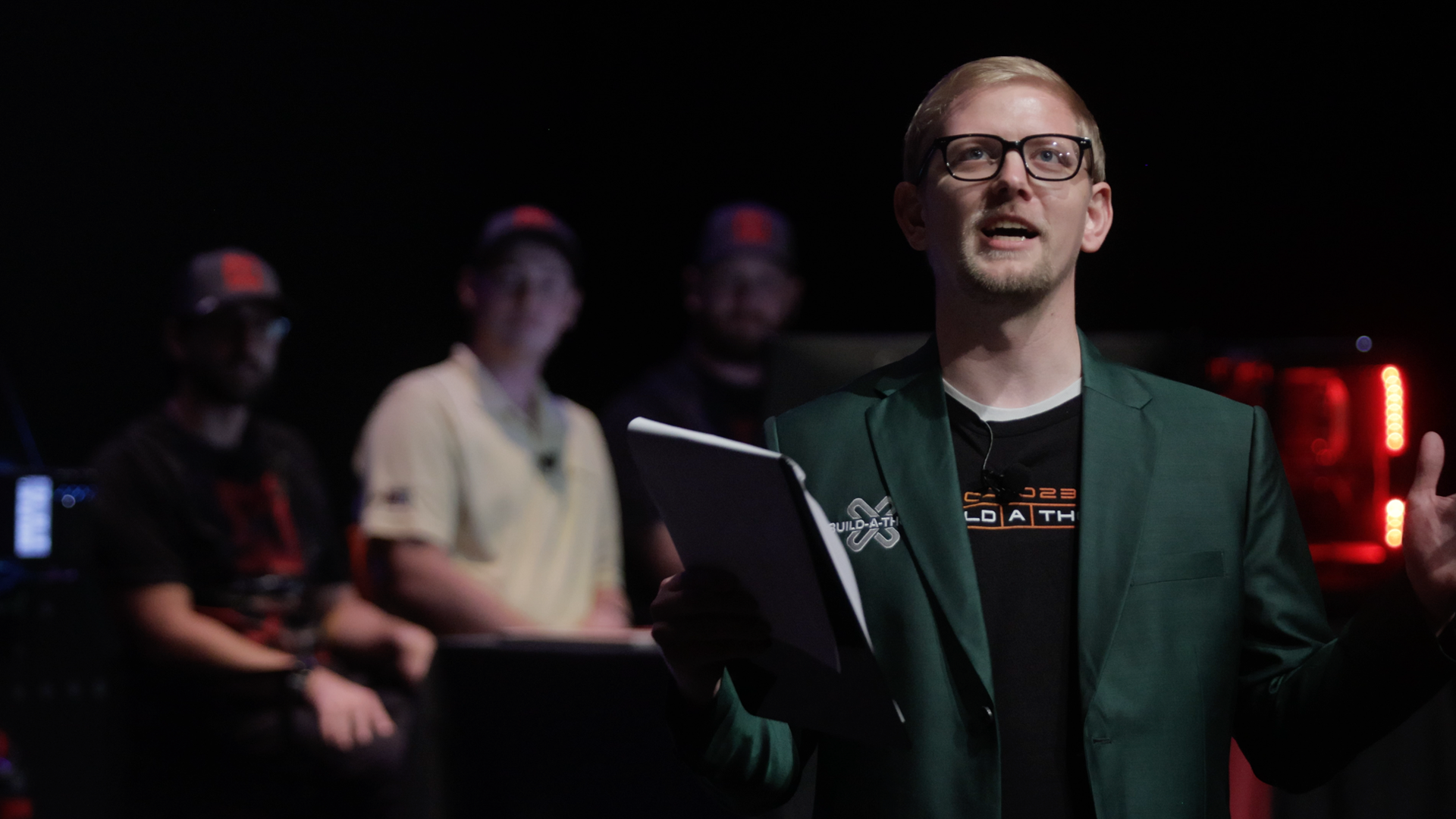
Thumbnail
Video Duration
4558
Featured in Sort
On
Subtype
Speakers
Kent Melville
Director of Sales Engineering
Inductive Automation
Kevin McClusky
Chief Technology Architect & VP of Sales
Inductive Automation
Travis Cox
Chief Technology Evangelist
Inductive Automation
ICC Year
2023.00
icc
|
2023
IA Session
Technical Keynote
Developing industry-defining software is no easy task, but someone has to do it. Join our Development team as they highlight recent improvements and upgrades, current developments, and a behind-the-scenes peek at the future of Ignition before answering questions directly from the Ignition community.
60 min video
Watch the video
icc
|
2023
Community Session
From LinkedIn Connections to Community Leaders: The Automation Ladies Experience
What happens when two passionate ladies in industrial automation meet on LinkedIn and decide to create a podcast? Magic. And growth, lots of growth. Dive into the journey of the Automation Ladies podcast and how it has become an engine for both business growth and network expansion. Nikki and Ali will unpack how amplifying your voice online can have real-world business benefits. If you want to grow your customer base, attract top-tier suppliers, or strengthen your community, this talk should have some actionable takeaways on the power of creating an authentic personal brand by sharing your journey with the world.
46 min video
Watch the video
icc
|
2023
IA Session
An Overview of Ignition’s MongoDB Connector Module
Earlier this year, we introduced a connector module that allows an Ignition Gateway to integrate with MongoDB. This session provides an overview of MongoDB, outlines the connector module's capabilities, and demonstrates how you can most effectively leverage it to elevate the functionality of your existing deployments.
42 min video
Watch the video
icc
|
2023
Community Session
Hitting a Home Run with Ignition
Ignition is not limited to industrial applications alone; its powerful features extend to use cases of all kinds. From its intuitive design features to its robust scripting capabilities, you can harness the full potential of its flexible architecture and rich tool-set to create innovative solutions in non-industrial automation development. Witness this potential firsthand through a baseball scoring and statistics app developed entirely in Perspective, while providing examples of how tags, persistence, scripting, and views can be utilized in a non-industrial setting. Our goal is to inspire others to elevate their lives and hobbies in new creative ways with Ignition.
45 min video
Watch the video
icc
|
2023
Community Session
The OG Perspective: 10+ Years of Ignition Wisdom and Beyond
In this session, we'll explore more than a decade of experience with Ignition, sharing valuable insights as a long-time member of the Ignition community. We'll take a practical look at how Ignition has evolved and its role in modern manufacturing, including topics like MES, OEE, AI, and more. It's an opportunity to gain practical knowledge and understand the journey from the early days to today's automation landscape.
42 min video
Watch the video
icc
|
2023
Community Session
Rising to the Challenge - Adventures in System Conversion
The folks at Flexware are no strangers to a challenge. When the opportunity to convert a large system over to Ignition arose, they took it head on. Join them in this session where they'll talk about the project and share their lessons learned, talk about custom tools, and describe their thought process.
41 min video
Watch the video
icc
|
2023
IA Session
Learning Ignition Fundamentals
Whether you're new to Ignition or just want a refresher, this session is made for all. The Inductive Automation Training team covers all the basic knowledge and fundamental features you need to get started with Ignition.
45 min video
Watch the video
icc
|
2023
Community Session
Integrator Panel
Which new innovations will prove vital for future success and which flash-in-the-pan trends are destined to be forgotten by ICC 2024? During this panel discussion, some of the Ignition community's most successful integration professionals share how they are responding to emerging technologies and techniques that are driving the evolution of the automation landscape.
44 min video
Watch the video
icc
|
2023
Community Session
Tyson’s Smart Factory Journey
This session provides an overview of how Tyson has standardized operations with Ignition as a SCADA platform, highlighting and detailing how consistent data and dashboards allow for faster implementations. The talk will also include best practices that Tyson has developed, and will identify some of the key integrations that have helped simplify and streamline data collection processes.
28 min video
Watch the video
icc
|
2023
Community Session
Don’t Get Lost in the Cloud: Tips & Tricks for Successful Ignition Deployment and Management
With the release of Cloud Edition, it's never been easier to get Ignition running in the cloud. But are you ready for it? From security concerns to misconfigurations, there are plenty of pitfalls to stumble upon when managing applications in the cloud. But fear not, as help is on the way. Join the experts from 4IR in this session where they'll provide helpful tips and tricks for deploying and managing Ignition in the cloud.
45 min video
Watch the video
icc
|
2023
Community Session
Elevate Your OT Data Securely to the Cloud
Ignition Cloud Edition! Awesome! But wait… How can I possibly connect my PLCs or I/O systems to the cloud? Won’t that jeopardize them? And require heavy IT involvement? What’s the payoff? In this session, we’ll discuss how to use Ignition Edge and Ignition Cloud Edition together to quickly create scalable, high-performance, cybersecure architectures for democratizing your OT system’s data. Whether in brownfield or greenfield environments, you’ll unlock the power of edge-to-cloud hybrid architectures that are cost-effective, easy to manage, cybersecure, and deliver more value to your organization.
45 min video
Watch the video
icc
|
2023
IA Session
We Love Ignition. But Can it REALLY Scale?
Can it REALLY scale? This is a question we have received for the last 10 years. Delve into the realm of enterprise Ignition rollouts with industry insights from the lens of an enterprise integrator. Uncover the strategies and best practices that accelerate the implementation and ensure the long-term sustainability of Ignition. Don’t just believe us – hear it firsthand from a guest appearance with one of our enterprise end users.
42 min video
Watch the video
icc
|
2023
IA Session
Deployment Patterns for Ignition on Kubernetes
Kevin Collins returns to ICC for a demonstration of how to harness the combined power of Ignition and Kubernetes. This session offers an in-depth look at methods for effectively automating deployment, scaling, and managing containerized Ignition applications.
59 min video
Watch the video
icc
|
2023
Community Session
Separating Design From Development - Using Design Tools with Ignition
Building screens in Ignition is a breeze, but did you know you can design screens even faster by mocking them up using a design tool? Join us for this session as we talk about the benefits of moving the design process outside of a development platform. We'll cover topics such as design vs. development, UI vs. UX, benefits of using design tools, and an introduction to the design tool Figma.
43 min video
Watch the video
icc
|
2023
IA Session
Ignition Exchange Resource Showcase
Since the Ignition Exchange’s introduction in 2019, members of the Ignition community have contributed hundreds of resources ranging from pre-built templates, tools, and scripts to Ignition-powered retro arcade games — all available for free. Discover the full potential of the Ignition Exchange as we highlight some of its most valuable assets, including a handpicked sampling of the top Exchange resources developed by IA engineers.
41 min video
Watch the video
icc
|
2023
IA Session
Ignition Diagnostics and Troubleshooting Basics
Ignition offers numerous built-in tools for gathering diagnostic information about the health of your system. This session offers an overview of these tools and explains how our Support Division leverages this information during the troubleshooting process. By the end of this session, fixing problems will feel like shooting code in a barrel.
46 min video
Watch the video
icc
|
2023
IA Session
Introduction to Automated Testing of Perspective Projects
Learn the most effective ways for leveraging automated testing to safeguard your development-to-production process. This session will start by outlining how the core tenets of testing apply to automated testing, leading directly into best practices for verifying that your Perspective project development is production-ready.
38 min video
Watch the video
icc
|
2023
Panel
Industry Panel: ICC 2023
61 min video
Watch the video
icc
|
2023
Community Session
I4.0 Accelerator for Driving Edge to Cloud Business Outcomes
Come and learn with Cirrus Link and Snowflake what your data has to say. Snowflake, Inductive Automation & Cirrus Link have partnered to provide Data Cloud Solutions. With Ignition UDTs, MQTT, and Sparkplug, discover how easy it is to leverage Snowflake’s platform to gain derived data insights immediately through native AI tooling. Learn about the impact of the recent partnership of NVIDIA and Snowflake. See how this disrupting technology, in conjunction with Ignition, will elevate and simplify your journey to data insights.
49 min video
Watch the video
icc
|
2023
Community Session
Sepasoft MES Orchestration for Digital Transformation
Manufacturing workflows are required to execute critical processes the right way – every time. The correct tasks must be carried out in the correct order, with the correct materials, approvals, quality checks, and accurate records, especially in regulated industries (e.g., 21 CFR Part 11). This objective, and true Digital Transformation, can only be accomplished with a platform that is integrated, agile, low-code, and feature-rich. Join us for a demonstration of our various MES offerings to showcase Sepasoft’s orchestrated workflow solution.
43 min video
Watch the video
icc
|
2023
IA Session
What's That in the Sky? An Intro to Ignition in the Cloud
Is it a bird? A plane? No, it’s Ignition! There’s enough buzz around deploying Ignition in the cloud, you’d think it would give your system super powers. But does a cloud deployment align with your organization’s grounded, realistic objectives? In this session, we’ll introduce cloud deployment concepts, discuss which architectures and scenarios benefit the most from cloud-based integration, and share real-world Ignition use cases.
46 min video
Watch the video
icc
|
2023
Keynote
Main Keynote: Elevating Automation
Let's kick off the 2023 Ignition Community Conference on a high note. Join Inductive Automation's leadership team as they reflect on the past year, look toward the future, and give you a bird's-eye view of our growing company, ever-evolving industry, and thriving Ignition community. This is ICC, elevated!
98 min video
Watch the video
The 2021 Build-a-Thon was the first ever to feature members of the Ignition community battling it out head-to-head. This year, we invited all of Inductive Automation’s Premier Integrators to apply for a chance to wear the Build-a-Thon blazer, and after three rounds of challenges, the final two integrators, DMC and Roeslein & Associates, will face off at the conference.
Transcript
00:12
Announcer: Welcome to the Build-a-Thon. Please give a round of applause to Inductive Automation’s CTE, Travis Cox, and CTA, Kevin McClusky.
00:34
Kent Melville: Okay. Welcome, everybody, to ICC X, and of course, of course, the Build-a-Thon, the best session of the conference by far. Not that I'm biased at all, but truly today, we have a great show prepared for you, so be excited. We're gonna keep you on the edge of your seat the whole time. But at this conference, we've had a lot of exciting things happen. Right? We've met new company leadership, got to check out the Ignition Cloud Edition, hear about that. Learned a little bit about 8.3, and we've seen some old friends, we've been able to meet some new friends, and now you're all here so that we can take those friendships and tear them apart as we put people head-to-head and make you, the Ignition community, vote to see who will end up being the inevitable victor. But nobody really embodies that spirit of competition and that pursuit of excellence quite like the original competitors of the Build-a-Thon, Travis Cox and Kevin McClusky. Guys, come on out here.
01:46
Kent Melville: So yeah, how are you guys doing?
01:46
Travis Cox: We're doing great, man.
01:47
Kevin McClusky: Fantastic.
01:48
Travis Cox: Glad to be here.
01:48
Kent Melville: You excited for this competition?
01:51
Travis Cox: Oh, 100%.
01:51
Kevin McClusky: Oh yeah.
01:52
Kent Melville: Awesome. Well, sounds good. Well, you guys can go ahead here and take a seat. And despite the Build-a-Thon always being a thinly veiled vanity trip for me, so I can just come and sing and dance and perform on stage, we have actually announced some pretty exciting things at each Build-a-Thon for the past several years. And so, Travis and Kevin, can you guys tell us a little bit about these past IC... Or these past Build-a-Thons and what people have seen?
02:17
Kevin McClusky: Sure, yeah. So starting out with the first one, if we go all the way back to the Stone Age, we started out... There was a song by Kent in the middle of it, which was amazing. Two of you were here for it. And we started out just doing building head-to-head, we had the Perspective Module in beta, and we sat down, and we built something, and Travis, you took home the crown. It was really amazing what you did.
02:45
Travis Cox: I just can't believe we actually went on stage and developed on a beta program. Oh my gosh.
02:51
Kent Melville: It turned out great.
02:51
Travis Cox: But of course, then the second year, Kevin won his revenge. I didn't really want him to have his revenge. It was all about I was gonna get the title twice there. But that year, we released the Ignition Exchange, and that was a lot of fun. We got to show the Exchange in action, and Kevin kicked my butt because he pulled out that amazing tag history playback, and then he had to put that music video on his application, and that did it for me right there.
03:15
Kevin McClusky: It was a freeze-frame with Kent's head up in the big screen right here.
03:19
Travis Cox: It was great.
03:21
Kevin McClusky: And then, so if we take a look at the third year, we stepped it up a notch, and it really became the premier event in competitive SCADA. We had two teams that came in... I'm not joking. This is real. It's a thing. And both of those teams, Flexware and...
03:44
Travis Cox: You can't forget Vertech. Oh my gosh...
03:44
Kevin McClusky: Yeah, Vertech. Man. Flexware...
03:48
Travis Cox: Let's be fair, that was Team Kevin, Team Travis, still. I was the coach of Vertech. And what happened? I think we won that year. Oh, that's right.
03:56
Kevin McClusky: Flexware was Team Kevin, so I kind of ignored the other side of it, so I apologize. Flexware actually, they took home the crown... Or, Vertech took home the crown.
04:08
Travis Cox: They took home the crown.
04:08
Kevin McClusky: Flexware took home the crown for 45% of the vote.
04:14
Travis Cox: But we had a lot of fun that year, but today we get to unveil a new champion. I'm super excited about that. Keep this competition alive.
04:21
Kevin McClusky: Yeah.
04:21
Kent Melville: Absolutely. And a lot of people were like, "This is great for Flexware, great for Vertech," but there were so many people after that that said, "We want to participate in the Build-a-Thon. We want to compete." And so we were left with the difficult decision of how do we narrow down the playing field. How do we find our next two competitors? And so what we did is we went, and we created a series of challenges broken into the three rounds, and we asked Premier Integrators to submit applications. And we chose our top 20 submissions, and we had them compete in these rounds, and each round we eliminate people, and if you're curious what these challenges included, what they were, it had all kinds of stuff. So it had fixing a SQL script, it had going through and interacting with web APIs, and then it also had some more fun trivial things like it had Wordle built into it, it had Minesweeper, it had an image scrambler, all kinds of stuff. So, it was a lot of fun. If you wanna see if you have what it takes, we took that whole project, and we've made it publicly available. It's at Ignitionbuildathon.com, and so you and your teams can go and play through it at your leisure.
05:41
Kent Melville: There is a public leaderboard, so you can see who gets through the fastest. But we're down to two now. We had two teams that were able to finish the fastest through all three of those online round challenges, and we're gonna bring them out now, so everybody help me welcome. DMC and Roeslein & Associates.
06:10
Kent Melville: Alright. So to introduce you to these guys. First off, David Berno, thanks for being here. We got Nicoli Liedtke, and we've got Casimir Smith. They represent the DMC team. Over here, we've got Mitchell Leefers, Phillip Bourner, and Scott Cushman representing Roeslein & Associates. And Travis and Kevin, what do you guys think of our competitors this year?
06:43
Travis Cox: Man, I think we've got some two great teams over here. If you look at DMC. David, he can jumpstart a car in under 60 seconds. So we know he could build a project in two days easily.
06:55
Kent Melville: That is true. But yeah. Kevin, any thoughts about these guys?
07:02
Kevin McClusky: Well, our producers gave us a couple of fun facts here about some of the others, and actually, I've got one... If you take a look at Mitchell, and many of you in the audience may be able to relate to this, he has twin sons, so he can handle a lot of chaos.
07:15
Kent Melville: That's true. I can't even imagine. I've got two kids. Luckily they came three years apart. So, guys, what were your experiences going through these online challenges, all of the pressure of earning your spot here today?
07:34
Phillip Bourner: Just the variety of questions was super fun. Seeing everybody in our department being able to provide a different helping hand and getting us here. It's really more than just the three of us that got us up here it's the entire group.
07:47
Kent Melville: It takes a village.
07:49
Phillip Bourner: It does.
07:49
Kent Melville: Yeah. How about you guys? It was just you three, right? Nobody else got involved?
07:53
Casimir Smith: We'd like to think that our entire Zoom call full of people dotted around the country may have helped a little bit. Got to definitely learn some new skills, see some new interesting techniques there. I really liked seeing that in the Exchange resources.
08:06
Kent Melville: Awesome, yeah. And anybody have a challenge that they remember that was particularly fun or maybe just notable in some way?
08:16
Phillip Bourner: The Regex like little puzzle solve there.
08:20
Kent Melville: We did. We had a Regex crossword puzzle. As if Regex wasn't hard enough already. But yeah, thanks, Brad. You're new sales engineer probably, so be excited. He built that one for us. But yeah, and then one more question for you guys. You're here now as a team, you've been working together, but are you guys all from the same office, or are you guys... Have you worked together before? How about you guys, Roeslein?
08:47
Phillip Bourner: Yeah, we're all from the same office.
08:49
Kent Melville: Same office. So you guys came, you knew how to work together, you guys were ready. How about you guys?
08:55
Nicoli Liedtke: We're from three different offices. So we have San Diego, Houston, and Cincinnati represented. But also included in the initial challenges, we probably had 10-plus offices, kind of like helping us out on that Zoom call, too.
09:11
Kent Melville: Very nice. And remote work is now the norm, right? So, location doesn't matter. But some of you out there are pretty sharp, and you may have noticed there's three... Three people from each team. In past Build-a-Thons, we've had a single champion from different companies. And the changes to the Build-a-Thon don't stop there. The Build-a-Thon today is quite a bit different. And so... What was this year? What is the Build-a-Thon? It actually didn't start just now, it's been going on all week, and we wanna tell you about it. So what's worth noting is the Build-a-Thon started Monday morning. And so these two teams, they showed up at our offices, and they came, and up to this point how much did you guys know about what you were gonna be doing?
10:07
Mitchell Leefers: On Monday?
10:08
Kent Melville: On Monday.
10:08
Mitchell Leefers: Nothing.
10:08
Phillip Bourner: We knew when to be at the office.
10:08
Mitchell Leefers: Yeah.
10:10
Kent Melville: They knew nothing. They knew when to get there, yeah. That's it. And so they come, they just show up, and at that point they were given a project to complete over two days. And so they had build time on Monday, they had build time on Tuesday. Tuesday night, they were done. They had to stop touching the keywords. And then, today, during this event, they're gonna show off the projects they built, and they have to do a live demo showing some functionality. So, hopefully, the projects they built work and still work today, and you guys will be able to see that and judge which team you think was better. But that begs the question, what did they build? What was the challenge? And so, as we were thinking about the Build-a-Thon, in past years, the Build-a-Thon has been very focused on-screen design and the back end of that has always been simulated tags. And so while it's cool that we've shown you incredible screens, custom functionality, reusable Exchange resources, to truly be an Ignition maker you need to be able to do more than just design a screen. And so, with that, you need to be able to integrate it with a real industrial process.
11:26
Kent Melville: And so this year, we decided we needed a portable industrial process that we could give them to automate and that we could bring here and have them automate live before you guys. And in order to help us do that, we partnered with Opto 22. Opto 22 has been helping us for a long time with providing hardware for the Build-a-Thon since the very beginning. And so, with no further ado, I'd like Travis and Kevin, if you guys could come and show us what that automated process is all about and what Opto 22 has done for us.
11:57
Travis Cox: Absolutely. We're really excited about this one because this year, we actually show the full process of how we can build back-end and front-end with the real process. And so, to show you the process today that both teams got to work with the last couple of days, Kevin, let's give them a sneak peek here.
12:20
Travis Cox: So first and foremost, I'm gonna go through the panel and kinda describe what's there. But I would wanna give a really big shout-out to Opto 22 for helping us. They are the official sponsor of the Build-a-Thon now. And just real quick, I wanna bring out the people behind Opto 22 that made this happen. I wanna bring out Benson and Garrick, so everybody can... Give them a round of applause for all the work they've put in.
12:49
Travis Cox: Thank you.
12:49
Benson Hougland: Thank you.
12:54
Travis Cox: These guys spent a massive amount of time putting this panel together. I literally drew up a diagram and I said, “You gotta make this happen.” And they did.
13:02
Benson Hougland: We figured out a way.
13:04
Travis Cox:Alright, so we're gonna go through it here. Basically, we provided an EPIC controller. There are three ingredient vessels here on the top, they have temperature probes, and they have level indicators, and there are valves below each of those ingredient vessels that are gravity-fed into a mixing tank. And in that mixing tank, we've got temperature and level as well. Then from there, we can actually heat up that liquid. There's a three-way valve that can re-circulate that back into the mixing tank, get that heated, and then the final step would be to bring that over to that holding tank. What we did was say, “Look, we're gonna provide you the raw IO. We're not gonna automate this process. You gotta use Ignition to do all of that. And all we're gonna do is put protection to the PLC so that the pump doesn't run dry and that the tanks don't overflow, we don't want, of course, our carpets to get wet.” But that was the process. Really exciting to see what these teams are gonna be doing with it.
13:57
Kevin McClusky: These teams are starting completely from scratch, which is a little bit different than years past. So when Travis and I ended up doing everything that we did to compete against each other, and when the teams competed last year, they had a few months beforehand to build up Exchange resources to get ready for the competition. This is very different, it is completely sight-unseen until Monday morning.
14:19
Travis Cox: I wanna truly emphasize the fact that they had no prior knowledge whatsoever. Came in, we threw a challenge and rules and requirements, and they literally built an entire project in two days. Testament not only to their skill but to the ease of the Ignition platform.
14:38
Kent Melville: Absolutely.
14:43
Kent Melville: Before I let you guys sit back down. Wonder if you can tell us a little bit about... So you guys know, they came in Monday morning, we did a big reveal like this, and we gave them a long document with a list of requirements. And those are the requirements that they're gonna be judged on here. Can you tell us a little bit about what those requirements were that they were given, as far as what you were supposed to do when they're automating this panel?
15:07
Travis Cox: Yeah, absolutely, that's a good question. So, basically, as I said, we got raw IO. So we wanna automate the process. There's three distinct steps we want them to do. The first step is to empty the ingredients into that mixing tank, and they can't start the next phase until all of those are emptied. Only one can be empty at a time. And then from there, after all the amounts that we wanna bring down, based on a recipe... Of course, we have a recipe that determines how much of each of those liquid. Once it's in that tank, we want to then heat that liquid up to a desired amount. Again, based on what's in that recipe. That's the second step. And then from there, we're gonna then bring it over to that dump tank as the final. So, they had to build a system that not only creates recipe management, that does the back-end logic that handles all of that, they have to show all that live on a screen in HMI, they have to log all that process data, create alarms, 'cause there is an E-stop, that we may or may not press today, we'll see. And they have to then show the history of all the executions. And, literally, this is an entire project, guys, that they had to do.
16:03
Kevin McClusky: There were a couple of other things in there, like validation of recipes, make sure it doesn't go outside of different set points. And so we actually ended up with either three or four pages of rules, but that's a very nice summary right there.
16:17
Kent Melville: Perfect. Thanks, guys. So we presented that to the teams, and we let them go, we let them start building. And since you're not able to see that live today, of course we had a film crew that was filming them to capture their creative process, to see what they were thinking. I would like to show you that footage today. And so enjoy this video.
17:08
Mitchell Leefers: Yeah, initial impressions of the challenge. So it's gonna be a tough challenge to get everything completed in two days, but I think we're able to dissect it and kind of work on it in sections and focus on different parts.
17:21
Nicoli Liedtke: Overall, the challenge is, especially within the time crunch we're in, going to be quite a challenge. We're definitely having to prioritize what's most important. We're kind of building a system that actually accomplishes something that you might see out in the real world, but we're trying to do it in just two days.
17:40
Mitchell Leefers: So we're kind of focusing logic first, and then working into the screens, and then making sure that there's a good user interface for it.
17:50
Nicoli Liedtke: One of our focuses right now is any of the large challenges that we think aren't a must-have but maybe would really set us apart from Roeslein.
18:01
Mitchel Leefers: Really, the first step was getting a good structure down, and so making sure that we have a structure that we're able to manage and that works well for the project, for analytics, and for expandability as well, for adding recipes and adding other parameters. So yeah, I think the challenge with the database is making sure that we have the right structure. Because if you don't start out with a good structure, it's gonna get messy later on.
18:27
Nicoli Liedtke: What we're working through right now to make sure we accomplish everything we want to is that we've decided on the most core functionality that the project kind of necessitates. We're trying to finish the base core functionality as quickly as possible and leave as much time to make as many of the super cool things that we're looking to do happen.
18:49
Mitchel Leefers: The easy part of the challenge, I think, for us will be making it fun for the user because I think we're creative and, I think, that we understand how users like to interact with applications.
19:02
Nicoli Liedtke: DMC is gonna bring to the table some really unique elements that don't get showcased pretty often in sort of some PLC HMIs and maybe exist more so in the design world within web development, and that's some of the more flashy elements that we're hoping to showcase.
19:24
Kent Melville: Alright, well, Travis and Kevin, I'm here over here with these guys... What are your thoughts of their planning? You think, they're... We’re on a good starting point?
19:36
Kevin McClusky: Yeah, yeah, I definitely do. They ended up going through we saw the whiteboards, we saw the different planning steps that were there. I actually have a couple of questions for these guys though because we saw it over the whole evolution, so maybe starting with Roeslein, looking back at your younger naive selves from three days ago, is there anything that you see now that didn't end up really going according to plan, or did it end up working out about how you were hoping?
20:10
Mitchell Leefers: I think we made a good choice in the beginning of dividing and conquering, so we had someone to work on the logic, someone to work on the database, and someone to work on the screens, so I feel like we made a good choice from the get-go, maybe we could have spent less time on the logic if we had more than one person working on it, so maybe we could have had a little more help on the control side, but it all worked out.
20:42
Kevin McClusky: Okay.
20:42
Kent Melville: Confident. Happy with their decisions.
20:47
Kevin McClusky: And a question for DMC. Did you all agree on the initial strategy, or coming from different geographical locations, did you find that you had a little bit of maybe conflict, maybe not conflict, but things to work out in the initial stages of where you wanted to go and where you wanted to basically, take this thing, the features that you wanted to implement, the approach that you wanted to take?
21:17
David Berno: Definitely, yeah, I think that coming from different offices and different backgrounds and working within different industries, we brought a different set of experiences, especially in how we're working within the Ignition platform. So the biggest one for us was how we were going to handle the sequencing for our team. So that we had some initial back and forth on before settling on our solution.
21:38
Kevin McClusky: Great, great.
21:40
Kent Melville: Awesome. You feel good now though. You made peace, amongst each other.
21:45
DMC and Roeslein Members: Yeah.
21:45
Kent Melville: Yeah, good. But we had taken that footage pretty early on in day one, but we didn't just send the film crews home at that point. They kept building, and of course, we kept filming through that whole process, especially day two, we came and checked in to see how the teams were doing, making sure that they were on track, and we wanna show you that footage as well, so enjoy this next video.
22:18
Kent Melville: Well, guys, day two is underway. How are we feeling?
22:21
Casimir Smith: We got a lot of fun ideas, a lot of work left to do.
22:25
Kent Melville: Yeah. Percentage-wise, where do you think you're at? Functionality-wise.
22:29
Casimir Smith: Core functionality, I think we're sitting up at 80%, but all of our extra bits and pieces. I think we got a little bit more to go on there.
22:42
Kent Melville: Sure, sure. I don't know. It's the 80-20 rule, so that the first 80% is the easy part, right? The rest 20%... Yeah, no, it should be interesting, but yeah, your screens are really looking cool. I like that you guys got to highlight DMC loud and proud right on top, right?
22:56
David Berno: Exactly.
22:57
Kent Melville: Yesterday, you guys were talking about adding some bells and whistles, maybe even bringing some web design-type stuff. Have you guys been able to circle around to that yet?
23:08
Casimir Smith: So some of the interesting features, I'd say they don't look great right now 'cause their styles are still kind of on our back burner, but one kinda thoughts that we had was leveraging this idea of being able to drag different objects to make your own... Make your own dashboard using this new Split Container Component, which we're really excited about, and also leveraging the power of the view canvas, which I think is really cool. I haven't gotten to play with it too much, so the idea being that the user can then bring in their own screens or select from a pre-set that might make kind of a dashboard suited for a specific purpose. So give them the power to put whatever they want wherever they want, but then have that built-in functionality as well.
23:54
Kent Melville: I think you got something there.
23:56
Casimir Smith: It's something that we thought would really kind of pop and get people excited.
24:01
Kent Melville: Well, looks like you guys are well on your way, so I won't keep you waiting any more, but...
24:06
David Berno: Sure.
24:07
Kent Melville: Yeah, best of luck. And it's gonna be an exciting day.
24:13
Kent Melville: Hey guys, day two is under way. How are we feeling?
24:15
Roeslein Members: Good.
24:17
Kent Melville: Yeah, give me a percentage here of just the core functionality. How far along do you think you guys are?
24:21
Phillip Bourner: It's working.
24:22
Kent Melville: It's working?
24:23
Mitchell Leefers: Yeah.
24:24
Phillip Bourner: Now we gotta make it pretty.
24:25
Kent Melville: Now you gotta make it pretty. Okay, and so what does that mean by working? So you guys can run recipes of all words from HMI?
24:35
Phillip Bourner: We're just trying to tweak in some of the logic behind the scenes for some of our reporting tools right now.
24:39
Kent Melville: Gotcha. So out of curiosity. What did you guys end up doing for your logic engine for the sequencing? How are you handling that?
24:47
Phillip Bourner: So it's all in the Tag Browser with some tag scripts based on values of tags and stuff like that.
24:55
Kent Melville: Nice.
24:55
Kent Melville: So just the tags are maintaining the state and then you're right to the next tag...
25:00
Phillip Bourner: Tracking how much we've used...
25:01
Kent Melville: And you guys are confident. It all run smoothly, and you have fun working with the Opto 22 panel here, testing it out, and then seeing the research and everything.
25:12
Phillip Bourner: It's been great. It's been fun.
25:12
Mitchell Leefers: It's been lot of fun to work with it.
25:14
Kent Melville: Did you guys make any modifications to your plans or your project or anything, or everything kinda right on track still?
25:20
Mitchell Leefers: It definitely made us think more about visual components for sure and how things are gonna look on that giant screen, so it's definitely playing a part into the visual aspect of it, for sure.
25:32
Kent Melville: Nice. I see a dark background here. Are you thinking of going with kind of a dark theme here?
25:38
Mitchell Leefers: Yeah, we're thinking dark mode is the way to go.
25:40
Phillip Bourner: Get the dark going on, purples and greens and golds and stuff like that.
25:46
Kent Melville: Getting into the season huh, with Halloween right around the corner.
25:49
Roeslein Members: Yeah.
25:49
Kent Melville: Very nice.
25:50
Mitchell Leefers: I think the biggest challenge is making sure that it will translate on the stage and on to the presentation because that's gonna play such a big part in who actually wins this presentation and how the audience sees the project, so just trying to make sure that it all looks great.
26:05
Kent Melville: Yeah. It sounds exciting.
26:09
Mitchel Leefers: Definitely.
26:10
Kent Melville: Alright.
26:11
Phillip Bourner: We're excited.
26:11
Kent Melville: Alright, well, good luck guys.
26:12
Phillip Bourner: Thank you.
26:12
Roeslein Members: Yeah, thanks.
26:14
Kent Melville: And you'll have noticed you may have been frustrated. They talk about cool features or things, and then we didn't zoom in on their screens. We showed you partial corners or seen it from distance. That's all on purpose. We don't wanna steal the big reveal, but there are some really cool things that the teams have built, but Travis and Kevin, once again, I'm interested in your thoughts based on what we saw there. How'd the building go?
26:41
Travis Cox: Well, I gotta say, I definitely coming on the second day, we saw a lot of really great progress, some really cool features that are in those, but I also saw a lot of very sweaty foreheads. They were a little bit nervous there on that second day, getting towards the end, but I wanna know have you guys felt. Did you feel like the whole two days went by super slow, super fast? How is the experience overall? 'Cause I can tell you what it looked like from our side.
27:05
Mitchel Leefers: Yeah, so first day went by pretty slow. Second day, it feels like it didn't even happen. I mean, it went by so fast, so yeah, that second day went by quick, and when it got down to the last couple of hours, it was... It was go-time.
27:21
Travis Cox: And we came in at 4:45, almost at the end there, and so it's only a little bit left. How are things going? Like, “Get the hell out of the room!”
27:33
Kevin McClusky: They were still putting the spice in the gumbo.
27:36
Travis Cox: That's right. That's... So DMC, I got a question for you guys. How did you feel the? Having the Opto 22 panel. How did you guys feel that the hardware... How did it add? Did it add anything to the overall experience? Did you enjoy working with it?
27:52
Casimir Smith: I thought it was really great to be able to work with a physical skid here. It's nice that you might not be able to see it out here, but it's all water, just LEDs, so it's something we can reset easily, which made it really easy to work with while still giving us, these actual process values that I think added to the appeal of our solution quite a bit. Yeah.
28:16
Kent Melville: Awesome. Who is excited to see their actual full projects?
28:28
Kent Melville: Well, hurry up and wait. Because we're still talking about me, people. It would not be a Build-a-Thon...
28:32
Travis Cox: I might have forgot to say, do we see how amazing Kent looks here on stage?
28:43
Travis Cox: However, he does have a green jacket, not orange winner’s jacket.
28:46
Kent Melville: You know, I may be overcompensating 'cause to get an orange jacket, you have to win a Build-a-Thon, and I haven't competed yet, so who's interested in seeing Kent compete in the future here?
28:55
Travis Cox: Yeah.
28:56
Kent Melville: There we go. Kentertainment for the win. But yeah, no, I may be overcompensating. So I just thought fancy, plus Travis and Kevin, in their new roles, vacated their directorship. So as the new Director of Sales Engineering, I had to bring some class to the position that may have been missing in the past. Just saying. Really, the Build-a-Thon, we just have a lot of fun up here, as you know, and in the first year, I randomly sang on stage, and since then, music has been part of this for no reason at all, really, but we enjoy it, and we have another music video for you today. And so enjoy.
29:42
Arnell Ignacio’s children: Dad, what does Ignition do?
29:46
Arnell Ignacio: Well, kids, that's a really good question. Well, we do have a song for that.
33:26
Kent Melville: That's my job. That's what I do. But yeah, hopefully, you enjoyed that from the IA Department of Funk, and we had a great time with you guys last night, so thanks for indulging us in our musical career fantasies, but now who's actually ready to see these projects? Yeah.
33:50
Kent Melville: Well, forget about it 'cause I have one more thing to talk about. We actually have another competition that we like to talk about here in the Build-a-Thon, and it is the Ignition Exchange Challenge. And so, as was talked about earlier, we introduced the Ignition Exchange at the second Build-a-Thon. For those who don't know, the Ignition Exchange is a free online repository that is community driven, meaning anybody can go and they can create exciting resources built on the Ignition platform and they can upload them for anyone to download and to use within their projects, and we just love that our community has stepped up and they have built cool things to put there. We were worried that Inductive Automation would have to really drive this, that we would have to be constantly building more and more resources to feed into this for people to see it being useful, and we do, to some extent, still create resources and put them up there for people to use, but we've been so impressed with our incredible community. We can't talk about it enough at this Ignition Community Conference here, but you guys have really submitted some incredible resources and your spirit of giving and sharing to make these public for free, for anybody's uses, is truly astounding. And we like to reward these people by highlighting them here at ICC, so every Exchange resource that goes up, it gets submitted to be part of an Exchange Challenge.
35:21
Kent Melville: And then we go, and we review the submissions, and we pick out our top three favorite that we think are really something special. And so we are... As I was waiting for slides to change here, they gave me the clicker. It's my job. Kent, stop waiting on yourself, but we're gonna announce that now, we're gonna announce these winners, and so first off, honorable mention. We have this Defect Pareto Chart by Justin with RoviSys, and this is an incredible resource, definitely worth mentioning. You guys should go check it out, but this is in Perspective, and it allows a defect to be selected and input and then allows for a date range selection and shows all recorded defects over that time range, both in a tabular manner as well as via Pareto charts. So really cool resource. The second one was uploaded by Jerry Huck, PCC Structurals, and this is an SCPI Instrument Interface API, and you can easily create an interface to talk to your SCPI standard commands for programmable instruments, enabled instruments here, but it provides sample working scripts with the UDT to send and receive SPCI language commands. So really cool here, you're gonna start to see a theme for the next few, so thank you, Jerry, for this one.
36:49
Kent Melville: Our next one is an Omron S8VK Power Supply Modbus Interface, also submitted by Jerry Huck from PCC Structurals, and these S8VK power supplies have a Modbus interface, and so he created a UDT that maps to that, uses our Modbus driver, has a Modbus driver settings, and a sample template screen. And also, this series of Omron power supplies are useful for powering and monitoring a control cabinet, control power from a central operations center, and the S8VK series comes with, once again, that Modbus TCP/IP interface and that UDT allows you to leverage all the different possible features in Ignition with regard to that. Those are the honorable mentions. On to this year's winners: in third place, we have Jerry Huck with PCC Structurals. Yeah, go, Jerry.
38:00
Kent Melville: This resource is an APC UPS Modbus Interface. APC manufactures hundreds of these different UPS models, most of which can be monitored real time using their Modbus interface that provide UDTs with this resource, bring out all those different features in Ignition, making it all available. 'Cause it's all tags now, and there's pre-built screens and everything to get in and use this, and you can see some of those sample screens there. And really, this third place represents more than just this one resource. We just really appreciate Jerry has equipment that he needs to talk to. It's Modbus, so you can't just auto-discover all the tags, right? So he goes, he figures out that structure, he builds out a UDT, builds out some screens, and instead of just saving that knowledge for himself, he goes and he puts it up on the Exchange, so that anybody else who has one of these devices can just go download this, immediately connect, have the UDTs there and already have some screens to view the status. And so that was one of our original dreams for the Exchange, was for people to go and create their own templates, their own UDTs, all these things for all different types of devices out there, 'cause we can't cover every edge case at Inductive Automation. But you guys are out there dealing with all kinds of stuff that you can share that knowledge on the Exchange. Makes everybody's lives better, so thank you, Jerry. Yeah.
39:34
Kent Melville: Second place, this is another cool story of sharing and stuff, but this is a Weather App that uses the Open Weather Maps (Direct Access API). And the name that goes along with this one is Arnaud from Ceratec. But it's not just Arnaud's name that we want to mention here. Another name you need to know is Greg Radcliff. So Greg had gone, and Greg created this weather app, but it was using Node-RED behind the scenes to collect weather information, and there was kind of a lot that went into it, and so to use it, you had to go set up Node-RED, and that worked really well for his environment. He shared that incredible mobile-responsive app and Arnaud goes on and he sees the great work that Greg did, and he says, "I wanna use that, but I want to swap out the backend. Instead of using Node-RED to go and collect the weather information, I want to tie that into the Open Weather Maps API." And so he did that. He swapped it out, and he took that Exchange resource, and he uploaded his version of it. And because all of Exchange resources go up under an open license, they're all shareable, they're... People can do that. They can go, they can download, they can improve upon resources, and they can re-submit them.
41:00
Kent Melville: And we think that that is an incredible thing to do. And if you now go on to the Exchange and you go to either Arnaud's version or Greg's version, they each individually updated their descriptions to point to each other's resources. And so nobody's trying to steal credit from anybody else, but they just are embodying the Exchange, and they are collaborating, and we just think that's incredible, so thank you, Arnaud, thank you, Greg.
41:31
Kent Melville: First place, congratulations to Ashwin from Axcend Automation. He made something called Track Now, which is a ticketing management system which is a flexible organizational tool. It allows you to consolidate various issues and requests coming from different sources into a centralized dashboard, and the system organizes, processes, and keeps track of customer issues from submission to resolution. And it allows you the ability to raise an updated ticket with relevant context, gives you a ticketing dashboard. That includes status-based categories, view details and a timeline of each ticket's life cycle, and more. And so this resource we wanted to highlight as first place here because we thought that this was a really complete solution. It's beautiful to look at, this design is great, it's feature-rich. And so please help me congratulate Ashwin for the incredible resource.
42:35
Kent Melville: Now, these people are all the winners, and they are receiving their rewards. Also, anybody who uploads something to the Exchange gets a t-shirt. And we try to invite them all into this Ignition Maker community. And so I'd like to bring out a couple of people from our team to show you these t-shirts, and so I don't know where they... Here they are. Thank you, guys. This is Brad. He's the Regex guy, so thanks, Brad. But Brad and Madiha, thank you for being here. And so let's share some T-shirts with the group. Go ahead... Well... Yeah, throw 'em out there. Who wants a T-shirt?
43:15
Kent Melville: Oh, up top. Oh, fall short. Stick to Regex. Alright. Well, thank you, Brad and Madiha. Alright, now, who is actually ready to see these projects in action?
43:36
Kent Melville: Alright. I was expecting, you know, boy who cried wolf thing, they'd be like no cheers, like, "I don't believe you. It's too late. You've lost our trust." But no, it really is time. And so for this, our teams are gonna be coming up here. They've got their projects on these computers, and they are going to go ahead and run an actual recipe now that is gonna be provided by one of our judges, and so you'll be able to see their project in action, you're gonna be able to see if they were able to complete all those requirements. Since there were like four pages of requirements, you don't know all of them, so Travis and Kevin are gonna be watching closely to make sure things are all met, and they'll clue you in if they see any gaps. So with that, first off, I'm not even on the right page here, we're gonna be starting with DMC, and so come on down. David is gonna be doing the demo today, and Travis, as their judge, take this away.
44:31
Travis Cox: Alright. Alright, let's do it.
44:38
Travis Cox: All right, now I get the fun part. I get to see if this works.
44:42
David Berno: Exactly.
44:42
Travis Cox: It's exciting. Alright, so here's what we want you to do. As we mentioned, we have the recipe management system that we want them to build and to have to execute this system. So what we want them to do now is add a new recipe in the system, so can we get their... DMC's application in the camera? So we did blow us up for guys, so you could see it working in action as it goes. Alright, so here's what we want you to do, we want you to put a recipe in, and with the first thing, we're gonna... I don't know if you labeled the red, green, and blue in terms of different things, but let's put a recipe in with the red being 110% and the green being 45%, and the blue being 30%.
45:23
David Berno: Alright, say that one more time. So red, which is cherry... So we're making candy today with our system, so.
45:27
Travis Cox: Alright.
45:28
David Berno: DMC stands for Dynamic Motion Control, but today we're the Dynamic Makers of Candy, so we're gonna start off with the cherry. So here...
45:33
Travis Cox: I like that. All right, I like that.
45:35
David Berno: This one's cherry. So what's our cherry?
45:37
Travis Cox: So our cherry is gonna be 110%.
45:39
David Berno: 110%. Oh man, that's over 100 though, so we won't let that go into our recipe.
45:44
Travis Cox: Oh look, he passed that first test.
45:46
David Berno: Yeah.
45:47
Travis Cox: Alright, so then let's actually do a real one. Let's do that one being at 45%.
45:53
David Berno: 45%. That's a good one.
45:54
Travis Cox: Let's make your green, which is your apple. Let's make that 30%.
46:00
David Berno: 30%. Alright.
46:00
Travis Cox: And let's put your blue at 15%.
46:03
David Berno: 15%. Alright, so we've got 45% of the cherry, 15% of the blue raspberry, and 30% of apple, and that is going to come out with a chocolate-covered colored syrup. It looks like we're here. So, this is the recipe, so I guess we'll call this one chocolate for our recipe name.
46:24
Travis Cox: And we'll heat it up, the one degree that you already have on there.
46:27
David Berno: Perfect.
46:27
Travis Cox: So we'll heat that liquid one degree.
46:28
David Berno: Sounds good.
46:28
Travis Cox: So we're gonna see three distinct processes happen.
46:31
David Berno: All right. So we're gonna go ahead and create this recipe. So as you can see on the left-hand side, so we're using a Split-View Container here. This is a new container that's come out in 8.1.18, so we're really excited to use that one for this. We're gonna go ahead and create this recipe, and we'll see it show up here at the top of our recipe list, a couple of other ones that we were testing with yesterday. So are we ready to see some chocolate get made?
46:55
Travis Cox: Let's run this thing.
46:56
David Berno: All right. So I'm gonna load this recipe here. Press the load button. We're gonna get a little preview of our recipe, what color liquid we're gonna end up with based on the percentages of red, green, and blue that are going to this recipe, and we are going to run it. So I'm gonna press run here. You'll see across the top here we've got... This is actually a single SVG image across the top here, showing the progress as we go throughout the process. From here, we've got our different tank levels, so we're filling up with cherry first. I'll dra-and-drop from the cherry side over to the right-hand side here. We're gonna get a little bit more of an in-depth view of what's happening with that cherry tank. So you'll see here we've got our live tank level, we're coming down to our setpoint here, we're getting closer. We've got our live trend here, so we have both the level and the temperature, so I can see, as the operator, we've got the level decreasing in this tank. Now we're gonna switch over to the green tank. So the green tank with our green apple, let's take a close look at that one over here, so we'll drag and drop again to get a little bit more...
47:56
Travis Cox: I see there's a red button over here. I wonder what this red button does.
47:58
David Berno: Oh, that's a good question. What does that one do? Oh, no, we've got an E-stop. We've got an E-stop active. That pauses the whole process. And at this point, we need to recover. So at this point, our chocolate is more of an orange color, so we're gonna continue that process from this point. So if you wanna release that E-stop. I will go ahead and resume our process here, so let's pick back up right where we left off there in the middle of the green apple flavor coming into our chocolate. So after that, we've moved on to our blue, and we've seen our levels decreasing again. We've got our mixed tank over here as well. We'll see this one. This is going the opposite direction. We've got our level coming up here, and our color is changing, so we're close to that chocolate color now at this point. So the next thing that we're gonna do here, now we're gonna start heating up our liquid up to our set point, so we've got our live temperature here. It's rising one degree, so we've got a few more seconds here for it to get up to temperature. While we're doing that, let's jump back and talk a little bit more about our SVG up here. So like I mentioned, this is one single image that we're using scripting in order to change the image itself.
49:14
David Berno: So for those of you that saw the Technical Keynote, today we're really excited to use that new drawing editor that's coming out soon. This would have made that a lot easier for us here. The other thing that we're using is our Split Container with the drag-and-drop, so this is using a view canvas along the bottom, dragging and dropping our different views over here. You'll see an animated image of the valve changing over here, and we'll go into our dump tank looking at that filling up over here as well. As our run finishes, let's take a look at our run history. So these are all the different runs that we've done. So this is our run from today, so this is all built on a PostgreSQL backend. Here, this is showing our chocolate recipe that we just ran, when it was started, and who executed it. This can be filtered based on the user, so the recipes that the different ones of us ran, so right now, just DMC has been running these different recipes. We'll see here as it completes another event come in, so we've got our start coming in here, and we'll get a complete event as well showing the runtime once the pump has completed.
50:24
David Berno: We can also filter this by mints or by chocolate, and as the process completes, we'll also see all of our historized values, so now that we've started and completed, we've got our custom-built trends over here looking at tag historical data for things, so right now we'll look at the tank levels. This matches up with what we just saw. We saw the red tank go first. That's our cherry color. We've got our green tank next dropping down. We'll see that pause in the middle where the E-stop was pressed, and the level was constant. The blue comes up next with the blue raspberry.
51:00
David Berno: If we wanted to take a look at tank temperatures, we could check out that as well. They all stayed relatively constant throughout this process, and the commands over different valves as well back here. So we can also take a look at the alarm history here from the bottom, so we'll see that we had an emergency stop alarm pop-up throughout the process as well. So, going back to our recipes really briefly here, we can not only create a new recipe like what we did previously, but we can also edit recipes that are existing, so for example, if I wanted to edit the existing mints recipe, I could come in here, I could change different percentages, and if I wanted to maybe make an invalid recipe with nothing in it, I could do that and save the edits, and we could get a pop-up here, this is using an Exchange resource for pop-ups, giving us a save error, that it doesn't have any color amounts in it. So we can set this back, or we could even delete this recipe. If I don't wanna make any mints anymore, we could go ahead and delete mints, and we'll see that mints is no longer in our recipe here.
52:09
David Berno: So a couple of things that are going to hit the Exchange. After this presentation, we're gonna be sharing an example of how we did our custom SVG image creation at the top here with the scripting to change the colors as we went along. The backend of this is using the... The actual sequencing of this is using a Gateway timer script running Python code scripting for saving the states, or whole state machine is built within Ignition scripting and saving the state in the set of memory tags. We'll share an example of that, as well as an example of our drag-and-drop functionality, so dragging and dropping from our bottom navigation into here and showcasing the use of a split canvas home. That's what we were able to put together over the course of two days, so...
53:00
Travis Cox: Boy, let's give him a round applause for that one.
53:10
Kent Melville: Alright, David. Well, thank you. And so we're gonna go ahead and reset our panel here to get ready for the next demo here by Roeslein, but Travis and Kevin, what do you think of that project?
53:23
Kevin McClusky: Well, I think they really did put some spice in the gumbo.
53:28
Travis Cox: You keep on saying that. They did put the spice in the gumbo there, Kevin.It was a pretty impressive project there, I gotta say. I mean, guys, they did that in two days.
53:38
Kent Melville: 16 hours.
53:38
Travis Cox: And they had no recollection whatsoever about even what we're gonna ask them to build, and they got the whole thing done. It's pretty impressive.
53:45
Kevin McClusky: Yeah, they didn't do it like Travis and I did, where we stayed up all night. We actually kicked 'em out of the offices where they were, so they couldn't pull all nighters and put all this together, and 16 hours for each of the engineers there, and that's what they were able to come up.
54:00
Kent Melville: It's pretty incredible. And yeah, I think, I just wanna highlight this research here. This is also... The Opto 22 guys are... They built a system to go and to rebalance the water for all these... So that these guys could run their recipes over and over the last few days. So once again, just extremely grateful for the Opto 22 team for really making a first-class solution here. But were there any features in that project that really stood out to you guys?
54:31
Kevin McClusky: Well, I thought the drag-and-drop is a really nice feature. The fact that they're publishing this bout to the Exchange afterward to share with the community is really great. And the split pane was another thing that I saw there too, that not a lot of folks have used because it's brand new.
54:45
Travis Cox: Well, it's brand new, right? Yeah.
54:46
Kevin McClusky: Yeah.
54:47
Kent Melville: Absolutely. So that project's gonna be tough to beat, but if there's anybody that could do it, it'd be Roeslein. So, Mitchell, come on down. And yeah, shout out for them.
54:58
Kent Melville: And Kevin, see if you can kick this thing off as their judge.
55:03
Kevin McClusky: All right. So you were able to see what the other team just did. Yeah, do you wanna bring up your project right here? And I'm going to be doing the same thing as Travis, make sure that you didn't violate any rules and end up in the “Travis Cox penalty zone” that's over there next to the stage. I know you didn't know about that. They just added it to the end of the... The producers, they put it on there. It's the “Kevin McClusky winner circle” and the “Travis Cox penalty zone” over there.
55:31
Travis Cox: Got you, got you. All right.
55:33
Kevin McClusky: So what you're gonna be doing is go ahead, and for the red tank... So I see you've got your ingredients up here, go ahead and put in, you're gonna be really surprised about this, 110.
55:45
Mitchell Leefers: 110. It just won't let you do it.
55:49
Kevin McClusky: All right. And it comes up with a little red overlay there.
55:51
Mitchell Leefers: Yes, it does. Yeah, it can do that.
55:52
Kevin McClusky: All right, revert it back. Alright. And then let's see. Surprise numbers here as well, 45 for red. A little drag-and-drop there.
56:06
Mitchell Leefers: Or you can enter, right?
56:07
Kevin McClusky: Oh and typing? Okay, both of them?
56:10
Mitchell Leefers: Yeah, yeah.
56:11 Kevin McClusky: Green, we're gonna do 30. And then for the last one, for the blue, 15.
56:18
Mitchell Leefers: 15. Perfect. Do we have a temperature change on here?
56:21
Kevin McClusky: Temperature change is going to be one degree.
56:23
Mitchell Leefers One. Perfect. And did you wanna name... We're making potions here, by the way, so did you wanna name your potion or any of the ingredients in there?
56:31
Kevin McClusky: Oh name my potion.
56:32
Mitchell Leefers: We also do have a...
56:34
Kevin McClusky: Let's do the love potion, number nine.
56:35
Mitchell Leefers: Perfect.
56:41
Kevin McClusky: Love potion, I'll take it. Yeah.
56:45
Mitchell Leefers: So we'll put some love.
56:48
Kevin McClusky: Yeah.
56:49
Mitchell Leefers: Hearts, and we'll put a little bit of Kevin in there.
57:00
Kevin McClusky: They have my vote. Alright, go ahead and kick it off.
57:03
Mitchell Leefers: Alright, awesome. Now that we have all the parameters entered in here, we can add it to our list of available potions, so puts it there at the bottom for us.
57:10
Kevin McClusky: Fantastic.
57:11
Mitchell Leefers: And if we want to go over and run this potion, now we can head over to brewing. Oh, I have to turn on OPC connections.
57:20
Kevin McClusky: Oh alright.
57:22
Travis Cox: Don't worry. This was not a part... We had both of them up here connected to the same controller. We did tell one of them has gotta be disconnected while the other's running, so we don't affect each other. So let them get that fixed here.
57:31
Kevin McClusky: Yeah, so this is not anything to dock them any points as you're voting, this is just part of switching over between the systems here.
57:41
Mitchell Leefers: Alright, now we're good to go.
57:43
Kevin McClusky: Alright.
57:44
Mitchell Leefers: Everything is in here. We've got our new love potion number nine here. We can select it, gives us all of our ingredients, and we can run it. So while that potion is running, we have some nice visuals here using the Piping Components, and it shows you which container is emptying into the mixing vessel right now, and I think it's important to note on this mixing vessel, we're not just throwing RGB values into that mixing vessel. We're actually calculating the correct RGB value proportionate to how much of that color of liquid is in the mixing vessel, so as we move from red to green, when the green starts moving into the mixing vessel, it starts to turn a little bit orange and then yellow, and then same with the blue, as it adds the blue, it will finally turn into the actual color of the potion. That was a fun feature that we wanted to put in here. Are you going to pause this, Kevin?
58:40
Kevin McClusky: Anxiously waiting.
58:42
Mitchell Leefers: We do have an E-stop button that, if it's pressed, it'll...
58:46
Kevin McClusky: It could be pressed at any time.
58:48
Mitchell Leefers: It could be pressed at any time, and it will stop the process.
58:55
Mitchell Leefers: The E-stop has been pressed. So we can see E-stop is active. We can see that anywhere in the project 'cause we have it here on the side menu too, so that you do know the E-stop is active, and if you try to resume the procedure while it's active, it won't let you. And if we de-press the E-stop button, our alarms will go away. The process won't resume until somebody comes over here and physically resumes the process. So now we have that process running again, we can dive into some analytics and check out what's going on with the data from this process. So our analytics screen starts off with a nice fresh start here, and these are all of the batches that have ran, most recent one down here at the bottom that's running right now. You can click on it and it brings up all of the different parameters that are in there in the system here, and so you can track any of those if you wanna look at this crazy chart with all of these lines on it.
59:56
Mitchell Leefers: That's wonderful, but we also put some focus levels in there, so you can focus on tank levels, focus on just the valves, or you can enable everything, or if you want to disable everything and add one tag at a time, and you can do that as well. To make it a little more customizable, so you can really drill down into your process and see what's going on, and you can also filter these batches by user or by the type of recipe, so if we do both of those so that one hasn't been ran by W Adams yet, so we can then click any of these and we can do the same thing with all the history here. We like to make these menus expandable on the analytics screen because a lot of the times people want a big chart to look at, so by having these expandable menus on the side, it really, it allows someone to make a big chart and really see what's going on rather than try and look at a small screen. And back to the journal, I wanna just point out, we wanted to make this fun name changer that just kind of algorithmically puts together some fun words so that you can create your potion names, and then you can also create all your ingredient names to match your name that it gives you. So just a little bit of a user interaction that we wanna keep... That we wanna put in the project so that people want to use the project. And now you can see we're dumping, and with that, that's the application that we put together, so thank you guys for listening and watching. Oh, what else?
1:01:44
Kevin McClusky: Alright, and yeah, can we... We actually had a chance to see with the previous team the one degree increase there. Could you bring up the charts there?
1:01:53
Mitchell Leefers: Oh sure. Certainly. Yeah.
1:01:53
Kevin McClusky: Just to verify, make sure that everything is solid. Nice analytics there, so should be able to just bring that up and see that degree go from one to the next.
1:02:07
Mitchell Leefers: So we want the mixing vessel temperature. So, you can see the one degree here from...
1:02:20
Travis Cox: That's from 0.2...
1:02:22
Travis Cox: From 0.2 to 1.2.
1:02:23
Kevin McClusky: Alright. 0.2 to 1.2, which is a one-degree increase over that period of time. Excellent. Alright, I think we've got everything. So thank you so much for your presentation.
1:02:44
Kent Melville: So next time you're working on a project, just know that this is what you can do in two days, so you can use that as your benchmark, all future projects. Now, with these two teams really brought it. It's incredible. We're gonna be doing voting in a second. We're gonna be voting using the ICC app, and so if you can pull out your phone, start pulling up that app, that would be useful. While you're pulling that out, Travis and Kevin, another great project, what were the highlights in your minds?
1:03:12
Travis Cox: Well, I definitely saw a few things that were pretty cool in that project. I like that dark theme. Really nice. You look at that HMI, showed the color changing there with the liquid on screen and in the direction of that liquid. I also thought it was just a nice touch with that tank where you can actually use a slider instead of just putting the value in there, you just need to turn off that reject updates during edit while it's in focus, but it was very, very impressive all the way around, and the docks were pretty cool, I thought too.
1:03:42
Kevin McClusky: Yeah, yeah, I really like the ability to expand that out. I know when I'm working with the process, having something big in front and center and being able to see the full chart on the screen, that was a nice touch to me.
1:03:52
Travis Cox: Yeah.
1:03:53
Kent Melville: Awesome, well, Travis and Kevin can give you their opinions from the peanut gallery, but the decision is up to you who you want to be the winner, and so what you're gonna be doing is you're gonna be going into the ICC app. You're gonna be going to schedule... You're gonna scroll... You're gonna make sure you're on today, Wednesday, it should go there by default, I believe, but you're gonna scroll all the way to the bottom, and you're gonna find the Build-a-Thon session, the one you're in right now. You're gonna scroll to the bottom of that session, and you're gonna see a poll. And that poll is gonna be allowing you to vote for either DMC or Roeslein & Associates, and so take a few minutes here to vote, but while you guys are in their voting, Travis and Kevin, any additional thoughts or questions for these competitors, as we kinda wrap things up here?
1:04:45
Kevin McClusky: I was really happy that both of them stayed out of the “Travis Cox penalty zone.”
1:04:50
Travis Cox: Yeah, both of those projects were really, really great, it was fun to watch them through the journey and to basically see the final product that was built, and you can't get two better projects than these two you saw here. Pretty amazing.
1:05:06
Kevin McClusky: When you're starting out from scratch, you're building something over the course of that time. You don't have a chance to build your own Exchange resources beforehand that you can pull in live. These were almost 100% from scratch for everything that we saw here, so it's a testament to these engineers' skills and ability.
1:05:22
Kent Melville: It really is. And how are you guys feeling right now?
1:05:29
Phillip Bourner: That's good. Glad to be over.
1:05:31
Mitchell Leefers: Yeah.
1:05:31
Kent Melville: Glad to be over. Yeah. As you kinda saw each other here, does this bring you guys together, or is this just ramping up the competition between the companies?
1:05:43
Phillip Bourner: It brings us... It's good to know other companies are using the software and getting a good name for Ignition as a whole, not just the individual integrators or stuff like that. So we build off each other as a community.
1:05:57
Kent Melville: Absolutely. Well, we're glad to hear that. But that's the answer. That is the official answer. Yeah, we want the camaraderie, we want the spirit of the sharing, but as you guys saw each other's projects, any kind of last comments about why yours was so superior?
1:06:14
Phillip Bourner: Dark mode.
1:06:15
Kent Melville: Dark mode. The dark mode. We got.
1:06:18
Casimir Smith: Have you ever walked into a candy store with the lights off?
1:06:22
Kent Melville: That's a fair point. Fair point.
1:06:25
Travis Cox: Good point.
1:06:29
Kent Melville: I do like the Domino's tracker at the top. I order a lot of pizza, to know my candy is being made the same way, it was great, but when I was a kid, I did... My first on-stage music scene was karaoke of Love Potion Number Nine. So maybe we'll have to work that in in a future Build-a-Thon. Stay tuned. Put that on the ideas portal.
1:06:54
Kevin McClusky: Do you think it's fair to say that they both put the spice in the gumbo?
1:07:01
Kent Melville: Yes, Kevin. I think they did. I think they did both put the spice in the gumbo.
1:07:05
Kevin McClusky: Thank you.
1:07:09
Kent Melville: Everybody had a chance to vote? Yeah? Who is excited to see who is gonna be crowned the next champion? Yeah?
1:07:18
Kent Melville: Alright. Well, if you can help me count down... We're gonna count down from 10, and then we're gonna display the results up here. So are you ready? Ten, nine, eight, seven, six, five, four, three, two, one.
1:07:39
Kent Melville: Oh. Roeslein by three. By three votes. Come on down guys. Wow.
1:07:51
Kent Melville: By three votes.
1:07:56
Kent Melville: Incredible.
1:07:57
Kevin McClusky: Whoever said a single vote doesn't count? Right? A single vote counts.
1:08:01
Travis Cox: Thank you guys. Wow, man.
1:08:02
Kevin McClusky: Congratulations guys.
1:08:06
Travis Cox: Oh my gosh.
1:08:07
Kent Melville: Alright.
1:08:09
Travis Cox: Wow.
1:08:10
Kent Melville: It is now time for these gentlemen to receive their winner’s jackets, and so for that, we'd like to invite out our current reigning champions Vertech, so come out, Ryan... I thought they were right there. Ryan Crownover and Chris McLaughlin. There we go.
1:08:39
Kent Melville: So, go ahead. Guys are gonna be receiving your jackets here. You'll notice these jackets are slightly different than theirs, these are gonna be their placeholder jackets, but they are going to be getting custom embroidered jackets that have their names and the date that they won. Can you show off? You can see here. They've got their own names in their jackets, pretty fancy. I'm not bitter at all. But... Yeah, someday, someday. Alright.
1:09:03
Travis Cox: Well, let's give Kent a round of applause real quick. He's amazing.
1:09:13
Kent Melville: Alright. Guys, come up and get your jackets one at a time here.
1:09:55
Kent Melville: Well, everybody, thank you so much for coming to ICC this year. It's been super fun, and thank you for sticking around to the end for the Build-a-Thon. We like letting our hair down a little bit, we like playing, but also we like to highlight the incredible community we have. We like to highlight the incredible skills out there of our integrators, and DMC and Roeslein obviously represent that excellence and pursuit for really elevating the world of SCADA, IIoT MES, DataOps, all these things that we highlighted, these guys are really where the rubber meets the road, making all these things happen as are all of you, so thank you so much for your time and with that that's gonna conclude the conference. We hope you travel home safely. Hope you come again next year. But give it up one last time for Roeslein & Associates.
1:10:48
Announcer: That concludes the 2022 Ignition Community Conference and we'll see you next year.
Wistia ID
2jslj1fsoa
Industry
Hero
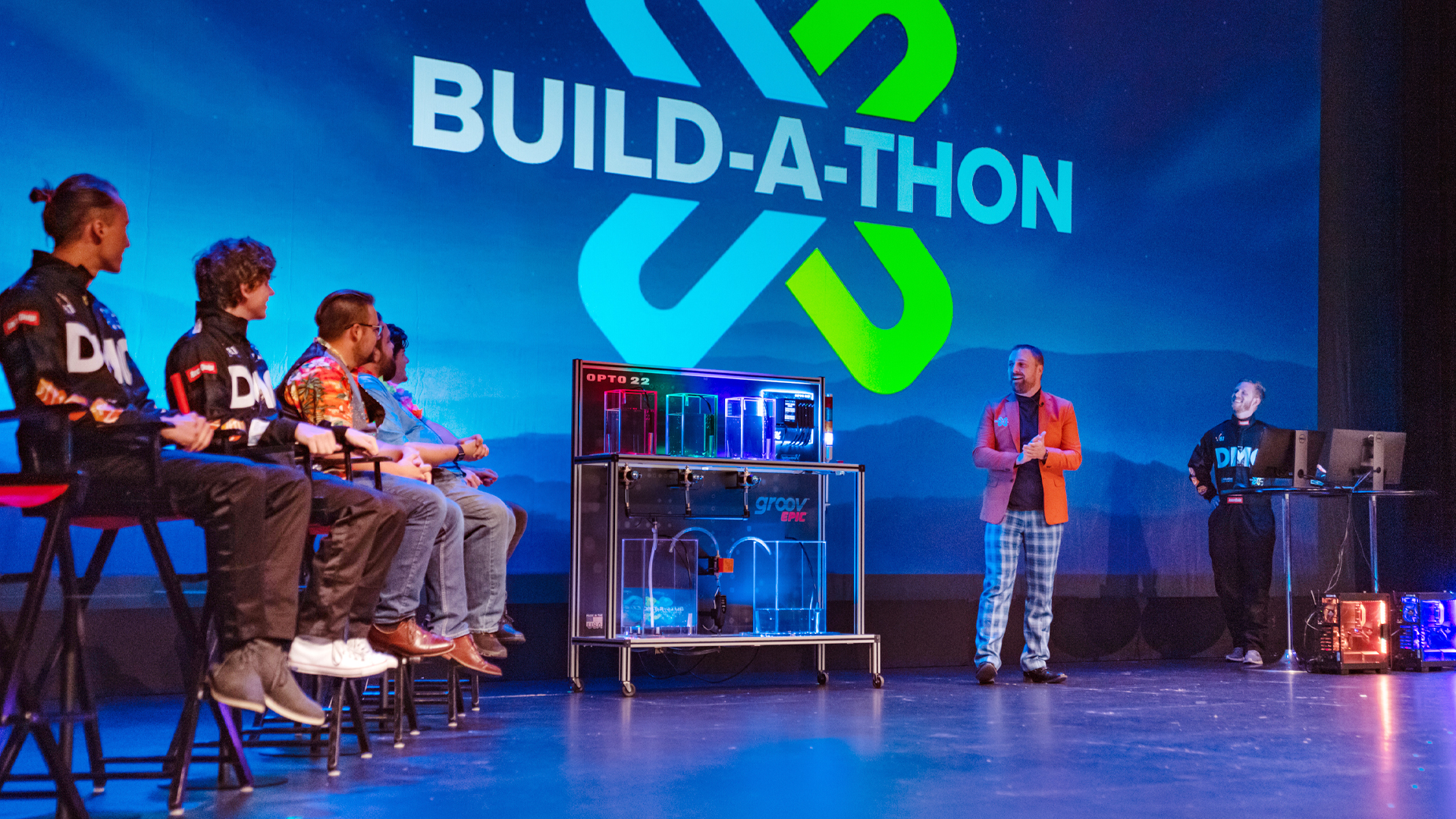
Thumbnail
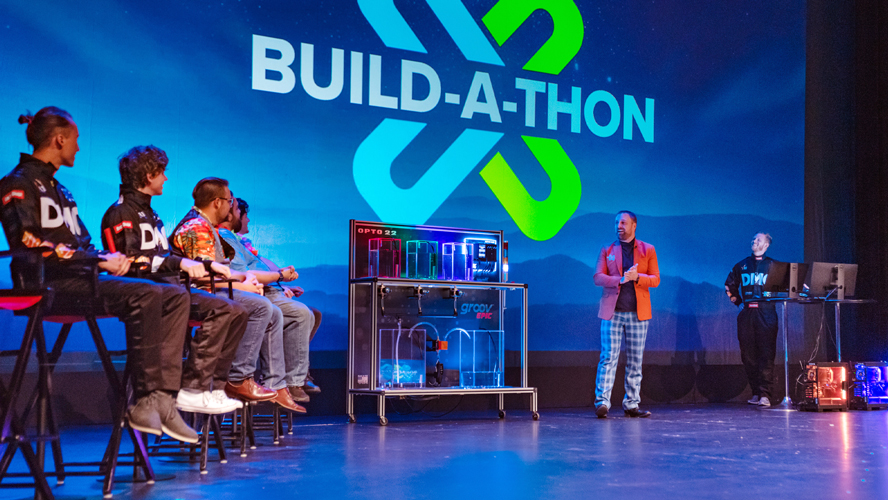
Video Duration
3631
Homepage Featured Order
2
Featured in Sort
On
Subtype
Speakers
Travis Cox
Chief Technology Evangelist
Inductive Automation
Kevin McClusky
Chief Technology Architect & VP of Sales
Inductive Automation

Kent Melville
Director of Sales Engineering
Inductive Automation
ICC Year
2022.00
icc
|
2022
IA Session
Running Ignition in a Container Environment
Leveraging Docker can be a powerful technology for rolling out large systems and setting up flexible development environments. In this session, you'll hear practical tips for running Ignition in a container environment from Inductive Automation's Docker expert.
45 min video
Watch the video
icc
|
2022
Community Session
How Far We've Come - Ignition Across the Enterprise
Ignition was always great for solving problems and beloved by Operations. But could it scale? Could it be deployed across an enterprise? Could it stand up to scrutiny in the boardroom while execs are aligning on their digital strategy? Absolutely. Over the past several years, Brock Solutions has been deploying Ignition across enterprises, helping customers accelerate their digital transformations. But don't take it from Brock; hear it from our customers' mouths about how and why Ignition has become the real deal in their enterprise landscape.
42 min video
Watch the video
icc
|
2022
IA Session
Performance Tips & Tricks for Optimizing Gateway Networks
Getting the most out of your Ignition gateway network is important to your system’s performance, especially for large implementations. In this session, you’ll get expert tips about how to optimize the performance of your gateway network for heavy workloads.
60 min video
Watch the video
icc
|
2022
Community Session
| Food and Beverage
Stone Brewing Successfully Implements Modern Batch System
In this session, Stone Brewing and Wunderlich-Malec Engineering will showcase the first successful implementation of Sepasoft’s Batch Procedure Module. Going into the project, Stone Brewing hoped to upgrade to a flexible and modern batch system that could handle complex recipes. With the support of Wunderlich-Malec, Stone Brewing easily configured the module to replicate existing processes. Attend this session to learn about Stone Brewing’s quick adoption of Batch Procedure and more project highlights.
47 min video
Watch the video
icc
|
2022
Community Session
Ignition: The New Enterprise Connection Platform
The quest for greater productivity and reduced costs is driving market forces and investments into new projects trying to combat today’s challenges from the supply chain, labor, and inflation. Learn how Ignition has advanced from the “New SCADA Platform'' to become the standard tool for OT-to-IT Enterprise Digital Transformation. The session will discuss and demonstrate how Ignition with MQTT/Sparkplug is the “Swiss Army knife” Digital Transformation platform from the edge to the cloud to achieve these goals. Get your Enterprise ready to Xperience and Xplore the serendipitous nature of your OT data!
48 min video
Watch the video
icc
|
2022
IA Session
Modern Cloud Deployment Strategies
With the systems getting larger and the need for flexibility increasing, effectively running Ignition in the cloud can be a powerful deployment strategy. In this session, Inductive Automation’s architecture experts will talk about how to utilize the cloud for modern deployment strategies.
48 min video
Watch the video
icc
|
2022
Panel
Drain The Data Lake - Model And Contextualize Your OT Data at the Edge
Join a panel of Ignition community experts who helped the State of Indiana launch a Digital Transformation program for manufacturers quickly and simply. Energy data, manufacturing output, and other OT data can be collected and modeled in-plant, and efficiently published into cloud infrastructure and unsupervised AI for actionable insights with a pre-built “I4.0 in a Box” solution.
48 min video
Watch the video
icc
|
2022
Panel
Integrator Panel: How Integration Has Changed & Where It's Going
This panel will bring together some of the Ignition community's most accomplished integrators to discuss how the industry has shifted over the past decade and what technologies and practices will be vital in the future. From IIoT-enabled hardware and cutting-edge security tools to eliminating paper from the plant floor, changes in the last 10 years have altered how integrators approach business and opened up new opportunities. But which areas still have room for refinement and innovation? Hear experienced professionals give their insight and answer your questions about the industry's past, present, and future.
45 min video
Watch the video
icc
|
2022
Community Session
Unlocking Innovation & Delivering New Services Through Digital Transformation
Digital Transformation has accelerated as a result of the pandemic as nearly every industry and every company has had to adapt to changing work conditions, market conditions, and environmental conditions. Those companies that are thriving in this new normal have uncovered new value in leveraging technology to accelerate innovation cycles and deliver entirely new products, services, and even business models. Imagine fully recovering from this pandemic better off than before it started with entirely new revenue streams that fill the revenue gaps with even greater profitability through new channels. Learn how this can be done and hear the stories of companies who have succeeded.
45 min video
Watch the video
icc
|
2022
Panel
Industry Panel: Exploring Digital Transformation
It takes coordination to revamp processes or upgrade machinery, but it’s a far more complicated task to establish change all the way from the plant floor to the C-suite. While the necessary Digital Transformation of manual operations may look different across a variety of industries, the critical benefits of increased stability, flexibility, and security remain consistent. Hear from a panel of industry thought leaders and experts as they explore how enterprise-wide solutions have led their companies to a new level of growth and answer your questions about large-scale Digital Transformation.
64 min video
Watch the video
icc
|
2022
Keynote
Technical Keynote & Developer Panel
This year, the co-creators of Ignition, Colby Clegg and Carl Gould will be expanding the traditional developer panel into a new format. In this new Technical Keynote, Colby and Carl will cover the recent progress of Ignition and look at the roadmap for the near future of the platform. They will also get some help from a few Software Engineering Division all-stars to give further insight into specific aspects of the platform like security, advanced analytics, and design tools.
65 min video
Watch the video
icc
|
2025
Community Session
The OT Operating System: Ignition’s Central Role in Chobani’s Past & Future
Chobani will walk through its journey with Ignition, from early pilot projects and localized SCADA implementations to Ignition’s current role as the “operating system” of its OT layer across multiple sites. You’ll see how Chobani has used the platform to standardize system architecture, enable site-to-enterprise data visibility, and align IT/OT strategies without compromising flexibility or speed.
47 min video
Watch the video
icc
|
2025
Community Session
Reducing Muda (Waste) Via Digital Tools
Toyota's IIoT team delivers an innovative data management solution that transforms OT/IT systems by eliminating Digital Muda (waste) via centralized, standardized data collection, enhancing efficiency, data integrity, and real-time decision-making for manufacturing operations. Its scalable, user-friendly design, paired with automated configuration and alert systems, empowers agile operations and drives transformative business value.
44 min video
Watch the video
icc
|
2024
Community Session
Kanoa Exhibitor Demo: Kanoa: MES for the Masses
Kanoa MES is a modern Smart Manufacturing solution designed in and for Ignition. Learn about the Kanoa MES Modules, Kanoa MES Database, and Kanoa APP Ignition project you'll use to get started with Kanoa MES. Check out a live demo of Kanoa Ops and Kanoa Quality to see how you can configure your MES in days and get insights into your manufacturing data with ease.
33 min video
Watch the video
icc
|
2024
Community Session
Demystifying The Unified Namespace with Ignition
Unified Namespaces (UNS) have the power to streamline OT data by breaking through communication barriers between devices and applications. By leveraging the Ignition platform and MQTT, UNS can open the door to transformative potential for operational and enterprise applications. But what even is a UNS? Join Cirrus Link as they leverage Ignition and MQTT to implement UNS and their transformative potential for applications, and share details about the core functionalities of UNS. By the end of the session you'll be equipped with the knowledge to harness the power of unified data and unlock new possibilities for your industrial operations.
48 min video
Watch the video
icc
|
2024
Community Session
Phoenix Contact Exhibitor Demo: Enabling the Digital Transformation
Learn more about our networking and automation portfolio as a complement to Ignition. We will showcase our PLCnext technology with Modular I/O, Ethernet switches, and new MQTT / MODBUS protocol converter products. We will introduce you to new upcoming technologies based on Single Pair Ethernet and APL.
29 min video
Watch the video
icc
|
2024
Community Session
SafetyChain Exhibitor Demo: The SafetyChain Module for Ignition: Leveraging Real Time Data & Driving Productivity
Learn how process manufacturers are leveraging the power of SafetyChain & Ignition to drive meaningful value in their production environments. We’ll cover how manufacturers benefit from seamlessly connected systems and the broader impact that has on various segments of their operations. You’ll hear about a case study where thousands of data points derived from a complex manufacturing process were leveraged to drastically improve quality and production metrics. Finally, we will showcase how easy it is for manufacturers to connect SafetyChain and Ignition with a live demo.
29 min video
Watch the video
icc
|
2024
Community Session
Eurotech Exhibitor Demo: Discover the Benefits of Running Ignition on Cybersecure and Certified Devices
Eurotech will showcase the benefits of running Ignition on an ISA62443-4-2 certified device. This demonstration will highlight how Eurotech's advanced device management capabilities can simplify the process for OT systems integrators to securely manage applications remotely. Attendees will gain insights into how the integration of Eurotech's ReliaCOR 40-13 Industrial PC with Ignition software provides a robust and cybersecure foundation for industrial applications. This collaboration not only meets stringent cybersecurity standards but also enhances the efficiency and scalability.
32 min video
Watch the video
icc
|
2024
Community Session
Snowflake Exhibitor Demo: Unlocking Smart Manufacturing with IT/OT Convergence on the Snowflake AI Data Cloud
Modern manufacturing generates vast amounts of data from diverse sources, creating challenges in data integration and utilization. Traditionally, data silos have hindered the scalability of analytics across manufacturing and supply chains. The Snowflake AI Data Cloud breaks down these barriers by seamlessly converging IT and OT data, accelerating smart manufacturing initiatives. Join us to explore how Snowflake empowers manufacturers to harness the full potential of their data, driving innovation and operational excellence in the era of AI and Industry 4.0.
27 min video
Watch the video
icc
|
2024
Community Session
4IR Solutions Exhibitor Demo: 4IR Solutions’ FactoryStackTM – OT, As-a-Service
4IR Solutions will demonstrate how their platforms can deliver OT, As-a-Service in the cloud or on premises making it easier, faster and cheaper to build and manage your Ignition infrastructure.
32 min video
Watch the video
icc
|
2024
Community Session
Sepasoft Exhibitor Demo: Sepasoft’s Workflow Solution: Building Bobbles With Batch
Sepasoft’s workflow solution can map out and execute the production process for almost anything – including made-to-order bobbleheads! Our demo will showcase how simple it is to manage production workflows, collect real-time data, and utilize document management with 3D models and form entry. We’ll also highlight how to authenticate and verify every action during production for compliance and accountability using Electronic Batch Records (EBR) and electronic signatures. Join us to see the latest Batch Procedure technology in action.
31 min video
Watch the video
icc
|
2024
Community Session
Cirrus Link Exhibitor Demo: Everything Cirrus Link MQTT and Cloud Connectivity
This session provides an overview of Cirrus Link to include MQTT Architectures, the MQTT Modules and their use cases. It will also touch on MQTT SparkplugB, the Unified Namespace as well as cloud connectivity through the cloud injector modules and IoT Bridge products.
25 min video
Watch the video
icc
|
2024
Community Session
SiteSync Exhibitor Demo: IIoT Made Easy With SiteSync and Ignition
SiteSync leverages the LoRaWAN sensor connectivity technology to allow industrial users to bring stranded assets and manual measurements into a central source of truth for data visualization, alarming, and advanced AI analysis all powered by the Ignition Platform. SiteSync enables field users to deploy IIoT sensors with the same ease of commercial IoT systems via preconfigured devices and QR codes so that these Digital Transformation initiatives can be implemented at scale. In addition to LoRaWAN sensors, SiteSync recognizes that many end users have thousands of HART compatible sensors and the additional HART data is another stranded asset that can be used for Digital Transformation. SiteSync will introduce a new asset management tool focused on HART sensors all powered through the Ignition platform.
34 min video
Watch the video
icc
|
2024
Community Session
Hive MQ Exhibitor Demo: Comprehensive Data Management Solution with MQTT, Sparkplug and UNS
In today’s data-driven world, effective data management is crucial for manufacturers seeking to harness the full potential of their production assets. As industrial environments become increasingly connected, the need for a comprehensive data management solution that ensures real-time, reliable, and scalable communication is more critical than ever. HiveMQ with its enterprise MQTT platform that is highly reliable, scalable and secure provides that ideal platform working with the Ignition ecosystem. We will showcase some of our new product offerings like our Sparkplug module for DataHub enabling metrics fan out and other offerings that will complement the Ignition Edge platform, building the UNS framework to streamline data collection, integration, and dissemination, ultimately driving smarter decisions, greater operational efficiency, and supporting advanced use cases like AI.
28 min video
Watch the video
icc
|
2024
Community Session
Opto 22 Exhibitor Demo Break Through the Status Quo in Industrial Automation
Tired of closed PLC platforms with proprietary protocols and high licensing costs? This presentation shows you how Opto 22's groov products can help you break through the status quo in industrial automation. With groov EPIC and RIO systems running Ignition Edge out-of-the-box, you can control edge operations and securely democratize production data from the plant floor to IT systems—even to the cloud. Discover the open, cybersecure architecture and free support and training resources that make Opto 22 groov hardware ideal for your next Ignition project.
32 min video
Watch the video
icc
|
2024
Community Session
Flow Exhibitor Demo: Stop Coding, Start Scaling: Optimize Data Transformation for KPIs, Batch Reporting, OEE, and Beyond
Using our OEE template as an example, we'll demonstrate how you can streamline your Ignition projects by avoiding complex coding and scripting. This is all about scaling your data processing while adding centralized data and engineering governance. Every new KPI we calculate, event we detect, and batch we process, will be served back to Ignition, an MQTT broker, and to the enterprise data warehouse.
33 min video
Watch the video
icc
|
2024
Community Session
How Ignition Saves Time, Money & Lives for Medical Charity
See firsthand how UK charity SERV Kent uses Ignition to create an AWS cloud-based volunteer management system to revolutionize its medical transport operations. Driven by Ignition Perspective, this application replaces archaic manual processes with intuitive interfaces featuring real-time geolocation data transfers, GDPR-compliant security, and optimized volunteer, vehicle, and product management. Hear Chris Taylor discuss the project’s challenges, solutions, progression, and future enhancements and breakthroughs that will bolster SERV Kent's mission-critical endeavors.
32 min video
Watch the video
icc
|
2024
Community Session
Ericsson Exhibitor Demo: Edge Computing and Private Cellular Networks for Smart Manufacturing (formally Cradlepoint)
Ericsson’s 5G-focused solutions turn connectivity into productivity by delivering intelligent communications at the edge that are more secure, versatile, and easier to manage than WiFi. See real-world business-critical use cases that exemplify how private 5G solutions accelerate operations, improve reliability, and enhance working conditions, all while reducing cost and latency.
26 min video
Watch the video
icc
|
2024
Community Session
How Ignition is boosting SCADA in the Biotech Industry
With a demand for flexibility and a strong focus on quality, SCADA systems play a crucial role in ensuring smooth operation of processes within the highly regulated Biotech industry. As a leader in the field, Cytiva is accustomed to developing solutions designed for the lab environment. Attend this session to get a peek into the technical aspects where Ignition has been leveraged to help meet customer demands, including dynamic OPC connections and integrated eLearning.
40 min video
Watch the video
icc
|
2024
IA Session
Learning Ignition Fundamentals
Whether you're new to Ignition or just want a refresher, this session is made for all. The Inductive Automation Training team covers all the basic knowledge and fundamental features you need to get started with Ignition.
44 min video
Watch the video
icc
|
2024
Community Session
Breaking Through Limits: Igniting Transformation in Manufacturing
Follow Entegris and NeoMatrix's joint journey to digital transformation. Beginning in 2008, the two organizations recognized the need to upgrade the SCADA platforms of multiple machines, and they chose Inductive Automation's solutions. From Ignition's precursor FactoryPMI and FactorySQL to today's Ignition 8.1 with Perspective, this session will take you on a tour of how these partners established Ignition as its standard OT platform for increasing scalability and cost savings as they continue to grow globally and expand to multiple manufacturing industries.
47 min video
Watch the video
icc
|
2024
IA Session
Breakthrough to the Other Gateways: A Deep Dive Into the Gateway Network
Multi-gateway deployments are becoming more commonplace, and Ignition's gateway network provides the backbone for redundancy, enterprise management, and sharing data between gateways. Join us for this session and take a look at various Gateway Network parameters and settings that drive customer solutions.
45 min video
Watch the video
icc
|
2024
Community Session
Breaking Through Manufacturing Challenges with DxOps Transformation
Learn how to combine consistent processes with novel concepts to break through challenges in downtime tracking and OEE visibility. In this session, RoviSys will share how their DxOps Transformation approach, used at Nice Pak, helped overcome high variation between production lines and facilities, lack of data connectivity, extensive turnover, and data integrity gaps. Learn how to standardize integration methods for better scalability and real-time tracking and see how these solutions can enhance efficiency in your facilities. Don’t miss this "how to" guide on transforming challenges into opportunities for breakthrough success!
44 min video
Watch the video
icc
|
2024
Community Session
Scaling to New Heights: Enterprise Ignition with Ease
In this session, 4IR Solutions will showcase best practices and technologies to rapidly deploy and remotely manage large-scale Ignition systems in the cloud and on-prem across hundreds of sites. We'll demonstrate zero-touch provisioning and real-time updates to a fleet of Ignition installations.
42 min video
Watch the video
icc
|
2024
Community Session
Optimizing Load Time in Ignition Perspective
How can you ensure that screens load fast and actions are snappy when using Ignition Perspective to create bigger and better projects? Learn how in this presentation, which will discuss strategies for optimizing screen development, organizing nested views, and analyzing Perspective execution. You’ll also get a look at simple rules-of-thumb for bindings, complex custom svg components, and where to strike the balance between performance and maintainability.
37 min video
Watch the video
icc
|
2024
Community Session
Creating Predictive Maintenance Alert using Ignition + Canary DB
This session provides an in depth walkthrough of how Shamrock Foods Company is able to collect motor data and use it to alert maintenance personnel of a potentially failing asset. This tutorial will walk you through the steps from PLC amp data to Ignition, Ignition data sent to Canary DB, Canary DB calculations of average + Standard Deviation of data, and back to Ignition to generate alarms.
37 min video
Watch the video
icc
|
2024
Community Session
How Ignition is Enabling the Future of Oil & Gas
The oil & gas industry relies on SCADA for all its major production activities. But oil & gas companies often have large-scale, complex requirements that require unique solutions to not only monitor the field, but also integrate that data throughout the enterprise. Attend this session to learn how Ignition is meeting the unique requirements of oil & gas companies with Techneaux and Bifrost.
41 min video
Watch the video
icc
|
2024
Community Session
How To Harness Modern MES for AI and Innovation
Learn from MES-experts Sepasoft how MES fuels the success of AI and BI initiatives, driving organizations toward actionable insights and a competitive edge. In the Industry 4.0 era, the success of AI and BI technologies in manufacturing hinges on high-quality data. Manufacturing Execution Systems (MES) play a crucial role integrating with the plant floor and enriching production data with essential metadata, plus adding valuable context for machine learning and advanced analytics. MES provides real-time visibility for informed decision-making and cuts the typical 80% time investment data scientists devote to becoming subject matter experts and preprocessing data.
52 min video
Watch the video
icc
|
2024
Community Session
Ignition to ERP: Best Practices and Lessons Learned
Looking to leverage Ignition to seamlessly connect with Microsoft Dynamics 365 Supply Chain (D365)? This session will cover best practices and lessons learned from two perspectives: an Ignition developer, and an enterprise solutions architect. Flexware Innovation’s Ignition Team and Enterprise Solutions Team work together to merge IT with OT for true digital transformation. From this collaboration emerged a set of best practices (and lessons learned) that will be shared with the Ignition community. Presentation examples will center on D365, but the foundational architecture principles can apply to your ERP system, too.
40 min video
Watch the video
icc
|
2024
Community Session
Standardizing the Unstandardized: Strategies for SCADA Systems
SCADA systems can become complex and unwieldy when managed by numerous engineers or when ownership changes through acquisitions. In this session we will focus on strategies and implementation methods for using Ignition to transform disorganized systems into standardized, efficient operations. This presentation will cover best practices from small, unique projects to large-scale projects with multimillion-tag counts. Highlighting the similarities and differences between these types of projects, this session emphasizes the importance of standards in data modeling and a robust validation and verification process. Implementing these techniques enhances system performance, reduces costs, and increases user confidence — all of which are critical for the successful delivery of projects of any size to clients and stakeholders.
45 min video
Watch the video
icc
|
2024
Community Session
Level up your Python: Best Practices for Clean and Consistent Code
Gain valuable insights into writing clean and maintainable Python code, whether you're a Python beginner or a seasoned developer. In this session, you’ll get practical knowledge of PEP 8, explore best practices for code formatting and style, and discover tools to streamline your workflow.
45 min video
Watch the video
icc
|
2024
Community Session
Break Through Power & Energy Barriers with Ignition
What’s the power of tracking your organization’s energy use? Understanding your energy data reduces your operational costs, and helps you assess equipment health and meet regulatory or ESG guidelines. It’s hard to manage what you can’t measure. In this session, you’ll see how to quickly incorporate energy monitoring into your Ignition projects using free Ignition Exchange resources. Plus, you’ll hear from a State of Indiana representative who created the Energy INsights program that helps Indiana-based manufacturers address energy use while taking steps toward digitally transforming their business operations.
44 min video
Watch the video
icc
|
2024
IA Session
Deeper Dive into 8.3: New Features
We have even more exciting Ignition 8.3 features to show you! Join us in the second of two sessions as we continue to share what’s new with 8.3. This time, we’re looking at some project-level resources and other features available through the designer, including new Perspective features, changes to the Tag Historian Module, and the brand-new Event Streams resource.
52 min video
Watch the video
icc
|
2024
Panel
Industry Panel: Driving Innovation and Transformation in Industrial Organizations
Hear from a panel of industry thought leaders and experts as they explore how utilizing data and technology can inspire new ideas, open new opportunities, and drive digital transformation efforts in industrial organizations.
49 min video
Watch the video
icc
|
2024
Keynote
Closing Keynote: Where Do We Go From Here?
In this final session of the conference, we'll look forward to what's next. Join Inductive Automation speakers for exciting presentations and an engaging Q&A panel about the road ahead for Ignition's development, the expansion of technical support, and the evolution of Inductive Automation's customer experience.
79 min video
Watch the video
icc
|
2024
Panel
Integrator Panel: What Tech and Trends Are Breaking Through?
Discover which pivotal new technologies and trends that are reshaping the future of automation for industrial organizations. In this engaging panel discussion, some of the Ignition community's most successful integration professionals will share their strategies in response to these evolving technologies.
45 min video
Watch the video
icc
|
2024
IA Session
8.3 Deep Dive: Platform Updates
There’s so much going into 8.3 that we need a few sessions to talk about it all! Join us in this first of two sessions where we look closer at a few exciting changes happening at the platform level, and what it means for deployments in the future. In this session, we’ll focus on changes to the platform, such as the file system, API access, and secret management.
47 min video
Watch the video
After its absence in 2020, we knew that bringing the Build-a-Thon back meant going bigger than ever before, which meant an original song for IA's Department of Funk!
Wistia ID
5cw3gy0md6
Subtitle
ICC Build-A-Thon
Topic
Hero

Thumbnail
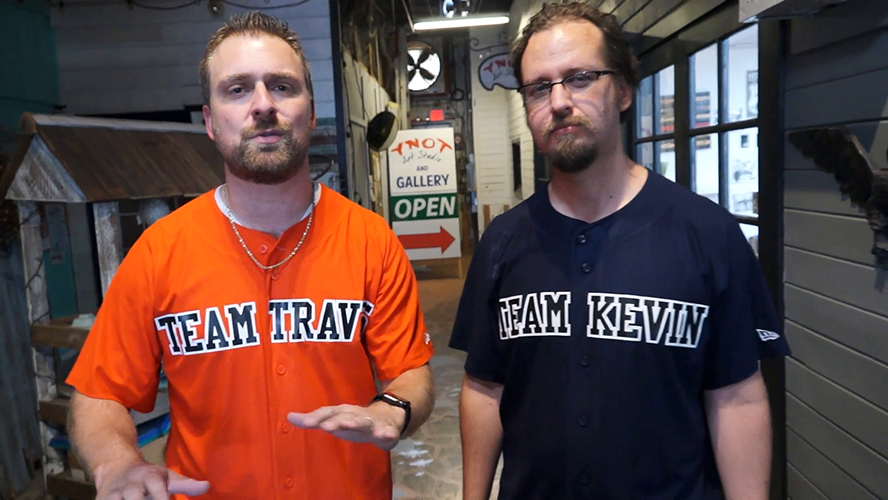
Video Duration
256
Featured in Sort
Off
Subtype
ICC Year
2021.00
icc
|
2022
International Session
Uso de Bibliotecas Javascript no Perspective com Web Dev Module
Aprenda a utilizar os recursos do módulo Perspective junto ao módulo Web Dev paraacessar bibliotecas externas e exibir conteúdos gráficos diversos (Mapas, Gráficos, etc) emsuas páginas do Perspective de forma dinâmica.
16 min video
Watch the video
icc
|
2022
International Session
Architetture Flessibili e Modulari per Progetti di Trasformazione Digitale Compiuti
Ignition è la piattaforma software che permette di implementare progetti di digitalizzazione industriale con architetture capaci di adattarsi alle diverse esigenze applicative. Durante il webinar, verranno illustrate le possibilità offerte dalla flessibilità e dall’apertura della piattaforma attualmente utilizzata con successo da oltre il 50% delle aziende Fortune 500. A differenza degli SCADA tradizionali, Ignition permette di realizzare progetti in ottica IIoT per il governo completo dei processi digitali in ambito produttivo.
46 min video
Watch the video
icc
|
2022
Panel
Education & Industry Panel: Preparing the Workforce of the Future
Often, the difference between what you need to know to walk across that stage and get your diploma, degree, certificate, or credential is vastly different from what you need to know to be successful in your first entry-level position. Curriculum and program development happen in vastly different ways, from four-year colleges and universities to technical colleges, to community/junior colleges. How we, as an industry, communicate to address what we are seeing in the field is imperative to providing the engineer of tomorrow with the appropriate skill sets to encourage success. That conversation starts with industry and academia coming together to discuss the topics important to the ever-changing landscape of industrial technology. Join David Grussenmeyer, University Engagement Manager at Inductive Automation, for a panel discussion composed of four faculty members from different educational institutions and learn how their efforts to collaborate with Industry are changing the educational landscape for our workforce of tomorrow.
42 min video
Watch the video
icc
|
2022
Community Session
Deploying the Digital Foundations of a Modern, Connected Factory
Digital factory architectures usually grow organically as business requirements evolve and new technologies are developed. Modern technologies and approaches such as infrastructure-as-code, containerization, orchestration, and edge-driven operations solve many problems presented by legacy, organic, point-to-point based architectures. This presentation will give an overview of Factory+, a Sparkplug-powered, open-access digital factory framework developed by the AMRC, and how it can be used to rapidly and reliably deploy, manage and scale the digital foundations of a forward-thinking manufacturing facility.
25 min video
Watch the video
icc
|
2022
International Session
Dalle Patch 4.0 Alla Trasformazione Digitale Completa. Ignition, Catalizzatore di un’Offerta End-to-End
Ignition è la piattaforma abilitante che aiuta le aziende ad intraprendere un percorso che porta a una digitalizzazione completa e compiuta. Durante il webinar, mostreremo come sfruttare le opportunità normative per l’industria 4.0 e il PNRR per estendere anche alle PMI, e di conseguenza al “sistema Italia”,una vera Digital Transformation, che porti all’implementazione di progetti digitali compiuti e non parziali.
34 min video
Watch the video
icc
|
2022
International Session
Trucos en Perspective Que no Conocías
En esta sesión vamos a cubrir todas aquellas herramientas que están dentro del módulo Perspective que son nuevas en la integración de sistemas industriales para que puedas aprovecharlas para hacer ciclos de desarrollo más rápidos, una distribución mejor organizada en tus pantallas y aplicaciones de apariencia optimizada.
31 min video
Watch the video
icc
|
2022
International Session
Le Funzionalità di Ignition Edge: Raccolta ed Elaborazione Dati alla Fonte
La struttura aperta e distribuita della piattaforma Ignition e della sua versione Edge apre nuove frontiere e tendenze per la Data-Driven Automation. Grazie all’infinita scalabilità e alle potenzialità di Ignition Edge è possibile integrare tutti i dispositivi presenti nel factory floor, compresi quelli al margine della rete, estendendo così la raccolta, l’elaborazione e la visualizzazione a tutti i dati essenziali per un processo industriale efficiente. Nel corso del webinar verranno presentate le funzionalità di Ignition Edge e i vantaggi derivanti dalla disponibilità del set più completo di dati per poter dar vita a una trasformazione digitale compiuta.
30 min video
Watch the video
icc
|
2022
International Session
Desbloquee los Datos de su Planta
A veces, ya tenemos un Tag Historian en nuestro conjunto de herramientas, entonces, ¿por qué necesitarías SQL Bridge? O si ya tengo SQL Bridge, ¿por qué necesito Tag Historian? Le enseñaremos cómo se pueden combinar SQL Bridge y Tag Historian para hacer un mejor uso de las bases de datos y los datos históricos de su planta.
29 min video
Watch the video
icc
|
2022
International Session
Sikker innlogging til Ignition med BankID og Vipps
Slik sikrer du innlogging i Ignition ved å bruke moderne elektronisk identifikasjon for sikker identifikasjon.
11 min video
Watch the video
icc
|
2022
International Session
Dynamisk brukergrensesnitt i Ignition Perspective
Bli med på denne demoen for å se hvordan du kan endre informasjon i integrerte vinduer i Ignition’s Perspective modul, basert på hva som er valgt i hovedvinduet. På denne måten kan du enkelt vise informasjon for et objekt sine trender, alarmer og parametere, uten bruk av pop-up vinduer. Vi utforsker de ulike metodene og ser på det resulterende brukergrensesnittet sammen.
27 min video
Watch the video
icc
|
2022
International Session
Reverse Proxy mit automatischer SSL/TLS Verschlüsselung auf Docker
Erstellen einer Ignition Instanz als Container in einer Docker Umgebung mit geschütztem Zugang über einen Reverse Proxy (Traefik) welcher alle Zertifikate (Let’s Encript) automatisch erstellt.
8 min video
Watch the video
icc
|
2022
International Session
How to Best Plan Your Perspective Project
Join us for practical insights on how to ensure success with the Ignition Perspective Module. Whether you're starting your first Ignition Perspective project or want to understand how to best approach your next project, this is the session for you. We’ll cover Perspective’s powerful features, server sizing and architecture design and how to set goals for your design and layout, with considerations for best practice implementations, to achieve faster development.
22 min video
Watch the video
icc
|
2022
International Session
Industrie 4.0 - von der digitalen zur wandlungsfähigen Fabrik für die Kleinserien- und Eigenmarkenproduktion
Die industrielle Fertigung, egal ob Auftrags-, Chargen- oder Fließfertigung, muss die Anforderungen an Belastbarkeit, Anpassungsfähigkeit und Flexibilität erfüllen. Wir zeigen die Vorteile von Ignition für die Kleinserien- und Private label Fertigung.
26 min video
Watch the video
icc
|
2022
International Session
Living on the Edge
The iControls team explore the Edge-to-Enterprise Architecture, showcasing the deployment and configuration of the different flavors of the edge licensing, from a single machine level HMI to an enterprise architecture where each edge gateway becomes a reliable source of data from the process, through either gateway network services or MQTT implementation.
61 min video
Watch the video
icc
|
2022
Community Session
Key Trends Helping Industry Overcome Digital Transformation Challenges
Digital Transformation is essential for industrial companies to meet the challenges of thriving in an environment where the only certainty is uncertainty. This is driving demand for deploying key technologies to better monitor and control operations, protect against downtime, ensure product fulfillment and high productivity, protect and upskill personnel, enable remote workforces, manage supply chains, and do this while leveraging enhanced cybersecurity architectures. To help industrial companies meet these challenges, this presentation will discuss what are the key technologies and trends that can help these companies accelerate Digital Transformation that enables improved productivity, profitability, agility, reliability, sustainability, resilience and efficiency.
48 min video
Watch the video
icc
|
2022
IA Session
Top Tips For Great Mobile Interface Design
Good mobile design makes it easy for users to see and control their system right from their phone, but making a good mobile design isn’t necessarily easy. This session will cover some of the best mobile design tips for creating interfaces that deliver a great user experience.
47 min video
Watch the video
icc
|
2022
IA Session
Using Ignition with Machine Learning Libraries
Using Ignition and machine learning libraries can be a powerful combination. Inductive Automation's machine learning experts will lead conference attendees through practical applications for ML, along with typical ML setups that Ignition users could implement on their own systems.
51 min video
Watch the video
icc
|
2022
Community Session
Ingestion to Insights
In this informative session, attendees will learn how a manufacturer – or any automation setting – can successfully begin their industry 4.0 journey. Starting with data collection, then moving to data visualization, alerting, and analytics, Ignition allows organizations to do it all. And, with multiple web-based architectural options, Ignition offers flexibility while keeping cyber security in mind.
50 min video
Watch the video
icc
|
2022
Community Session
Changes Towards The Digital Transformation - Turn and Face The Strange
While data acquisition systems at the process level have become increasingly universal, the true Digital Transformation vision – the integration of all data across an organization to higher levels within a company - still faces a number of hurdles around bandwidth, multiple data-entry points, and conflicting software platforms. Here, we present how SCADA-driven data via Ignition with Starlink Satellite-Based Broadband can be combined with manual-entry mobile Perspective applications to provide a rich data source at the field and operations level. Once in the cloud, that data, in turn, can then be combined through API-based integrations with third-party platforms to provide higher-level insights to Research, Business Development, Engineering, Financial, and Executive divisions. Thus, from Operator to CEO, Ignition provides a true data integration platform up and down an organization.
46 min video
Watch the video
icc
|
2022
Keynote
Main Keynote: Exploring 10 Years of Growth & Innovation
This year marks Inductive Automation’s tenth year hosting the Ignition Community Conference! In that time, it’s been amazing to see the community's growth and the positive impact its members have made on the industry. For this year’s company keynote, you’ll hear from Inductive Automation’s leadership team about the growth and direction of our company and our community as we celebrate the last decade and look forward to what’s to come.
72 min video
Watch the video
icc
|
2022
Community Session
| Water/Wastewater
Water And Wastewater: Exploring The Next Generation of Remote Telemetry Monitoring
This session will show how a regional municipal council in Australia has implemented the next generation of remote telemetry monitoring and data-driven decision-making across their wastewater assets for a fraction of the cost of their peers. You’ll hear directly from the Alexandrina Council about how the Ignition system has fundamentally changed how they leverage data to interact with their assets. You will also hear from the technical team from SAGE Automation about implementing multi-device SCADA displays and the practical challenges that MQTT can present.
46 min video
Watch the video
icc
|
2022
Community Session
Git Serious: Hybrid Cloud Deployment with DevOps
With Digital Transformation becoming more mainstream, we continue to see an increased adoption of enabling technologies like the cloud. But not all companies are willing or able to go "all-in" on cloud just yet. In this session, 4IR Solutions’ CTO Joe Dolivo will walk you through how to use Ignition to track and promote changes across multiple environments, no matter where they're hosted. Operational Technology leadership at Cameco Fuel Manufacturing will also walk you through the plans for their own hybrid cloud deployment, intended to run heavy production workloads on site while leveraging the cloud for remote site workloads, testing instances, backups, and monitoring.
49 min video
Watch the video
icc
|
2022
IA Session
Learning Ignition Fundamentals
If you're new to Ignition or just need a refresher, this is the session for you. Inductive Automation's training team will cover the basic knowledge and fundamental features you will need to get started with Ignition.
51 min video
Watch the video
icc
|
2022
Community Session
Sepasoft's Low-Code Approach to Simplifying MES
MES can be one of the most challenging systems to implement due to the sheer number of departments, roles, manufacturing sites, and production scenarios involved. Learn about Sepasoft’s various initiatives that simplify the MES rollout. From the low-code capabilities of the Batch Procedure Module and Business Connector Suite, in addition to MES Starter Projects, Sepasoft is taking measures to simplify implementation development and set users up for success.
45 min video
Watch the video
The ICC Build-A-Thon is by far the most outrageous and fun session of the entire conference. Every year our internal band puts together a song for no reason at all. Here is our 2022 music video. Enjoy!
Wistia ID
0mqx8qhhg5
Subtitle
ICC Build-A-Thon
Topic
Hero
Thumbnail
Video Duration
215
Featured in Sort
Off
Subtype
ICC Year
2022.00
icc
|
2022
Keynote
Celebrating 10 Years of ICC
Seeing the community growth over the last 10 years at ICC has been extremely rewarding. Inductive Automation wouldn't be where it is today without you. Our Ignition Community Conference has always been about the exchange of ideas and the exploration of what's possible. It's a great way to connect and learn about all that our users accomplish with Ignition. In honor of how much this community has inspired us over the years, we put together a fun video to look back on 10 years of ICC!
3 min video
Watch the video
icc
|
2021
Keynote
| Building Automation
Keynote: Smarter. Faster. Stronger.
At ICC 2019, we discussed the limitless possibilities of Ignition. Last year we envisioned the bright future of innovation in store for the Ignition community. Now, at ICC 2021, as the industrial world changes, the community continues to evolve to create smarter, faster, and stronger solutions than ever before. Join the leaders of Inductive Automation as they discuss the growth of the company and the community over the last year. In this year’s keynote, we’ll celebrate the community’s innovation by looking at the fantastic success they are achieving using the Ignition platform to evolve the industry for the better.
60 min video
Watch the video
icc
|
2021
International Session
| Agriculture
Prepare su Aplicación Para Ciberataques (Spanish)
A medida que más dispositivos interactúan con nuestros sistemas, la ciberseguridad comienza a convertirse en una gran preocupación para todos. Descubra cómo Ignition aborda estas amenazas con cifrado, autenticación, certificados de confianza y más.
29 min video
Watch the video
icc
|
2021
International Session
| Agriculture
Evolved Enterprise Operations for Clover South Africa (English)
Leading South African branded foods and beverages group Clover Industries adopted Ignition by Inductive Automation® to meet crucial system technology requirements. In this panel discussion, Francois and Deon from Clover share their needs, architecture overview, and multi-site implementation approach, including new standards and templates and the coordination of several System Integrator partners. We'll also talk through the valuable lessons learned and challenges overcome during implementation during the COVID-19 pandemic.
39 min video
Watch the video
icc
|
2021
International Session
| Agriculture
Evolving Water Operation's Edge with Ignition and MQTT (English)
In this conversation with Brian Cooper from INTEG System Integrators, we'll share how Ignition and MQTT transformed the operations of the Oudtshoorn municipality in South Africa. Situated in the Klein Karoo region of the Western Cape, Oudtshoorn is a water-scarce region. Visibility, measurement, and effective control of irrigation systems and borehole levels are crucial, both to reduce waste of available water resources and minimize variability in flow regimes and recharge. Using small and cost-effective Edge devices and standard protocols, MQTT and Ignition by Inductive Automation® solved several challenges. There are lower operating costs, enterprise-wide and real-time visibility, and reduced response times, from five minutes to mere seconds.
30 min video
Watch the video
icc
|
2021
International Session
| Agriculture
Conozca Acerca de las Herramientas de Historización (Spanish)
Conozca lo que Ignition es capaz de hacer con sus datos históricos. Desde la creación de tendencias sobre la marcha hasta la realización de cálculos complejos en la aplicación, exploramos las capacidades más interesantes del software que puede utilizar en sus aplicaciones.
26 min video
Watch the video
icc
|
2021
International Session
| Food and Beverage
Industry 4.0 Turns 10 Years Old - Ignition is the Ideal Present (English)
Industry 4.0 as a concept is 10 years old in 2021. We look back at where it started, how the idea has adapted pre- and during the pandemic, and then look at how Ignition fits the manufacturing and processing landscape as we emerge into the new normal.
15 min video
Watch the video
icc
|
2021
International Session
| Agriculture
Costruisci un Futuro Digitale con Ignition (Italian)
Parti dal basso, utilizzando asset esistenti e un approccio infinitamente scalabile partendo dalle reali esigenze del cliente. In questa sessione esploreremo come Ignition consente di determinare in anticipo il costo dell'infrastruttura digitale e fornisce gli strumenti ideali per System Integrator, OEM, produttori finali e manager della finanza aziendale.
41 min video
Watch the video
icc
|
2021
International Session
| Manufacturing
Mobile HMI-Lösungen - Ihre Anlage auf jedem Gerät (German)
Mobile Geräte haben in den letzten zwei Jahrzehnten eine Vielzahl von Geräten obsolet gemacht. Mit der Leistung von Ignition können Sie Ihr mobiles Gerät zu einer vollwertigen HMI weiterentwickeln.
26 min video
Watch the video
icc
|
2021
International Session
| Manufacturing
Dataops mit Ignition - Setzen Sie Ihre Anlagendaten dort ein, wo Sie sie brauchen (German)
Die Architektur mit offenen Standards ermöglicht neue Anwendungen, indem sie die volle Leistungsfähigkeit Ihrer Anlagendaten nutzt. Mit der Ignition-Plattform werden grenzenlose Konnektivitätsmöglichkeiten und ein hohes Mass an Datensicherheit erreicht.
21 min video
Watch the video
icc
|
2021
International Session
| Building Automation
Mobilresponsiv Design (Norwegian)
Du lager enkelt fullverdige, industrielle applikasjoner i HTML5 for overvåking og kontroll av prosesser på mobilenheten, PC-en og berøringspanelet. Enten de er for SCADA, HMI eller et annet formål, vil programmene du bygger i Perspektiv bli profesjonelle, og kunne brukes på enhver enhet og nettleser.
25 min video
Watch the video
icc
|
2021
International Session
| Agriculture
Ignition Edge: Capacità di Trasformazione Digitale (Italian)
Grazie alla struttura aperta e distribuita della piattaforma Ignition e di Ignition Edge, è possibile creare architetture estese in grado di migliorare l'efficienza di interi sistemi. Ignition, grazie alla sua infinita scalabilità e alle potenzialità di Ignition Edge, permette di integrare tutti i dispositivi di campo e funge da piattaforma per la realizzazione di reti industriali ad alta efficienza. Le capacità architetturali e la modellazione dei dati attraverso l'utilizzo di DataOps, già a livello di dispositivi Edge, sono elementi che consentono la trasformazione digitale sfruttando appieno le potenzialità del Cloud, della moderna comunicazione e delle tecniche di elaborazione dati.
33 min video
Watch the video
Travis, Kevin, and Kent are back for an all-new and evolved Build-a-Thon! This time, instead of keeping the glory all for themselves, Travis and Kevin will each be coaching a new competitor from two of the top integration companies in the Ignition community, Vertech and Flexware, to compete for the Build-a-Thon belt. Join us at this year’s jam-packed, live-streamed competition for bigger fun, bigger laughs, and bigger builds as the competitors build “next-gen” versions of an HMI and dashboard, using their own newly developed Ignition Exchange resource.
Wistia ID
sifjib3hjn
Industry
Hero
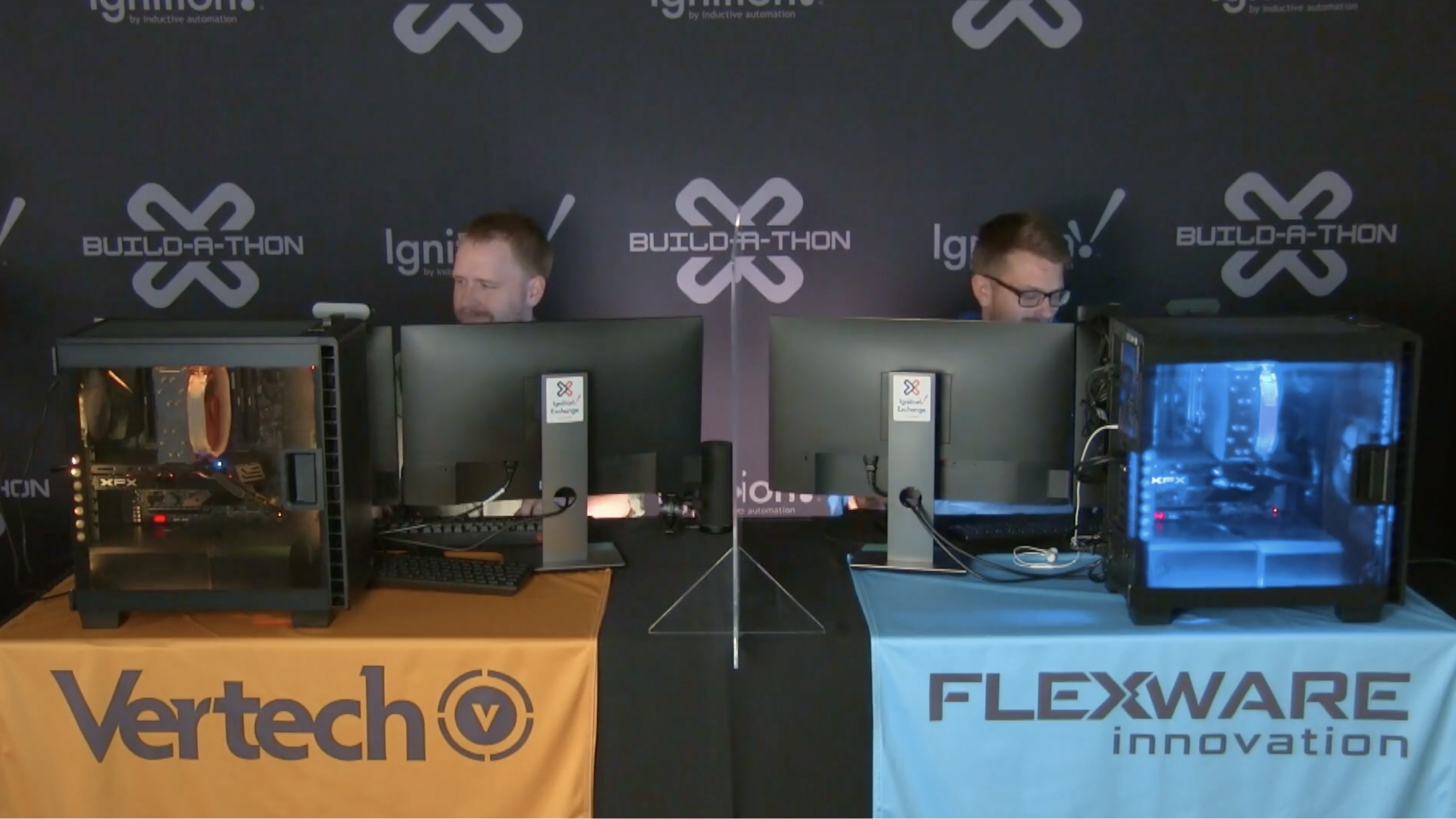
Thumbnail
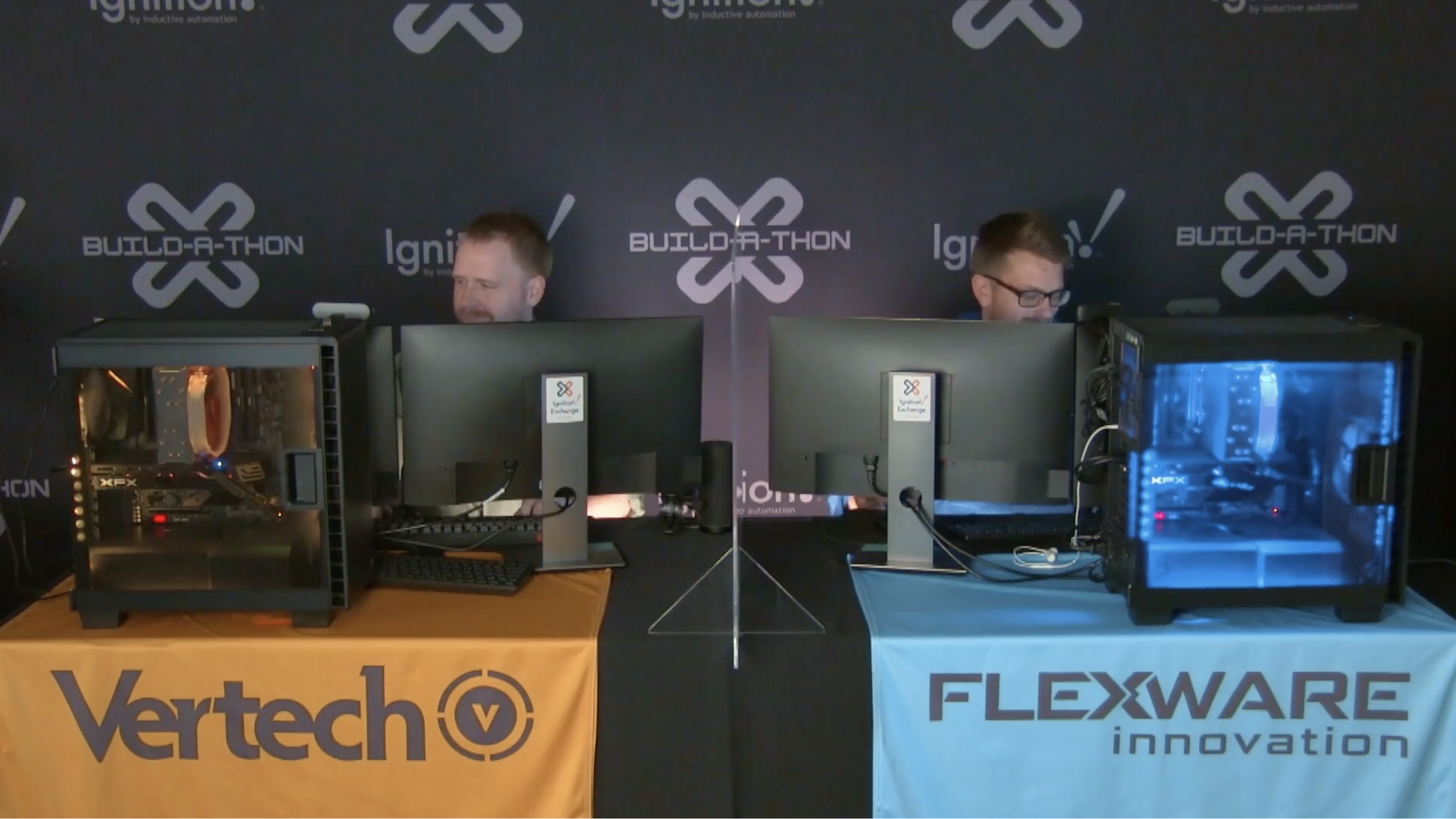
Video Duration
4429
Featured in Sort
Off
Subtype
Speakers

Ryan Crownover
Integration Manager
Vertech

Reese Tyson
Senior System Engineer
Flexware Innovation

Scott Whitlock
President/CEO
Flexware Innovation

Chris McLaughlin
SCADA & MES Specialist,
Vertech

Kent Melville
Director of Sales Engineering
Inductive Automation

Kevin McClusky
Co-Director of Sales Engineering
Inductive Automation

Travis Cox
Co-Director of Sales Engineering
Inductive Automation
ICC Year
2021.00
icc
|
2021
Panel
| Aerospace
Integrator Panel: Which New Technologies are Fads or the Future
During this panel discussion, you'll hear the leaders of some of the Ignition community's most successful integration companies discuss new technologies and innovations that are evolving the industry. Ideas and terms like IIoT and the cloud once seemed foreign but are now increasingly commonplace within the industrial sphere. What new trends and innovations will prove to be more than just buzzwords, but actual mainstays key to a company’s future success? How are automation professionals responding to these technologies? Hear our expert integrator panel answer these and other questions as they discuss what actually adds value within the industry and what's just hype in this fascinating panel discussion.
59 min video
Watch the video
icc
|
2021
Community Session
| Manufacturing
3 Tips to Evolve Your Ignition System's Communication to PLCs
In this session, you'll get some great Ignition tips for communicating to PLCs. You'll learn about writing to separate tags to ensure data integrity and robust logic, leveraging direct OPC reads to obtain data synchronization, and using JSON-derived tags to reduce communication load with a PLC-hosted OPC UA server.
33 min video
Watch the video
icc
|
2021
Community Session
| Electronics
Discover Manufacturing Bottlenecks with Sepasoft MES
Explore new possibilities to evolve your MES architecture quickly and more robustly than ever before. From controlling critical processes and procedures to tracking quality and performance, our new ISA-88 Batch and Procedure Module and other solutions empower manufacturers to identify and reduce manufacturing bottlenecks. Learn how Sepasoft MES solves major pain points, from small to enterprise-wide MES implementations.
59 min video
Watch the video
icc
|
2021
Community Session
| Automotive
Supporting Worldwide Digital Transformation with Ignition in the Cloud
Ignition is capable of more than just SCADA; it can support digital transformation by offering the possibility to create parametric services in a secure, scalable, and cost-effective way. HTC uses Perspective, the WebDev Module, and REST APIs on a cloud platform to help their international customers complete their digital transformation journeys. In this session, HTC will illustrate the architecture they use and their customers' results by using a scalable, secure, mobile, geographically distributed system that enables services like Big Data and Artificial Intelligence. In addition, Ignition back-end and front-end architectures, gateway networks, high availability, Ignition Edge, and MQTT will be addressed in this session.
31 min video
Watch the video
icc
|
2021
Community Session
| Manufacturing
Embracing the Cloud: How 4IR Solutions' Ignition-Powered Platform Accelerates Life Sciences and Manufacturing
Industrial organizations, particularly in regulated industries like Life Sciences, have historically been hesitant to store GxP data in the cloud. But with COVID-19 pushing many organizations into accelerating their digital transformation roadmaps, the cloud has become a differentiating, and in some cases essential, technology that allows manufacturers to stay competitive through cost savings while enabling new ways to drive value. With deep experience in the Life Sciences industry, 4IR Solutions has developed a new cloud-hosted platform powered by Ignition, designed to meet the unique regulatory and compliance challenges faced by Life Science manufacturers, including Data Integrity and 21 CFR Part 11. This session will provide an inside look at how this platform makes Ignition a Smarter, Faster, Stronger tool by putting security first while enhancing Ignition's core capabilities through integration with cloud-native technologies. Executives from 4IR Solutions will provide an overview and demonstration of the platform and discuss how system integrators and manufacturers alike can leverage their existing Ignition skills to deliver secure, compliant, and cloud-enhanced solutions on top of 4IR's managed platform.
19 min video
Watch the video
icc
|
2021
Community Session
| Energy
Real-World, Practical and Achievable Transformation Using Ignition and Ignition Edge
In this session, you'll learn how Streamline uses Ignition and Ignition Edge to enhance operational assets from the field to the boardroom, empowering organizations with the data they need to make important decisions in a meaningful way. Join Streamline Controls in exploring IoT/MQTT ecosystems by walking through examples and use cases of how they build solutions that can deploy to any operational asset to start consuming and leveraging OT data.
20 min video
Watch the video
icc
|
2021
Panel
| Building Automation
ICC 2021 Developer Panel
What’s coming up for Ignition? What new features and fixes do the developers have planned for the next year? Join us for this year’s all-new, live-streamed Developer Panel featuring Inductive Automation’s VP of Technology, Colby Clegg, and Director of Software Engineering, Carl Gould, as they tackle your questions and give insight into what’s in store for the Ignition Platform.
61 min video
Watch the video
icc
|
2021
Community Session
| Automotive
OMG APIs - How and Why You Should Integrate with Ignition Using APIs
In this session, you'll see various use cases that integrate Ignition with APIs to enrich applications and solve real-world problems such as alerting for location tracking, weather monitoring, integrating with a firewall — and something fun! You'll also learn through demonstrations about using authentication with API keys.
28 min video
Watch the video
icc
|
2021
Panel
| Food and Beverage
Industry Panel: Enterprise Evolution - Successes and Challenges of Digital Transformation
Shifting away from manual data processes through digital transformation has proven to be critical for a company’s stability, security, and growth, but it’s also easier said than done. Join thought leaders and experts from various automation verticals as they discuss the challenges and benefits of digital transformation at the enterprise level, share their personal experiences, and answer your questions about digital transformation.
59 min video
Watch the video
icc
|
2021
Community Session
| Software
MQTT - Invented for SCADA, Adopted by IT, Solving Digital Transformation Today
Although MQTT was first invented for efficient SCADA communications and decoupling of data 20 years ago, it has been adopted by cloud service providers to become a dominant cloud IIoT messaging technology. Using a live SCADA infrastructure, we'll share new Ignition module capabilities, new wireless technologies, and Ignition's native Data Ops tooling to demonstrate how efficiently OT data is shared across the entire enterprise. Whether you are tasked with implementing digital transformation strategies, adopting big data analytics, machine learning, artificial intelligence, or simply looking to incorporate wireless sensors into Ignition cost-effectively, this session will provide a path forward for your projects.
54 min video
Watch the video
icc
|
2021
Community Session
| Aerospace
Collaborating on Digital Transformation for Enterprise Scale!
A panel of longtime Ignition users and integrators discuss the challenges and successes of tackling Ignition deployments at an enterprise scale. Learn about how collaboration with other integrators can unlock opportunities to take on global projects. We will discuss what it's like to have three to four different companies working together to complete a project and how to make sure the customer's needs are always front and center.
29 min video
Watch the video
icc
|
2021
Community Session
| Energy
Ignition Platform: Enabling Scripting for Smart Manufacturing
In this session, Automation Excellence will be showcasing three case studies that highlight the power, flexibility, and versatility of the Ignition Platform to adapt to multiple industrial applications, including HMI, SCADA, MES, and IIoT. In addition, you'll learn how Ignition works with other smart ecosystems through its open connectivity, ability to work with multiple product vendors, and support of numerous communication protocols.
32 min video
Watch the video
icc
|
2021
Community Session
| Automotive
Creating Perspective Graphics Using Inkscape
This session will offer a quick introduction to the Inkscape vector design program and a hands-on demonstration of how to use Inkscape to create SVG files, import them into Perspective, and animate them in Ignition.
31 min video
Watch the video
icc
|
2021
Community Session
| Containers and Packaging
Keeping the Cure, Secure:COVID-19 Vaccine Batch Monitoring
Johnson & Johnson's pharmaceutical arm, Janssen, embarked on a global effort to combat the COVID-19 pandemic and worked with a contract manufacturer to supply one billion doses of vaccine. Large-scale manufacturing of Janssen's vaccine would occur at the contract manufacturing site, specializing in rapidly manufacturing vaccines and other treatments in large quantities during public health emergencies. Janssen required access to near-real-time data to monitor key production and quality metrics and to assure the success of each batch. The contract manufacturer's Operation Technology infrastructure of control systems and data collection is isolated from internal and outside networks — particularly networks with internet access. The contract manufacturer tasked Automation Control Concepts (ACC) with creating a secure data pipeline providing this information to Janssen, which is an evolution in the collaboration between contract manufacturers and vaccine developers, as historical data is usually exchanged via Excel or text files after the batch is completed. In this session, learn how ACC used Ignition to provide the real-time data required to react to deviations immediately and save batches that would otherwise be lost.
18 min video
Watch the video
icc
|
2021
Community Session
| Construction Materials
How to Develop a Low-Cost, Open Source Machine Learning Solution Using Ignition
The benefits of applying machine learning in complex industrial systems can be immense, and Enuda has found an open-source approach using Ignition that can give the benefits of ML at a low cost. In this session, you'll learn how they did it by exploring their considerations, testing (and failures), as well as why they decided on using a combination of Docker, Flask framework, and Ignition to create their solution. The session will include an example using the chosen environment for a practical case, and advice on how to get started with machine learning and Ignition.
30 min video
Watch the video
icc
|
2021
Community Session
| Food and Beverage
Practical Smart Water Solutions Capitalizing on the Digital Wave
The demand for reliable, secure, and scalable automation technology is growing exponentially in the water/wastewater industry. Municipalities struggle with “data silos” that limit the flow and availability of information to the various stakeholders and systems, limiting insights that can be gleaned from the operation. At Brock, we are using Ignition to break open these silos and aggregate disparate data sources into a connected central point, providing a complete view from tap to treatment of the water operation.
30 min video
Watch the video
icc
|
2021
Community Session
| Aerospace
Top 7 UI Design Tips in Perspective
Users crave a UI experience that is intuitive, efficient, memorable, and visually pleasing. Unfortunately, industrial automation projects can be 100% functional and still miss the mark because of poor design. Good UI standards improve user experience and function, reduce training time, and help ensure long-term use of the system. In this session, you'll hear specific UI strategies that you can use right now to improve your applications in Perspective. Slash the learning curve on beautiful interface design with straightforward tips from a developer's point of view.
29 min video
Watch the video
icc
|
2020
Community Session
| Building Automation
Scaling MES with Sepasoft
25 min video
Watch the video
icc
|
2020
Community Session
| Building Automation
Blockchain-Based Operator Logs and Ignition Auditing
Most automated processes require tracking of system status and performance, including operator responses to process upsets. Typically, this is accomplished using a physical notebook, as it is relatively tamper-proof. Using Ignition’s built-in Audit Log, this process can be done digitally, but it’s possible to alter and tamper with after data has been entered. In order to prevent tampering of the digital operator log, Corso Systems has built a tool using blockchain technology to ensure records are not changed, including distributed validation to ensure data integrity and limit the impact of bad actors trying to interfere with the system. This session will cover the implementation and methodology of this technology, real-world use cases, and show how this tool helps keep Ignition at the forefront of digital operations.
30 min video
Watch the video
icc
|
2020
Community Session
| Building Automation
How to Build a Homeless Shelter Operations Management System in Perspective
Anything is possible with a dream and the Ignition community. Case in point: More than 30 engineers banded together to build an Operations Management System in Perspective for a homeless shelter in Nashville. Join Chris McLaughlin as he shares how a group of people working nights and weekends for free can leverage Ignition to create a unified platform to replace multiple other softwares and help serve people in need.
36 min video
Watch the video
icc
|
2020
Community Session
| Manufacturing
The Quickest and Simplest Method for Publishing Sensor and State Data Directly to Ignition
Real-time, real-world data from sensors and devices is key to creating the connected enterprise. In this session, Benson Hougland from Opto 22 will demonstrate how to quickly and securely connect, configure, and publish sensor and state device data directly into MQTT infrastructure — without using a PC or PLC. You’ll see how data “auto-magically” appears in Ignition using MQTT Engine, significantly streamlining your application development and digital transformation projects — from automation to OEE and everything in between.
30 min video
Watch the video
icc
|
2020
Community Session
| Building Automation
10 Commandments of Protecting Your Network and Assets
When it comes to cyber defense for industrial control networks, there seems to be an overwhelming sea of information. Join ICS Security for this session on cyber defense, breaking down the challenges plant owners and system integrators face and the protective measures they can take. This session will also take a look at SPARTA (SCADA Protection And Real Time Alerts) and how it’s helping to prevent most cyber attacks.
17 min video
Watch the video
icc
|
2020
Community Session
| Energy
Leveraging Container Deployments with Ignition on Docker
In the same way that virtualization changed the way we develop and deploy industrial software, container computing presses on as the next enabler for scalable, robust, and efficient deployments and developer workflows. Containers can help solve some of the challenges presented by today’s complex and distributed architectures. This session will demonstrate how you can leverage Ignition on Docker to model complex architectures quickly, facilitate multi-version Ignition environments, and increase density on your development systems. Join Kymera & EN Engineering as they show how you can use container concepts to achieve better simulation and load testing for your MQTT deployments. They’ll also share what they’ve learned in using Ignition on Docker and help you envision what you can create with this exciting technology!
44 min video
Watch the video
icc
|
2020
Community Session
| Energy
Ignition with Cloud Services
Cloud services like AWS and Azure used in conjunction with Ignition offer many advantages. In this session, find out how using Ignition in a cloud environment can improve your solutions at an administrative, uptime, and management level. This session will also detail the networking and security implications and solutions to ensure a robust and secure system, and will take you through examples for outage usability, highlighting Ignition Edge as a local failover.
28 min video
Watch the video
icc
|
2020
Community Session
| Software
Utilizing Ignition & MQTT for Auto-Discovery of Data Modeling and Time Series Data in AWS Cloud
In order to take advantage of the new technologies available through Digital Transformation, such as Big Data Analytics, Machine Learning, and Artificial Intelligence, companies must bridge the IT-OT gap, feeding the machine with secure and consumable data while also providing a superior OT solution. This session will describe how utilizing Ignition and MQTT in conjunction with AWS IoT SiteWise provides a simple and seamless integration of OT Data into a standard data model and pushes Tag data into a Time Series Database becoming instantly available for Big Data applications in AWS Cloud.
27 min video
Watch the video
icc
|
2020
Community Session
| Manufacturing
The Power of Ignition and IIoT Secure Digital Power Solutions
Bedrock Automation has brought secure industrial digital power solutions to the IIoT edge. This session demonstrates how to get complete power system diagnostics remotely via Ignition designed dashboards, and details why software configurable devices are important, how to use built-in redundancy to eliminate power-related downtime, and more. See how remote operations can be simple, scalable and secure with significant cost savings.
33 min video
Watch the video
icc
|
2020
Community Session
| Automotive
Secure Your Ignition the Easy Way – Setting up Ignition with a Reverse Proxy
In this session, learn how to leverage free and open source reverse proxy software to secure your Ignition install with auto-renewing SSL certificates.
32 min video
Watch the video
icc
|
2020
Community Session
| Construction Materials
Breaking the Myth of Industry 4.0 with Ignition
In this session, Automation Excellence gives viewers a simple approach to Industry 4.0, its principles, the components involved which include elements of both OT and IT, and the Ignition Platform.
31 min video
Watch the video
icc
|
2020
Community Session
| Aerospace
Use Docker & DevOps to Dominate Deployment
Deploying new features, bug fixes, and updates is necessary for every production SCADA/MES installation and without an established deployment cycle, modifications to any system pose significant risk. In this session, you’ll see Git source control, Docker containerization, and DevOps methodologies that you can use to effectively develop and deploy projects with Ignition. Apply standard Dev/Test/Stage/Prod practices from the software industry to support multiple developers, reduce unplanned downtime, and realize a more efficient process for developing and deploying Ignition projects.
34 min video
Watch the video
icc
|
2020
Community Session
| Automotive
SCADA Client Management System
As SCADA systems grow and take advantage of Ignition’s unlimited client licensing model, managing these numerous clients has become more and more challenging. Join Piedmont Automation as they discuss and detail their SCADA Client Manager that allows IT & Maintenance personnel to quickly deploy clients anywhere in the facility, from management offices to the KPI monitors mounted high in the air in production areas.
20 min video
Watch the video
icc
|
2020
Community Session
| Pharmaceuticals
Envisioning a Better Ventilator Monitoring Experience with Ignition
Shortly after COVID-19 was declared a pandemic, a network of more than 180 of the brightest minds in medicine and engineering assembled to design and develop an open-source ventilator that can be built quickly, at a low cost, and using commonly available components. LifeMech, the organization leading this effort, developed an Ignition-based prototype for a remote user interface that can display data from multiple ventilators simultaneously, providing nurses and physicians with a faster and safer way of monitoring patient status. This session will bring together some of the contributors to this project, including end users, system integrators and strategic partners, as they discuss this important work and how Ignition made it all possible.
24 min video
Watch the video
icc
|
2020
International Session
| Agriculture
Improving Automation Systems with MQTT (Spanish)
Leveraging the fundamentals of MQTT as an application will bring your existing automation systems up-to-date and even future-proof them. Learn how to get your company and colleagues on board with using the MQTT protocol with persuasive strategies backed up by great information. You’ll learn the importance of embedded security, how to deploy cross-interactions between plant-floor enterprise applications, and more.
28 min video
Watch the video
icc
|
2020
Community Session
| Building Automation
Cellular and VPN Connectivity Management for Remote Applications Using Moxa’s ThingsPro
Learn how to use Moxa’s built-in software utility to effortlessly manage the complex task of cellular and VPN connectivity for your remotely distributed applications.
32 min video
Watch the video
icc
|
2020
International Session
| Agriculture
Developing Well-Designed Projects in Ignition (Spanish)
Learn key user experience/user interface (UX/UI) concepts to improve the interface design of your industrial projects. From the most common design mistakes to avoid, to the newest design methodologies, the team from NV Tecnologías will walk conference-goers through key design principles for HMIs and other interfaces. If you are new to screen design or want a refresher for UX in 2020, this is the perfect session for you.
27 min video
Watch the video
icc
|
2020
Community Session
| Building Automation
Virtualization at the Edge
Digital Transformation is accelerating as manufacturers double down on onshoring and near-sourcing while adding KPI’s focused on resilience and adaptability, strengthening the ROI of digital transformation projects. We’re now well into OT/IT convergence with IT technologies permeating OT, reducing costs and increasing the speed and scalability of deployment. This session will explore the leading technologies moving to the industrial edge of OT. Driving virtualization technologies to the edge of networks is a key enabling technology that will soon become one of the keys to success in digital transformation.
24 min video
Watch the video
icc
|
2020
Community Session
| Building Automation
ANSI/ISA HMI 101 - Intuitive Information and Guidance
HMI design plays a critical role in determining an operator’s ability to manage an industrial facility’s systems effectively, particularly when detecting and resolving an abnormal situation. Adopting design standards, such as those developed by groups such as ANSI and ISA, allows organizations to add valuable context to data in a way that’s consistent, clear and scalable. During this session, GrayMatter Chief Technology Officer John Benitz will discuss how water/wastewater utilities, manufacturers and other industrial organizations leverage high-performance HMI design to enhance change management practices, convert veteran operators’ unwritten rules into intuitive design elements, and reduce the learning curve for new employees.
12 min video
Watch the video
icc
|
2020
Panel
| Building Automation
ICC 2020 Live Dev Panel
While its core purpose has always been the same, Ignition is constantly evolving, allowing its users to do more with fewer roadblocks along the way. Join Inductive Automation’s Co-Directors of Software Engineering, Carl Gould and Colby Clegg, as they share what’s in store for Ignition for the next year and beyond in this popular session. Don’t miss this unique opportunity to gain key insights surrounding the future of Ignition and answer questions you may have about the software in an extended Q&A portion of the session.
58 min video
Watch the video
icc
|
2020
Keynote
| Building Automation
ICC 2020 Keynote
As we enter a new decade, let’s look together with fresh eyes and envision a prosperous new future where the arbitrary limitations of the past are gone and innovation is free and open for all. Join the leaders of Inductive Automation at our annual keynote address as they reflect on the past year in the Ignition community, envision what the future holds for the industry, and share exciting glimpses of where the Ignition platform is headed and what that means for Ignition users.
53 min video
Watch the video
icc
|
2019
Community Session
| Energy
Strategies for Optimizing Your Ignition System Performance
Ignition is an amazing platform for building just about anything, and to take full advantage of everything Ignition can do, you need to be smart about how you set it up. Hear the integration experts at Kymera Systems explain how they help optimize existing Ignition systems to run like new. In this session, you'll learn the key strategies and steps for optimizing your Ignition system to reach peak performance.
44 min video
Watch the video
icc
|
2019
IA Session
| Building Automation
Learning Ignition Fundamentals (2019)
If you're new to Ignition or just need a refresher, this is the session for you. Inductive Automation's training team will cover the basic knowledge and fundamental features you will need to get started with Ignition.
58 min video
Watch the video
icc
|
2019
Community Session
| Energy
From Zero to SCADA: Rapidly Building a SCADA System from the Pipeline to the Cloud
What if you had to upgrade a large-scale pipeline SCADA system in only three months? That was the challenge facing ARB Midstream when it acquired a new pipeline asset. ARB contracted Industrial Networking Solutions (INS) to migrate from its slow, high-cost, legacy SCADA software to a modern SCADA solution with cloud-based reporting, management, visibility, control, and redundancy features. In this session, get a detailed look at how ARB Midstream and INS leveraged the limitless power of Ignition, Ignition Edge, MQTT and AWS to deliver a standardized network infrastructure and a scalable, centrally manageable SCADA platform in just a few months.
58 min video
Watch the video
icc
|
2019
Community Session
| Construction Materials
From Enterprise Order to Factory Implementation in One Week
Large enterprise-wide rollouts can be daunting. There are implementation challenges that have to be overcome, along with internal stake-holders that need to be aligned. The implementation for a single plant can take months alone; so what do you do if you have dozens of plants, spread across a large geographical area? Saint-Gobain Abrasives faced this challenge when implementing Ignition, so they turned to the rapid-Ignition-implementation experts at Plantformance. In this session, you'll see how to employ IT best practices, state-of-the-art hardware, and Ignition to go from an enterprise order to a factory implementation in just one week. You'll learn from the first-hand experience of how Saint-Gobain is doing this now, and you'll get to see a live world-wide Ignition infrastructure maintenance operation demo.
62 min video
Watch the video
icc
|
2019
Community Session
| Automotive
Enterprise Digital Transformation Journey—One Year Later
Dana Inc., a global leader in transportation, and Roeslein & Associates Inc., an Ignition Premier Integrator, won a Firebrand Award for their amazing work in 2018 when they partnered together to embark on Dana's enterprise-wide digital transformation journey. In this insightful session, you'll hear from both Roeslein and Dana about the challenges and triumphs of the first year of their journey together. Discussions will include the successful decisions as well as decisions that they would change if they could do it all over again. You'll learn from their first-hand experiences about what technology and cultural changes are needed to ensure that your own enterprise digital transformation journey is successful.
52 min video
Watch the video
icc
|
2019
Community Session
| Agriculture
Certified for Success—Building a Better Integration Business
Over its 25 years, the Control System Integrators Association (CSIA) has helped system integrators build better businesses one company at a time. In this session, you'll learn about the help CSIA offers integration companies and you'll hear first-hand from CSIA-certified system integrator Grantek about their successful partnership with CSIA. Grantek is a leading CSIA Certified member who joined CSIA in 2008. Come in and learn of the specific benefits Grantek has derived from this relationship and get ideas to help grow the success of your integration business in this informative, open discussion.
57 min video
Watch the video
icc
|
2019
Community Session
| Building Automation
Building Better Systems Using Industrial Standards
Standards aren’t meant to eliminate thinking and stifle creativity. If used properly, standards create a common language and a systematic approach to solving problems using industry-wide best practices. They encourage communication and foster creativity in solving engineering problems. In this session, Dennis Brandl, an expert on ISA and IEC international standards, will discuss how to apply the concepts of standardization to improve organizational collaboration and design better systems. You’ll also see how ISA 95, ISA 88, ISA 99, and their international equivalents are being effectively applied to systems today, and what new standards and tools are available now to help organizations build better control systems.
59 min video
Watch the video
icc
|
2019
Community Session
| Chemicals
We're on the Edge of Glory: Building Intelligent Systems of the Future—Today
Hydrogen sulfide (H2S) is an explosive, extremely toxic chemical found in most natural gas, so potent that it can kill a person with a single breath. Converting H2S into fertilizer-grade sulfur is a dangerous business, one which Streamline Innovations has perfected through superior chemistry, strong business practices, and a state-of-the-art control system that combines Ignition, Ignition Edge, Moxa devices, and MQTT. This semi-autonomous, intelligent system can be operated and managed easily and completely remotely. In this session, learn how Streamline created their control system of the future today using only off-the-shelf products, and get tips on how to do it yourself.
59 min video
Watch the video
icc
|
2019
Panel
| Building Automation
Security Panel: The State of Control Systems Today
The threats to your company’s security are always changing; how can you stay ahead of the curve? This panel, packed with security professionals from a variety of fields, will discuss the challenges faced by modern industrial professionals in securing all aspects of their control systems. Our expert panel will discuss the security of hardware and software, online and offline, as well as other pressing topics of discussion in the security industry today. Attend to get a diverse range of perspectives on locking down your company at every level.
65 min video
Watch the video
icc
|
2019
Panel
| Agriculture
Integrator Panel: The Biggest Trends Shaping the Industry
At this panel discussion, you'll connect with leaders of some of the Ignition community's most innovative integration companies to discuss real trends shaping the industry. With so many buzzwords like Big Data, the cloud, and IIoT circulating, how do you sort out which trends actually matter? How are automation professionals responding to these big ideas? Hear our expert integrator panel answer these and other questions as they discuss what's actually impacting the industry and what's just hype in this fascinating panel discussion.
62 min video
Watch the video
icc
|
2019
Panel
| Aerospace
Industry Panel: How Combining OT and IT Empowers Innovation
The convergence of operational and information technologies has been at the forefront of industry conversations for several years now, but how does this idea work in the real world? Join thought leaders from a variety of automation verticals as they discuss their experiences and answer your questions about the real-world integration of OT and IT in industrial processes.
60 min video
Watch the video
icc
|
2019
Community Session
| Building Automation
Ignition in Smart Cities and Smart Factories Applications with ORing and AT&T
In this fascinating session, get a look inside the AT&T IIoT service, learn about ORing edge-to-cloud Ignition solutions for smart cities and smart factories, and check out successful real-world applications being used in various industries. See IIoT solutions in action!
63 min video
Watch the video
icc
|
2019
Community Session
| Building Automation
Cybersecurity's Impact on You, Your Business, and Your Clients
By 2020, there will be more than 20 billion connected devices ranging from our smartphones to wearable technology to industrial machinery. With the advent of the Internet of Things (IoT), our devices and platforms provide increased connectivity without boundaries. However, hand-in-hand with these new interconnected devices are a whole host of dangerous cybersecurity risks. Listen to the first Secretary of Homeland Security and alliantgroup Chairman of Cybersecurity and Technology, Tom Ridge, discuss what exciting developments technology will bring us over the next few years as well as the associated threats that come with it.
57 min video
Watch the video
icc
|
2019
Community Session
| Food and Beverage
Achieving Business Value with Enterprise Deployments
Two years ago, Inductive Automation introduced the Enterprise Integrator program in response to the growing demand from large, complex global organizations to deploy the Ignition platform across multiple sites for multiple purposes. Inductive defines Enterprise Integrators as “very large integrators (250+ engineers) with a global presence and a reputation for executing large corporate initiatives across multiple sites simultaneously. Such integration firms tend to have long-term relationships with their clients.” Brock Solutions, the first integrator to achieve this status, will share their experiences working with enterprise clients leveraging the Ignition platform to achieve measurable business value – beyond HMI and SCADA.
59 min video
Watch the video
icc
|
2019
IA Session
| Building Automation
The Endless Extensibility of the Ignition Platform
Inductive Automation often refers to Ignition as a “platform,” but what does that mean for customers, users, and software developers? Join expert Ignition project developers as they discuss how to take advantage of Ignition’s virtually limitless extensibility to build systems customized to a company’s exact needs. Find out how engineers are using tools like the Software Developer Kit (SDK) to build incredible internal applications and modules that solve specific problems for their teams and companies. See and hear the unlimited potential of the Ignition platform and get inspired to start extending your own Ignition system at this exciting session!
63 min video
Watch the video
icc
|
2019
IA Session
| Building Automation
Taking Ignition to the Next Level with Machine Learning
Inductive Automation's machine learning experts will lead conference attendees through practical applications for machine learning, along with typical ML setups that Ignition users could implement on their own systems. Further, they will be illustrating how to use more sophisticated implementations of ML to advance your system.
61 min video
Watch the video
icc
|
2019
Community Session
| Building Automation
Simplifying Single-Machine to Full-Enterprise MES Implementations
In this session, you'll learn about practical solutions to the common pain points associated with implementing new MES systems. You'll get a look at the new and exciting MES products and features that Sepasoft will be introducing to the Ignition community. Attendees will also get to see a live demonstration of ERP integrations, enterprise functionality, and other tools that will simplify their own MES implementation. Don't miss your chance to get an early preview of Sepasoft's new and exciting MES products.
77 min video
Watch the video
icc
|
2019
IA Session
| Building Automation
Limitless Scalability: Building Elastic Architectures
Architecting systems that are built to grow can be a challenge, and in today’s quickly-changing world it’s more important than ever for industrial organizations to be able to effortlessly scale to fit their customer’s needs. Fortunately, Ignition takes the growing pains out of scaling your architecture. Join an Ignition architecture expert from Inductive Automation for an informative discussion about how to use powerful features like distributed services and cloud hosting to create architectures that offer virtually limitless ways to easily scale your Ignition system.
62 min video
Watch the video
icc
|
2019
Community Session
| Building Automation
Ignition Firebrand Award Presentation (2019)
The Ignition Firebrand Awards are given to industrial organizations and system integrators whose innovative work — showcased in the Discover Gallery — demonstrates the true potential of the Ignition platform. In this brief session, a representative from each Firebrand-winning company will accept the award from Inductive Automation Chief Strategy Officer Don Pearson.
19 min video
Watch the video
A new tradition was born last year with the inaugural Ignition Build-a-Thon. This year our main event is a rematch between Inductive Automation’s Co-Directors of Sales Engineering, Travis Cox and Kevin McClusky, as they duke it out in an action-packed development showdown for Ignition Build-a-Thon glory! See live development in action as these two competitors take center stage with their teams. With endlessly entertaining commentary by host Kent Melville and a panel of Ignition development pros, this is a can't-miss event for all conference-goers.
Wistia ID
ch85hnrw60
Industry
Hero
Thumbnail
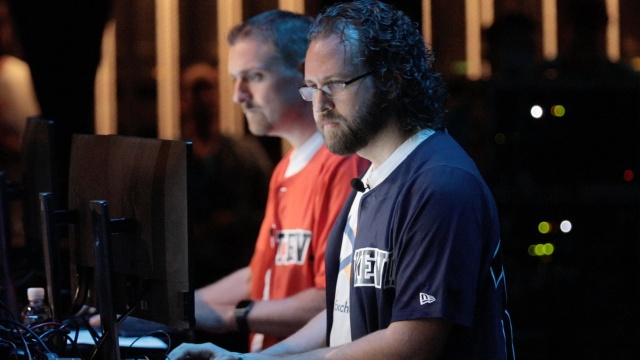
Video Duration
5516
Featured in Sort
Off
Subtype
Speakers
Kevin McClusky
Co-Director of Sales Engineering
Inductive Automation

Travis Cox
Director of Training
Inductive Automation
ICC Sequence
5
File Label
Download Slides
ICC Year
2019.00